Pixel Flow Level 1452 Solution | Pixel Flow 1452 Walkthrough
How to beat Pixel Flow Level 1452: Video solution & walkthrough. The fastest way to pass Pixel Flow 1452.
Is this the wrong level layout?🤔
Pixel Flow randomizes levels for different players. Don't worry, just upload a screenshot of your board, and our AI will find the correct video instantly.

Pixel Flow Level 1452 Solution
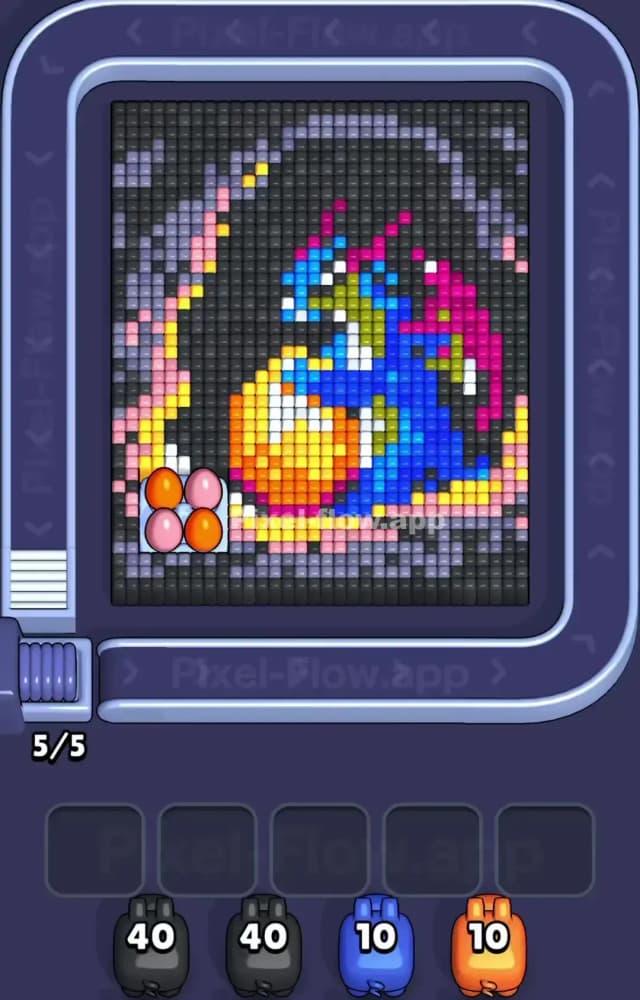
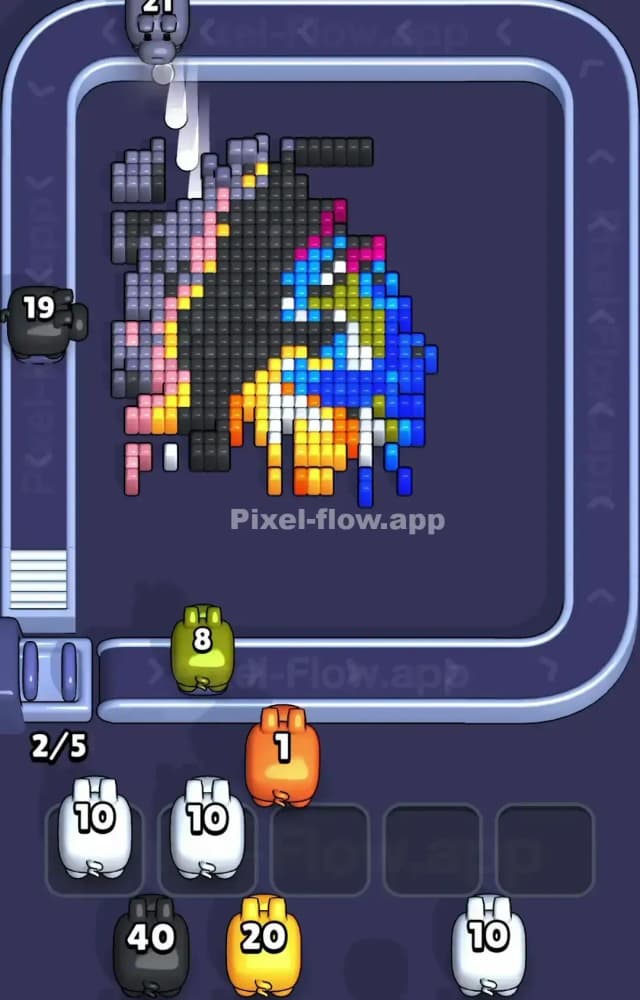
The artwork here is a fierce blue dragon clutching a massive yellow and orange fireball, entirely trapped inside a thick black and gray cave wall. Black and gray form the ultimate shield. They wrap completely around the edges of the grid. The colorful center is totally locked down. Blue, green, and orange cubes make up the dragon and the fireball. You cannot touch them yet. Black is the absolute hardest color to clear simply because of the sheer volume. You need multiple high-capacity Pigs just to dent this outer crust.
If you try to snipe the inner colors early, you die. The entire puzzle hinges on peeling the black outer shell away to expose the pink and yellow flame rings underneath. Only then can you reach the dragon.
Pixel Flow Level 1452 Overview
Let's look closely at the board for Pixel Flow 1452. The dominant visual feature is the heavy black border acting as a dark aura or cave. It eats up the entire top, left, and right sides of the voxel picture. Inside this dark shell sits the main character. A blue dragon with pink wings and tight green underbelly accents. The dragon wraps tightly around a perfectly round fireball made of yellow, orange, and red cubes.
A ring of pink and yellow flame effects separates the dragon from the black shell. Notice that weird 2x2 cluster of pink and orange sitting isolated on the bottom left. That is bait. Ignore it until the main walls fall. The biggest color zone by far is the black exterior. The blue dragon body is the second largest, stretching diagonally across the center. The white and green Cubes are tiny detail accents buried dangerously deep.
Pixel Flow Level 1452 Board Logic and Color Priority
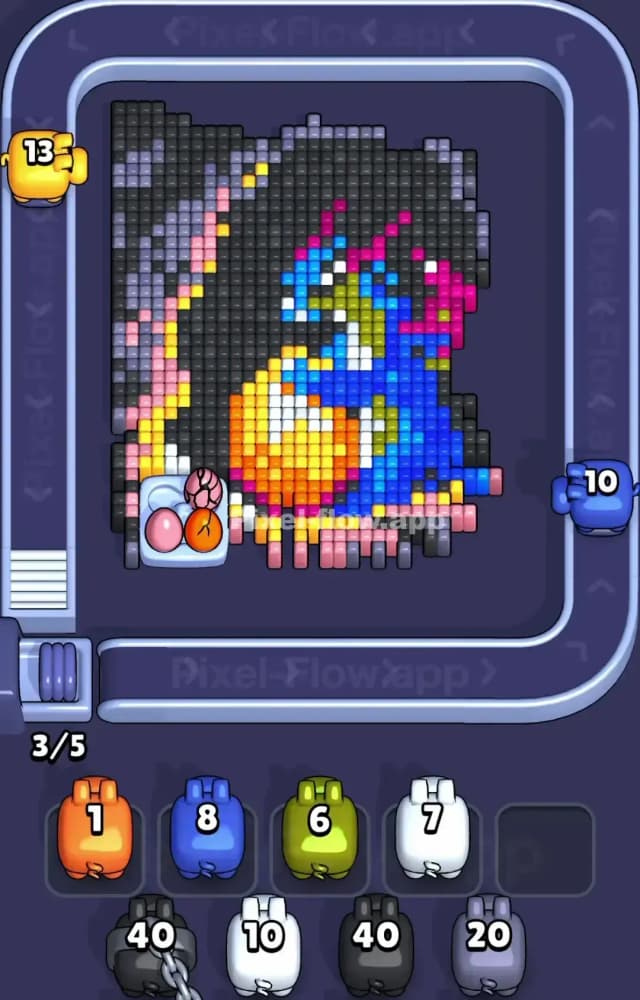
Black is your main shield. Period. You must smash through the black and gray outer layers before you even look at the inner dragon. The black shell physically blocks the pink flame ring. The pink flame ring protects the blue dragon. The dragon protects the yellow and orange fireball. The game feeds you 40-ammo black Pigs early on the conveyor belt. Use them immediately. Let them chew through the thick outer columns on the left and right. Gray Pigs will handle the top rows.
Do not touch the blue or white Pigs yet. If you grab them early, you will instantly clog your Waiting Slots. A blue pig might only have 10 ammo, but there are zero exposed blue Cubes on the outside. It will just sit there taking up space. Do that with a few wrong colors and your board locks up. Game over.
Only once the black shell breaks apart should you deploy pink and yellow Pigs to clear the inner flame ring. Green and white are strict late-game colors. They form the dragon's face and chest details. Leave them completely alone until the blue body is half gone.
Step by Step Solution Walkthrough for Pixel Flow Level 1452
You need to execute the exact sequence of color clears to keep your slots empty. Make a mistake on the conveyor belt and you fail.
- Watch the Pixel Flow Level 1452 solution video above for the exact move order.
- Track exactly when the player deploys the heavy black Pigs versus the smaller detail colors.
- Mimic the timing for clearing the pink and yellow layers to safely expose the dragon.