
Pixel Flow Rubik Cube Level Solution | Pixel Flow Rubik Cube Walkthrough
How to beat Pixel Flow Rubik Cube Level: Video solution & walkthrough. The fastest way to pass Pixel Flow Rubik Cube .
Is this the wrong level layout?🤔
Pixel Flow randomizes levels for different players. Don't worry, just upload a screenshot of your board, and our AI will find the correct video instantly.
Pixel Flow Rubik's Cube Level Walkthrough
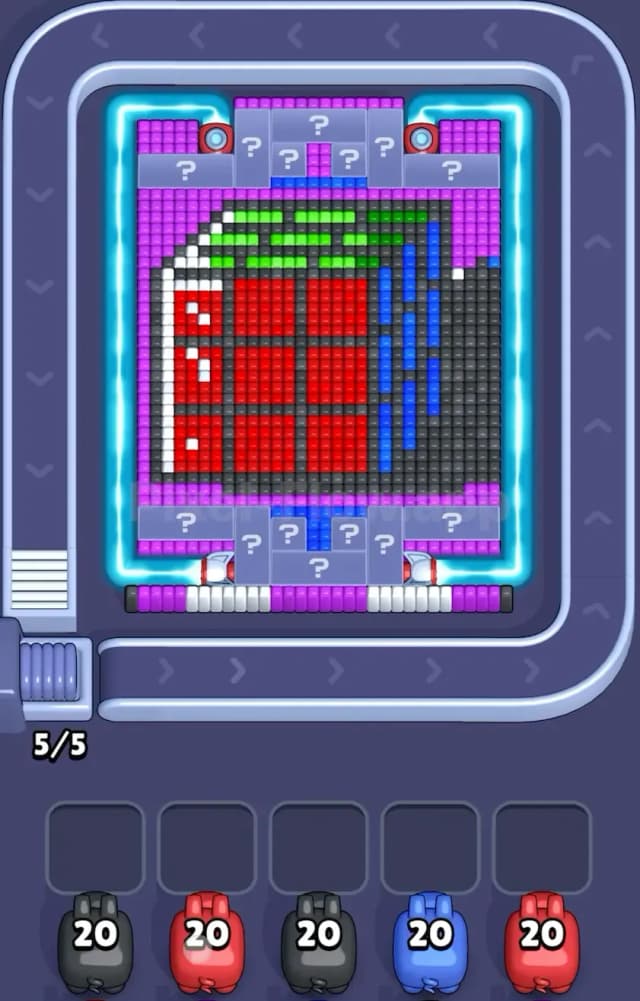
Pixel Flow Rubik's Cube Level presents a deceptively festive image: a large, cubic gift box. But don't let the wrapping paper fool you. This level is a fortress of layered voxels that requires strict ammo management. You are looking at a giant Red cube wrapped with Green ribbons on top, a White and Red speckled ribbon on the left, and Blue vertical strips on the right.
The most critical feature, however, isn't the gift itself. It’s the armor surrounding it. The entire right side of the board is blocked by a massive wall of Black (or dark grey) voxels. The top and bottom are capped with Purple rows and Mystery Blocks (marked with "?"). If you waste ammo trying to punch through the wrong side, you will clog your slots immediately.
Is this a very hard level? Yes. The layering here is dense, and the Mystery Blocks add an element of RNG that can ruin a perfect run if you aren't prepared for what they hide.
Pixel Flow Rubik's Cube Level Overview
The artwork in Pixel Flow Rubik's Cube Level resembles a heavy, industrial-style Christmas present. The core of the structure is a solid block of Red, but you can barely touch it at the start. The "ribbons" aren't just decoration; they act as separate layers that block the red core. The Green strips sit horizontally across the top face, while the Blue strips run vertically down the right face.
The asymmetry here is extreme. The left side of the board is relatively open, showing that White/Red strip, but the right side is completely deadlocked by that Black wall. You cannot access the Blue ribbon—or anything beneath it—until that dark wall is demolished. Furthermore, the top and bottom are guarded by Purple bumpers. These Purple rows protect the Mystery Blocks. Until you clear the purple, those question marks stay locked, preventing you from knowing which color pig you need next.
Step by step solution walkthrough for Pixel Flow Rubik's Cube Level
First Color Zone to Erase in Pixel Flow Rubik's Cube Level
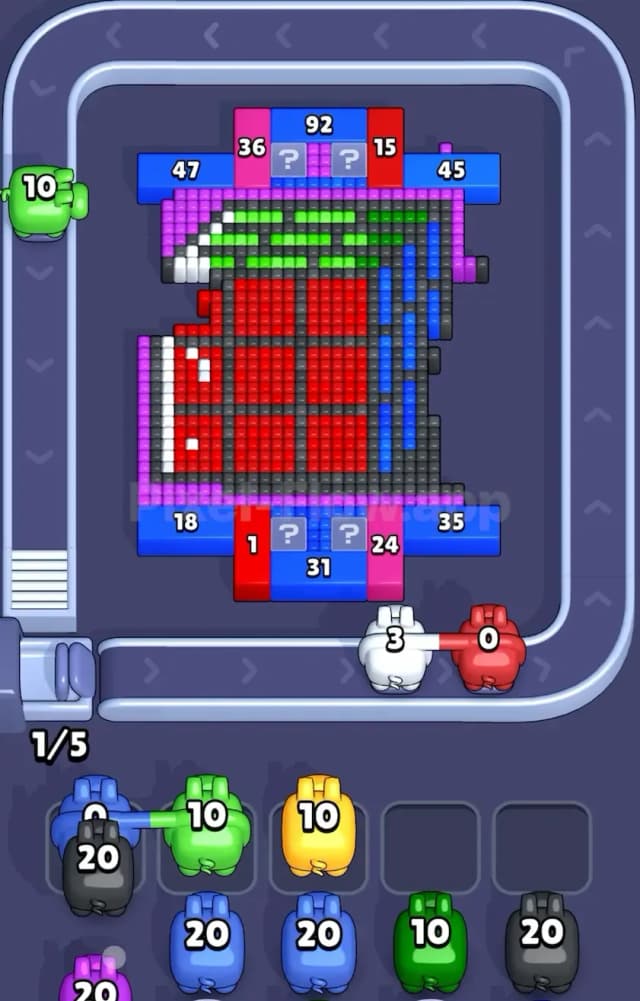
Your priority target must be the Black zone on the right side. Look at your starting lineup. You likely have Black pigs with high ammo counts (around 20) early in the queue. This is not an accident.
That massive dark wall on the right is the "cork" in the bottle for Pixel Flow Rubik's Cube Level. If you skip the Black pigs or let them drop into your slots while you mess around with the Red or White sections on the left, you will lose. The Black pigs must be used immediately to shave off that right-hand layer. Narratively, think of it as unwrapping the outer shipping box to get to the actual gift inside. Erasing the Black voxels exposes the Blue vertical strips hidden underneath. Without exposing the Blue, any Blue pigs you draw later will be useless dead weight, clogging your slots and ending your run.
How to pass Pixel Flow Rubik's Cube Level without power ups or boosters
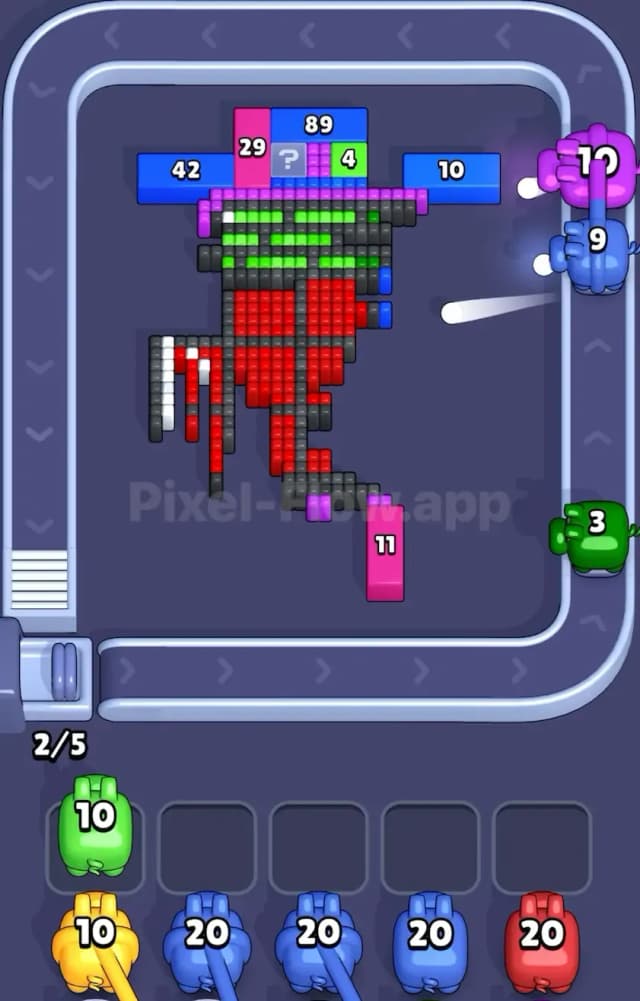
Once the Black wall is gone, the board looks like a half-opened present. This is the danger zone where most players fail. You will see the Blue strips on the right and the Green strips on the top, but the Red center is still largely protected.
Here is the strategy to survive without boosters:
- Respect the Mystery Blocks: You will start drawing Purple pigs. Use them to clear the top and bottom rows. This is scary because it triggers the Mystery Blocks. However, you must do this to open up valid targets. Often, the ? blocks turn into colors you already have in your queue. If you ignore the Purple rows, the ? blocks stay gray and un-hittable, effectively shrinking the board.
- Ribbon Priority: Before you try to drill into the big Red center, you must clear the Green (top) and Blue (right) ribbons. These are thin layers sitting on top of the red. If you have a Red pig and a Green pig, play the Green first. Why? Because the Green voxels physically block the Red ones beneath them. If you try to shoot Red first, the shots might be blocked, or you'll run out of visible Red targets while the Green layer still exists.
- The Slot Management Trick: In Pixel Flow 30, never keep more than two "useless" pigs in your holding slots. If you have a Yellow pig (which might appear from a ? block) and there is no yellow on screen, that's one slot gone. If you get another unmatched color, you are at 2/5 capacity. Stop. Look at the conveyor belt. Do not bring down another pig unless it can fire immediately.
Last Details You Clean Up in Pixel Flow Rubik's Cube Level
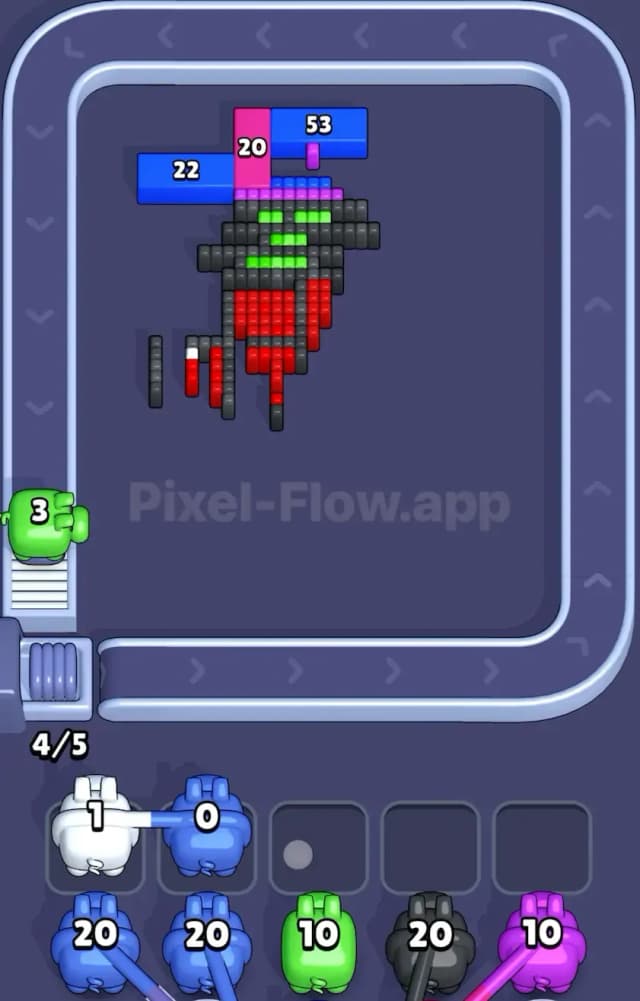
By the end, Pixel Flow Rubik's Cube Level looks like a skeleton. You will have stripped away the Black wall, the Purple caps, and the Green/Blue ribbons. What remains is usually the massive Red core and the stubborn White strip on the left edge.
The final challenge is ammo count. The Red section is thick—it's a solid block, not just a surface layer. You will need multiple Red pigs to finish it. Be careful with the White strip on the left; it often hides the very last few Red pixels behind it. Clear the White vertical line as soon as possible so that your Red pigs have access to the entire face of the cube. If you leave a single White pixel, it might block a line of sight to the last Red block, forcing you to cycle through pigs you don't need just to get a clear shot. Clean the edges, then core the apple.