Pixel Flow Level 1473 Solution | Pixel Flow 1473 Walkthrough
How to beat Pixel Flow Level 1473: Video solution & walkthrough. The fastest way to pass Pixel Flow 1473.
Is this the wrong level layout?🤔
Pixel Flow randomizes levels for different players. Don't worry, just upload a screenshot of your board, and our AI will find the correct video instantly.


Pixel Flow Level 1473 Solution
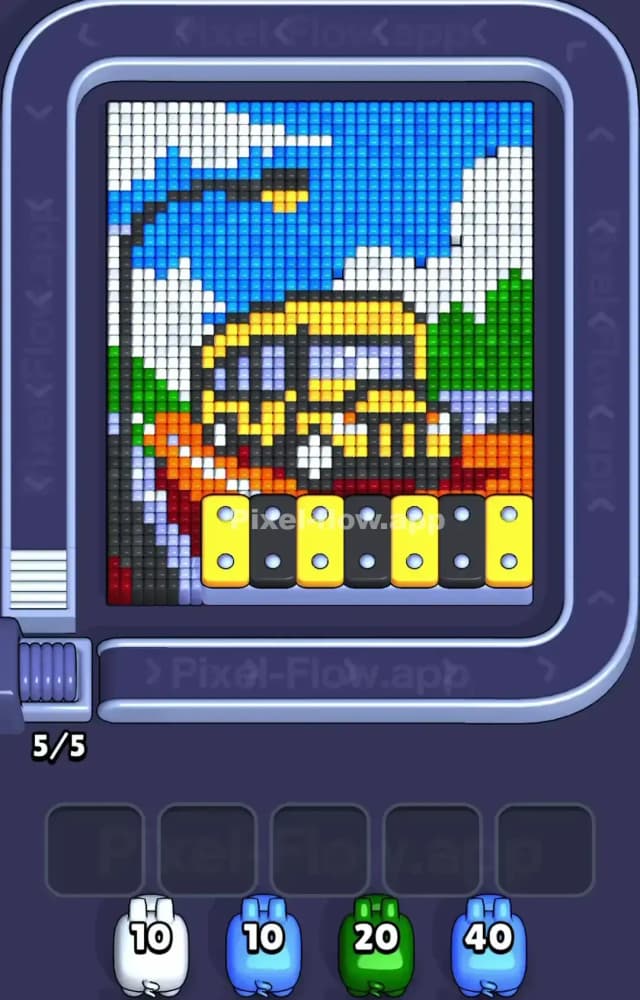
Pixel Flow Level 1473 throws a chunky highway scene right in your face. A bright yellow vehicle—looks like a heavy truck or school bus—dominates the center of the grid. The massive light blue sky acts as your primary outer shield. You have to strip away that massive block of blue and the white clouds before you can even touch the top of the yellow truck. The hardest color to clear is the black. It outlines the entire vehicle and builds the dark grey lamppost on the far left. Those black pixels are buried deep in the voxel layers. Leave the black pigs alone until the yellow and grey blocks are completely exposed.
Pixel Flow Level 1473 Overview
Look at the massive color zones in Pixel Flow 1473. The top half is a literal wall. Light blue pixels form the sky, broken up by thick, jagged white cloud formations sitting right on top of the scenery. Down the left side, a stark grey and black vertical line creates a street lamp blocking the edge of the board.
The center object is that chunky yellow vehicle. Notice the dark grey and purple pixels forming its windows. They are heavily recessed. Below the vehicle, a bright orange and red section stretches out to the right. This forms a road or a bridge structure carrying the truck. At the absolute bottom front layer, a prominent yellow and black hazard strip blocks the undercarriage. The blue and white zones are your biggest surface-level obstacles. You need them gone immediately to open up the middle of the board.
Pixel Flow Level 1473 Board Logic and Color Priority
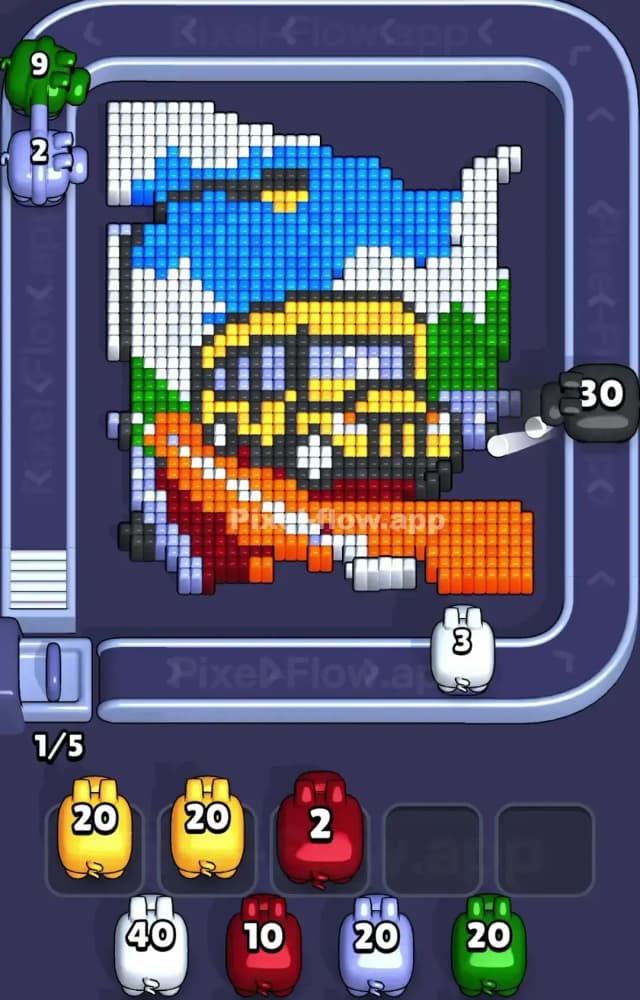
The board logic in Pixel Flow 1473 specifically protects the yellow core and the intricate black outlines. The light blue sky is the absolute main shield color. It sits directly on top of the background layers. The white clouds act as a secondary shield over the top of the vehicle. Do not tap a yellow or black pig early. You will choke your waiting slots. Those five slots fill up brutally fast. Game over.
Clear the blue first. Rip the sky off the board. Burn through the 40-ammo blue pigs early. Then hit the white clouds. This exposes the green hills on the right and peels the roof off the yellow truck. The orange road on the bottom right is somewhat exposed on the edge, but ignore it until you clear the green blocks directly above it.
The black pixels are entirely structural. They outline the truck's grill, wrap the windows, and build that left-side lamppost. Save your black and dark grey pigs for the absolute end of the run. Your priority is maximizing every tap to spend ammo efficiently on the outer layers.
Step by Step Solution Walkthrough for Pixel Flow Level 1473
Be smart with your initial taps. You cannot afford to guess on a board with this many hidden outlines. Follow these basic phases to avoid clogging the board:
- Target the light blue pigs to strip the giant sky shield from the top half.
- Clear the white clouds to expose the roof of the yellow truck.
- Pick off the green hills on the right side to open up the background.
- Work down into the yellow truck body and the orange road below it.
- Mop up the black outlines and grey details last.
Need the exact sequence? Watch the Pixel Flow Level 1473 solution video above for the exact move order. Don't risk a restart by guessing which layer goes next.