Pixel Flow Level 1560 Solution | Pixel Flow 1560 Walkthrough
How to beat Pixel Flow Level 1560: Video solution & walkthrough. The fastest way to pass Pixel Flow 1560.
Is this the wrong level layout?🤔
Pixel Flow randomizes levels for different players. Don't worry, just upload a screenshot of your board, and our AI will find the correct video instantly.

Pixel Flow Level 1560 Solution
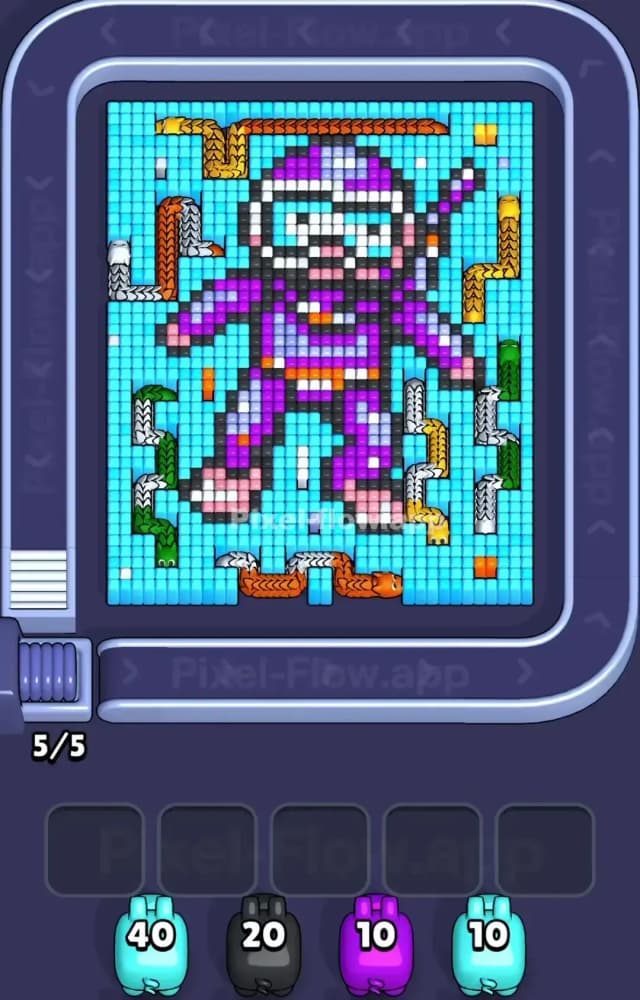
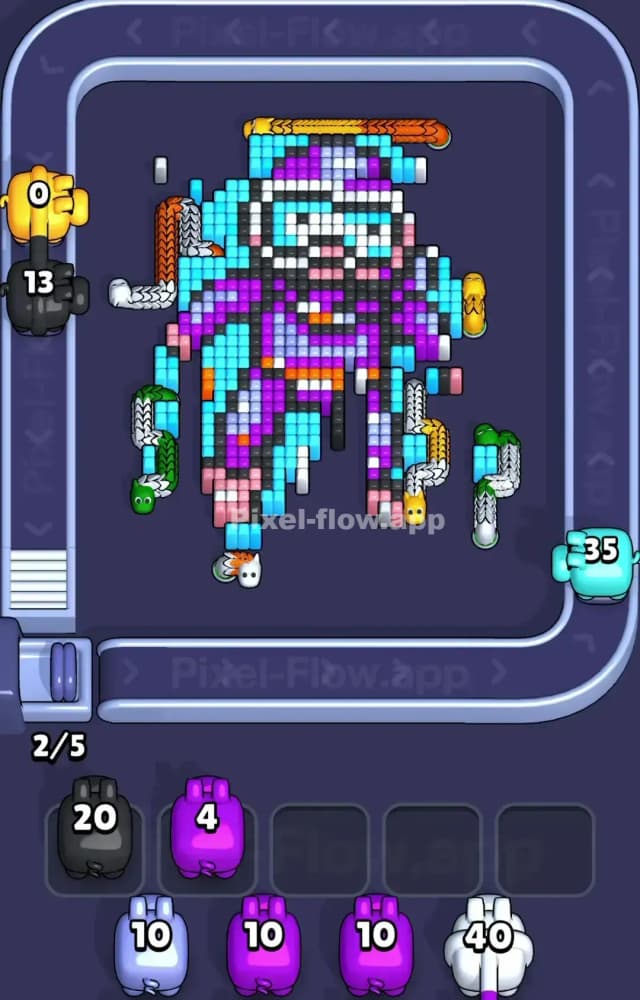
This board is a massive trap. You are staring down a giant Cyan wall. That light blue background is your primary shield, and it completely blocks access to the purple space ninja character hiding in the center. Look at the edges. You have these weird, segmented snake patterns sitting directly on top of the cyan blocks. You will see Orange and Yellow snakes wrapping the top right. Green and Silver snakes hug the bottom left and right corridors. You have to blast away the Cyan foundation to even interact with those outer edge shapes.
The absolute hardest color to manage here is Black. The black blocks form the heavy outline of the entire ninja suit. They divide the core into tiny, highly protected pockets of color. You have to smash the blue to get to the black.
Pixel Flow Level 1560 Overview
Let's break down the actual pixels on this board. The background is a solid, unbroken sheet of Cyan. Over 100 blocks of it. In the middle sits a highly layered futuristic ninja or astronaut figure.
The biggest color zone inside that figure is Purple, making up the heavy chest, legs, and arms of the suit. Look closely at the hands and feet. They are tipped with bright Pink blocks. Dead center on the waist, you see a thin Orange belt. The head features a massive White visor framed by thick Black borders, complete with a tiny Cyan reflection stripe inside the glass.
Those edge snakes are scattered everywhere to distract you. Notice the Silver and Orange worm at the very bottom center. It blocks direct access to the ninja’s feet. The Cyan is the overwhelming dominant color locking all this intricate pixel art in place.
Pixel Flow Level 1560 Board Logic and Color Priority
The board is desperately trying to protect the ninja's inner suit. Cyan is your absolute first priority. It is the main shield. You start with a massive Cyan 40 pig on the conveyor belt. Fire it immediately. Do not hesitate. You need to carve out a massive chunk of that background to expose the ninja's exterior Black outline.
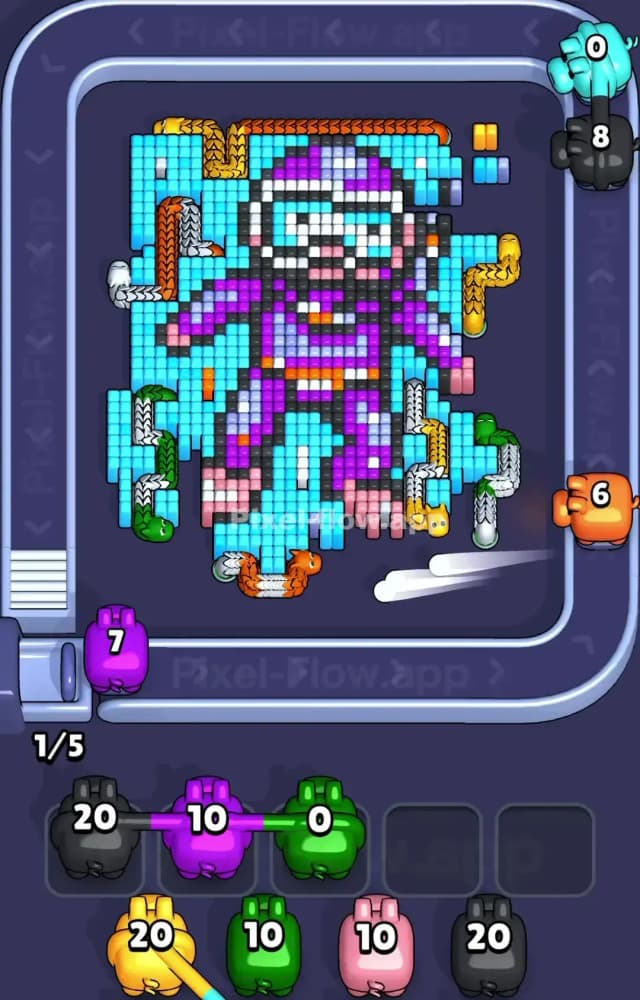
The Black blocks protect the Purple and White core. This is exactly where players fail Pixel Flow 1560. If you trigger a Purple or Black pig while the Cyan shield is still intact, you are dead. A Black 20 pig needs a massive surface area of exposed black targets. If only four black blocks are uncovered, the pig shoots four times, keeps 16 ammo, and drops directly into your Waiting Slots.
The ninja has way too many overlapping layers. If you clog those five slots with half-used Purple, Black, and White pigs, the run is over. You literally run out of room to cycle the conveyor. Wait until the Black outline is heavily broken before you touch the inner suit colors. Clear the outer Cyan. Drop the floating snake shapes by destroying their floor. Crack the Black shell. Then gut the Purple inside.
Step by Step Solution Walkthrough for Pixel Flow Level 1560
You need perfect timing to clear the ninja without jamming your slots. One wrong pig pull cascades into a failed run. I cannot type out every single micro-interaction here.
- Watch the Pixel Flow Level 1560 solution video above.
- Pay exact attention to when the player pulls the heavy Black and Purple pigs off the conveyor.
- Note how they manage the Waiting Slots when transitioning from the outer shield to the center suit.
- Copy the exact move order to crack the center shield.
Do not freestyle this. Follow the video exactly.