Pixel Flow Level 1664 Solution | Pixel Flow 1664 Walkthrough
How to beat Pixel Flow Level 1664: Video solution & walkthrough. The fastest way to pass Pixel Flow 1664.
Is this the wrong level layout?🤔
Pixel Flow randomizes levels for different players. Don't worry, just upload a screenshot of your board, and our AI will find the correct video instantly.

Pixel Flow Level 1664 Solution
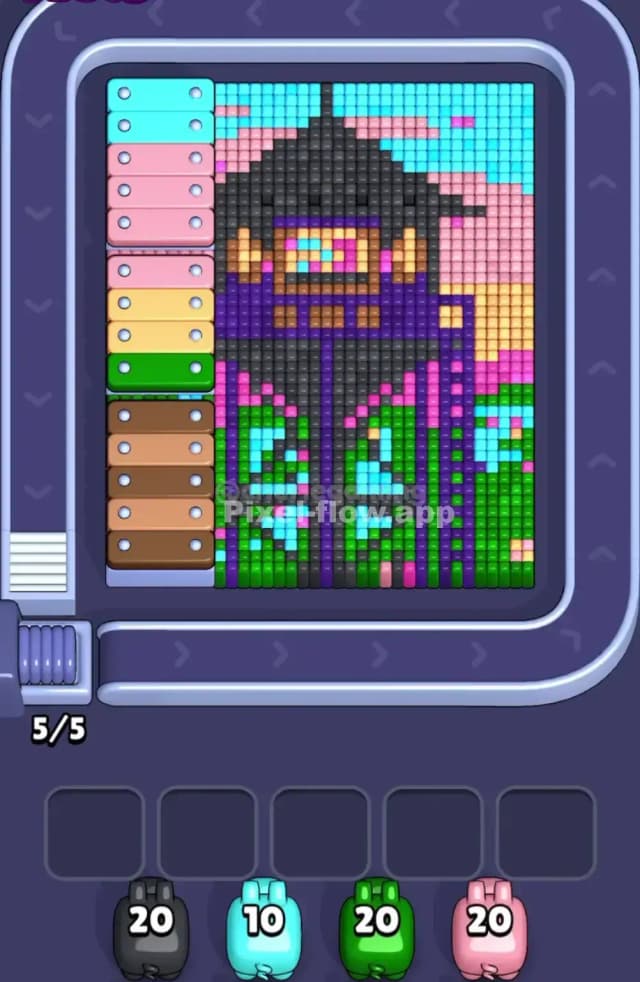
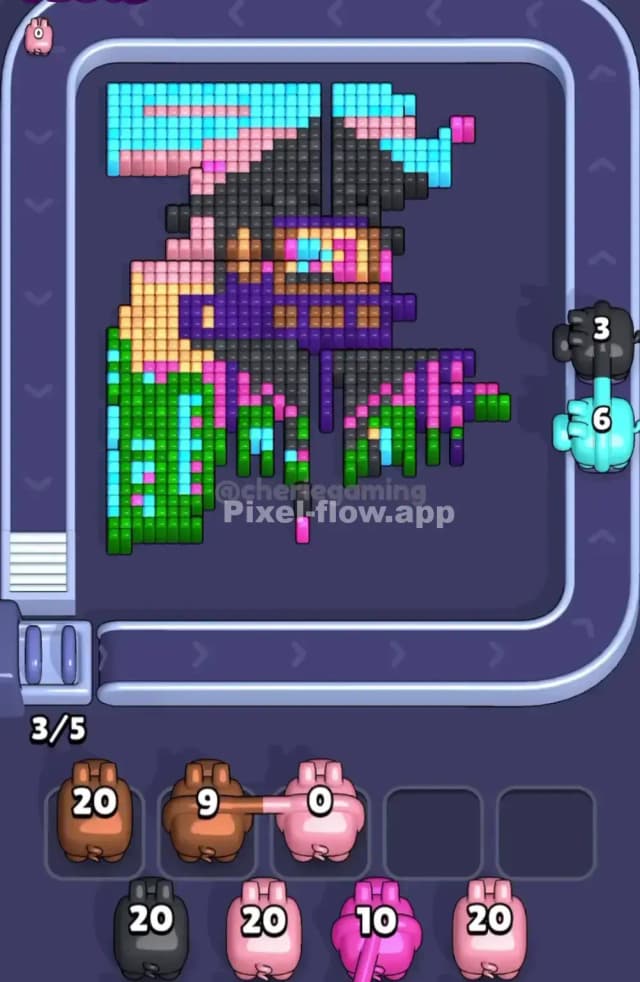
This board is a massive, layered portrait of a masked cyberpunk samurai. The art is dense. Thick slabs of color overlap heavily, creating a puzzle that severely limits your early moves. The main shield colors are the cyan blocks acting as the sky at the top and the bright green segments forming the outer jacket at the bottom. These bright outer layers completely lock down the darker core.
The center of the board is where the real danger lies. The samurai’s face and torso are protected behind a thick black hat and a wide dark purple mask. These center colors are entirely inaccessible at the start. The hardest color to clear in Pixel Flow Level 1664 is definitely the brown. It sits dead center, making up the skin of the face, and is tightly boxed in by the black hat, the purple mask, and the glowing cyan and pink goggles. You have to strip away three separate layers of armor just to give your brown Pigs a clean shot.
Pixel Flow Level 1664 Overview
Look closely at the grid. The background is a layered sunset. You have a solid block of cyan at the top left and right, shifting down into a blocky gradient of pale pink and light yellow on the right flank. Dead center sits our character. The massive black hat spans almost the entire width of the inner canvas. Below it, a dark purple scarf covers the lower half of the face.
The jacket is a chaotic mix. Black serves as the base, overlaid with vibrant green and cyan geometric accents on the left side, and stark magenta and pink stripes down the right sleeve.
Pay special attention to the far-left edge. There is a bizarre stack of thick, horizontal bars completely separate from the main character. It looks like a stack of structural beams: light blue on top, followed by pink, pale yellow, green, and brown at the bottom. These flat bars act as a massive physical wall. They protect the entire left flank of the samurai.
Pixel Flow Level 1664 Board Logic and Color Priority
This board is designed to trap your dark-colored ammo. The layout protects the black and purple center at all costs.
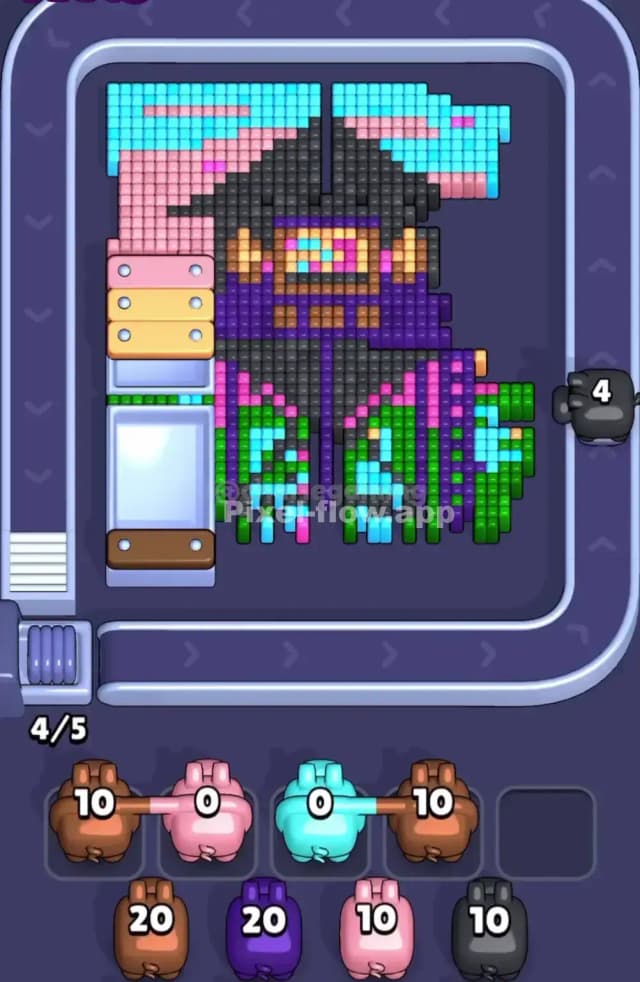
Cyan is your primary target. It dominates the top sky and pieces of the jacket. Clear the cyan sky first. Next, focus on the green chunks in the lower jacket and the structural bars on the far left. Ripping down that left-side barricade is mandatory. It opens up horizontal firing lanes straight into the purple mask and the black hat.
Do not touch your brown or black Pigs early. This is the biggest trap in Pixel Flow 1664. The brown face blocks are completely buried. If you fire a brown pig while the purple mask is still intact, you will instantly clog your waiting slots. Black is just as risky. Even though there is a ton of black on the board, most of it is trapped behind the bright green and magenta outer sleeves. Burn through the cyan, green, and light pink exterior first. Expose the dark purple scarf. Only after the scarf falls can you safely deploy your brown and black ammo into the core.
Step by Step Solution Walkthrough for Pixel Flow Level 1664
The layer overlaps on this samurai portrait are brutal. One wrong black pig deployment and your queue is permanently dead. Watch the Pixel Flow Level 1664 solution video above for the exact move order. The video shows exactly when to break the cyan sky and how long you need to hold back your dark ammo to survive.