Pixel Flow Level 1871 Solution | Pixel Flow 1871 Walkthrough
How to beat Pixel Flow Level 1871: Video solution & walkthrough. The fastest way to pass Pixel Flow 1871.
Is this the wrong level layout?🤔
Pixel Flow randomizes levels for different players. Don't worry, just upload a screenshot of your board, and our AI will find the correct video instantly.
Pixel Flow Level 1871 Solution
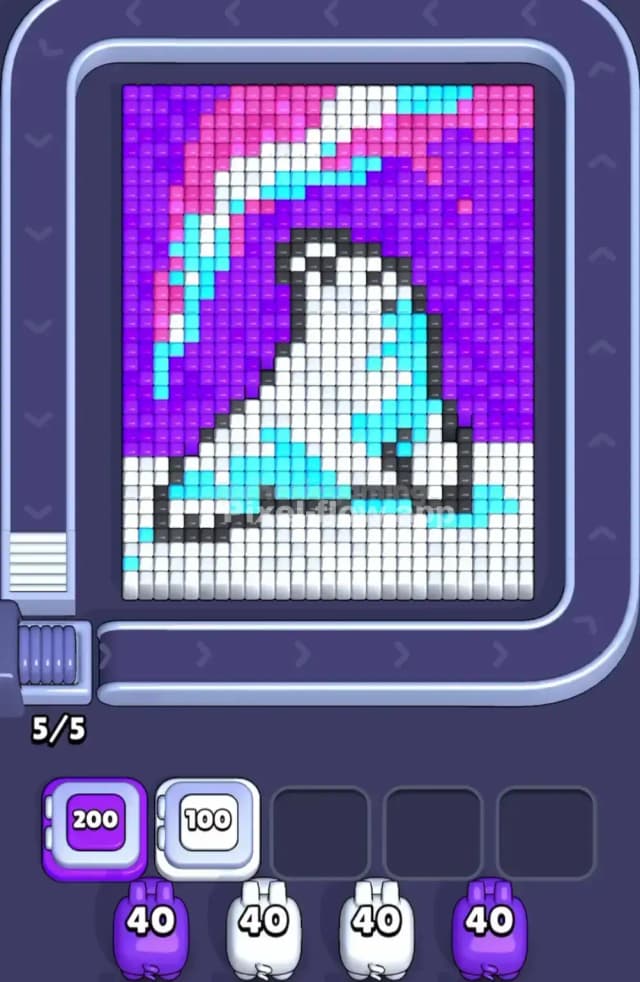
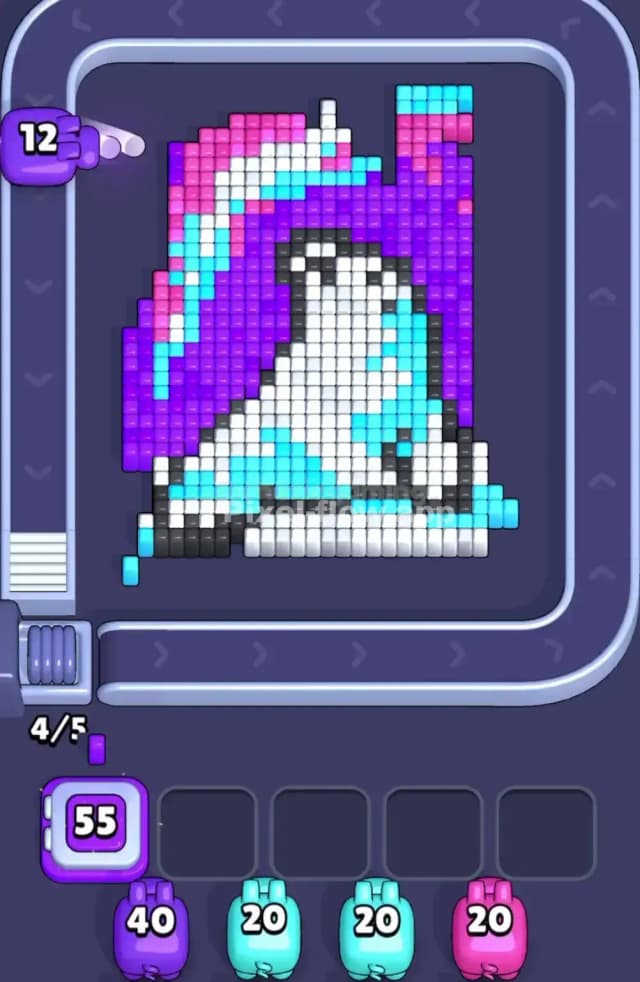
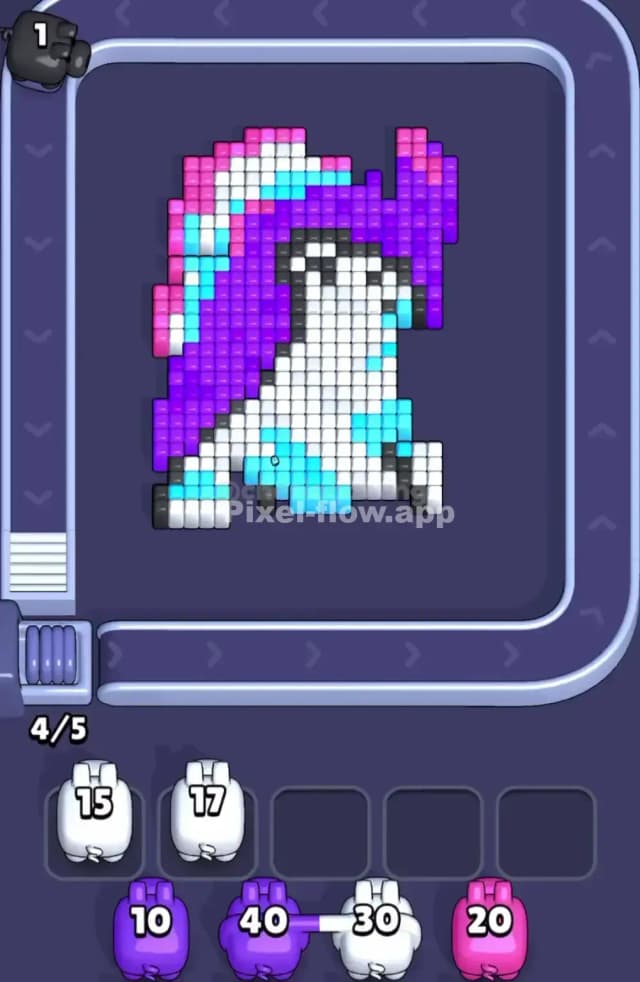
Stuck on Pixel Flow Level 1871? Yeah, this one looks tricky. You've got what looks like a little penguin or some kind of bird surfing a wave against a wild sunset. The main problem is that the entire background is a massive wall of Purple, acting as a giant shield.
The central image—the penguin and its surfboard—is made of White, Black, and Light Blue. Above it, a streak of Pink and Light Blue cuts across the sky. The hardest color to manage here is definitely White. It's split into two completely separate sections, and if you clear one without unlocking the other, you’ll clog your waiting slots and lose. This guide for Pixel Flow 1871 will walk you through the color order to beat it.
Pixel Flow Level 1871 Overview
Let's break down the board. The artwork for Pixel Flow Level 1871 is a character on a surfboard. The bottom quarter of the screen is a solid block of White cubes, forming the base of the wave or the ground. The character, who looks like a penguin, sits on top of this. Its body is mostly White, with a Black outline and some Light Blue shading to give it shape and show the water splashing.
The entire background is a huge field of Purple cubes. This is your main obstacle. Cutting diagonally through the top of the purple sky is a ribbon of Pink and Light Blue, like an aurora or a colorful cloud. The key visual to notice is how the Black outline of the penguin separates its White body from the White base below. That separation is the core of the puzzle.
Pixel Flow Level 1871 Board Logic and Color Priority
The strategy for Pixel Flow Level 1871 is all about managing the White cubes. The board is designed to trick you into stranding the White Pig with leftover ammo. Don't fall for it.
The main shield color is Purple. With 200 ammo, this is the first color you have to get rid of. It blocks access to everything important: the Pink in the sky, the Black outline, the Light Blue shading, and the upper White part of the penguin. You must clear all the Purple first. No exceptions.
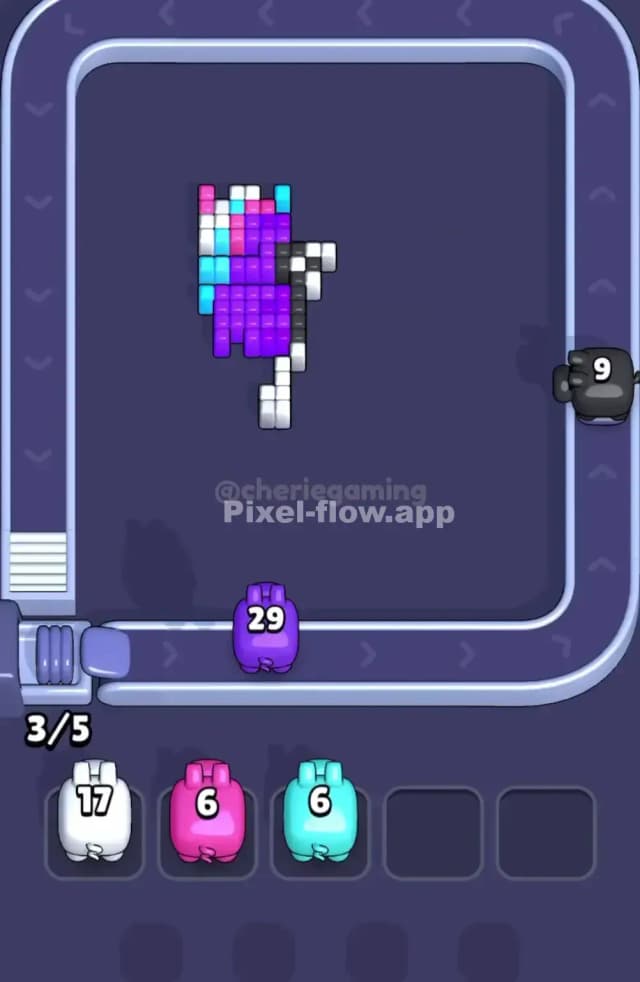
After the Purple is gone, you'll see the other colors clearly. The biggest trap is the White. You have 100 ammo for it. The bottom base of White cubes is totally exposed from the start, but the penguin's White body is trapped behind the Light Blue and Black cubes. If you clear the bottom White section first, your White Pig will have ammo left but no targets. It will drop into a waiting slot, and you'll be stuck.
Here's the correct color priority to solve Pixel Flow 1871:
- Purple: Clear this entirely. It's a huge shield, and nothing else matters until it's gone.
- Pink: Once the Purple is cleared, the Pink streak in the sky is fully available. It's a small amount, so take it out.
- Light Blue: This color is used for shading on the penguin and the wave. Clearing it will expose the Black outline.
- Black: This is the final gatekeeper. The Black cubes form the outline of the penguin, and clearing them finally gives you access to the White cubes that make up its body.
- White: Now, and only now, should you use the White Pig. You can clear both the bottom base and the penguin's body in one go, using all 100 ammo without clogging your slots.
Step by Step Solution Walkthrough for Pixel Flow Level 1871
I won't give you the exact tap-for-tap moves here since the fun is in figuring that out. But the strategy above is the key. For the perfect sequence of moves, check out the Pixel Flow Level 1871 solution video. The main thing is to follow the color priority exactly. Get rid of the barriers before you touch the color they are protecting. Good luck