Pixel Flow Level 608 Solution | Pixel Flow 608 Walkthrough
How to beat Pixel Flow Level 608: Video solution & walkthrough. The fastest way to pass Pixel Flow 608.
Is this the wrong level layout?🤔
Pixel Flow randomizes levels for different players. Don't worry, just upload a screenshot of your board, and our AI will find the correct video instantly.


Pixel Flow Level 608 Walkthrough
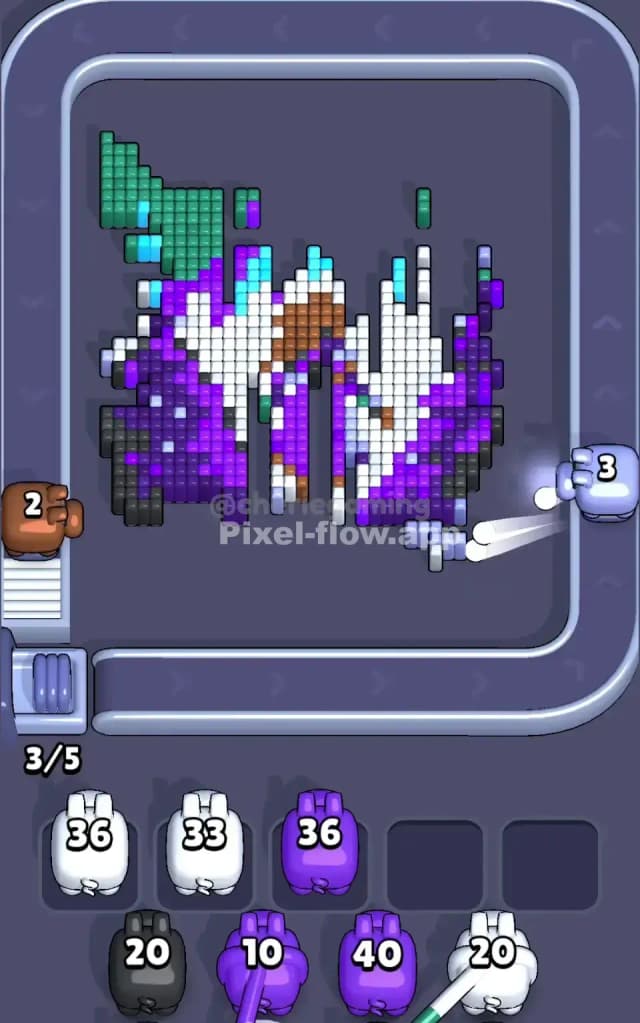
This level features a striking, mystical scene dominated by purple and white, depicting what looks like a dragon or magical creature soaring through a starry sky. The main colors are vibrant purples, deep blacks, icy whites, and patches of teal green at the top.
To beat Pixel Flow 608, you need to match the colored pigs on the conveyor belt to the exposed voxels. The challenge is that two large "cupcake" blockers sit on the left and right edges, partially obscuring the middle layers until you clear the surrounding blocks.
Is this a hard level? Yes, it is very hard. The layering is deceptive. Large chunks of white and purple are visible, but they often hide critical support blocks of black or brown that prevent you from clearing the board evenly.
Pixel Flow Level 608 Overview
The artwork in Pixel Flow 608 feels like a snapshot from a fantasy novel. You have a central figure—likely a dragon or spirit—rendered in stark white and cyan, cutting diagonally through a background of deep space purples and blacks. The top of the image features a heavy "ceiling" of teal green blocks that act like a starry night sky or an aurora.
The board is asymmetrical in a dangerous way. The bottom half is heavily weighted with horizontal bands of purple and white. The top half is broken up by that teal green section and jagged spikes of cyan.
The two cupcake blockers on the sides are your main structural problem. They don't just sit there; they force you to clear the center column aggressively to "get around" them visually, even though you can't actually shoot through them. The real danger zone is the bottom-right corner where black pixels are often buried under layers of purple, making it easy to strand a Black Pig in your waiting slots with no targets.
Step by step solution walkthrough for Pixel Flow Level 608
First Color Zone to Erase in Pixel Flow Level 608
I strongly recommend starting with the White Pigs to attack the central diagonal stripe. Here is why:
- Massive Target Area: The white section runs from the bottom left almost to the top right. It is the most "connected" color on the board.
- Exposing the Core: The white blocks are mostly "on top" of the darker background layers. By shaving off this bright white streak, you immediately expose the tricky brown and black pixels hiding underneath the creature's body.
- Ammo Efficiency: White Pigs usually come with high ammo counts (around 20-30). You can dump almost their entire clip into that central mass without them clogging up your waiting slots.
Avoid the Teal Green at the top initially. Those blocks are isolated and high up. If you grab a Teal Pig early, it will likely shoot three blocks and then get stuck in your slot, blocking you from cycling to better colors.
How to pass Pixel Flow Level 608 without power ups or boosters
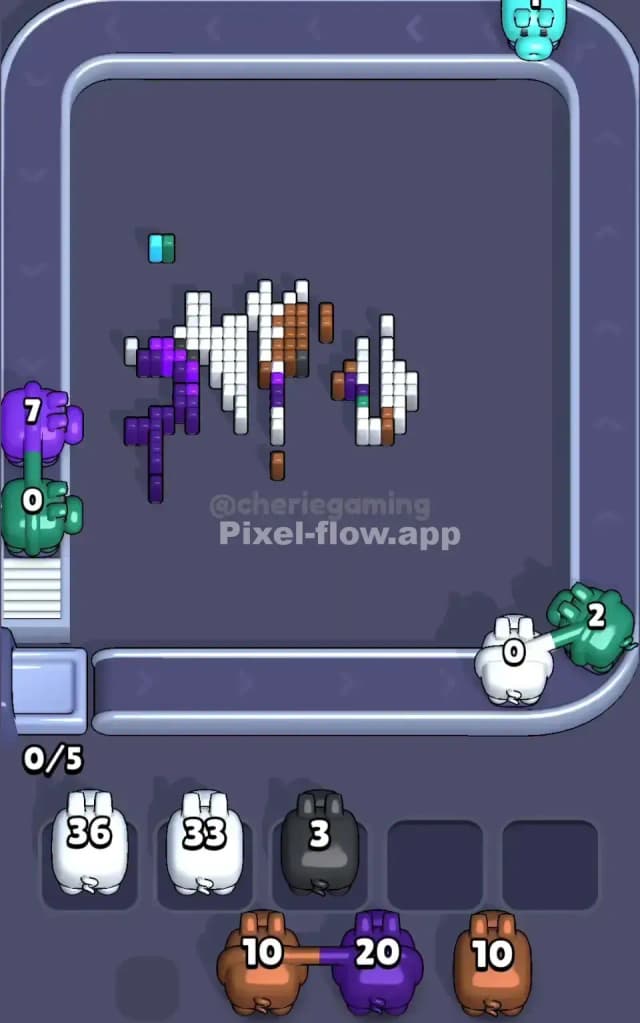
Once you clear that initial white layer, the board looks like a jagged mess. The central white streak is gone, leaving a gap between the left purple wing and the right purple wing.
Now, shift your focus to the Purple Pigs. The bottom of the board is a thick foundation of purple. Clear this row by row. This is critical because the board gravity in Pixel Flow 608 often hides black pixels at the very bottom. If you leave the purple "floor" intact, you will never see those bottom-layer blacks until it's too late.
At this mid-stage, you will see a lot of Cyan/Light Blue pixels mixed in with the remaining white. Be careful here. The cyan pixels often form narrow vertical lines. Only grab a Cyan Pig if you see a clear vertical column of blue exposed. If the blue pixels are scattered horizontally, your pig will waste turns waiting for the rotation, or worse, run out of targets and clog your slots.
The Priority Shift:
- White: Clear the big diagonal.
- Purple: Scrub the bottom floor and the thick side chunks.
- Brown: A small patch of brown will appear in the center once the white is gone. Clear this immediately when you see a Brown Pig. It’s a small cluster, so get it out of the way so it doesn't block the black layer behind it.
Last Details You Clean Up in Pixel Flow Level 608
In the final phase, you are usually left with the "sky" and the "shadows."
The Teal Green blocks at the top left are usually the last large chunk to go. They are harmless up there, so ignore them until the end.
The real threat in the final moves is the Black/Dark Grey layer. These blocks form the deep background and are often scattered in single pixels behind the purple clouds. You must keep one slot open for a Black Pig. Do not fill all five slots with Green or Cyan pigs if you still see specs of black flickering in the background. If you block your slots now, you will lose.
Ideally, your last move should be a Green Pig clearing that top-left corner, or a Purple Pig finishing off the last remnants of the background edge. If you find yourself with only one Black pixel left and five non-black pigs in your slots, you didn't clear the Purple layers aggressively enough in the mid-game.