Pixel Flow Level 620 Solution | Pixel Flow 620 Walkthrough
How to beat Pixel Flow Level 620: Video solution & walkthrough. The fastest way to pass Pixel Flow 620.
Is this the wrong level layout?🤔
Pixel Flow randomizes levels for different players. Don't worry, just upload a screenshot of your board, and our AI will find the correct video instantly.
Pixel Flow Level 620 Walkthrough
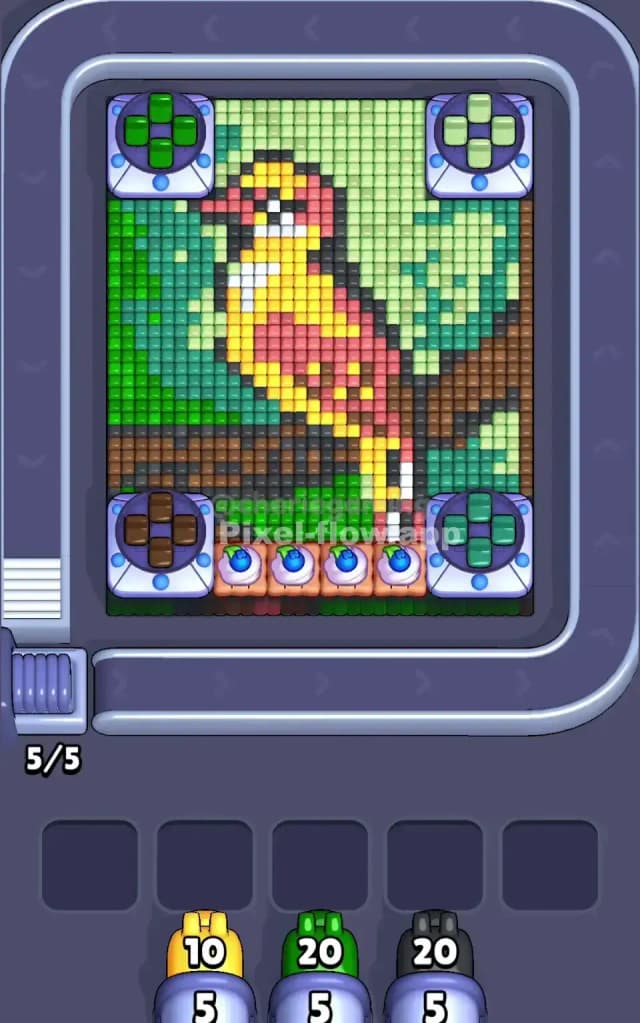
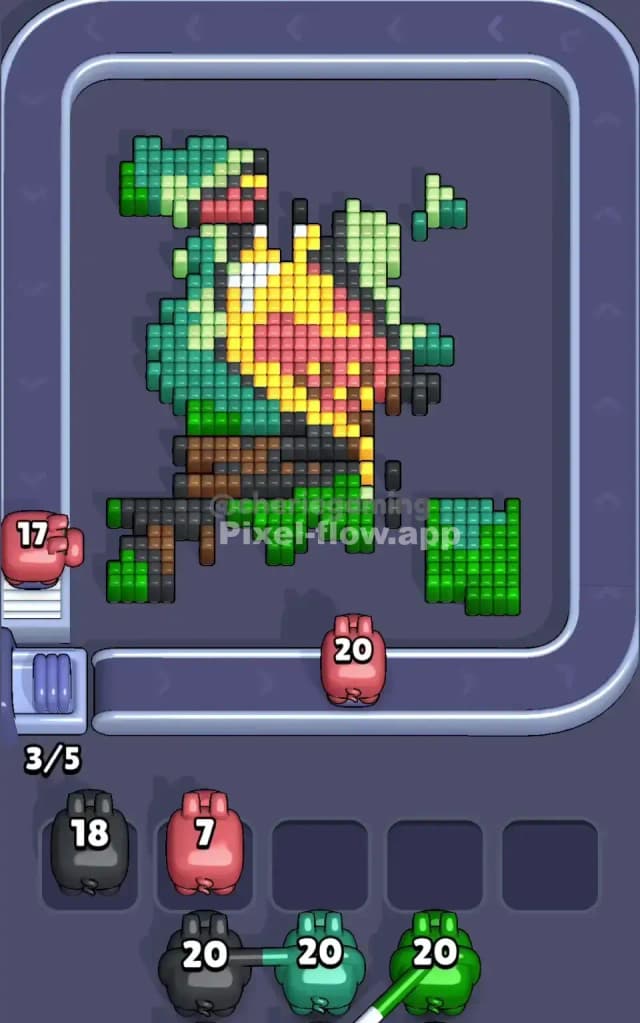
This level features a vibrant, multi-colored bird perched on a sturdy branch, set against a two-tone green forest background. The main colors you have to manage are Yellow (bird body), Red (wing and head), Black (outlines and branch), Brown (branch), and two distinct shades of Green (background).
The rules are brutal but simple. You have infinite time but limited space. You must match the pig's color to the exposed voxel cubes. If you pull a pig and it can't hit anything, it clogs your waiting slots. Fill all five slots with useless pigs, and it's game over. Because of the dense layering in the bird's feathers and the annoying Cupcake Blockers at the bottom, this is a very hard level.
Pixel Flow Level 620 Overview
Imagine a woodpecker or a tropical bird pausing on a tree limb deep in the jungle. That’s your subject. The bird is facing left, with a bright yellow chest and a red wing patch. It sits on a horizontal log made of mixed brown and black pixels.
The background is the first thing you notice because it's split asymmetrically. The entire left side of the board is a wall of dark forest green. The right side is a lighter, lime green. This split is important. It means you can't just spam "Green" pigs; you have to pay attention to which shade of green is currently queueing up.
At the bottom of the screen, right in the center, sat four Cupcake Blockers. These are nasty. They physically block your shots from hitting the bottom rows of the branch. Until you clear the pixels adjacent to them or blast through the layers above, the bottom center of the board is a dead zone.
Step by step solution walkthrough for Pixel Flow Level 620
First Color Zone to Erase in Pixel Flow Level 620
I start by aggressively targeting the Light Green zone on the right side of the board.
Here is the logic. The bird itself is a nightmare of mixed colors (yellow, white, red, black). If you start picking at the bird, you will clog your slots immediately because the layers change too fast. The background, however, is solid. The Light Green section on the right is a massive, uninterrupted block.
- Wait for Green pigs.
- Let them rip on the right side. This clears nearly 30% of the board instantly.
- Once the right side is empty, do the same for the Dark Green on the left.
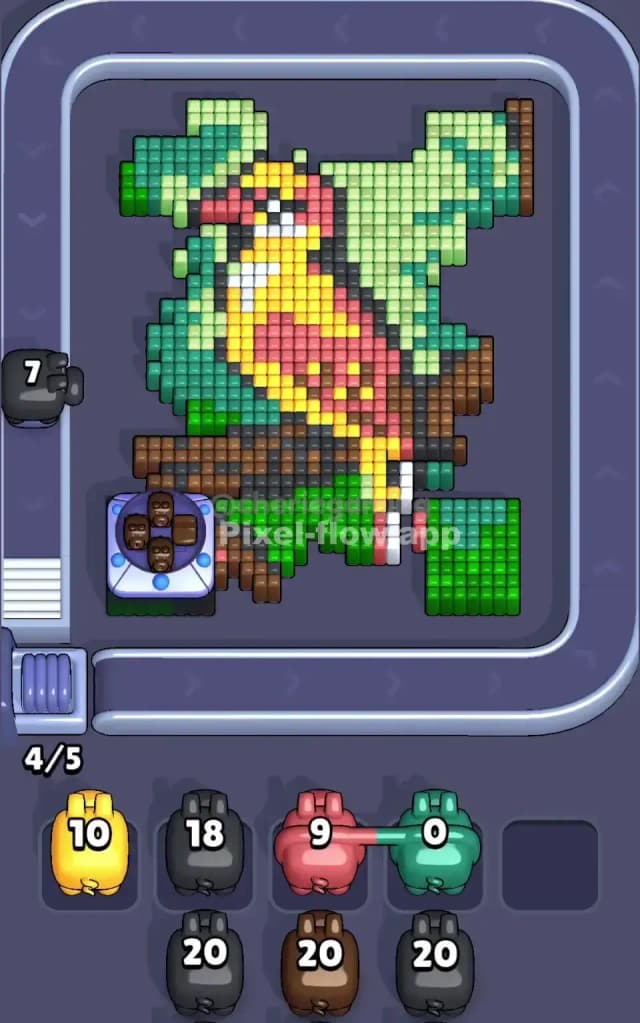
By shaving off the background first, you isolate the bird. You turn a rectangle of noise into a distinct shape. This exposes the Black outline of the bird, which is critical for the next phase.
How to pass Pixel Flow Level 620 without power ups or boosters
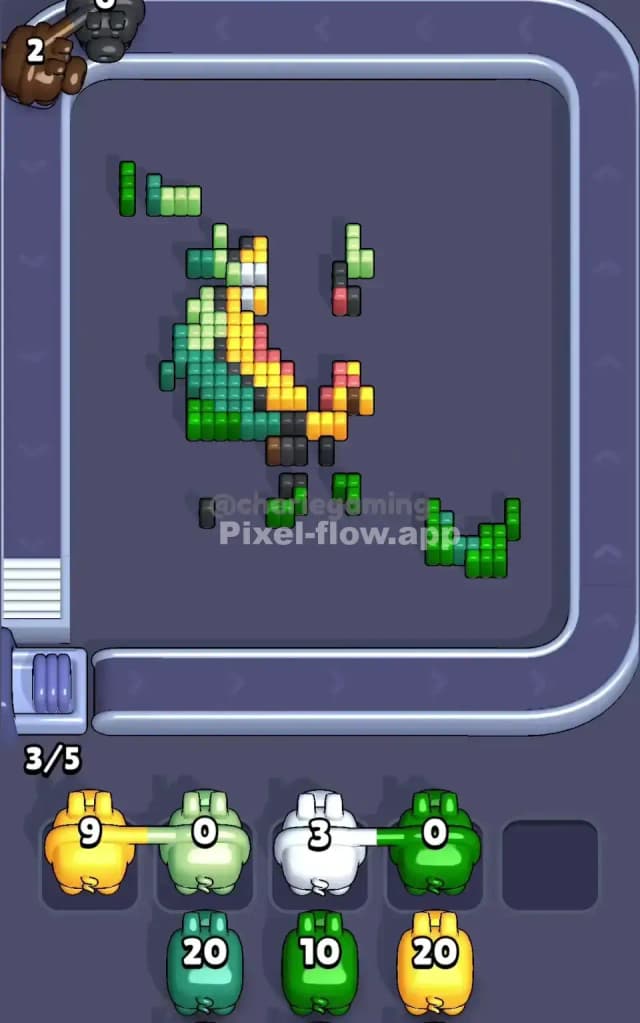
The mid-game is where Pixel Flow Level 620 usually kills runs. At this point, the green background is gone. You are left with the bird and the branch. The danger here is the "checkerboard effect" on the bird's wing and the branch. The pixels alternate too frequently.
To survive without boosters, follow this priority list:
- Attack the Branch (Brown/Black): Now that the sides are clear, your shots can hit the ends of the branch. Prioritize Brown and Black pigs. You need to destroy the branch to get rid of those Cupcake Blockers at the bottom. As long as the branch exists, those cupcakes block valuable vertical lanes.
- Peel the Bird from the Top Down: The bird's head is red and black. It's easier to clear than the chest. If you see a Red pig, use it to clear the head. Do not try to snipe the red feathers in the wing yet; they are likely buried behind yellow pixels.
- Manage the Queue: This is the most important part. If you see a Yellow pig but only three yellow pixels are exposed on the bird's chest, check your queue. Is there a Black pig coming next that could clear 20 outline pixels? If yes, let the Yellow pig wait in a slot. Don't waste the active lane on a low-yield color.
The goal in this phase isn't to clear the picture quickly. It's to keep your slots empty. If the branch is half-destroyed and a White pig shows up (for the tiny neck patch), stash it. Don't panic use it. Wait until you've peeled back the red layer to expose more white.
Last Details You Clean Up in Pixel Flow Level 620
When you are down to the last 10%, the board looks scraggly. The Cupcake Blockers should be gone by now.
You are likely left with:
- The White patch on the bird's neck. This is often the deepest layer and the last to be fully exposed.
- Single stray Black pixels that made up the bird's feet or the very tip of the tail.
- A few Yellow cubes near the bottom of the tail feathers.
Be careful with the Black pigs at the very end. The branch mixes black and brown heavily. It’s easy to think you have a clear shot at a black pixel, only to realize a brown one is actually in front of it. Look closely at the depth. Clear the brown, then finish with the black. Victory is yours.