Pixel Flow Level 684 Solution | Pixel Flow 684 Walkthrough
How to beat Pixel Flow Level 684: Video solution & walkthrough. The fastest way to pass Pixel Flow 684.
Is this the wrong level layout?🤔
Pixel Flow randomizes levels for different players. Don't worry, just upload a screenshot of your board, and our AI will find the correct video instantly.

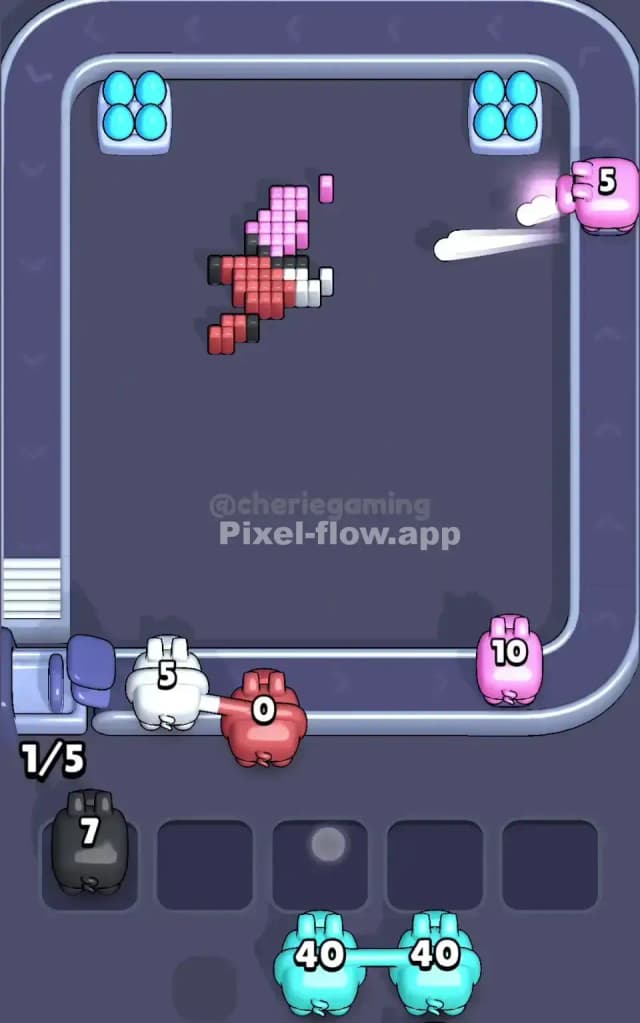
Pixel Flow Level 684 Walkthrough
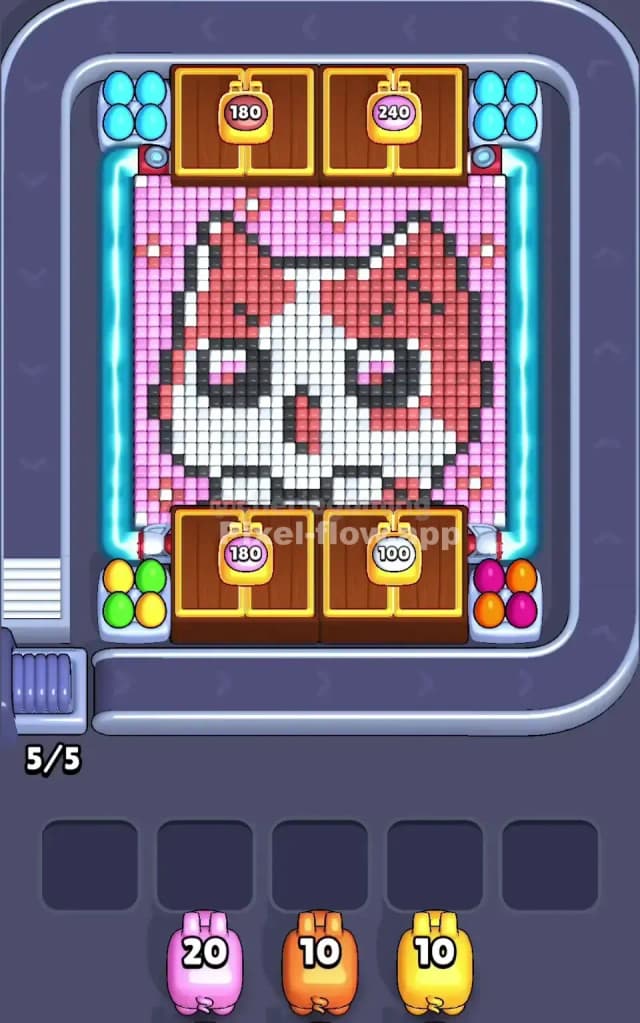
This level features a giant, cute pixel art cat face set against a sparkly pink background. The primary colors you'll wrestle with are pink (lots of it), white, red, and the black outline pixels. The rule for Pixel Flow Level 684 is standard: clear the visible top layer of cubes to expose the layers beneath. You have five waiting slots at the bottom. Fill them all with unusable pigs, and you lose. Is this a very hard level? No, actually. It's moderate difficulty because the color blocks are large and predictable, unlike some levels that scatter single pixels everywhere.
Pixel Flow Level 684 Overview
We are looking at a "kawaii" style cat face. It's almost entirely symmetrical. The cat has a massive white face, big black eyes with pink sparkles in them, and reddish-pink stripes on its forehead and cheeks. The entire image sits on a flat, light pink background grid that frames the cat.
The most dangerous part of this board is the sheer volume of pink background. It surrounds the entire cat like a picture frame. Because it's the outermost layer on the edges, you will likely get a lot of pink pigs early on. The center of the board is the "highest" point of the voxel mountain—the white nose and forehead stick out the most. The sides slope down into that pink background.
Crucially, watch the corners. The top left and top right corners are often where "straggler" pixels hide. If you ignore them, you'll end up with a pink pig that only has one valid target left but 20 ammo, clogging your slot.
Step by step solution walkthrough for Pixel Flow Level 684
First Color Zone to Erase in Pixel Flow Level 684
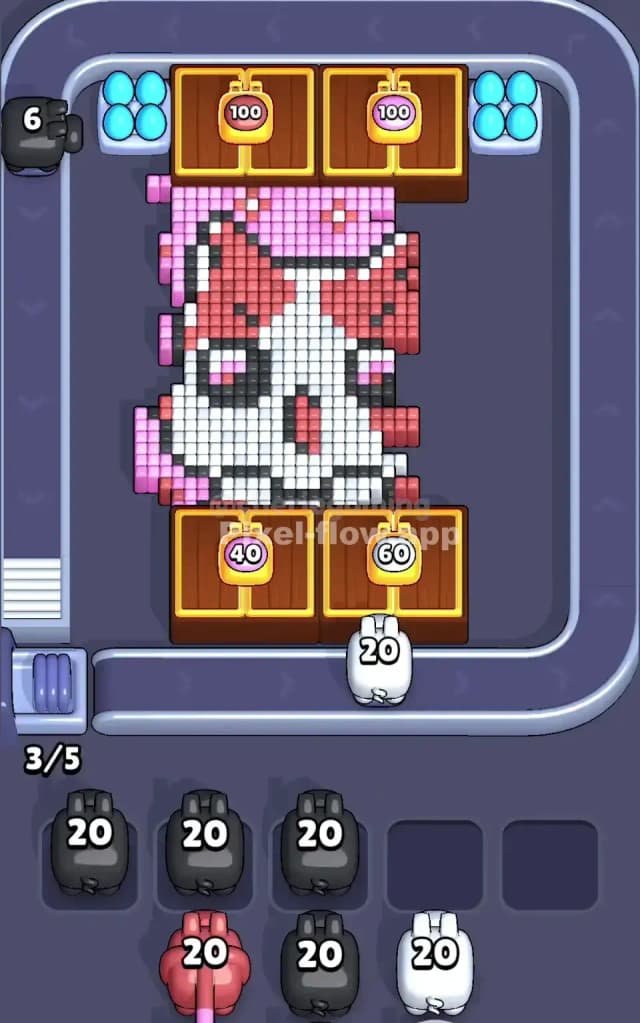
I start by targeting the Light Pink Background. Look at the edges of the board. That massive field of pink pixels is the outermost layer and it blocks access to the black outline of the cat's ears and cheeks.
Why pink first? It's a "safe" bet. Narrative-wise, you are clearing the clutter to see the portrait. Logically, the pink area is huge and connected. If you grab a pink pig, it will almost certainly find a target and empty its ammo quickly. This prevents your waiting slots from filling up early. Clearing the pink frame exposes the black outline pixels, which lets you start working inward toward the cat's face.
How to pass Pixel Flow Level 684 without power ups or boosters
Once the pink frame is gone, the picture looks like a floating cat head. At this mid-stage, you need to be careful with the Red and Black pigs.
Here is the trap: The red stripes on the cat are separated. There is a chunk on the left ear/cheek and a chunk on the right. If you use a red pig and it clears the left side but can't reach the right side (because white pixels are blocking the path), that pig might drop into your slot with leftover ammo.
The Strategy:
- Prioritize White: The white face is the biggest connected block remaining. It connects the left and right sides of the face. Clearing the white pixels usually opens up paths to the isolated red and black sections.
- Watch the Eyes: The black eyes are deep. You often have to clear the white snout and the red forehead stripes before the black eye pixels are fully accessible. Do not pick a black pig unless you see a substantial amount of black exposed.
- Don't force the Red: If you see a red pig but only 3 red pixels are visible on the left cheek, let the pig pass. Wait until you've shaved down more white pixels so the red pig can hit multiple zones.
Last Details You Clean Up in Pixel Flow Level 684
In the final few moves, you are usually left with the "deepest" layers of the voxel art. For Pixel Flow Level 684, this is often the black outline of the jaw or the very center of the eyes.
The last cubes to hide are typically the Black pixels at the bottom of the chin or the dark pixels inside the ears. Because the face is round, the bottom chin pixels are sometimes obscured by the white rows above them. You might end up with one random black pixel stuck in a corner. Save a generic "bomb" or a small ammo pig for this moment if you can, or just ensure you keep one slot open to catch that final, annoying black pig that needs to clear just 2 blocks. Once the outline is gone, the level is done.