Pixel Flow Level 691 Solution | Pixel Flow 691 Walkthrough
How to beat Pixel Flow Level 691: Video solution & walkthrough. The fastest way to pass Pixel Flow 691.
Is this the wrong level layout?🤔
Pixel Flow randomizes levels for different players. Don't worry, just upload a screenshot of your board, and our AI will find the correct video instantly.
Pixel Flow Level 691 Walkthrough
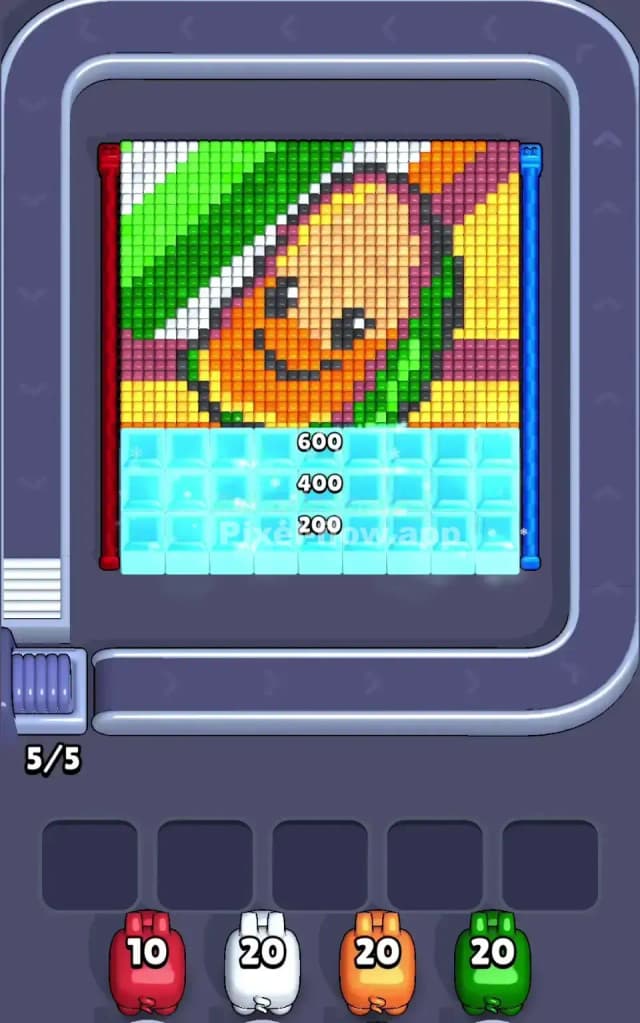
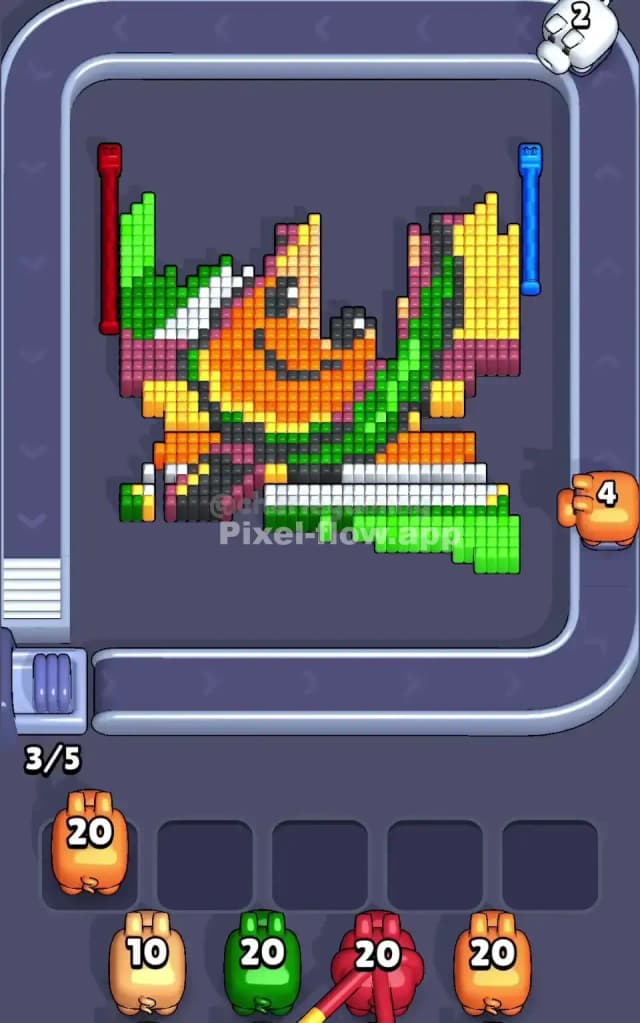
This level features a cheerful, smiling hot dog character set against a vibrant background of green and yellow stripes. The main colors you’ll be dealing with are Green (top left background and relish), Orange (the hot dog itself), Yellow (background stripes and bun highlights), and Dark Red/Maroon (background stripes).
The rules remain simple: tap the pigs at the bottom to send them to the board. If a pig matches the color of the outermost pixel layer, it clears those blocks. If it doesn't match, it gets stuck in one of your five waiting slots. Fill all five slots with unusable pigs, and it's game over.
Is Pixel Flow Level 691 hard? I wouldn't call it impossible, but the density of the colors makes it tricky. I’d rate this as a medium-hard level because the layers are thick, requiring you to be very precise about which color you prioritize to avoid clogging your slots.
Pixel Flow Level 691 Overview
The artwork depicts a happy hot dog (or perhaps a corndog) sitting diagonally. He has a cute little face with black eyes and a smile right in the center of the orange section.
- Top Left: Dominated by a massive block of bright Green. This is a safe zone for dumping green ammo.
- Top Right: Features diagonal stripes of Yellow and Maroon.
- Center: The Orange hot dog body takes up the middle, flanked by a strip of green relish on its right side.
- Bottom: The level starts with a thick layer of "Ice" blocks (labeled 200, 400, 600). You have to smash through these to even reach the bottom half of the art.
The asymmetry here is key. The left side is heavy on green. The right side is a mix of yellow and maroon. The center is solid orange. This separation helps you plan: if you have green pigs, look left; if you have orange, look center.
Step by step solution walkthrough for Pixel Flow Level 691
First Color Zone to Erase in Pixel Flow Level 691
I strongly recommend starting with the Green zone in the top-left corner.
Here is why:
- It is the largest contiguous block of color on the surface layer.
- It is completely exposed. Unlike the orange center, which is surrounded by other colors, that top-left corner is just a giant green landing pad.
- Clearing it opens up the "shoulder" of the hot dog, revealing the white and black outline layers underneath.
Once you shave that green corner down, you will likely expose white background pixels. This is great because White pigs often appear early in the rotation, and having a valid target for them prevents early clogging.
How to pass Pixel Flow Level 691 without power ups or boosters
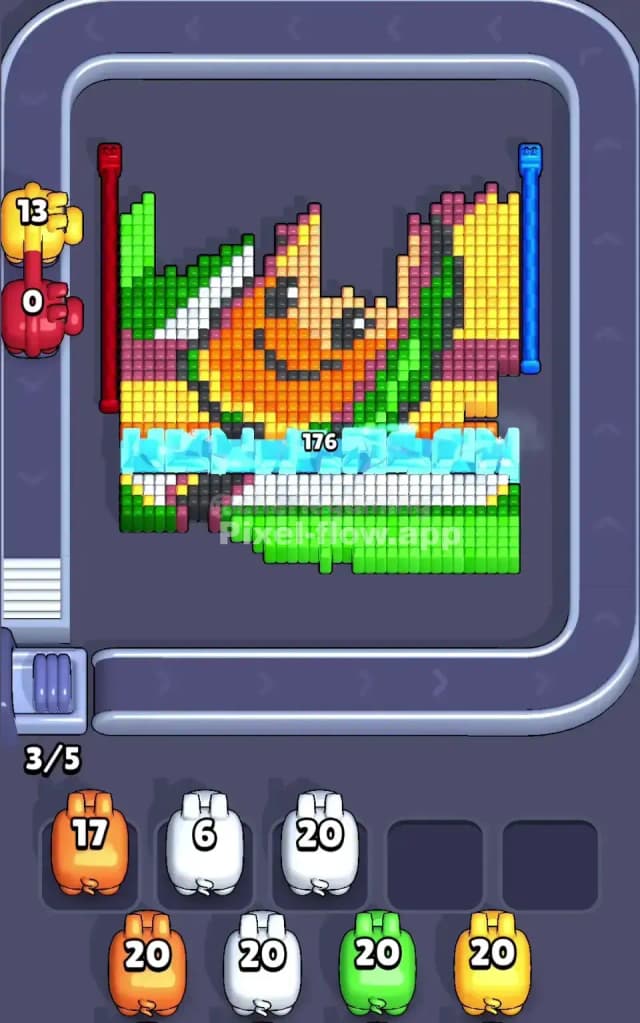
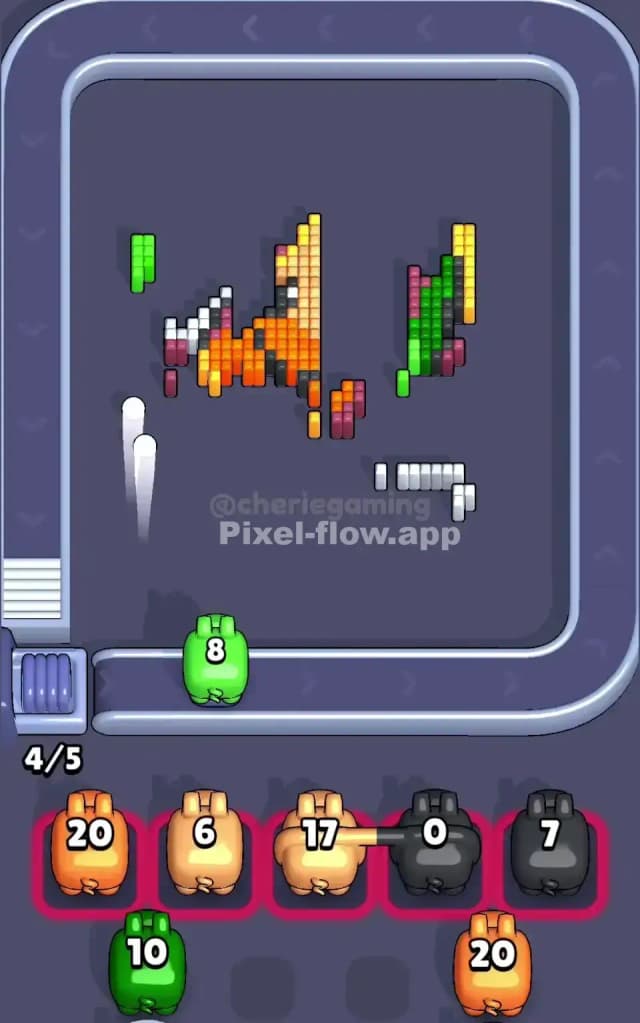
At the mid-point of the level, the picture usually looks like a mess. You've likely cleared the big green corner and the yellow stripes, leaving the orange hot dog body floating in the middle.
Here is the danger zone: The Black and Dark Grey outlines.
As you peel away the bright outer colors (Green, Orange, Yellow), you will reveal the dark outline of the character. These outlines are thin—often only 1 pixel wide.
- Don't spam click. If you have a Black pig, tap once and wait to see where the shot lands. Since the outlines are thin, it is easy to overshoot and waste a pig if the layer shifts.
- Watch the "Ice" blocks. The bottom third of the image is covered in ice blocks initially. As you clear the main art, these ice blocks break. Make sure you are prioritizing pigs that hit the art, not just blindly firing into the ice unless you have no other choice.
- The Maroon Trap: The dark red/maroon stripes in the background are tricky. They often sit between yellow layers. If you have a Maroon pig and no visible maroon blocks, check if a single yellow block is blocking a whole row of maroon. Clear that one yellow block first, then unleash the maroon pig.
Last Details You Clean Up in Pixel Flow Level 691
The final few moves almost always involve the Orange face and the White highlights.
Because the hot dog is the "deepest" part of the image (conceptually the foreground object), its pixels often persist until the end. You will likely be left with the bottom curve of the hot dog (Orange) and perhaps a few stray White pixels from the background near the bottom.
Be careful with the Black pixels forming the eyes and mouth. They are usually on a deeper layer than the orange skin. Do not panic if you can't clear the eyes early; you usually have to strip the orange face off first to make the black pixels valid targets. Keep an eye on your slots—if you have two Black pigs waiting, focus entirely on clearing the Orange blocking them.