Pixel Flow Level 731 Solution | Pixel Flow 731 Walkthrough
How to beat Pixel Flow Level 731: Video solution & walkthrough. The fastest way to pass Pixel Flow 731.
Is this the wrong level layout?🤔
Pixel Flow randomizes levels for different players. Don't worry, just upload a screenshot of your board, and our AI will find the correct video instantly.
Pixel Flow Level 731 Walkthrough
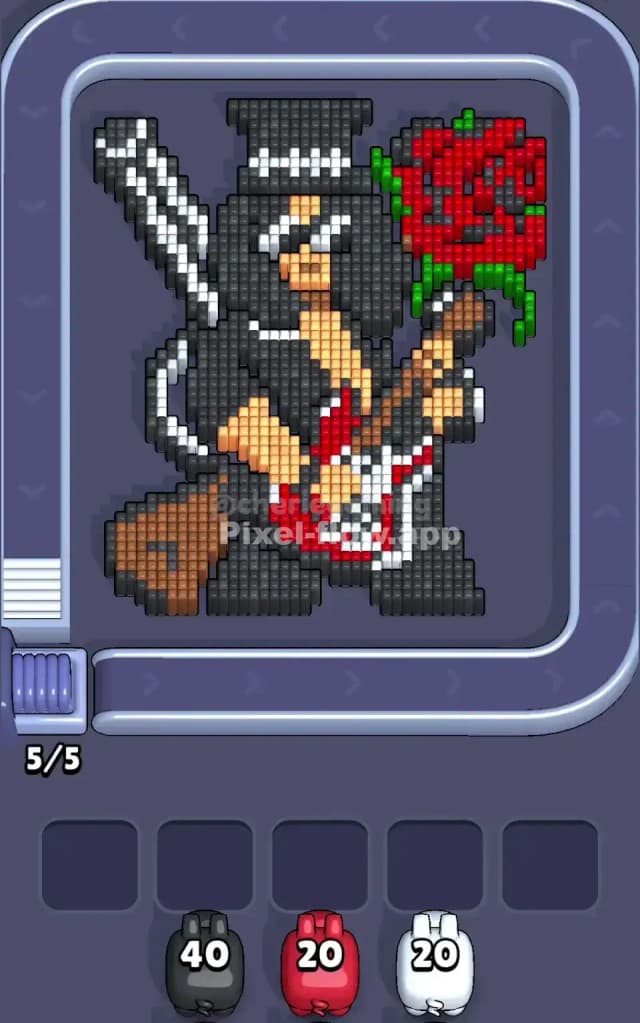
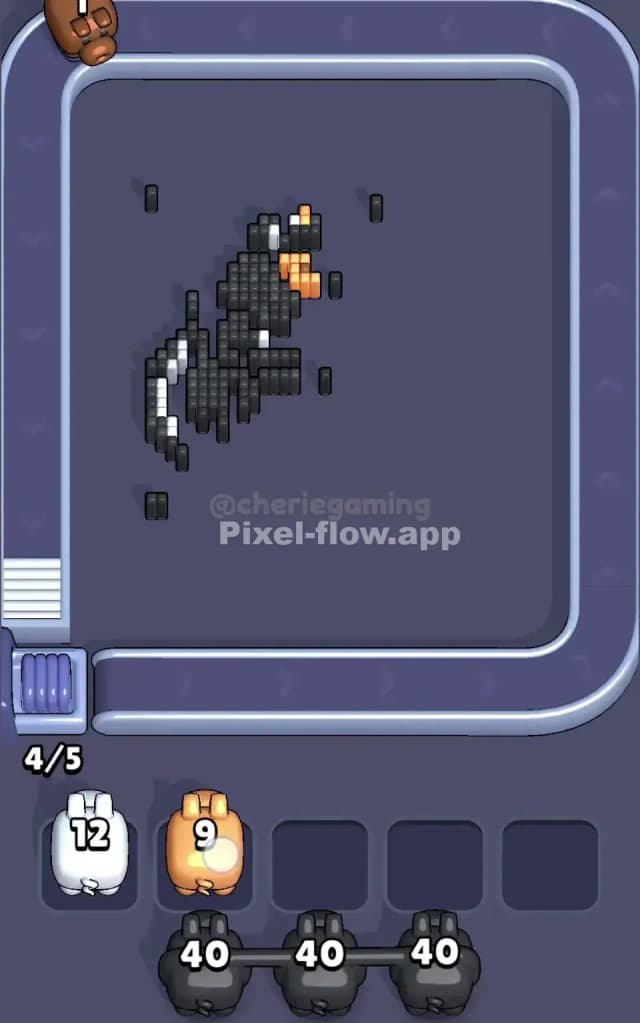
This level features a clear rock-and-roll icon: a guitarist with a top hat, sunglasses, and a massive red rose floating nearby. The color distribution is heavily skewed toward black (the hat, hair, jacket) and red (the rose, the guitar body). White details outline the guitar strings and hat, while skin tones and browns make up the face and guitar neck.
The rule to beat Pixel Flow Level 731 is all about patience with the "Black" layer. Because the black pixels are scattered across the entire figure—top to bottom—you can easily clog your waiting slots with black pigs if you try to rush them before the path is clear. Is this a very hard level? No, but it is tricky if you ignore the layering order. It's more of a "medium-hard" puzzle that punishes impatience.
Pixel Flow Level 731 Overview
The artwork depicts a legendary guitarist mid-solo. He's leaning back, guitar slung low.
- The Left Flank: Dominated by the white guitar neck and the black of his jacket/hair. This side is vertical and narrow.
- The Right Flank: Dominated entirely by the giant Red Rose. This is a massive, dense block of color that sits separate from the main body.
- The Center: A mix of skin tones (chest/face) and the intricate details of the guitar body (red and white).
- The Bottom: His legs are heavy black blocks, with a brown object (maybe a speaker or case) on the far left.
The asymmetry here is the key danger. The massive Red Rose on the right is almost an island. If you get Red pigs, they do great work there. But the Black pigs need to hit targets all over the map, often blocked by the guitar or the rose itself.
Step by step solution walkthrough for Pixel Flow Level 731
First Color Zone to Erase in Pixel Flow Level 731
Start with the Red Rose.
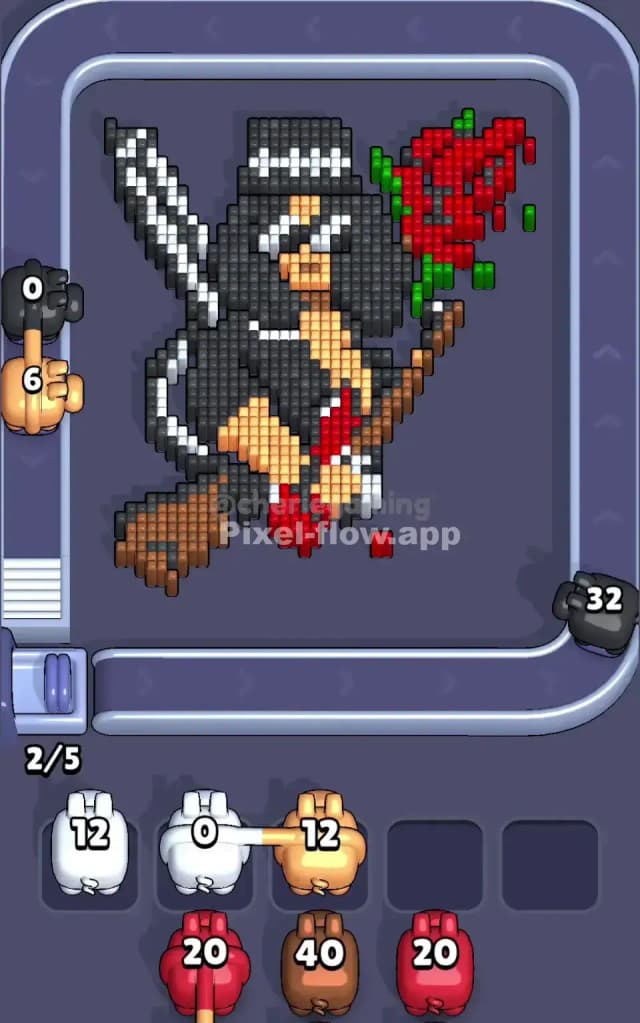
Narratively, it's the most distinct object. Logically, it's the safest bet. The rose is a huge, contiguous blob of red pixels on the right side. It sits on the top layer in many spots. By targeting the red rose first, you clear a massive chunk of the board without worrying about "blocking" pixels. The red pigs will empty their ammo quickly here because the target is so dense.
If you don't have red pigs immediately, look for White. The white pixels on the guitar neck (left side) and the hat brim are surface-level. Clearing the white outlines helps separate the black hair from the background, making it easier to see what you are doing later.
Avoid Black early on. Even though there is a lot of black, much of it is the "background" of the character (his jacket behind the guitar). If you grab a high-ammo black pig now, he might shoot 5 blocks and then get stuck in a slot because the rest of the black pixels are hidden behind the white guitar strings or the red guitar body.
How to pass Pixel Flow Level 731 without power ups or boosters
Once the Red Rose is mostly wilted and the white outlines are gone, you enter the dangerous mid-game. The board looks messy. You have the skin-tone face/chest exposed, and the brown guitar neck is visible.
- Prioritize Skin Tone (Peach) and Brown. These colors are in the middle layers. The face and chest are now exposed because you cleared the white outlines and some of the black hat brim. These pigs usually have lower ammo counts, so they are safe to use—they enter, shoot, and leave quickly.
- The Black Pig Trap: You will see a lot of Black pigs on the belt now. Do not hoard them. Only take a Black pig if you see a clear vertical line of black pixels (like the legs at the bottom or the top hat). If the black pixels are scattered in a checkerboard pattern, skip the pig.
- The Guitar Body: Focus on the guitar body (Red/White mix) in the center. Clearing this is essential to reach the black shirt behind it. If you have a Red pig and the rose is gone, use him to chip away at the red guitar body.
If your slots are full, look at the waiting pigs. Who has 1 or 2 ammo left? Scan the board for that specific color. Sometimes a single hidden pixel of brown on the guitar headstock is holding up your whole queue.
Last Details You Clean Up in Pixel Flow Level 731
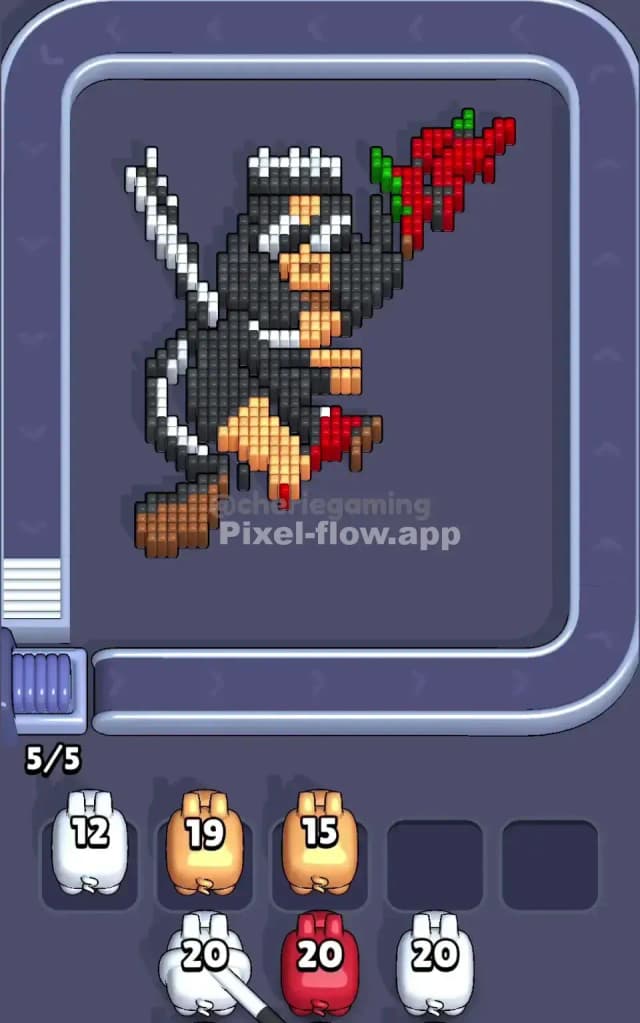
In the final phase of Pixel Flow Level 731, the cool rockstar is mostly gone.
- The Boots: The very bottom of the image usually has some stubborn black pixels representing his boots/pants. These are often the last to go because they were blocked by the guitar body earlier.
- The Guitar Headstock: There might be a few pixels of brown or white at the very top left of the guitar neck that were easy to miss.
- Stray Green: Don't forget the stem of the rose! There are a few green pixels connecting the rose to the hand. These are often buried until the red flower and the skin-tone hand are removed.
Keep an eye on the conveyor belt for a "clean-up" pig—usually a low-ammo pig of the specific color you need to snipe that last green pixel or black boot tip. Once the bottom layer is exposed, the level ends quickly.