Pixel Flow Level 738 Solution | Pixel Flow 738 Walkthrough
How to beat Pixel Flow Level 738: Video solution & walkthrough. The fastest way to pass Pixel Flow 738.
Is this the wrong level layout?🤔
Pixel Flow randomizes levels for different players. Don't worry, just upload a screenshot of your board, and our AI will find the correct video instantly.


Pixel Flow Level 738 Walkthrough
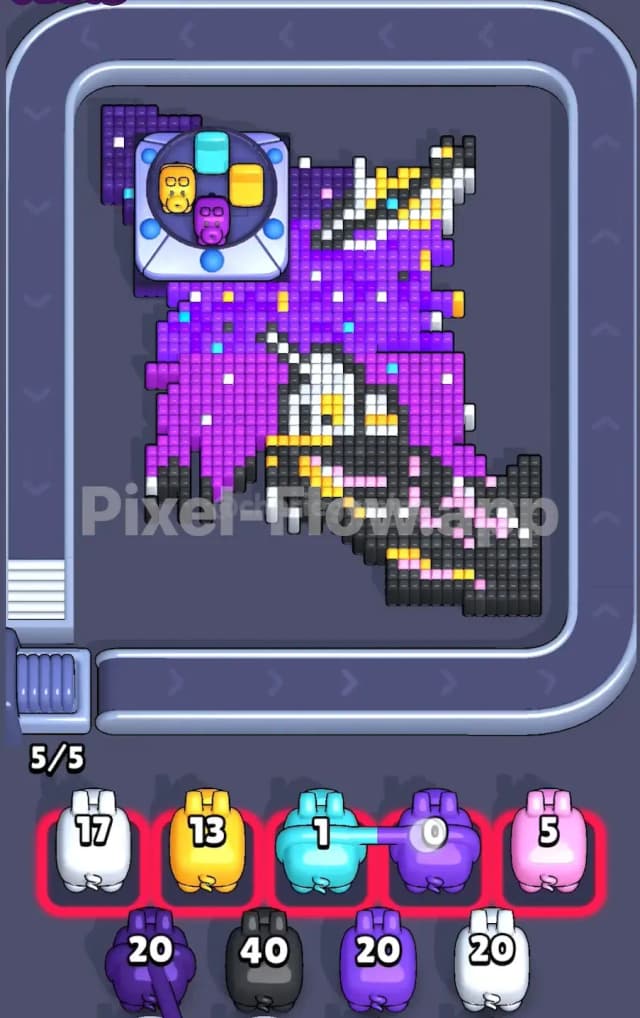
This level takes us to outer space. You're looking at a cosmic scene featuring a ringed planet (like Saturn) in the top right and what appears to be a sleek spaceship or satellite structure occupying the bottom center. The background is a dense gradient of purple—shifting from a lighter violet near the top left to a deep indigo at the bottom. Scattered throughout are single-pixel stars in white, cyan, and yellow.
To win Pixel Flow 738, you must clear the top layers of this "space sky" to reveal the hidden layers underneath. The rule is simple: matching colors clears blocks. However, you only have 5 waiting slots. If you fill these slots with pigs that cannot shoot (because their color is blocked or gone), you lose. This level is very hard because the purple background is massive and layered, and tiny single-pixel stars can easily clog your queue if you aren't paying attention.
Pixel Flow Level 738 Overview
The artwork here is a distinct sci-fi vignette. The top right corner is dominated by a yellow ringed planet set against the dark void. The main subject seems to be a white and grey spacecraft angling upwards from the bottom left. The vast majority of the board, however, is simply "space"—a huge field of purple pixels.
This creates a dangerous asymmetry. The top left corner has a large Launcher Block sitting on top of the purple sky. Another Launcher Block sits on the bottom right. These blocks obstruct your shots. You cannot clear the pixels under them until you clear the pixels around them.
The most critical feature is the "starfield." The background isn't solid purple. It's speckled with single stray pixels of Cyan, Yellow, and White. These are traps. A Cyan pig might only have 1 or 2 valid targets visible. If you pull a Cyan pig too early, it will shoot once, fail to empty its ammo, and sit in your slot forever.
Step by step solution walkthrough for Pixel Flow Level 738
First Color Zone to Erase in Pixel Flow Level 738
Your priority must be the large swathes of Purple. Specifically, the lighter Violet/Pinkish tone.
- Why Purple first? Look at the sheer volume of purple pixels. It is the topmost layer for most of the board. Clearing the purple is the only way to expose the layers beneath the Launcher Blocks and the main ship.
- Ignore the Stars: Do not try to snipe the single yellow or cyan stars yet. They are surrounded by purple. If you grab a yellow pig now, it might hit one star and then have no other targets, clogging your slot.
- Target the Gradient: Focus on the lighter purple pigs first. They will strip away the upper "atmosphere" of the image. This clears a massive amount of board space and, crucially, starts to separate the Launcher Blocks from the main pixel mass.
How to pass Pixel Flow Level 738 without power ups or boosters
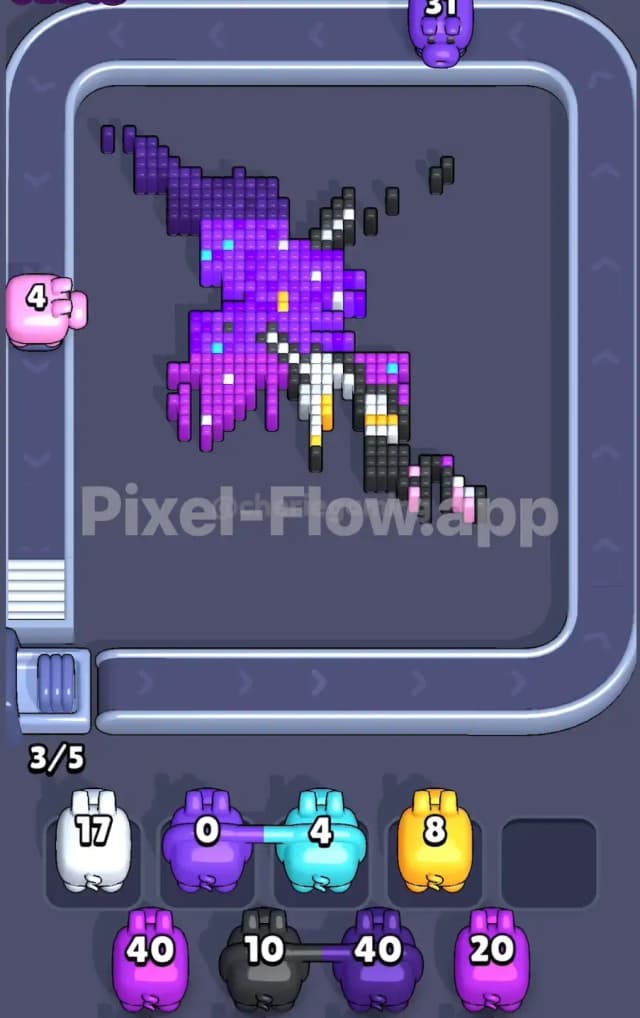
Once the initial layer of purple sky is gone, the picture looks messy. You'll have the ringed planet floating in the top right, and the grey/white ship hull exposed at the bottom.
- The Launcher Block Trap: The two Launcher Blocks (top-left and bottom-right) are your biggest headache. As you clear the purple around them, they will eventually activate or become accessible. Watch the colors inside them. The top-left one often holds Cyan or Yellow ammo.
- Precision Sniping: Now is the time to handle those annoying stars. Once the purple is cleared, the yellow/cyan stars are isolated.
- Check Ammo Counts: Before you grab a Cyan or Yellow pig, count the visible pixels of that color. If a Cyan pig has 20 ammo but you only see 3 Cyan stars, do not take it unless you are sure more Cyan is hiding directly underneath the layer you are about to clear.
- The Grey Hull: The bottom of the screen is heavy with dark grey and black pixels forming the ship's body. Start clearing these Grey pixels midway through. This is usually safe because the ship is a solid block, meaning your Grey pigs will likely empty their ammo fully in one go.
Last Details You Clean Up in Pixel Flow Level 738
In the final phase, you are likely left with:
- The Ringed Planet: This is mostly Yellow and White. It’s usually deep in the stack, so it survives until the end.
- Deep Background: There is often a final, dark layer (Dark Blue or Black) behind the purple sky.
- Leftover "Stars": Be extremely careful with the last few White pixels. The ship has white highlights, and the stars are white. A White pig used for the ship might get stuck if you miscalculated the stars.
Save your White pigs for the very end if possible. They are needed for both the ship's highlights and the planet's rings, and these elements often exist on different layers. Combining them into one final cleanup run prevents a clogged slot.