Pixel Flow Level 816 Solution | Pixel Flow 816 Walkthrough
How to beat Pixel Flow Level 816: Video solution & walkthrough. The fastest way to pass Pixel Flow 816.
Is this the wrong level layout?🤔
Pixel Flow randomizes levels for different players. Don't worry, just upload a screenshot of your board, and our AI will find the correct video instantly.
Pixel Flow Level 816 Walkthrough
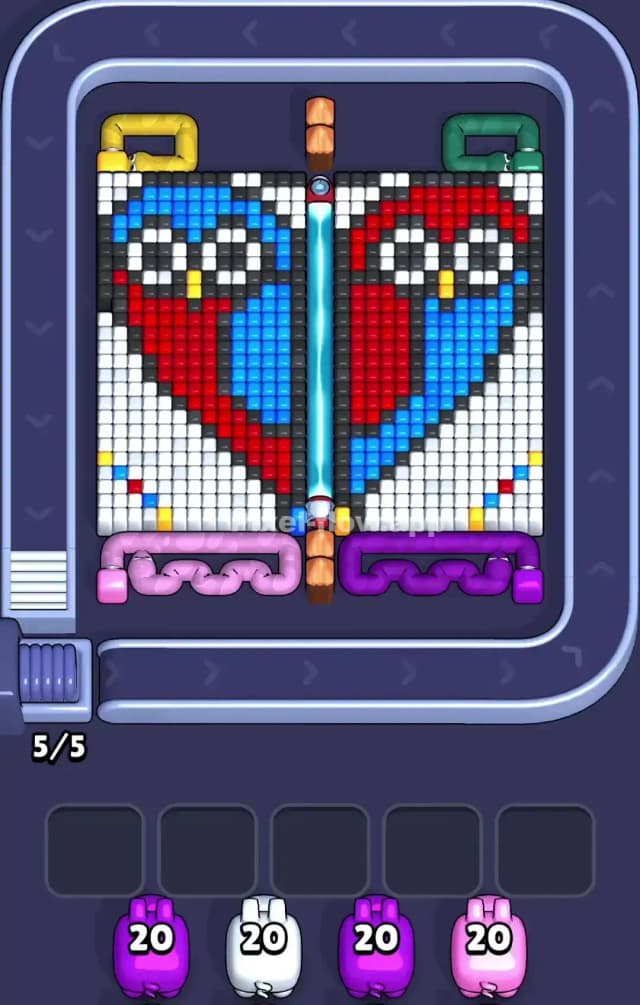
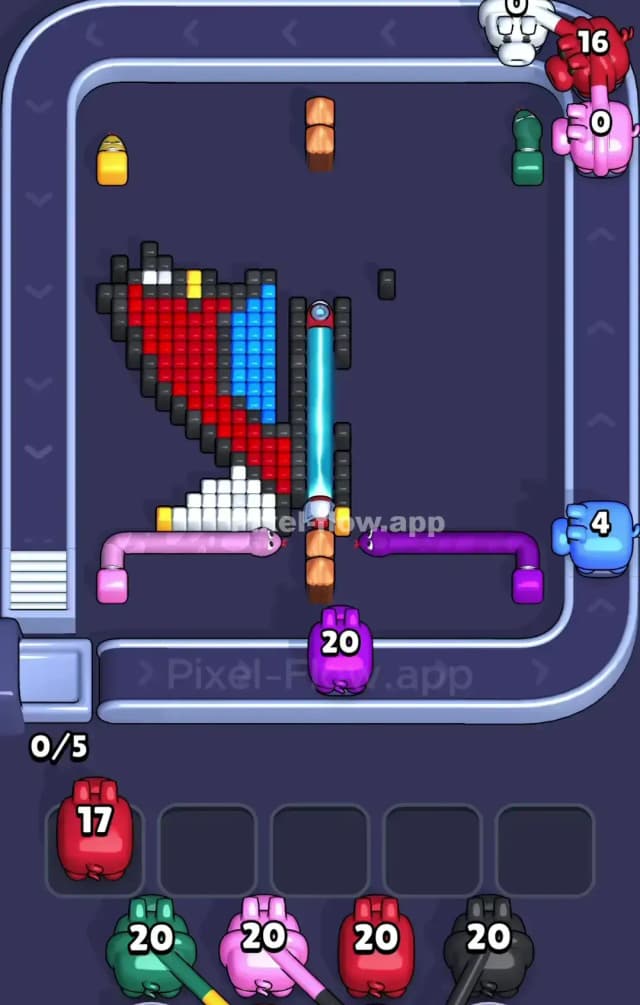
This level features a mirrored portrait of two owls separated by a vertical laser beam. The left owl is primarily blue with red accents, and the right owl is red with blue accents. They are encased in a heavy layer of white blocks. The corners are guarded by four colored "Snake" obstacles (Yellow, Green, Pink, Purple) that block access to the edges.
To beat Pixel Flow Level 816, you must peel away the white background first to expose the birds, while opportunistically destroying the corner snakes to open up shooting angles. Because of the high block density and the laser barrier blocking cross-shots, the ammo economy is tight. This is a very hard level.
Pixel Flow Level 816 Overview
Imagine looking at a playing card with two distinct halves. On the left sits a Blue Owl. On the right sits a Red Owl. They are staring right at you. The entire scene feels frozen; a massive field of white pixels surrounds both birds, acting as a thick shell you have to crack open.
The board is perfectly symmetrical but color-swapped.
- The Left Side: A Blue bird with a red wing. The corners are blocked by a Yellow Snake (top) and a Pink Snake (bottom).
- The Right Side: A Red bird with a blue wing. The corners are guarded by a Green Snake (top) and a Purple Snake (bottom).
A bright blue laser beam cuts the board vertically in half. This is critical. A pig on the far left conveyor belt cannot shoot a target on the right side of the board because the laser will stop the projectile. You have to wait for your pig to travel to the correct side of the loop to take its shot.
Step by step solution walkthrough for Pixel Flow Level 816
First Color Zone to Erase in Pixel Flow Level 816
The White Background.
You have no choice here. Start by aggressively drafting White Pigs. The white pixels form a massive "U" shape around both owls. Until you clear this snow-blindness, the Red and Blue pixels making up the birds' bodies are completely shielded.
There is a catch. The white blocks tuck behind the colored Snakes in the corners. You will likely need to grab a Pink or Purple pig early if they appear, just to clear those bottom corner snakes. If you don't remove the snakes, they act as physical bumpers, preventing your White pigs from clearing the bottom-most rows. Clear the snakes, then let the White pigs scrub the canvas clean.
How to pass Pixel Flow Level 816 without power ups or boosters
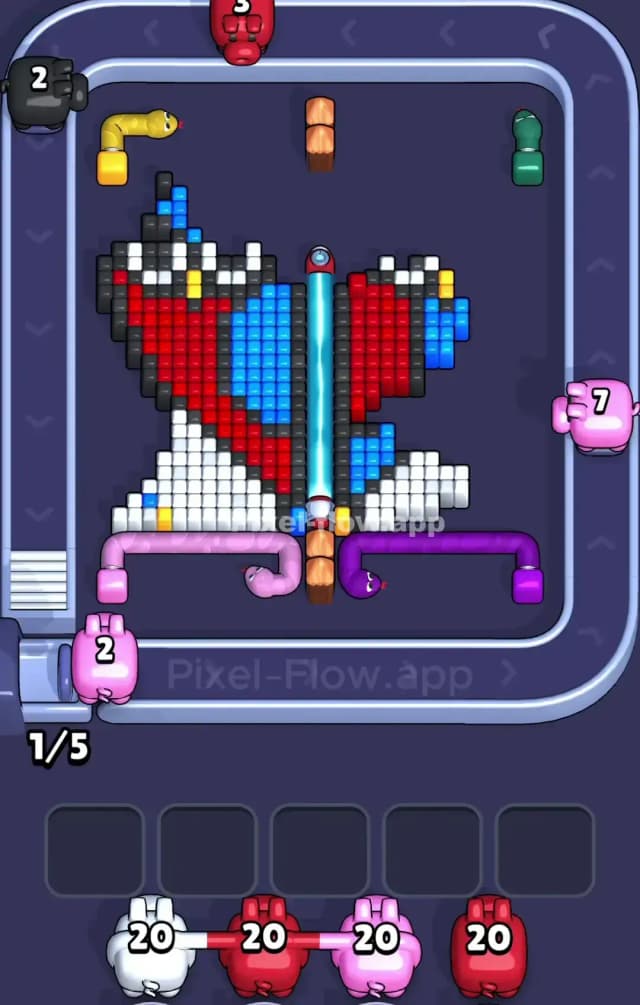
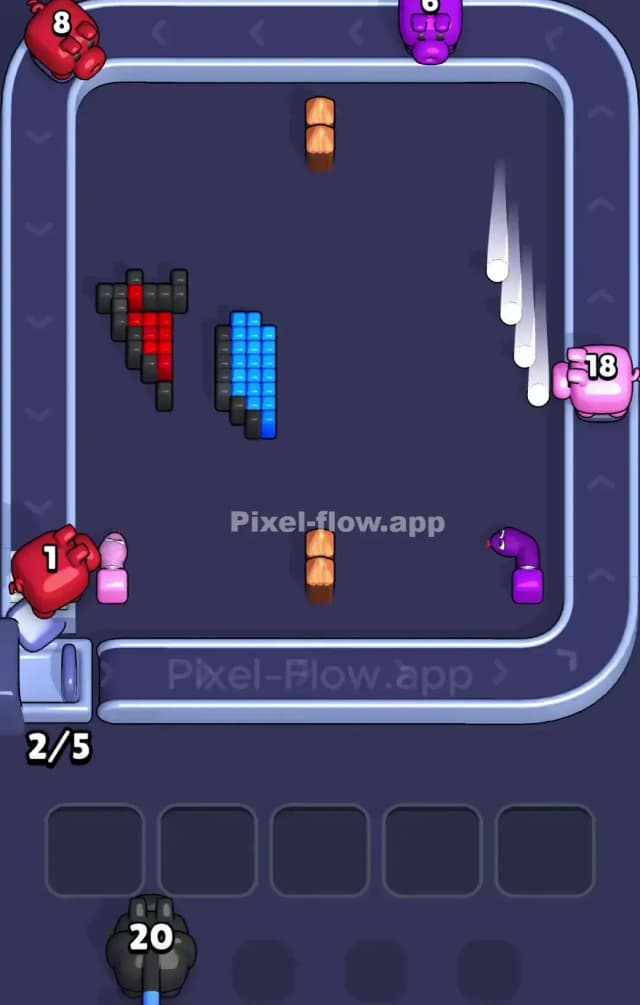
Once the white layer is gone, the board looks like a skeleton. You will see the black outlines of the owls and their filled-in bodies. This is the danger zone for your slot management.
You will see Red, Blue, and Black pigs in your queue. You must be extremely disciplined about the "Mirror Logic."
- If you pick a Blue Pig, it has huge value on the Left Owl (the body) but very little value on the Right Owl (just the wing).
- If you pick a Red Pig, it shreds the Right Owl but is mostly useless against the main body of the Left Owl.
Don't clog your slots with a Red pig if the Right Owl is already decimated. Watch the rotation. If the Right side is empty but the Left side is full of Blue pixels, ignore Red pigs. Let them pass. Only pick up Blue or Black pigs that can actually hit valid targets on the surviving side. The laser barrier makes this harder because your pigs spend half their travel time blocked from their target. Be patient. Let the pig travel to the open side before panicking and filling a slot with useless ammo.
Last Details You Clean Up in Pixel Flow Level 816
The end game usually leaves you with the Black outline pixels and the small detail colors, like the Yellow beaks or feet.
Often, a few stubborn black blocks will hide right next to the central laser barrier. These are annoying because they are hard to hit from the side; you often need a pig to be at the very top or bottom of the belt to clip them. Prioritize Black Pigs heavily in the final phase. If you see a Yellow pig and you still have a beak left, grab it immediately, or that single yellow pixel will force you to cycle through endless pigs just to find another match. Kill the small details (beaks/feet) the moment they are exposed so you don't get stuck searching for a specific color at the very end.