Pixel Flow Level 820 Solution | Pixel Flow 820 Walkthrough
How to beat Pixel Flow Level 820: Video solution & walkthrough. The fastest way to pass Pixel Flow 820.
Is this the wrong level layout?🤔
Pixel Flow randomizes levels for different players. Don't worry, just upload a screenshot of your board, and our AI will find the correct video instantly.
Pixel Flow Level 820 Walkthrough
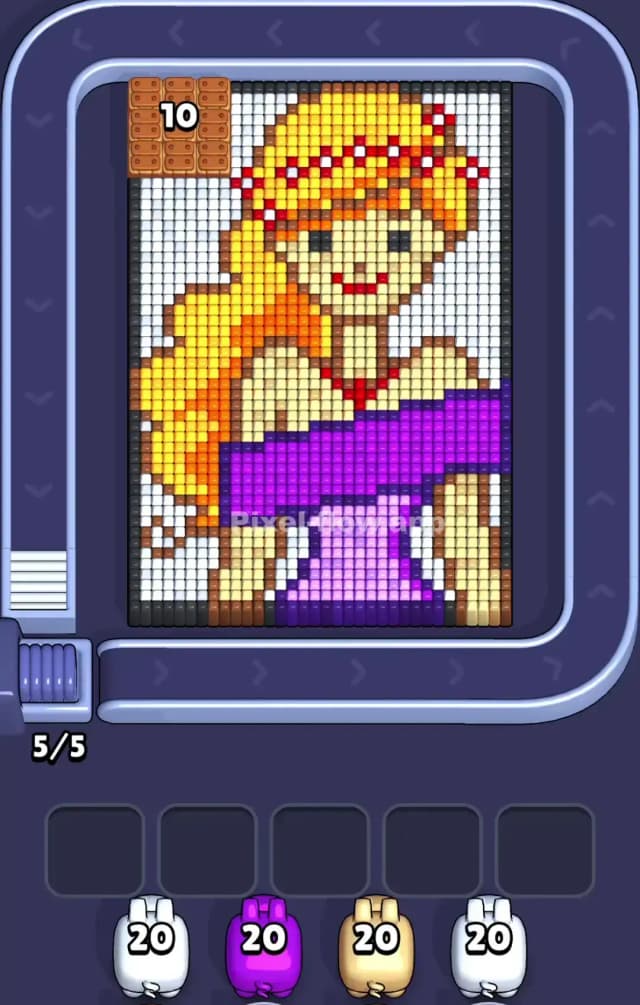
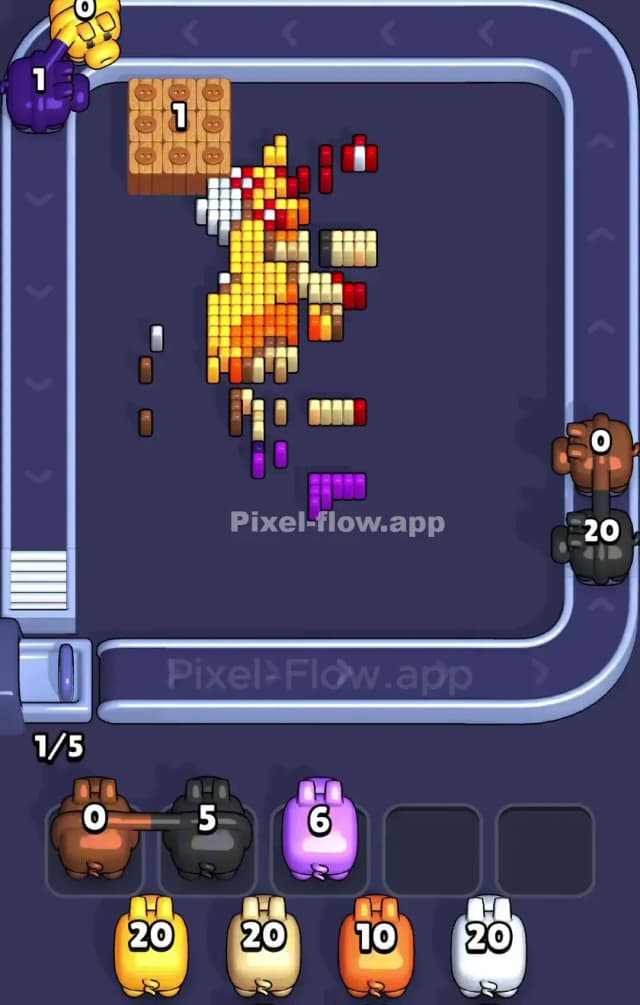
This level features a portrait of a blonde princess wearing a flower crown and a purple gown. It is a deceptively tricky puzzle because the layers are dense, and the color palette is wider than usual. You have distinct zones for hair, skin, dress, and a massive background that acts as a shield. To beat Pixel Flow Level 820, you must aggressively manage your Waiting Slots because the game will throw colors at you that you cannot use yet.
Is this a very hard level? Yes. The combination of a high-health wooden crate obstacle in the top-left corner and the sheer volume of "shield" pixels makes this very hard. One bad discard, and your slots are full.
Pixel Flow Level 820 Overview
The artwork centers on a young woman with voluminous, flowing blonde hair that cascades down the left side of the frame. She is wearing a two-toned purple dress—a dark purple sash across her chest and a lighter purple bodice underneath. Her skin is tan, and she has small red details on her lips and her floral headband.
The most critical visual element isn't the girl, though. It's the White Background. This white layer surrounds her entirely, but it is thickest on the left and right edges. It acts as a hard shell. Until you crack this shell, the inner colors (Yellow hair, Purple dress) are mostly inaccessible.
There is a significant asymmetry here: the top-left corner is blocked by a Wooden Crate with the number "10" on it. This box physically obstructs the white pixels behind it. You cannot clear the top-left background until this crate is destroyed or bypassed, which creates a dangerous bottleneck for your White pigs. The right side is open, but the left side is choked by that crate.
Step by step solution walkthrough for Pixel Flow Level 820
First Color Zone to Erase in Pixel Flow Level 820
You must prioritize White. This is not a suggestion; it is a requirement for survival.
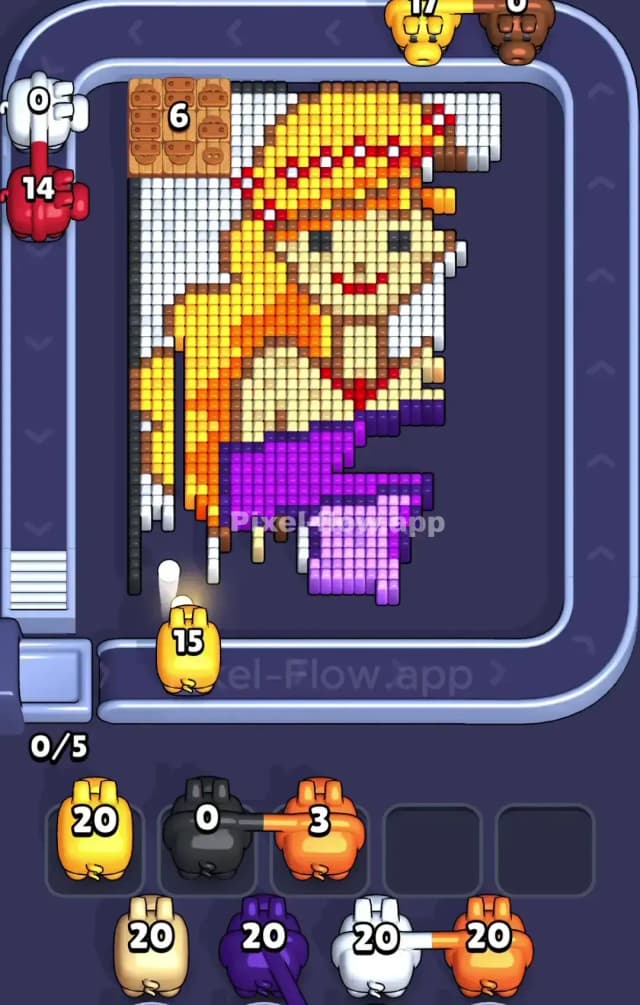
The board starts encased in white pixels. If you accept a Yellow or Purple pig early and drop it into a slot, you are wasting space. You absolutely need your first few active pigs to be White (20). Aim them at the right side of the board first. The right column is unobstructed, allowing you to peel away the background layer from top to bottom quickly.
Do not try to be cute and sniper the face details yet. Your goal is to expose the massive blocks of color underneath. By clearing the white "armor," you open up the Yellow hair and the Purple sash. If the conveyor belt offers you a White pig, take it immediately. If it offers a color you can't touch (like Red or Brown), let it pass if possible, or slot it only if you have a clear shot coming up soon.
How to pass Pixel Flow Level 820 without power ups or boosters
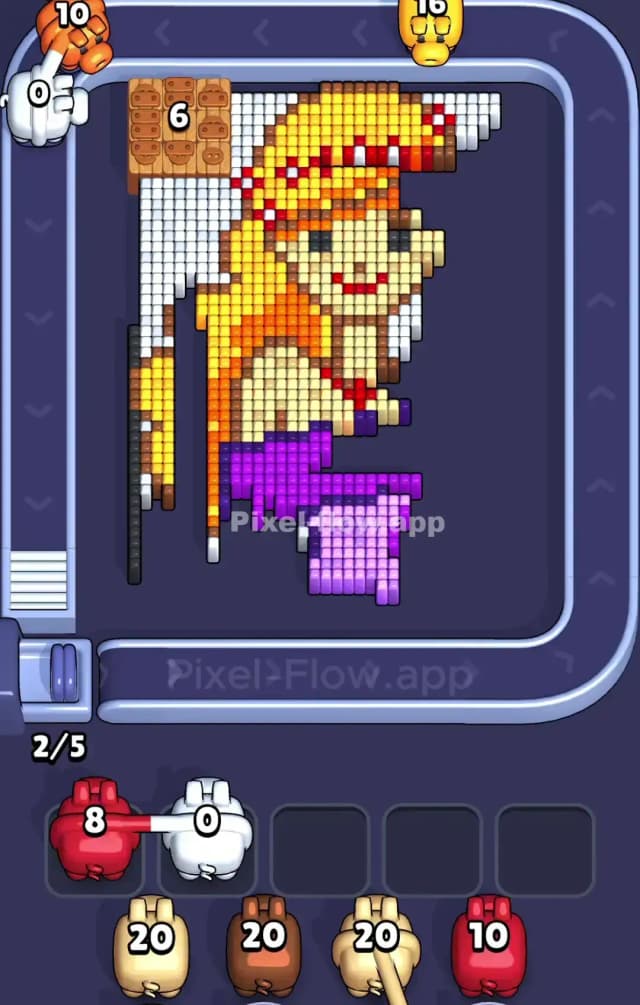
The mid-game of Pixel Flow Level 820 is where most players fail. At this point, you have likely cleared the right-side white pixels, but the left side is still messy because of that Wooden Crate.
Here is the plan when you are halfway through and refuse to use boosters:
- Attack the Sash: Once the white edges are gone, the Dark Purple sash becomes the biggest, easiest target. It is a wide horizontal band. Using a Purple pig here is efficient because you can dump 10-15 ammo rapidly without rotating the board much. This clears space and prevents slot clogging.
- The Crate Problem: That crate in the top left needs to go. It usually requires hits to break. Don't ignore it. If you have a pig that can graze it while hitting other pixels, do it. The sooner that crate breaks, the sooner you can finish the white background on the left.
- Color Sorting: You will start seeing multiple shades of similar colors. The hair has Yellow and Orange. The dress has Dark Purple and Light Purple. Be very careful. Don't slot a Yellow pig if the only exposed hair pixels are Orange. Verify the shade before you commit a slot.
If your slots are filling up with Red or Tan pigs, panic slightly. You need to clear the big blocks (Yellow hair, Purple dress) to reach the skin tones. If you hold onto "endgame" colors like Red too early, you will choke.
Last Details You Clean Up in Pixel Flow Level 820
The final phase of Pixel Flow 820 is surgical. You are left with the girl's face and the intricate details of her crown.
- Tan/Beige Skin: This is usually the second-to-last layer. Once the hair and dress are gone, the face is fully exposed. This is a large block, so Tan pigs become very valuable late-game.
- Red Accents: The lips and the flower crown dots are Red. These are tiny targets. You might only need 3 or 4 ammo to clear them, but the game gives you a pig with 10 or 20 ammo. This is annoying. You will likely have to discard a Red pig with leftover ammo because there are no more red targets. That is fine. Just make sure you don't keep that Red pig in a waiting slot for the entire game.
- The Crown: The headband has alternating colors. Watch out for stray white pixels hidden inside the crown pattern. Sometimes a single white pixel remains stuck between the yellow hair and red flowers, preventing the level from ending. Check the top of her head closely before you celebrate.