Pixel Flow Level 860 Solution | Pixel Flow 860 Walkthrough
How to beat Pixel Flow Level 860: Video solution & walkthrough. The fastest way to pass Pixel Flow 860.
Is this the wrong level layout?🤔
Pixel Flow randomizes levels for different players. Don't worry, just upload a screenshot of your board, and our AI will find the correct video instantly.
Pixel Flow Level 860 Walkthrough
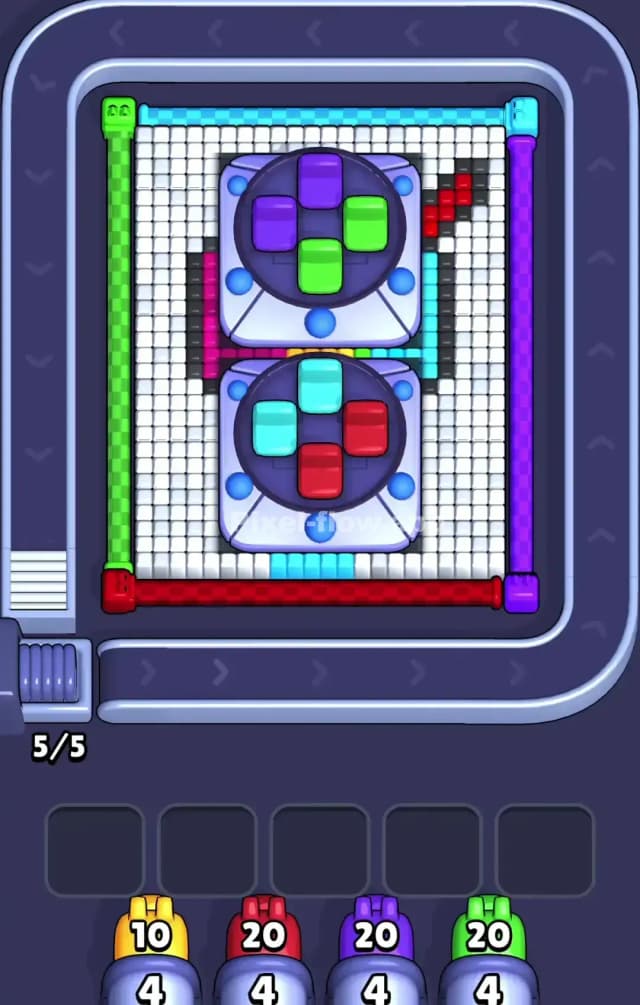
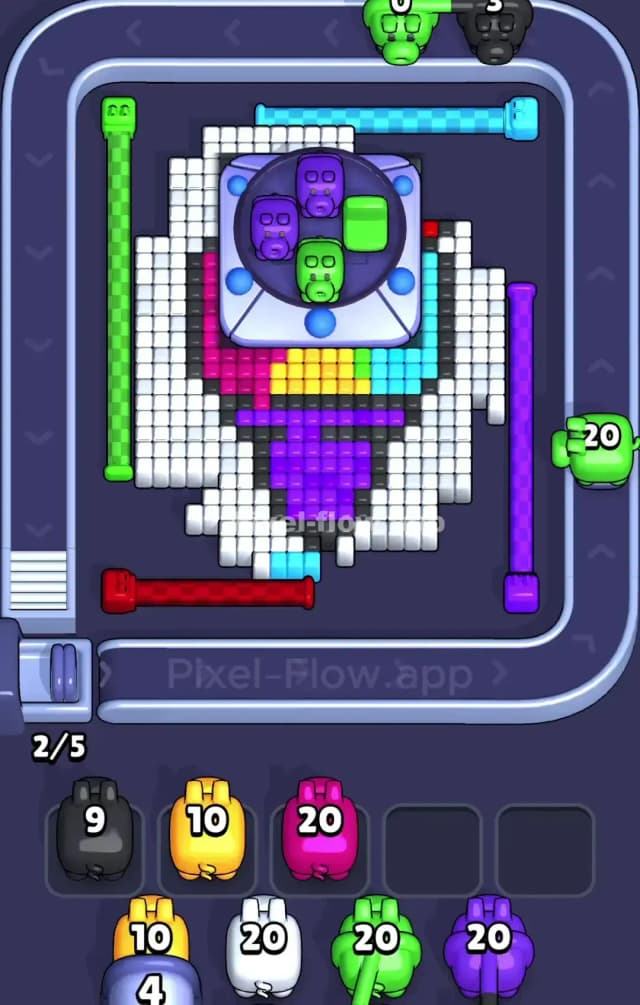
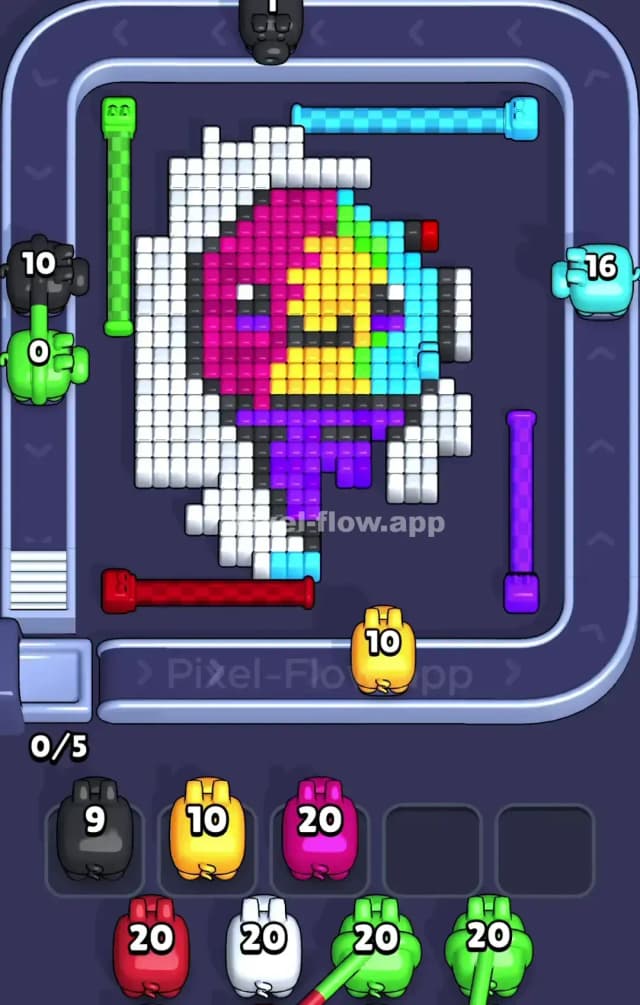
Pixel Flow 860 features a stylized pixel-art character—resembling a girl in a parka or perhaps an astronaut in a white hood—with a face split into vibrant colors. The most prominent feature is the massive White outer layer that acts as a shield for the colorful interior.
To beat Pixel Flow Level 860, you must prioritize peeling the outer "hood" before you can effectively target the face details. The board creates a natural choke point: the colorful pigs (Yellow, Pink, Cyan) are useless until the White layer is thinned out. Because of the risk of clogging your slots with unusable colors early on, I judge this to be a very hard level.
Pixel Flow Level 860 Overview
The artwork depicts a headshot of a character wrapped in a thick protective layer. The outer shell is almost entirely White, forming a hood or helmet that encases the central face. Inside this shell, the character design is asymmetric:
- The Left Face: A solid block of Magenta (Pink).
- The Right Face: A split design with Yellow on the top half and Cyan on the bottom half.
- The Eyes: Two distinct, isolated Black pixels that sit deep within the colored zones.
The visual weight is heavy on the edges. The white blocks aren't just a border; they are deep, multi-layer rows that prevent line-of-sight to the inner colors. The conveyor belt wraps around this central mass, meaning your pigs will constantly be circling a fortress of white pixels, looking for an opening that doesn't exist yet.
Step by step solution walkthrough for Pixel Flow Level 860
First Color Zone to Erase in Pixel Flow Level 860
You must start by erasing the White Hood.
Narratively, you are "unmasking" the character. Logically, this is the only move that makes sense. The White pixels form the outermost perimeter. Any pig traveling on the conveyor belt—whether from the top, bottom, or sides—will hit a White block first.
If you select a Pink or Yellow pig immediately, it will likely have zero valid targets because the White blocks are physically blocking the path to the face. The pig will drop into your waiting slot and sit there, useless. Do not let this happen. Focus exclusively on White pigs in the early game. Let them circle. Let them chew through the top and bottom of the hood. Clear the perimeter until the colored interior is actually exposed to the belt's line of fire.
How to pass Pixel Flow Level 860 without power ups or boosters
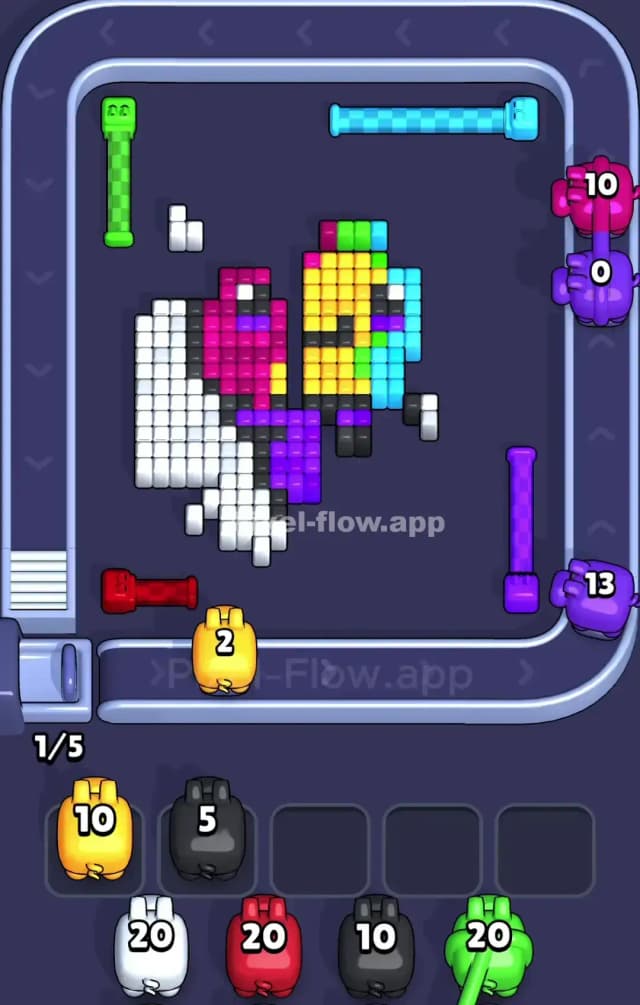
Once the white hood is tattered, the board looks messy. You’ll have a half-exposed face with jagged edges of white still clinging to the corners. This is the danger zone.
- Target the Large Blocks First: Now that the interior is visible, prioritize the Magenta (Pink) zone on the left and the Yellow zone on the right. These are large, contiguous groups of voxels. They are "safe" targets because a pig is almost guaranteed to hit something in that large cluster, ensuring it empties its ammo and disappears.
- Avoid the Black Pigs (The Trap): You will see Black pigs appear in your queue. Ignore them initially. The black pixels (the eyes) are tiny, single-voxel targets buried deep in the face. If you take a Black pig before the eye is perfectly exposed, that pig will fail to find a target and clog a slot. Wait until you have a clear, straight line of sight to the eye before deploying a Black pig.
- Watch the Split: Remember the asymmetry. The right side is Yellow and Cyan. If you have a Cyan pig, verify it is on the bottom-right part of the belt. If it rides to the top-left, it might be blocked by the remaining Pink or White pixels. Position matters here.
Last Details You Clean Up in Pixel Flow Level 860
The final few moves are surgical. You will likely be left with the Black eyes and the small Cyan patch at the bottom right (the neck or collar area).
At this stage, your waiting slots should be mostly empty if you played correctly. Now you can grab those specific colors. The board is open. Send a Black pig to snipe the eye. Send a Cyan pig to clean up the collar. The danger of clogging is gone because the blockers are gone. Just ensure you don't accidentally leave a single White pixel hiding in a corner, forcing you to cycle through an entire queue just to find one White pig to finish the job.