Pixel Flow Level 884 Solution | Pixel Flow 884 Walkthrough
How to beat Pixel Flow Level 884: Video solution & walkthrough. The fastest way to pass Pixel Flow 884.
Is this the wrong level layout?🤔
Pixel Flow randomizes levels for different players. Don't worry, just upload a screenshot of your board, and our AI will find the correct video instantly.

Pixel Flow Level 884 Walkthrough
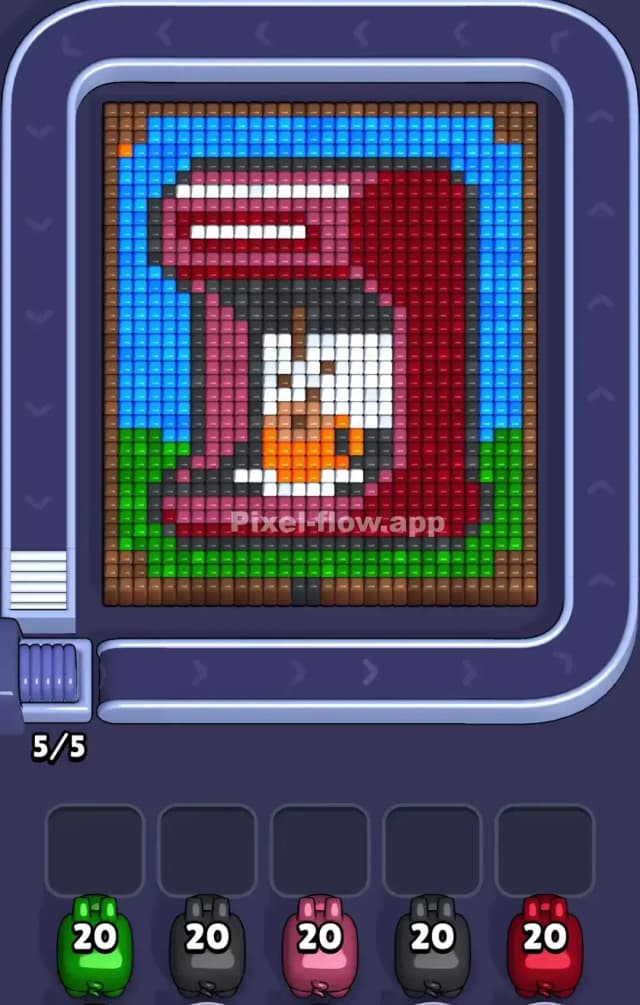
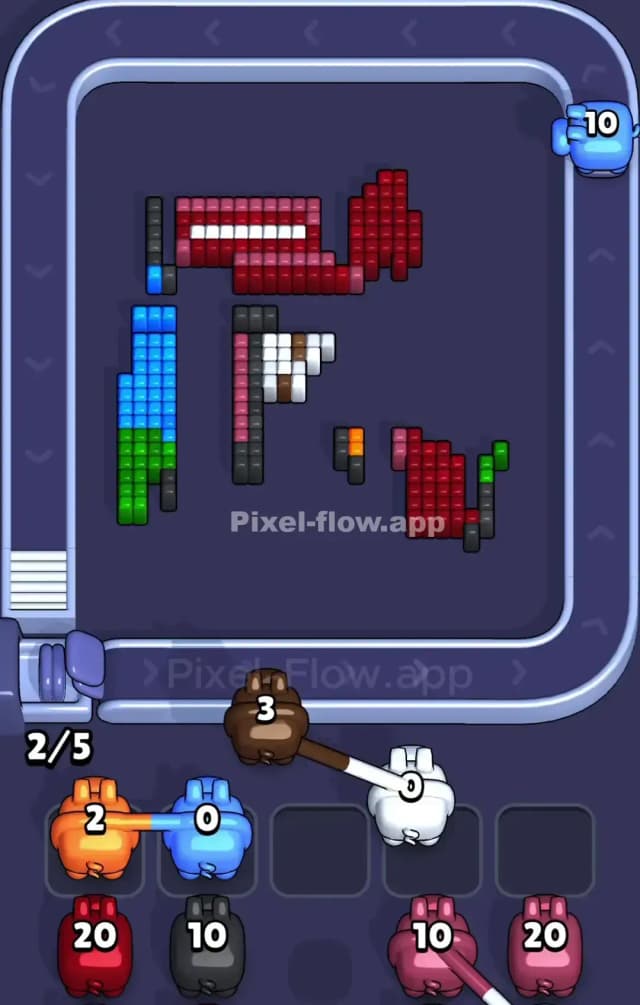
This level features a cozy, domestic scene: a red coffee maker brewing a fresh pot, set against a blue and green backdrop. The board is framed by a brown border. The colors are blocked out in large, satisfying chunks, which makes managing your ammo much simpler than in chaotic abstract levels.
Because of these large, distinct zones of color (the big blue sky, the solid red machine), this is not a very hard level. As long as you don't ignore the hidden "shadow" pixels, you can clear this without stress.
Pixel Flow Level 884 Overview
The artwork depicts a standard drip coffee machine. It sits squarely in the center. The machine itself is two-toned: a lighter pinkish-red on the top lid and base, and a darker burgundy red forming the main vertical body. Inside the machine sits a glass carafe, indicated by white pixels, half-filled with orange coffee.
The background is split horizontally. The top 70% is a bright blue wall or sky. The bottom 30% is a green surface, perhaps a grassy picnic table or a countertop. A thick brown frame encases the entire image.
Strategically, the board is symmetrical in shape but not in color density. The Red and Pink zones are massive vertical pillars. The danger lies in the small details: the black shadows inside the pot and the orange liquid. These are "deep" layers. You cannot reach them until you strip away the massive outer blocks of Blue, Green, and Red.
Step by step solution walkthrough for Pixel Flow Level 884
First Color Zone to Erase in Pixel Flow Level 884
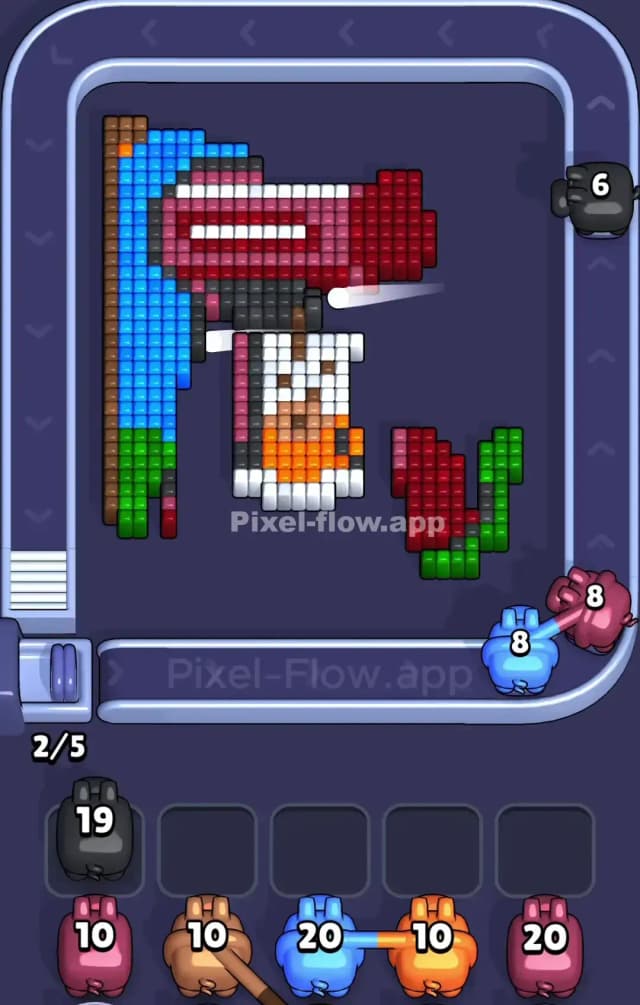
I start by shaving off the green surface at the bottom.
Here is the logic: The first pig in your queue is often Green (depending on your specific queue RNG, but usually Green or Blue appears early). The green area at the bottom of Pixel Flow 884 is a solid, uninterrupted rectangle. It acts as the "floor" of the puzzle. By clearing it, you do two things. First, you guarantee that your Green pig empties its entire ammo clip instantly, keeping your waiting slots empty. Second, clearing the bottom row often destabilizes the columns above it, exposing the lower edges of the Red coffee machine for future attacks.
If you don't have a Green pig, target the Blue background. Like the green zone, the blue area is huge and mostly on the surface layer. Peeling it back exposes the top and sides of the coffee maker.
How to pass Pixel Flow Level 884 without power ups or boosters
The mid-game of Pixel Flow Level 884 is where things get tricky. Once the Blue sky and Green floor are gone, you are left with the Brown frame and the Red/Pink machine.
You will likely encounter Black pigs with high ammo counts (around 20). Be careful. The black pixels in this image are not big blocks. They are thin outlines and shadows inside the coffee pot and under the lid. If you accept a Black pig into your waiting slot before you have exposed the "insides" of the machine, that pig will sit there, useless. It will clog your board.
To survive without power-ups, prioritize the Red and Pink pigs. These colors make up the bulk of the machine's body. Aggressively use them to strip away the outer casing of the coffee maker. You must destroy the red "shell" to reveal the white and black pixels underneath. If a Black pig appears and you can't hit anything, check if a Brown pig is available to clear the frame. The frame often blocks shots from hitting the internal shadows.
Last Details You Clean Up in Pixel Flow Level 884
The final moves of Pixel Flow Level 884 are almost always centered on the carafe.
After the heavy Red and Pink blocks are gone, you will see a mix of White (glass reflections), Orange (coffee), and those annoying Black shadow pixels. The White pixels are often scattered in a checkerboard pattern to simulate transparency. This can be annoying for aiming.
Your last few shots will likely be targeted at the deep Orange center or the final Black outline pixels that were hiding behind the red body. Don't rush. Ensure you have a clear line of sight to these deep voxels before locking in a pig. If the queue gives you an Orange pig but the orange pixels are still covered by a single white block, trash the pig or wait. Precision matters at the end.