Pixel Flow Level 896 Solution | Pixel Flow 896 Walkthrough
How to beat Pixel Flow Level 896: Video solution & walkthrough. The fastest way to pass Pixel Flow 896.
Is this the wrong level layout?🤔
Pixel Flow randomizes levels for different players. Don't worry, just upload a screenshot of your board, and our AI will find the correct video instantly.

Pixel Flow Level 896 Walkthrough
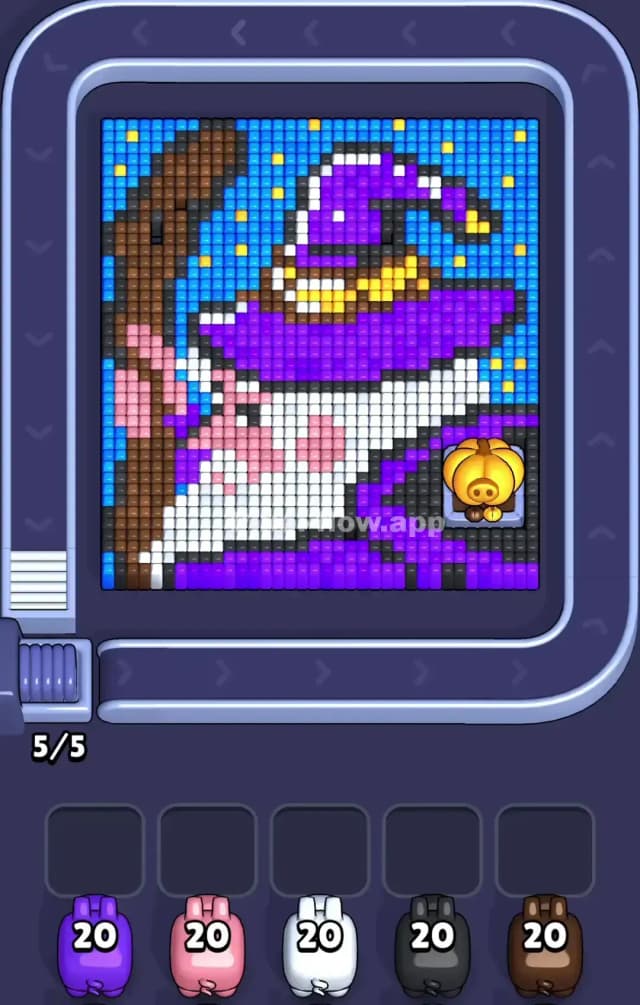
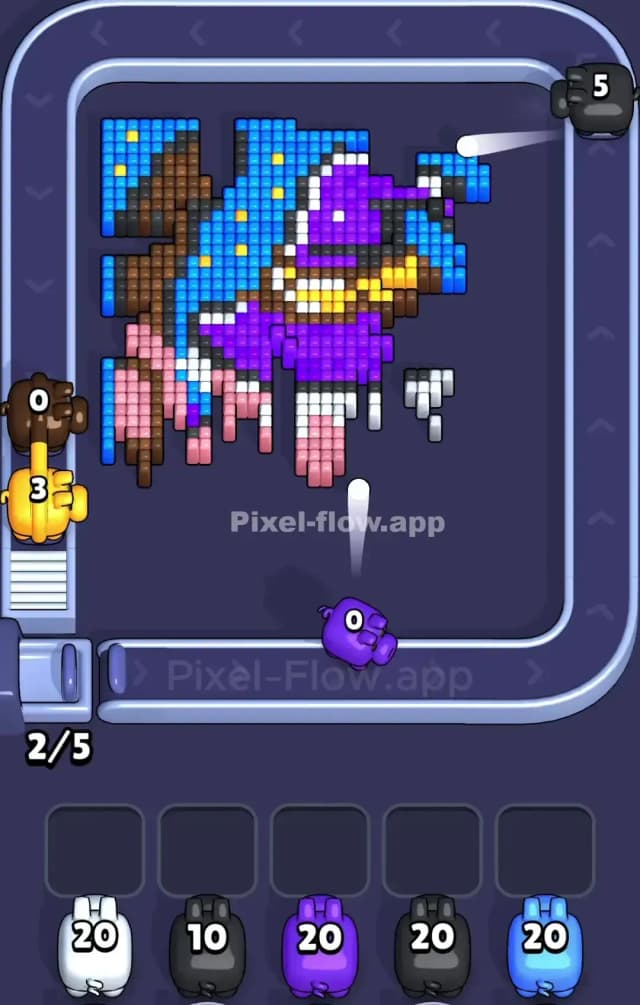
Pixel Flow Level 896 features a classic fantasy portrait: a bearded wizard wearing a large purple hat, holding a wooden staff, set against a starry night sky. The primary colors you will manage are Purple (hat and robe), Brown (staff), White (beard), Pink (face), Blue (sky), and Yellow (stars/accents).
The layering here is deceptive. The staff and hat sit high up, blocking the background, while the stars are tiny, isolated hazards that can clog your slots. Because of the tricky scattered pixels in the background and the dense central layers, I judge this to be a very hard level.
Pixel Flow Level 896 Overview
Think of this image as three distinct vertical columns. On the far left, you have a solid, heavy vertical line: the wizard's Brown wooden staff. In the center, the wizard dominates with a massive White beard and a Pink face, topped by a sprawling Purple hat that arcs over the top right.
The background is a deep Blue night sky sprinkled with single Yellow pixels representing stars. This asymmetry is important. The left side is a solid block (the staff). The right side is more scattered (the sky and hat tip). The density is heavily weighted toward the center and left, meaning you should focus your heavy fire there first to open up the board.
Step by step solution walkthrough for Pixel Flow Level 896
First Color Zone to Erase in Pixel Flow Level 896
I recommend starting aggressively with the Brown staff on the far left.
Here is the logic: The staff is a contiguous, vertical wall of blocks. It doesn't have many gaps. By prioritizing Brown pigs early, you can strip away the entire left flank of the image. This is safer than attacking the Blue sky immediately, because the sky pixels are often hidden behind the staff or the hat. If you clear the Brown layer first, you expose the Blue layer underneath, ensuring that when you do switch to a Blue pig later, it has plenty of valid targets and won’t get stuck in your waiting slots with wasted ammo.
How to pass Pixel Flow Level 896 without power ups or boosters
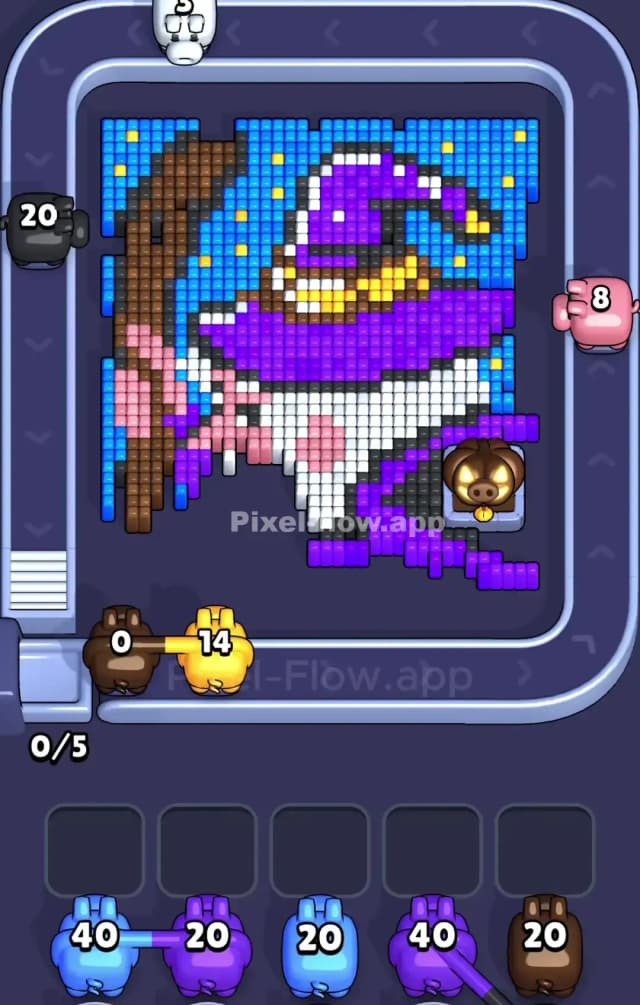
Once the staff is gone, the picture looks strange—a floating wizard head. This is the danger zone. You will likely have Purple, White, and Pink pigs cluttering your belt.
To survive without boosters, follow this priority:
- Target the Purple Hat: The hat is the largest remaining mass. It connects the top of the head to the right side of the frame. Use Purple pigs to eat away this top layer.
- Ignore the Yellow Stars initially: You will see Yellow pigs appear. Do not pick them up unless you see clearly exposed yellow stars or hat buckles. A Yellow pig is dangerous because there are very few yellow voxels. If you grab one too early, it will sit in your slot with 18 ammo remaining, blocking you from grabbing a useful White or Pink pig.
- Shave the Beard: The White beard is thick and sits centrally. Alternate between Purple and White to hollow out the center of the image.
If your slots start filling up, look for the Pink face pixels. They are clustered tight in the middle. Clearing them usually opens up the final layer of the background.
Last Details You Clean Up in Pixel Flow Level 896
The end of Pixel Flow Level 896 is annoying because of the Yellow stars.
After the wizard is erased, you are often left with a patchy Blue background and isolated Yellow dots. The final moves almost always involve hunting down these single pixels. Keep one slot open strictly for a Blue pig to mop up the sky. Be very patient with the Yellow pigs; only deploy them when you can clear 3-4 stars at once. The final block is usually a stray piece of sky hidden in the top right corner where the hat tip used to be.