Pixel Flow Level 293 Solution | Pixel Flow 293 Walkthrough
How to beat Pixel Flow Level 293: Video solution & walkthrough. The fastest way to pass Pixel Flow 293.
Is this the wrong level layout?🤔
Pixel Flow randomizes levels for different players. Don't worry, just upload a screenshot of your board, and our AI will find the correct video instantly.

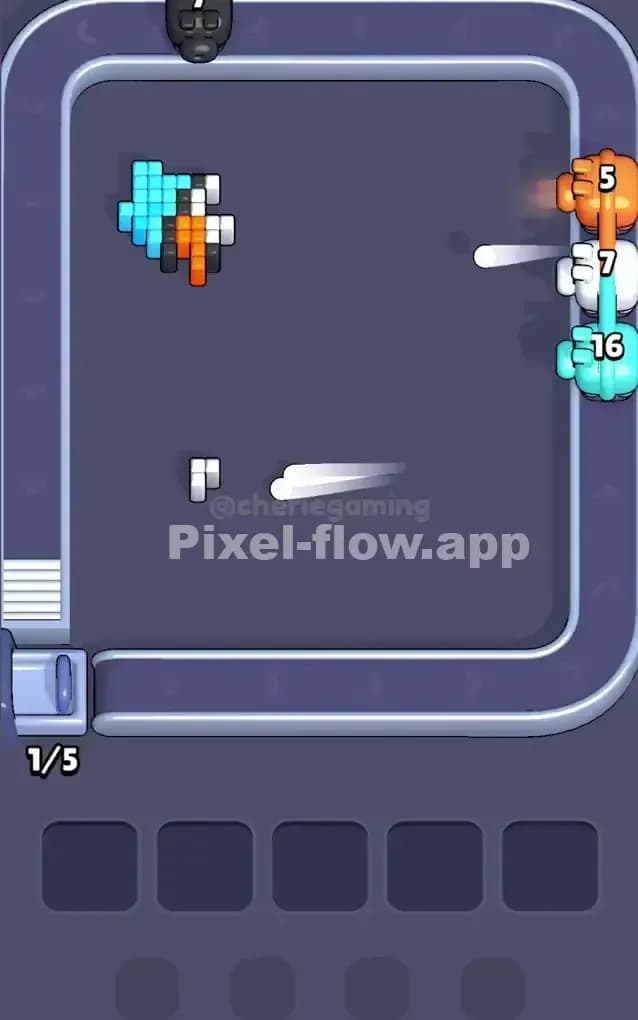
Pixel Flow Level 293 Walkthrough
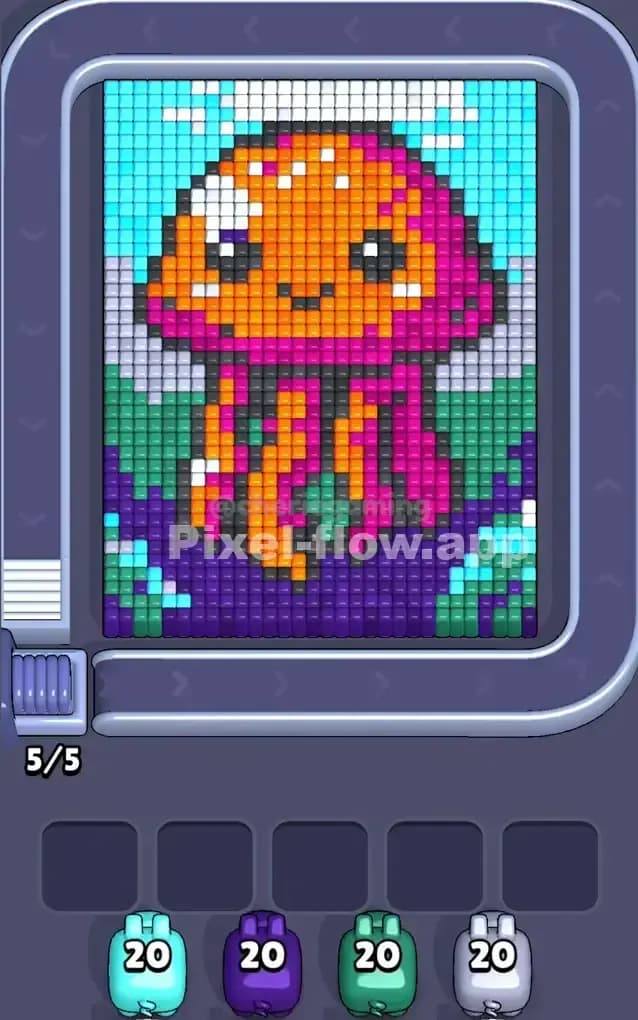
The artwork in Pixel Flow Level 293 is a vibrant, happy jellyfish floating in an underwater scene. The top section features a light blue ocean surface (or sky) with white clouds, while the bottom is dominated by deep purple ocean floor and green seaweed. The jellyfish itself is a massive block of orange and bright pink right in the center.
To beat Pixel Flow Level 293, you simply need to clear the screen layer by layer. However, the density of the central orange/pink figure creates a "blocker" effect where you can't easily reach the background colors until the main character is shaved down. Because the colors are so clustered, this is not a very hard level, but it requires patience to avoid clogging your waiting slots with background colors you can't reach yet.
Pixel Flow Level 293 Overview
Imagine a cartoon jellyfish portrait. The central figure is huge. It has a rounded, orange head with white highlights and cute black eyes. Below the head, bright pink tentacles drape down, mixed with orange segments.
The background is layered distinctly:
- Top Left/Right: Light cyan blue water.
- Top Middle/Sides: Patches of white and grey clouds or bubbles.
- Bottom: A heavy layer of dark purple ground.
- Sides: Dark green seaweed or hills flanking the jellyfish.
The asymmetry here is minor but important. The light blue at the top left is very accessible. The purple at the bottom is a massive solid block. The danger zone is the middle: the green and white pixels are often hiding behind the orange head or the pink tentacles, making them risky targets early on.
Step by step solution walkthrough for Pixel Flow Level 293
First Color Zone to Erase in Pixel Flow Level 293
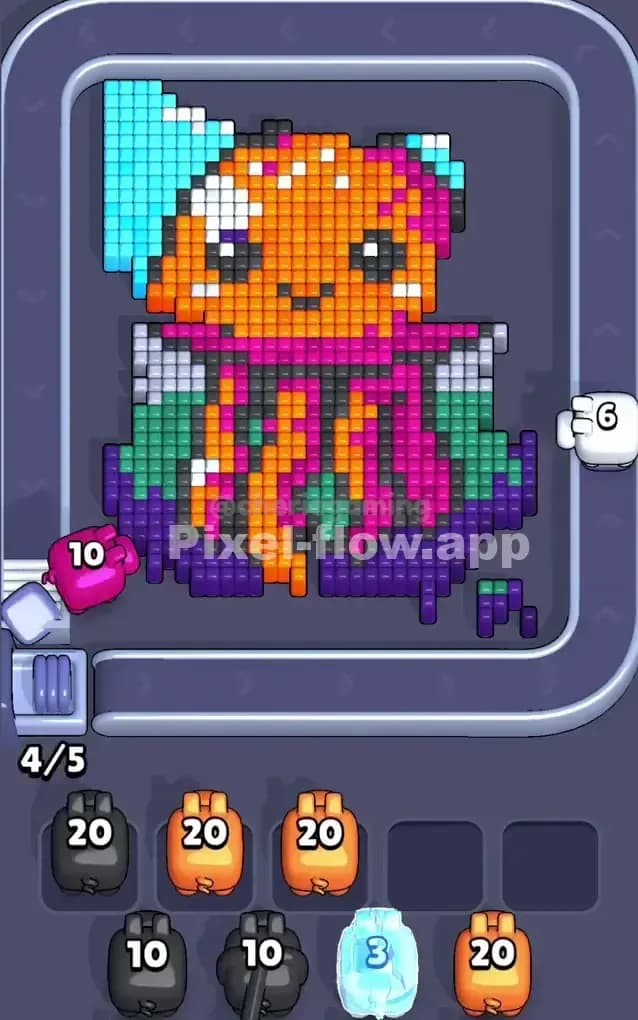
I start by targeting the Dark Purple at the very bottom.
Why? It creates a stable base for the entire picture. The purple blocks are exposed on the front layer across the entire bottom row. Unlike the green or white pixels which are tucked behind the jellyfish's head, the purple is front-and-center. Using a purple pig here guarantees you will dump a lot of ammo quickly without needing to wait for rotation. Once the purple floor is gone, you expose the bottom tips of the tentacles, opening up more valid hits for Pink and Orange later.
If you don't have a Purple pig immediately, go for the Light Cyan Blue in the top left corner. It's a huge, uninterrupted block that is safe to clear.
How to pass Pixel Flow Level 293 without power ups or boosters
At the mid-point, you will likely have a strange shape remaining: the main orange head and pink tentacles will still be there, but the "ocean" around them will be half-eaten.
- The "Tentacle Trap": The tentacles are a mix of Orange and Pink vertical stripes. Be very careful here. If you send an Orange pig when the jellyfish is facing sideways, you might only hit 2 or 3 pixels before the pig runs out of targets and drops into your slot. Only send Orange or Pink pigs when you have a clear, broad shot at the main body.
- Clearing the Green: Once the purple floor is gone, the Green seaweed on the sides becomes the next barrier. You need to clear this to get to the white background pixels. Prioritize Green pigs over White/Grey pigs. If you pick White too early, the pig will just sit in your slot waiting for the Green to disappear.
- Manage the Eyes: The black eyes and mouth are tiny. Do not pick a Black pig unless the face is rotating directly into the firing line. It's better to let a Black pig loop around the conveyor belt once than to have it clog a slot for 20 seconds waiting for three specific pixels.
Last Details You Clean Up in Pixel Flow Level 293
As you near the end, the picture usually effectively turns into a floating orange blob.
- The White Highlights: The jellyfish has white "shine" marks on its head. These are often the last non-orange pixels to survive. Watch for a White pig late in the game to snipe these.
- The Hidden Greys: Sometimes grey pixels from the background "clouds" hide behind the top curve of the orange head. If you have 1 or 2 grey pixels left, don't panic. Just wait for the head to spin until the back layer is exposed.
- Final Orange Dump: You will likely end the level with a high-ammo Orange pig. Since the head is so thick, you can usually just let this pig rip at the very end to clear the remaining 20-30 blocks in one go.