Pixel Flow Level 58 Solution | Pixel Flow 58 Walkthrough
How to beat Pixel Flow Level 58: Video solution & walkthrough. The fastest way to pass Pixel Flow 58.
Is this the wrong level layout?🤔
Pixel Flow randomizes levels for different players. Don't worry, just upload a screenshot of your board, and our AI will find the correct video instantly.

Pixel Flow Level 58 Walkthrough
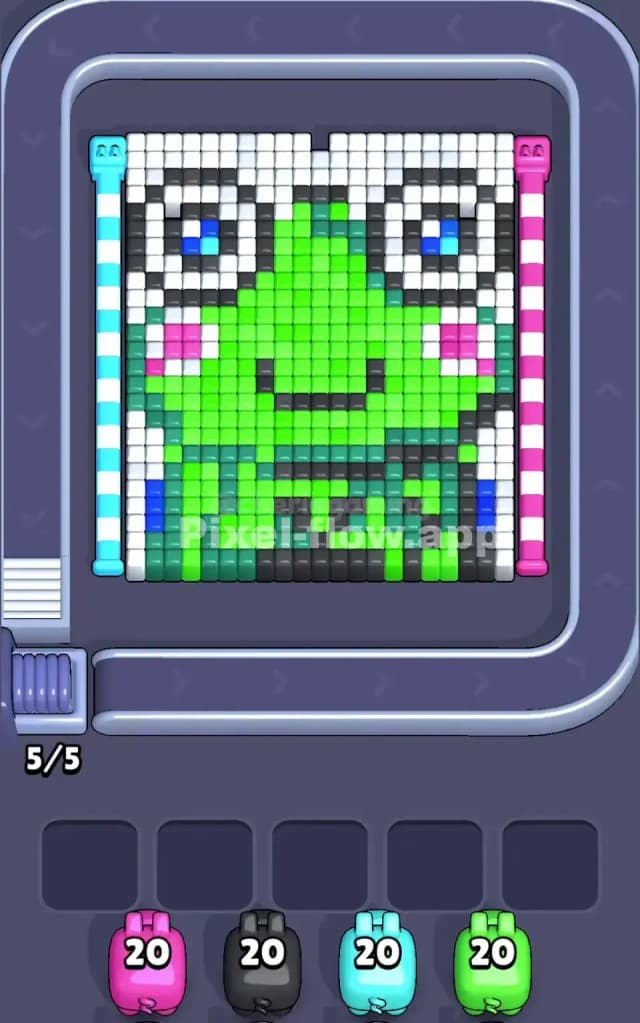
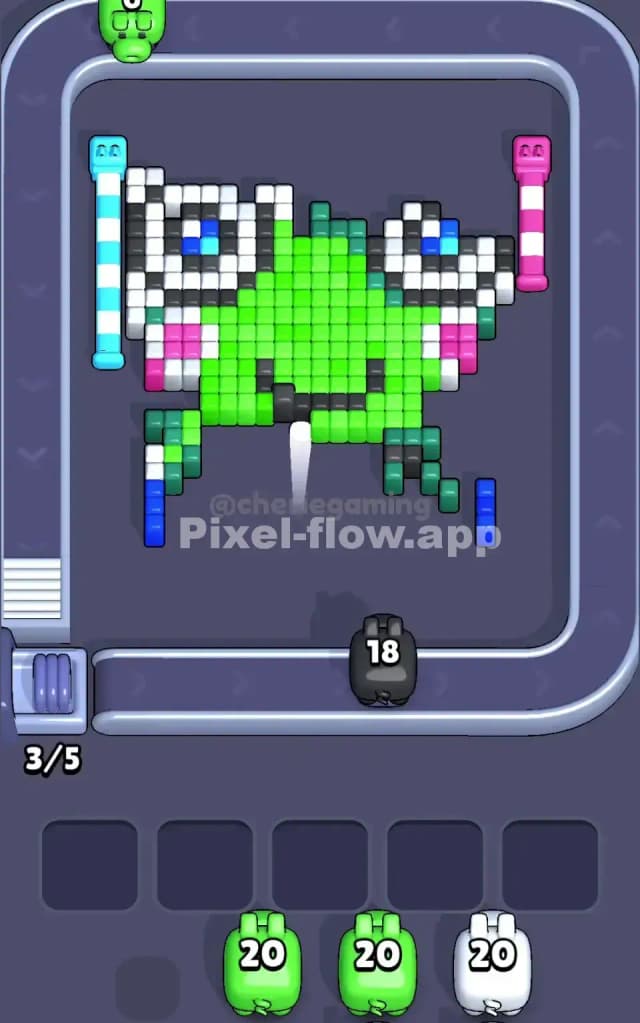
Level 58 is a classic trap disguised as a cute animal picture. You are staring at a massive, bright green frog face. The image is dominated by a central block of neon green skin, framed by large white eyes with blue pupils and pink blush cheeks. The outer edges are lined with white background blocks, and the bottom section features a mix of darker greens and blacks that act as a base.
The rules are standard but tight:
- Match Colors: Drop pigs from the conveyor belt to shoot cubes of the matching color.
- Watch the Slots: If a pig can’t shoot (because its color is blocked), it sits in one of the five slots at the bottom. Fill all five slots with useless pigs, and you lose.
- Layering: You must clear the front-facing "top" layers to hit the pixels buried underneath.
Is this level hard? Honestly, no. It's not "very hard" if you are patient. The colors are grouped in massive, obvious chunks. The only risk is getting impatient with the white background and clogging your slots with colors you can't reach yet.
Pixel Flow Level 58 Overview
This isn't just random noise; it's a portrait of a cartoon frog. The vibe is cheerful and symmetric. The face is almost perfectly centered.
- The Eyes: Two massive white circles with blue centers sit at the top left and right.
- The Cheeks: Small clusters of pink break up the green on the sides.
- The Skin: A huge, uninterrupted triangle of bright green makes up the nose and forehead.
- The Border: Thick white columns flank the left and right sides, and white cubes also fill the top edge.
The asymmetry here is subtle but important. The bottom "chin" area has a mix of dark green and black pixels that are messy compared to the clean upper face. This messy bottom section is actually where your problems might start, as the dark pixels are often buried under lighter ones.
Step by step solution walkthrough for Pixel Flow Level 58
First Color Zone to Erase in Pixel Flow Level 58
Start with the White Borders or the Bright Green Center.
I recommend hitting the White first if possible. Why? Look at the vertical columns on the far left and right. They are tall, accessible stacks of white pixels. Clearing these "bookends" opens up the sides of the frog's face, exposing the black outline and the pink cheeks.
If White isn't available on your belt immediately, dump Bright Green pigs. The frog’s forehead is a giant, safe target. You can burn through 20-40 ammo easily just by hitting the center mass. This prevents your holding slots from filling up early. Do not try to snipe the blue eyes or pink cheeks yet; they are too isolated and you'll likely waste a slot holding a pig that only shoots 2-3 blocks.
How to pass Pixel Flow Level 58 without power ups or boosters
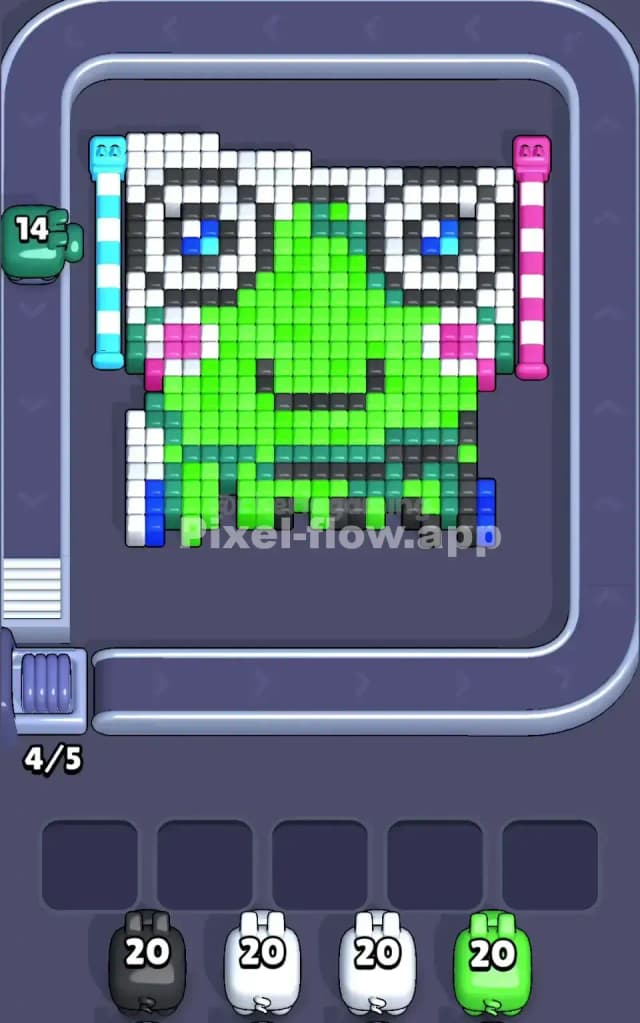
At the halfway point, your board should look like a skeleton. You've likely stripped away the big white side columns and the huge green nose. Now the danger spikes.
You will be left with floating islands of pixels:
- The Black outline cubes that were hiding behind the green.
- The Blue pupils that were buried inside the white eyes.
- The Dark Green/Grey messy bits at the bottom chin.
The Strategy Shift: Stop auto-dropping pigs. The "safe" big targets are gone. You need to be precise. If you see a Black pig, check the eyes. The black pixels often form the rims of the eyes and the mouth. These are thin lines. If you drop a black pig and it only has 3 targets, verify you have an empty slot for it to wait in afterwards.
Prioritize clearing the bottom "chin" area over the top "eyes." The bottom area in Pixel Flow 58 is denser. Clearing the bottom layers causes the top layers to shift or simply become more accessible. If you ignore the bottom dark green/black mix, you might end up with a single column of unmatchable blocks that ruins your run.
Last Details You Clean Up in Pixel Flow Level 58
The end game is almost always the Blue pupils or the deep Pink cheeks.
Because these colors are "inset" (surrounded by white and green), they are often the last voxel layer exposed. You will likely end up with 4 or 5 blue blocks hovering in empty space where the eyes used to be.
Save a Blue or Pink pig in your holding slots for exactly this moment. Don't waste them early when they only have one target. Wait until you've shaved off the white eyebrows so your Blue pig can clear the entire eye in one go. The final move is usually a satisfying pop of these bright accent colors.