Pixel Flow Level 580 Solution | Pixel Flow 580 Walkthrough
How to beat Pixel Flow Level 580: Video solution & walkthrough. The fastest way to pass Pixel Flow 580.
Is this the wrong level layout?🤔
Pixel Flow randomizes levels for different players. Don't worry, just upload a screenshot of your board, and our AI will find the correct video instantly.
Pixel Flow Level 580 Walkthrough
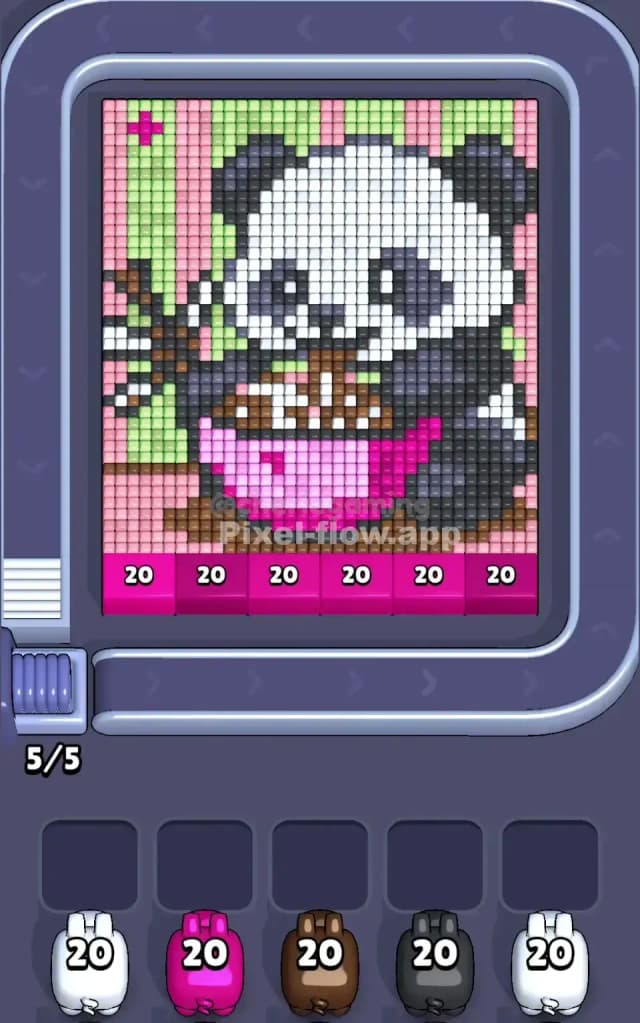
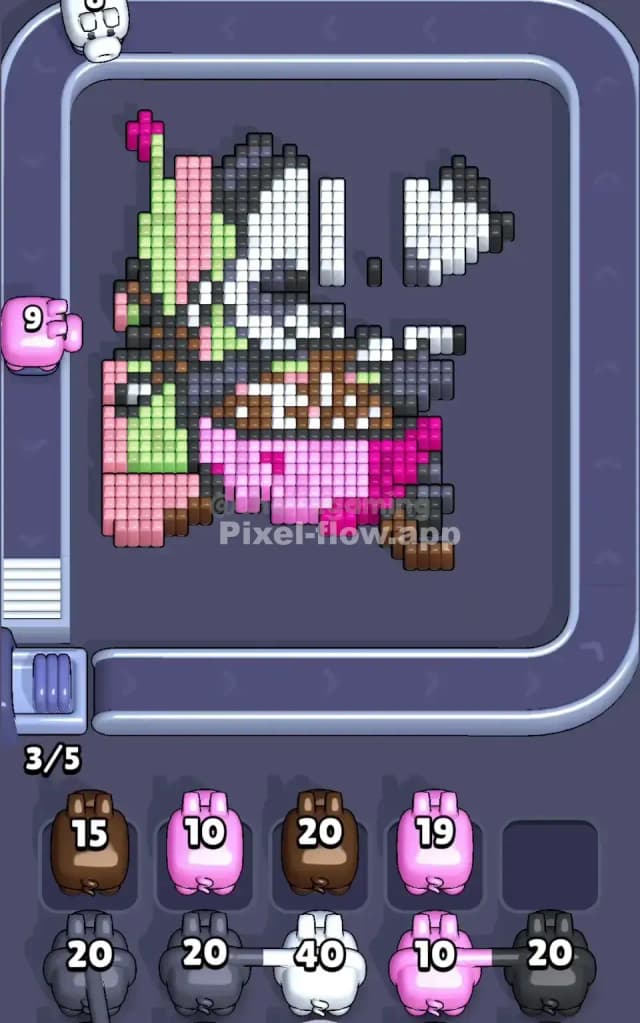
This level features a cute, chunky panda sitting against a striped pink and green background. While it looks innocent, the layering is tricky. You have massive blocks of white (the panda's face) and dark grey (the limbs) overlapping a very specific background pattern.
The rule to beat Pixel Flow Level 580 is patience with the background stripes. You cannot just spam the panda's face because the background layers often lock the edges of the main figure. Is it difficult? I wouldn't call it impossible, but it is very hard if you ignore the specific order of the background stripes versus the foreground animal. One wrong move with the pink pigs early on can clog your slots instantly.
Pixel Flow Level 580 Overview
The scene is a classic portrait of a panda munching on something, perhaps bamboo or a snack, held in its paws. The background is a vertical wallpaper pattern of alternating light pink and light green stripes.
- The Foreground: The panda is massive. A giant white head dominates the center, flanked by dark grey ears and arms.
- The Trap: The panda is wearing what looks like a bright hot pink diaper or bottom piece. This hot pink is distinct from the light background pink.
- Asymmetry: The left side has more green background stripes visible, and a little brown branch or object poking out. The right side is mostly the dark grey of the panda's body.
- Color Palette:
- White: Huge central block (face/tummy).
- Dark Grey/Black: Ears, eyes, limbs.
- Hot Pink: The panda's pants/bottom.
- Light Pink & Light Green: Vertical background stripes.
- Brown: The snack/branch in the paws and feet area.
The "hot pink" vs "light pink" distinction is the biggest visual trap here. Do not confuse them.
Step by step solution walkthrough for Pixel Flow Level 580
First Color Zone to Erase in Pixel Flow Level 580
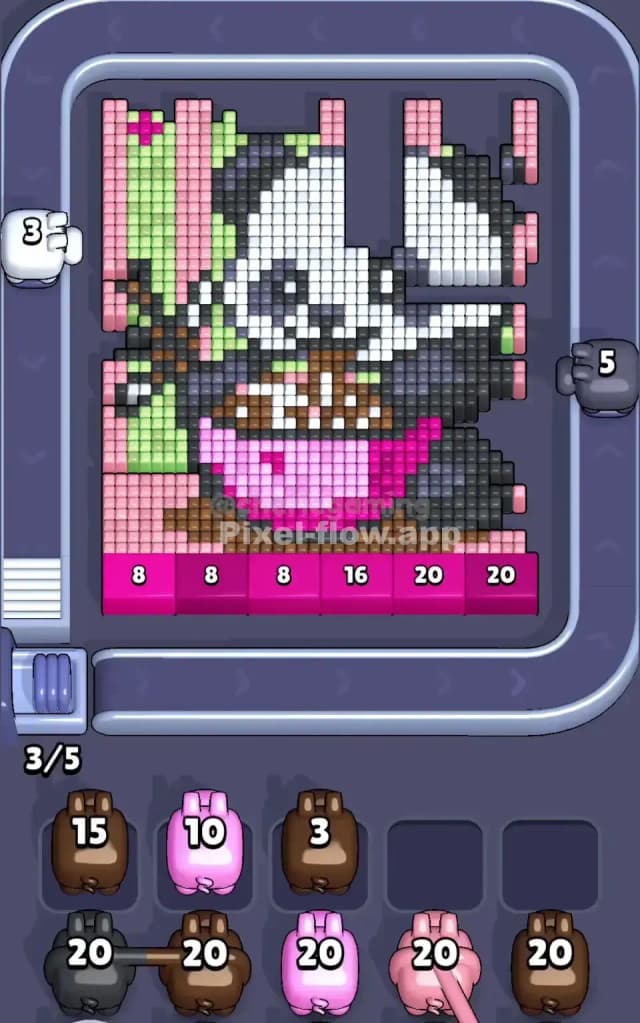
I start by targeting the Hot Pink zone at the very bottom center (the panda's pants).
Here is why: narratively, it anchors the panda. Logically, it’s a dense, exposed block of color sitting right at the bottom edge. Unlike the background stripes, which are thin and vertical, this hot pink block is wide and horizontal. Clearing it opens up access to the brown feet and the bottom edge of the white tummy. If you try to clear the light pink background stripes first, your pigs will likely waste shots hitting the hot pink zone by accident, or run out of valid targets because the stripes are interrupted by the panda's body. Get the big pink block out of the way immediately.
How to pass Pixel Flow Level 580 without power ups or boosters
Once the hot pink pants are gone, the level looks weirdly floaty. You have the upper body of the panda hovering over empty space. This is the danger zone.
- Prioritize the Dark Grey Limbs: Now that the bottom is open, look at the dark grey arms and legs on the sides. These blocks are usually "on top" of the background. Clearing the dark grey on the right side is safer than the left because the left side has that tricky brown branch/snack intertwined with it.
- The White Face Trap: You will be tempted to send white pigs to clear the massive face. Wait. The white face is deep. It often sits behind parts of the eyes and nose. Only send a white pig if you have cleared the black eye patches first. Otherwise, the white pig will shoot a few pixels and then get stuck in your waiting slot because the rest of the white is blocked by black pixels.
- Stripes Strategy: Use the Light Pink and Light Green pigs carefully. Do not just let them ride. Watch the vertical columns. If a column has a mix of green and panda-arm, wait until the arm is gone. If you clear the background stripes too early, you might leave floating "islands" of pixels that are hard to hit.
Focus on "peeling the onion": Hot Pink Pants -> Dark Grey Arms -> Black Eye/Ear details -> White Face -> Background Stripes.
Last Details You Clean Up in Pixel Flow Level 580
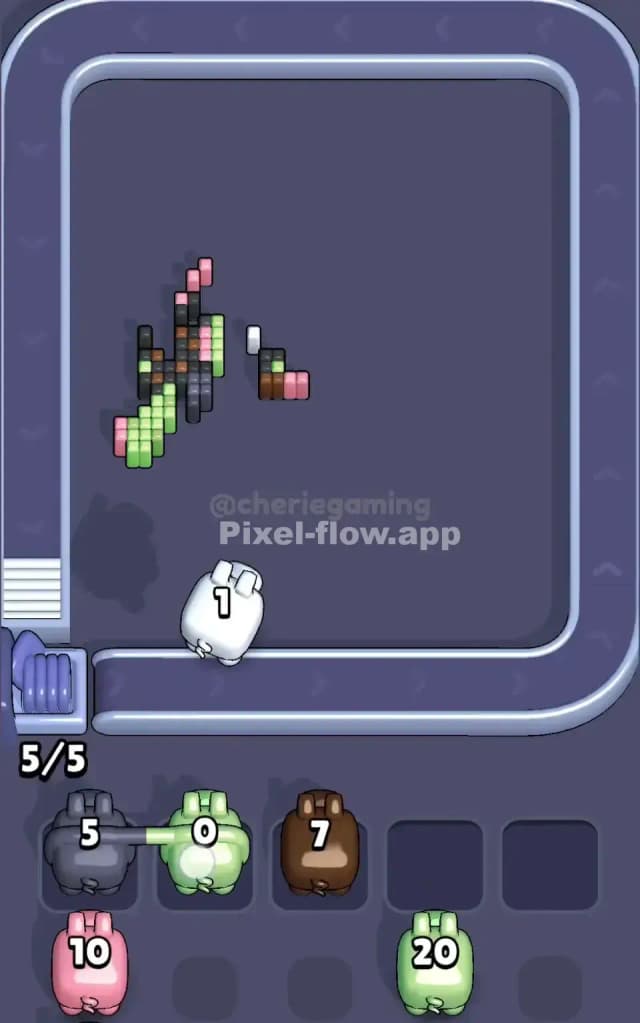
By the end, you should be left with a few stubborn scraps.
- The Brown Branch: The little brown details on the left (the stick/snack) are often the last things standing because they are small and disconnected. You might have a brown pig sitting in your slot for ages waiting for a clear shot at these.
- Top Corners: The very top corners of the background (pink/green) are often forgotten. Make sure you don't leave a single green pixel hidden behind the panda's ear, or you'll be stuck cycling pigs looking for a shot that doesn't exist.
- The Nose: Sometimes a single black pixel for the nose remains floating in the center of where the white face used to be. Keep a black pig handy for this final cleanup.