Pixel Flow Level 740 Solution | Pixel Flow 740 Walkthrough
How to beat Pixel Flow Level 740: Video solution & walkthrough. The fastest way to pass Pixel Flow 740.
Is this the wrong level layout?🤔
Pixel Flow randomizes levels for different players. Don't worry, just upload a screenshot of your board, and our AI will find the correct video instantly.


Pixel Flow Level 740 Walkthrough
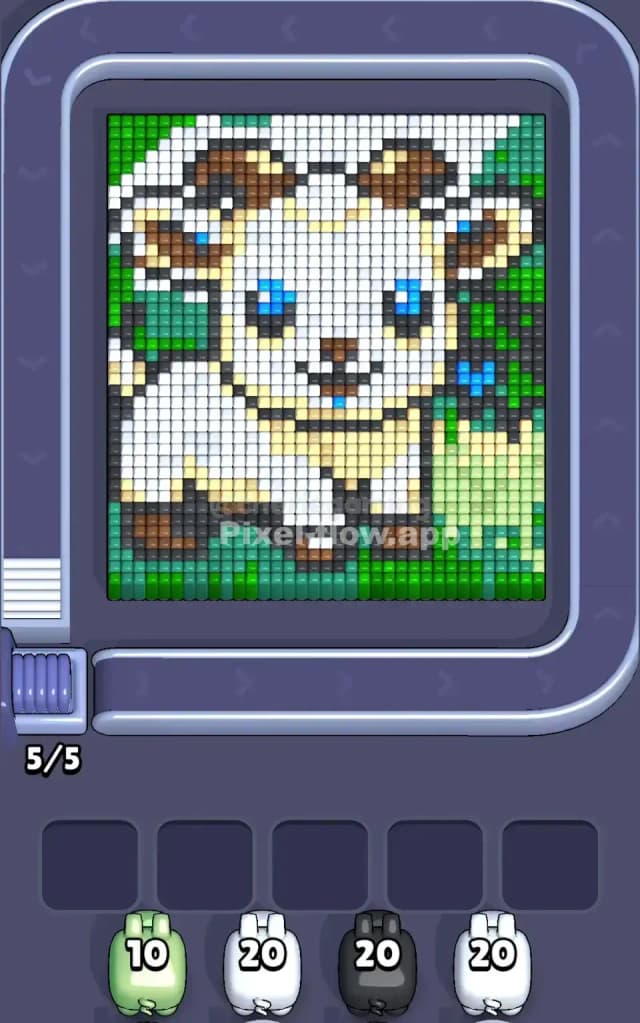
This level features a cute, cartoonish white goat (or ram) with curved horns, sitting amidst a field of green grass and foliage. The main colors are White (the goat's body), Green (the grass and background), Brown (the horns and hooves), and Black/Dark Grey (outlines and details).
The rules for Pixel Flow Level 740 are standard: clear the voxel layers from top to bottom. You need to strip away the "highest" pixels to reveal what's underneath. If you clog your five waiting slots with pigs that can't shoot, you lose.
Is this level hard? No. It's not a "very hard" level. The color zones are distinct and chunky, meaning you rarely get stuck with scattered single pixels that jam your slots.
Pixel Flow Level 740 Overview
The artwork depicts a baby goat sitting peacefully in nature. The goat itself dominates the center of the board. It has a massive white head and body, punctuated by bright blue eyes and dark brown horns that curve backward.
The background isn't uniform. The Green elements act as a frame. Notice how the green grass at the very bottom is a thick, solid strip running the full width of the board. The sides are also flanked by green, but it's more sparse near the top.
The White is the heaviest color here. The goat is essentially a giant white block in the middle. However, you can't just spam white pigs immediately because the goat has a black outline and brown details layered on top of or around the white core. The most dangerous part of this board is the Black outline. It’s thin and snakes around the whole figure. If you ignore the black outlines, they will prevent you from accessing the massive white and cream-colored blocks underneath.
Step by step solution walkthrough for Pixel Flow Level 740
First Color Zone to Erase in Pixel Flow Level 740
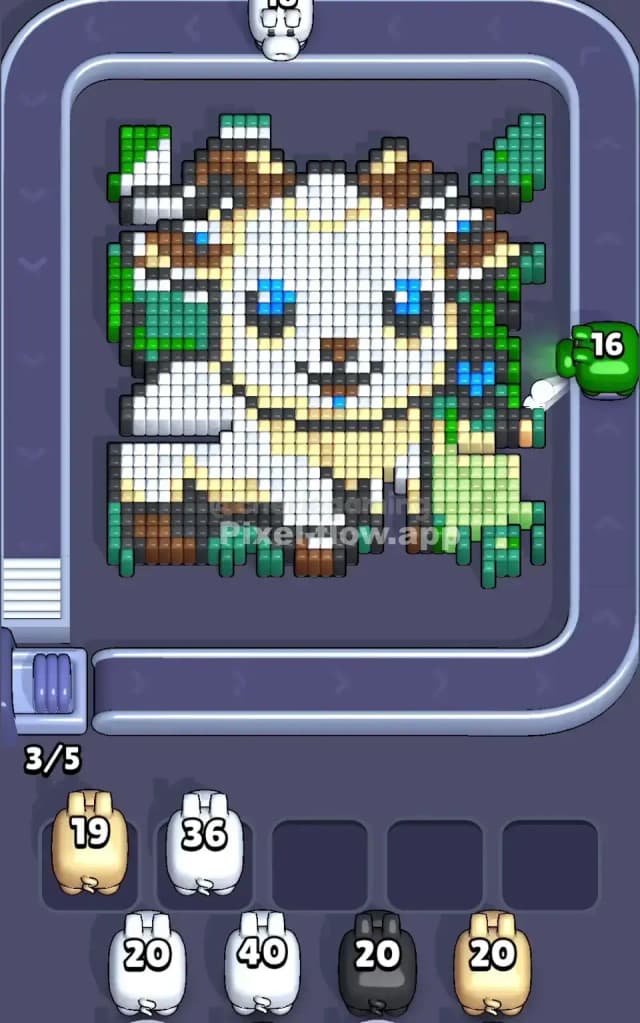
I start by shaving off the Green grass at the bottom and sides.
Here is the narrative logic: The green grass at the bottom is the "foreground." It sits visibly in front of the goat's hooves. By clearing this bottom row of green, you open up the bottom edge of the artwork. Also, notice the green blocks on the left and right edges. These are often the "highest" layer physically. Clearing the green frame first is safe because there are large clusters of it, so your green pigs will empty their ammo quickly and not clog your slots.
Once the green is thinned out, prioritize Black. The black pixels form the outline of the goat's chin, legs, and horns. These thin black lines are "blockers"—they sit on top of the white body. You must remove the outline to expose the big white target area.
How to pass Pixel Flow Level 740 without power ups or boosters
At the mid-level point, your board will look a bit like a skeleton. The green frame is gone. The black outlines are mostly gone. You are left with the massive White core of the goat and the Brown horns.
This is the danger zone for slot clogging. You will likely see Cream/Off-White pixels mixed in with the pure White pixels (especially on the goat's chest and neck). Do not confuse them. If you grab a Cream pig but only have pure White pixels exposed, that pig will sit in your slot and do nothing.
Your priority plan without boosters:
- Check the Horns: The brown horns often have layers. Ensure you aren't ignoring a Brown pig that could clear the top layer of the horns.
- Attack the Chest: The goat's chest has a mix of white and cream. Look closely at which color is "higher." Usually, the shading (Cream) sits slightly above or below the main white coat. Clear the color that has the most exposed blocks first.
- Blue Eyes: The blue eyes are tiny targets. If a Blue pig comes down the conveyor, use it immediately only if the eyes are exposed. If the eyes are still covered by black outline or white forehead pixels, let the Blue pig pass. Do not put a Blue pig in a slot unless you can fire it instantly.
Last Details You Clean Up in Pixel Flow Level 740
The end game is almost always the White body blocks. Because the goat is so large and white, these blocks usually form the deepest layer of the voxel art.
You will finish by clearing the massive chunks of white on the face and torso. The very last cubes to vanish are often the ones right in the center of the face, between the eyes, or the bottom-most layer of the body that was hidden behind the legs. It’s a satisfying cleanup because you can usually just spam white pigs rapidly to finish the level. Watch out for a stray single grey pixel that might have been hiding behind a hoof—don't let it surprise you when you think you're done.