Pixel Flow Level 762 Solution | Pixel Flow 762 Walkthrough
How to beat Pixel Flow Level 762: Video solution & walkthrough. The fastest way to pass Pixel Flow 762.
Is this the wrong level layout?🤔
Pixel Flow randomizes levels for different players. Don't worry, just upload a screenshot of your board, and our AI will find the correct video instantly.
Pixel Flow Level 762 Walkthrough
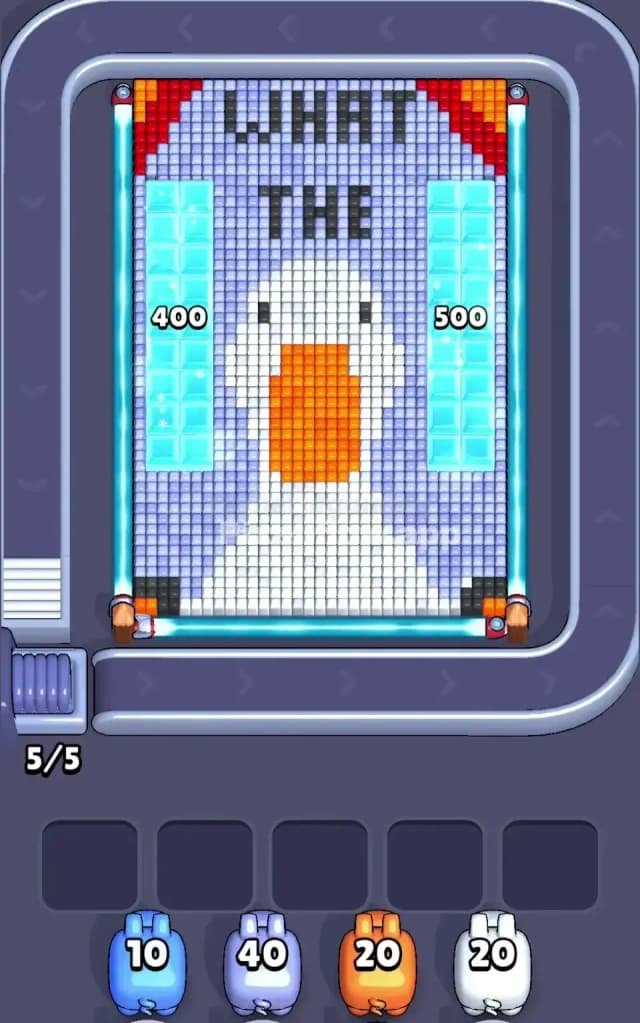
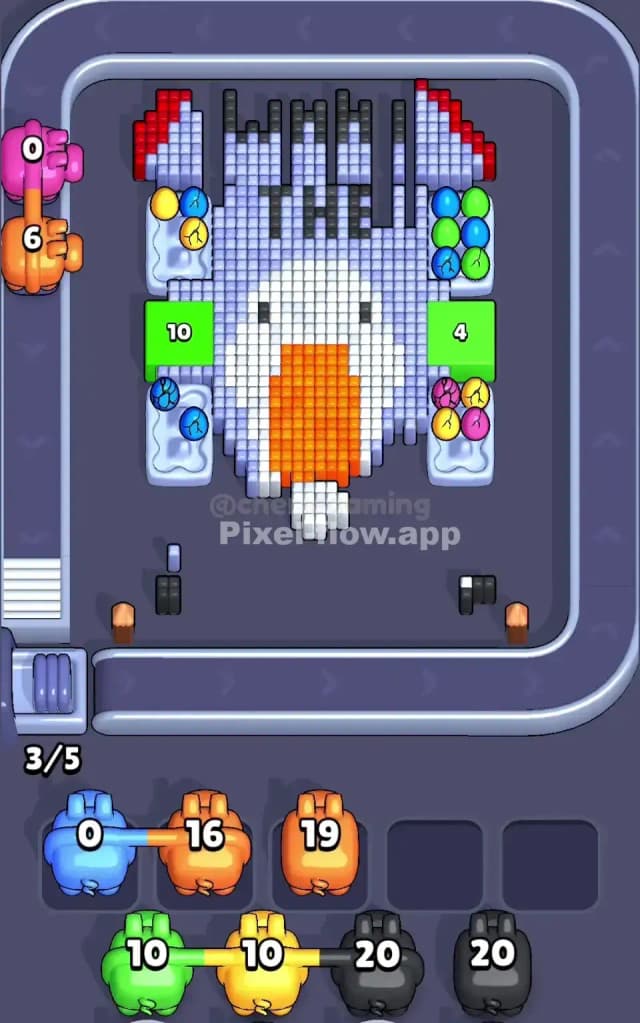
This level features a large, pixelated close-up of a white goose or duck facing forward, with the text "WHAT THE" floating above its head in black block letters. The artwork is framed by red curtains in the top corners and two massive vertical columns of cyan "ice" blocks on the left and right flanks.
The rule to beat Pixel Flow Level 762 is strictly about layer management. The cyan columns and the lavender background form a "shell" around the central character. You must strip these outer colors away to reach the deeper layers of the goose's face and the hidden items underneath the ice. Because the side columns are so dense and the pig queue gives you low-ammo colors early, this is a very hard level.
Pixel Flow Level 762 Overview
The scene is a funny internet meme reference: a confused goose staring blankly at the player. The central figure is a massive block of white pixels for the head and neck, dominated by a large, rectangular orange beak. It feels crowded. The background isn't empty space; it’s filled with a light lavender/periwinkle color that touches almost every other element, acting as the mortar for this pixel wall.
Symmetry is a trap here. While the goose is centered, the massive cyan columns on the left and right (marked with numbers in some variations, or just solid blocks) create a "tunnel" effect. These columns are dangerous. They look like solid walls, but they are made of destructible pixels. The real asymmetry comes from the text "WHAT THE," which creates jagged black shapes at the top that are easy to miss until the very end.
Step by step solution walkthrough for Pixel Flow Level 762
First Color Zone to Erase in Pixel Flow Level 762
Your priority is the Lavender Background.
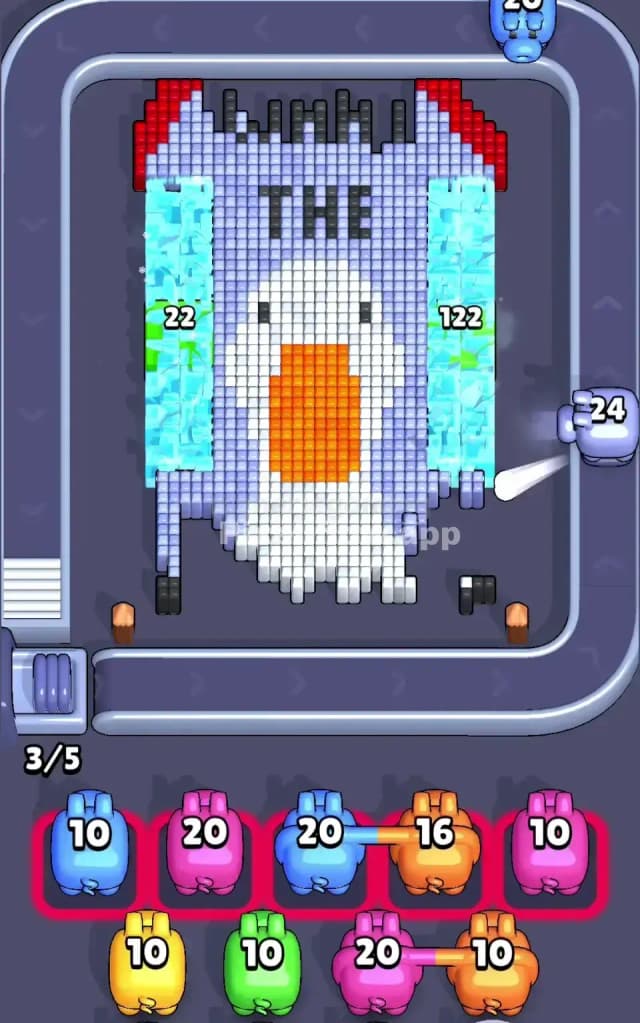
Looking at your starting queue, you likely have a Blue pig (low ammo) and a Lavender/Light Purple pig (high ammo). This is a logic check. The massive cyan columns on the sides might tempt you to use the Blue pig immediately. However, those columns are dense and might require more ammo than the first pig offers. If you fire the Blue pig and he runs dry halfway through a column, he clogs the waiting slot.
Instead, focus on the Lavender pig (often the second or third in line with ~40 ammo). The background color connects the red curtains, the black text, and the white goose. By erasing the lavender first, you isolate the other clusters. This prevents "orphaned" pixels. If the Blue pig is first and you can't clear a full column, slot him in the waiting area. Let the Lavender pig do the heavy lifting to open up the board. Once the background is gone, the shape of the goose and the side columns are fully exposed, making them easier to target without accidental overlap.
How to pass Pixel Flow Level 762 without power ups or boosters
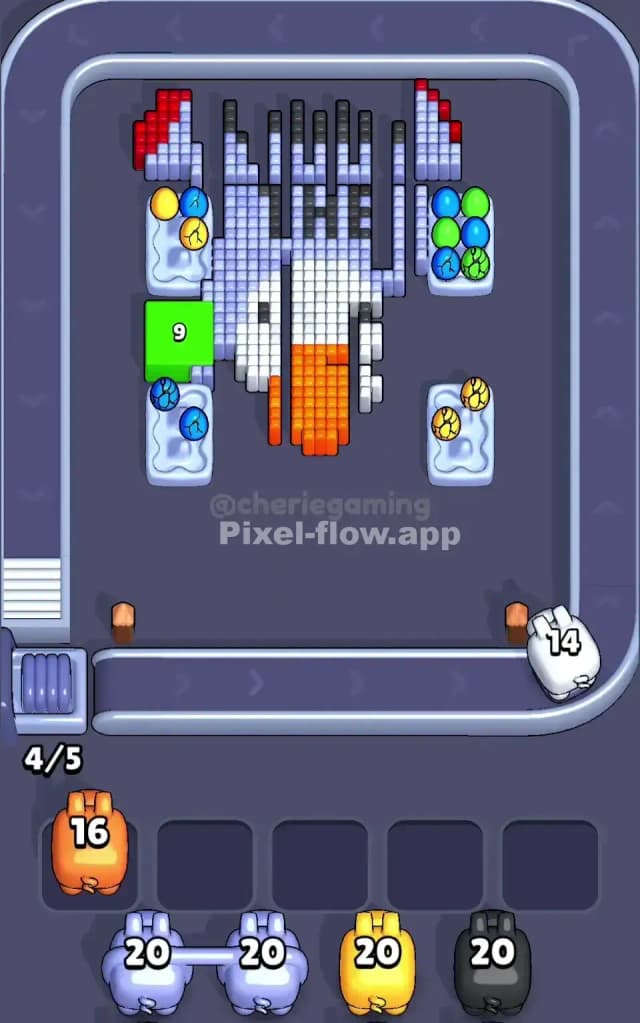
The mid-game of Pixel Flow Level 762 is where players lose. Once the lavender background is cleared, the board looks half-destroyed, but you are left with two giant obstacles: the White Goose Body and the remaining Cyan Columns.
- Prioritize the Orange Beak: You will likely receive an Orange pig with moderate ammo (around 20). The beak is a solid, rectangular block with no gaps. It is the safest target. Clear it to create a hole in the center of the board. This often reveals lower-layer pixels hidden behind the nose.
- The Cyan Column Trap: Do not try to chip away at the cyan columns with mismatched pigs. If you get a Blue pig, ensure he has a clear line of sight to the columns. Since these columns are vertical, shooting from the center belt is effective, but only if the lavender background is already gone. If the columns are still standing and you have no Blue pigs, ignore them. Focus on the center.
- Manage the White Pig: The goose's head and neck are a huge ammo sink. The White pig usually comes with 20-30 ammo. Do not waste him on stray white pixels at the edges. Fire him directly into the center of the neck. You need to break the main mass of the goose to stop it from blocking shots meant for the text above.
If your slots are filling up, look for the Red pixels in the top corners (the curtains). These are small clusters. If a Red pig appears, use him immediately to clear those corners and free up a slot. Do not hold onto Red pigs; the target is too small to justify clogging your board.
Last Details You Clean Up in Pixel Flow Level 762
The final hurdles are usually the Black Text ("WHAT THE") and the Goose's Eyes.
Black pixels are high-contrast and easy to spot, but they are scattered. The text is spread out across the top, and the eyes are two isolated dots in the middle of the white face.
- Save your Black pigs for the very end. If you shoot them too early, while the White face is still intact, you might waste ammo hitting the white pixels surrounding the eyes.
- Wait until the white face is eroded. Once the face is gone, the black eye pixels will be floating or sitting on the bottom layer. This guarantees a 100% hit rate.
- The text at the top is often the last thing to go. Ensure you have a clear vertical shot. If any jagged remnants of the cyan columns remain on the sides, they might block your angle to the letters "W" or "E" at the edges. Clear the sides before trying to snipe the text.