Pixel Flow Level 810 Solution | Pixel Flow 810 Walkthrough
How to beat Pixel Flow Level 810: Video solution & walkthrough. The fastest way to pass Pixel Flow 810.
Is this the wrong level layout?🤔
Pixel Flow randomizes levels for different players. Don't worry, just upload a screenshot of your board, and our AI will find the correct video instantly.


Pixel Flow Level 810 Walkthrough
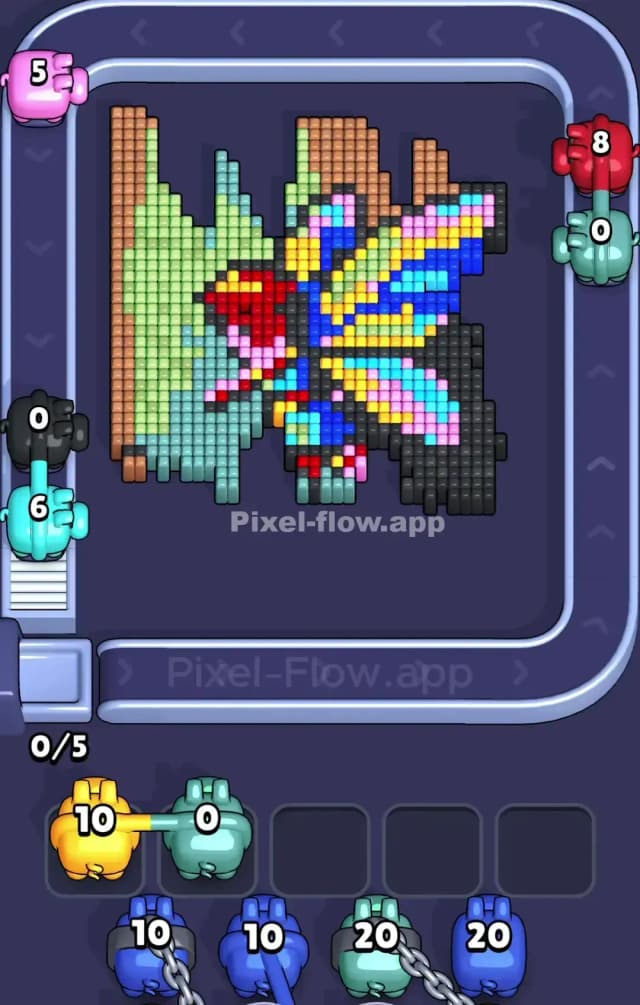
This level is a beast. You are staring at a massive, intimidating Ice Block right in the center of the board, surrounded by pixel art. The Ice Block is divided into four quadrants with insane health numbers: 120, 140, 130, and 150. Underneath and around this ice is a colorful, abstract-looking butterfly or moth design. To beat Pixel Flow Level 810, you have to chip away at the exposed pixels on the perimeter while grinding down that central ice block. Because of the high HP on the ice, this is a very hard level.
Pixel Flow Level 810 Overview
The artwork here is deceptive. At first glance, it looks like a mess of brown earth and black void, but as you clear it, a vibrant, multi-colored butterfly emerges. The scene feels like a creature resting on a tree trunk or branch.
- The Left Side: Dominated by vertical strips of brown and green. This looks like the bark of a tree or a grassy perch. It's very dense.
- The Right/Bottom: A large mass of black pixels. This is the "negative space" or shadow area that defines the butterfly's wing shape.
- The Center (The Danger Zone): That massive blue Ice Block is the main antagonist. It sits right on top of the butterfly's body. You cannot reach the colorful core until this ice is shattered or melted.
The asymmetry is crucial: The left side (brown/green) offers a lot of "safe" targets to dump ammo early on. The right side (black) is also safe. But the top and bottom edges near the ice are tricky because if you misfire, you hit the ice with low-damage pigs, wasting time.
Step by step solution walkthrough for Pixel Flow Level 810
First Color Zone to Erase in Pixel Flow Level 810
I start by shaving off the Black pixels on the bottom right and the Brown/Green pixels on the far left.
Here is the narrative logic: The Ice Block in the center has huge HP (up to 150). You need high-damage pigs or specialized "Ice Breaker" pigs to deal with that efficiently later. Right now, your queue is likely full of standard colors like Brown, Green, and Black. If you try to force these pigs to hit the ice, they do 1 damage per hit. It's a waste.
Instead, clear the perimeter. The huge vertical strip of Green on the left is a perfect "ammo dump." It lets you cycle through your queue quickly without clogging your waiting slots. By clearing the "frame" of the picture first, you expose the edges of the butterfly wings, giving you more valid targets when the ice eventually cracks.
How to pass Pixel Flow Level 810 without power ups or boosters
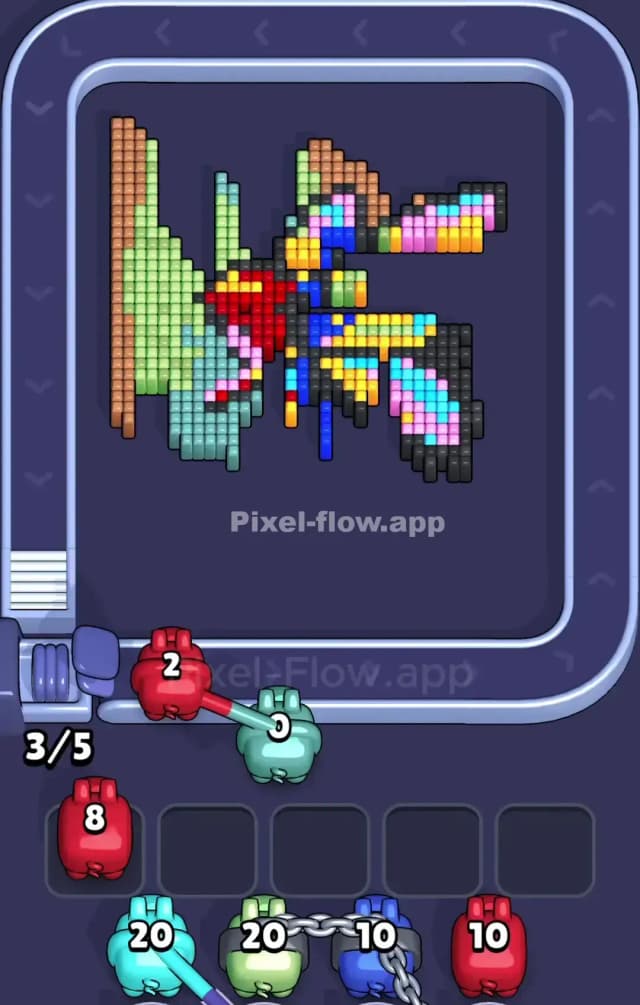
The mid-game of Pixel Flow Level 810 is where most players lose. Once the outer Black and Brown layers are gone, you are left with the stubborn Ice Block and the colorful wings partially peeking out.
- Respect the Ice Numbers: Notice the numbers are 120, 130, 140, 150. This isn't random. Focus your fire on the lowest number first (120, usually top-left quadrant). Breaking one quadrant opens a "hole" in the defense, allowing you to snipe pixels underneath.
- Don't ignore the hidden pixels: Often, small clusters of pixels hide behind the corners of the ice. If a pig has nowhere to go, check if there's a tiny sliver of color peeking out from behind the 150 block.
- Ammo Management: Since you aren't using power-ups, you cannot afford a clog. If you have a Blue pig but the only Blue pixels are under the 150 HP ice block, do not deploy it unless you have absolutely no other moves. Let it sit in the queue if possible, or clear other colors to reveal a valid Blue target elsewhere.
- The "Wing" Shift: As you break the ice, you'll reveal bright Reds, Yellows, and Azures. These are the butterfly's wings. Prioritize these high-contrast colors immediately when they appear. They usually exist in small, tight groups that are easy to clear, freeing up space in your pig slots.
Last Details You Clean Up in Pixel Flow Level 810
The end-game is usually a scramble to clear the final few pixels of the butterfly's pattern.
- The Checkered Wings: The butterfly wings are often a mix of pink, blue, and yellow in a checkered pattern. Be careful here. It’s easy to miss a single Yellow pixel sandwiched between two Pink ones.
- The Stem: Sometimes a few stray Green or Brown pixels remain at the very bottom or top of the "branch" on the left.
- The Final Ice Shards: Occasionally, you might destroy the artwork underneath before fully breaking the 150 HP ice block. That’s fine! You win by clearing the pixels, not necessarily the ice. If the ice is the only thing left and covers nothing, ignore it. But usually, the last few pixels are hiding directly under the thickest part of the ice (the 150 section). Save your highest ammo pigs for this final push.