
Pixel Flow Pumpkin Level Solution | Pixel Flow Pumpkin Walkthrough
How to beat Pixel Flow Pumpkin level: Video solution & walkthrough. The fastest way to pass Pixel Flow Pumpkin .
Is this the wrong level layout?🤔
Pixel Flow randomizes levels for different players. Don't worry, just upload a screenshot of your board, and our AI will find the correct video instantly.
Pixel Flow Pumpkin Level Walkthrough
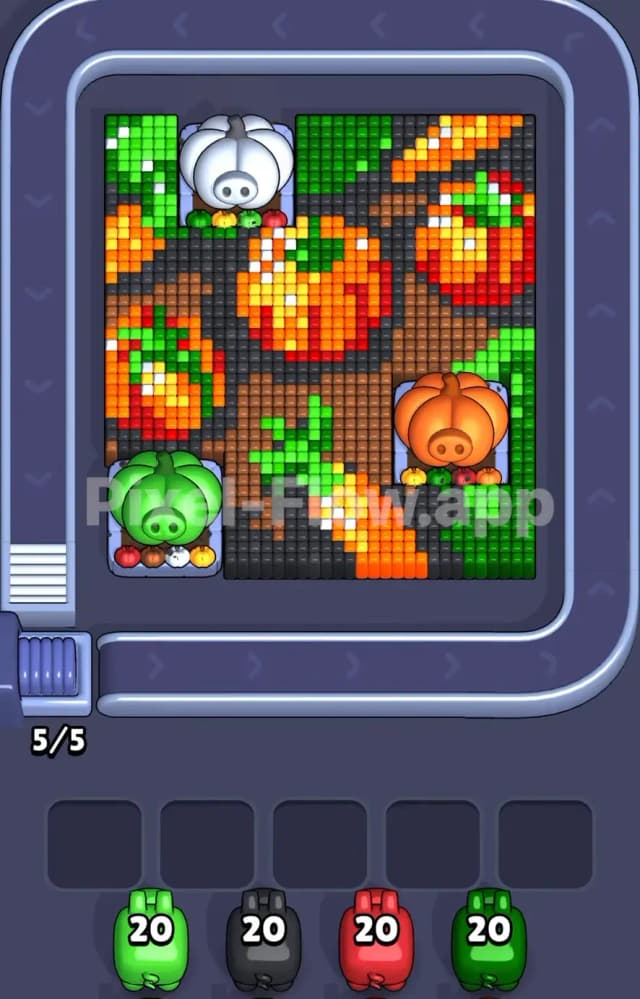
This is your entry point. The game throws you into a voxel vegetable garden that looks peaceful, but don't let the farm vibes fool you. You are looking at a dense grid of carrots and pumpkins sitting on a dark, earthy background. The colors here are distinct: vibrant oranges, deep greens for the leaves, bright reds for shading, and a massive amount of dark grey/black soil connecting everything.
The rules to beat Pixel Flow Pumpkin Level are straightforward but strict. You have a queue of pigs at the bottom. Each pig carries a specific paint color and a specific amount of ammo (usually 20 shots to start). You drag them onto the board or tap them to enter the flow. They shoot matching colored blocks. If a Green pig shoots a Green block, the block vanishes.
Is this a very hard level? No. It is the tutorial stage, designed to make you feel smart before the game gets mean later. However, if you ignore the ammo counts or clog your five waiting slots with useless pigs, you can still fail.
Pixel Flow Pumpkin Level Overview
The scene is an autumn harvest snapshot. You aren't just clearing random noise; you are demolishing a structured piece of pixel art.
In the center and spreading to the right, you have large, round pumpkins. These aren't flat orange circles; they are textured. They have Orange centers, Red shading on the sides to give them weight, and little White reflections to make them look shiny.
Scattered between the pumpkins are carrots. These are distinct because of their diagonal shape. They slice through the dark background with bright Orange bodies and bushy Green tops.
The background is the glue holding this mess together. It’s a dark, charcoal-colored soil (handled by the Black pigs). This dark layer touches almost every other object. It surrounds the pumpkins and creates the negative space between the carrot leaves.
Asymmetry is key here. The left side of the board is heavier on the "Green" foliage because of a large pumpkin sitting in the bottom corner with big leaves. The right side is more open, dominated by the dark soil and the curves of the pumpkins. Your eyes should track the diagonal lines of the carrots; they often act as barriers that separate the soil into different chunks.
Step by step solution walkthrough for Pixel Flow Pumpkin Level
First Color Zone to Erase in Pixel Flow Pumpkin Level
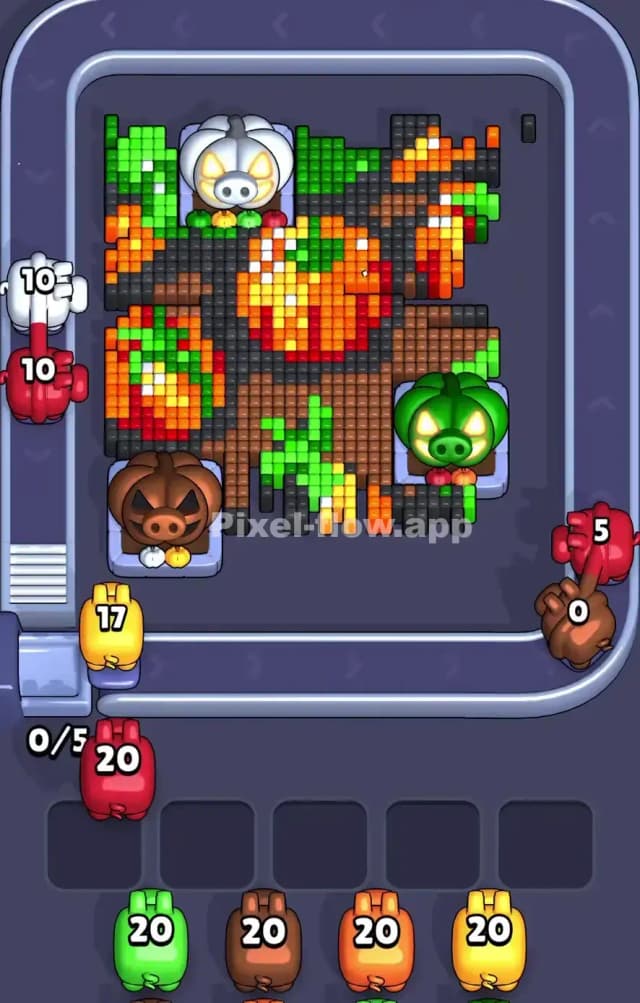
I start by targeting the Green zones immediately. Look at your starting queue. You likely have a Green pig loaded with 20 ammo right at the front.
Why Green? Look at the board. The green pixels are the "tops" of the vegetables. They sit on the upper layer of the visual hierarchy. There is a cluster of green in the top left corner and a jagged patch of carrot tops in the lower middle. These green blocks are often isolated islands. If you don't clear them early, they get in the way of reaching the bigger, juicier blocks of soil or fruit underneath.
Drag your Green pig out. Let it strip away the leaves on the carrots and the stems on the pumpkins. This feels satisfying because the green contrasts sharply with the dark background. Once those bright green pixels pop out of existence, you can clearly see the shapes of the orange vegetables underneath. It declutters the board instantly.
How to pass Pixel Flow Pumpkin Level without power ups or boosters
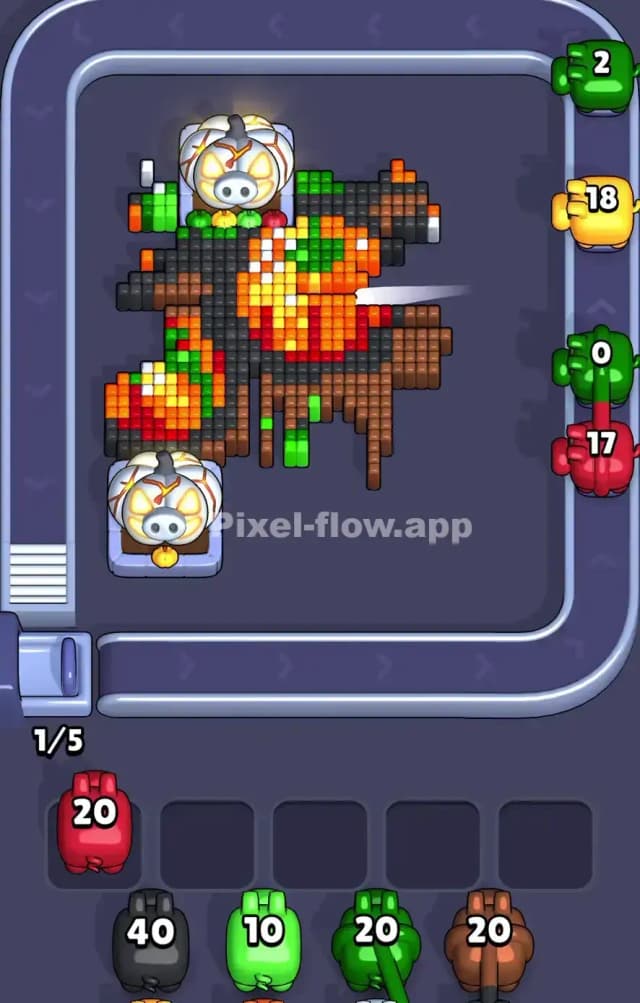
About halfway through, the board will look like a half-eaten salad. The pretty leaves are gone. Now you are staring at a lot of Orange fruit and Black soil.
This is where beginners panic and spam click. Don't. You do not need boosters. You just need to respect the layer logic.
The Black pig is your workhorse here. The dark soil background is likely the biggest single color group in Pixel Flow Pumpkin Level. It’s not just a border; it runs deep behind the veggies. When the Green leaves are gone, you will see huge swathes of black pixels exposed.
Send in the Black pig. Watch it chew through the background. This is crucial because removing the black pixels "disconnects" the other objects. Once the soil is gone, the pumpkins and carrots are no longer a solid wall; they become floating islands of color. This makes it much harder to accidentally waste shots or get a pig stuck with no targets, because the separation makes the remaining targets obvious.
If you see a Red pig in your queue, use it to shave the shading off the pumpkins. The red pixels usually hug the edges of the orange blocks. Clearing them shrinks the pumpkin targets, making the final cleanup easier.
Last Details You Clean Up in Pixel Flow Pumpkin Level
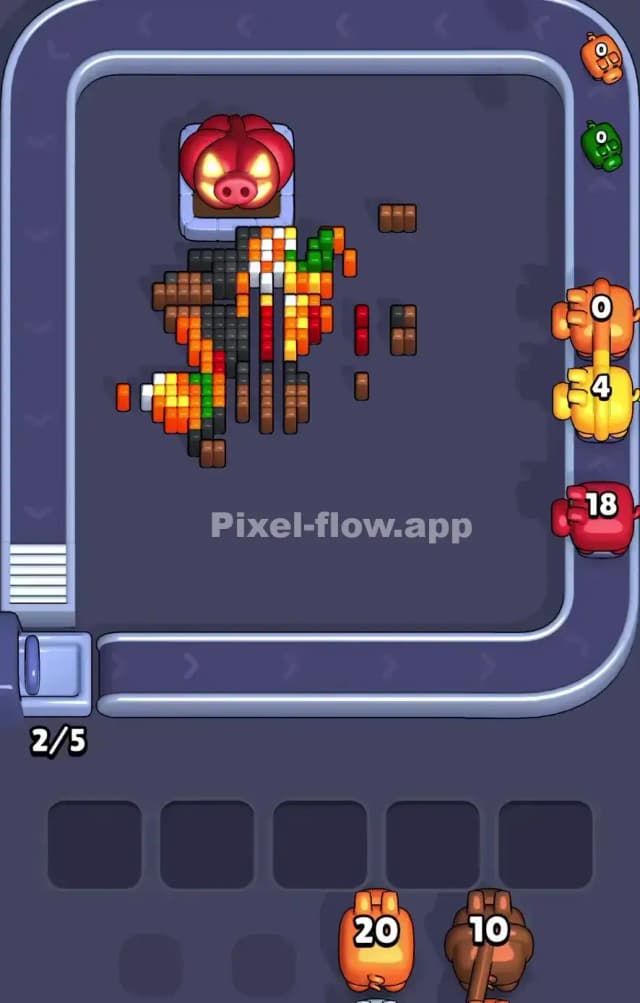
You are in the endgame now. The board is mostly empty space. The soil is gone. The leaves are gone.
What remains are the cores of the vegetables. You will likely see small clusters of Orange (the carrot bodies) and perhaps some stray White pixels (the shine marks on the pumpkins).
These last few blocks can be tricky because they are small. A pig with 20 ammo might only have 4 targets left. This is fine. The danger of clogging your slots is low now because you have so much empty space.
Focus on the Orange clusters. They are the thickest parts of the remaining art. Send in your Orange pig to wipe out the carrot bodies and the bulk of the pumpkins.
The absolute last thing to go is usually the White highlights or deep internal colors that were buried under everything else. They will be floating in the air, totally exposed. One quick burst from a pig matches them, and the level clears. Victory is yours.