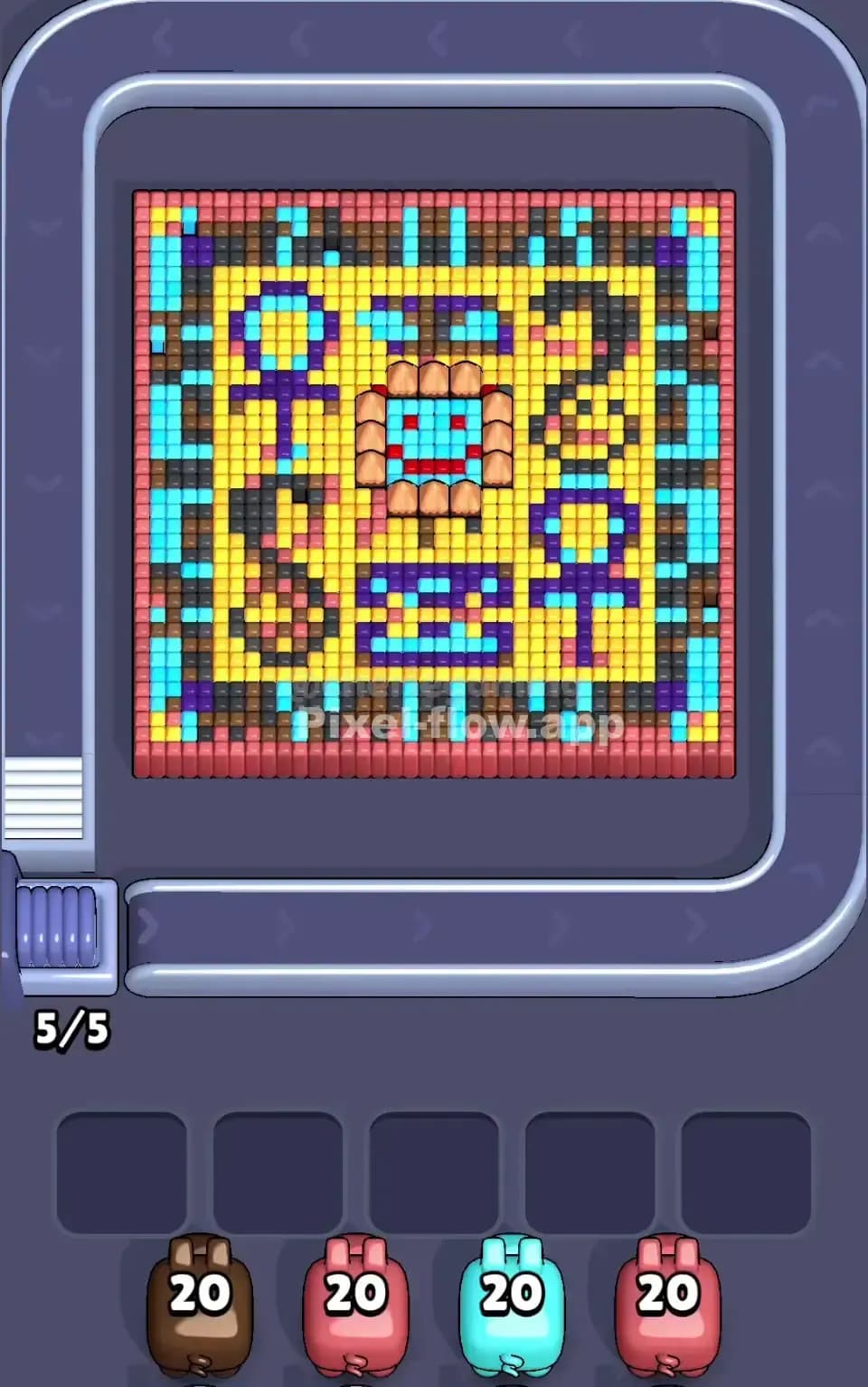
Pixel Flow Level 339 Solution | Pixel Flow 339 Walkthrough
How to beat Pixel Flow Level 339: Video solution & walkthrough. The fastest way to pass Pixel Flow 339.
Is this the wrong level layout?🤔
Pixel Flow randomizes levels for different players. Don't worry, just upload a screenshot of your board, and our AI will find the correct video instantly.

Pixel Flow Level 339 Walkthrough
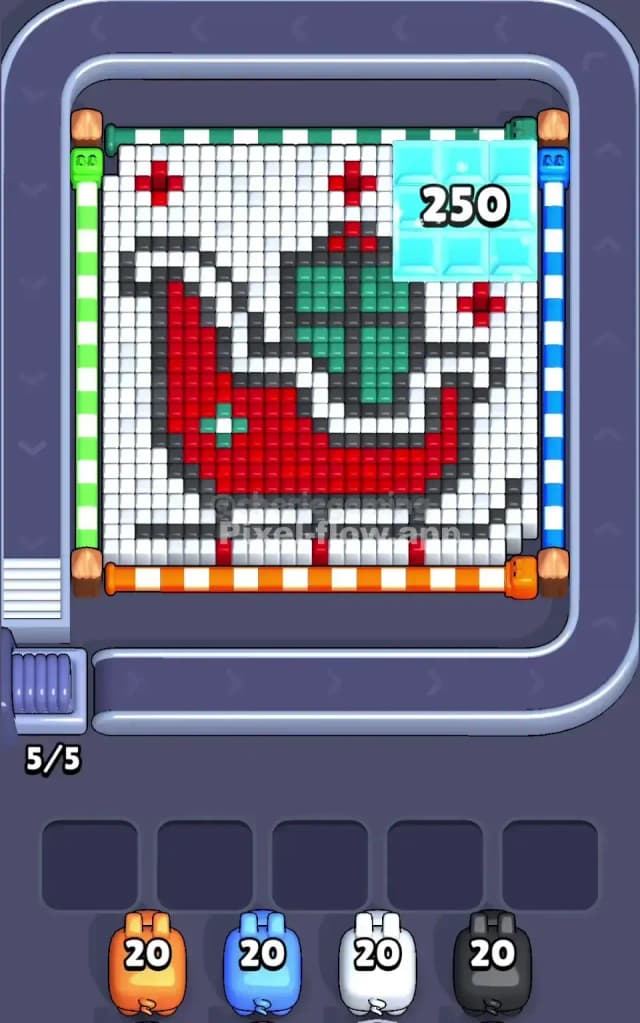
This level is festive, but don't let the holiday theme trick you. Pixel Flow Level 339 features a pixel art rendition of Santa’s Sleigh, complete with a massive green gift sack and a snowy backdrop. The board is dominated by a large Red crescent shape (the sleigh body) and a White field that acts as "snow."
However, the real threat here isn't the sleigh. It's the top right corner. Initially covered by a massive translucent Blue block labeled "250," this area is a dense, multi-layered nightmare. You have to peel back the white snow to even touch the main art, but that top-right corner is where your ammo will go to die if you aren't careful. Because of the extreme depth of that corner section and the high risk of clogging your slots with useless pigs, I judge this to be a very hard level.
Pixel Flow Level 339 Overview
The scene is classic Christmas. You are looking at a side profile of a sleigh. The bottom runners are Black, sitting on a strip of White snow. The main body is a bold, sweeping Red curve. Inside the sleigh sits a bulging Green sack, tied up with darker green pixels to show volume.
The board layout is heavily asymmetric. The left side is standard—mostly white background and the back of the sleigh. The right side is where the chaos lives. That "250" ice block in the top right isn't just a decoration; it’s a lid on a deep well of pixels. While the rest of the board is maybe 3-4 layers deep, that corner feels like it goes down 10 layers.
The color distribution is tricky. White is your surface layer, covering almost everything. Red is the meaty middle layer. Black provides the skeleton. Green is isolated in the middle. And then there is the "Rainbow Trap" in the top right—once you break the surface, you will find layers of Blue, Yellow, Red, and Green stacked vertically in a tiny 4x4 area.
Step by step solution walkthrough for Pixel Flow Level 339
First Color Zone to Erase in Pixel Flow Level 339
You absolutely must start with White.
Narratively, you are shoveling the snow to reveal the gift. Logically, the White layer is the "crust" that prevents any other pig from doing its job. If you send out a Red or Black pig first, they will have almost zero targets because the White pixels are covering the Red sleigh body and the Black runners. Those pigs will just circle back and drop into your waiting slots. Since you only have five slots, two or three bad drops can end your game instantly.
Focus your White pigs on the top half first. The "250" block in the corner sits on a bed of white pixels. You need to strip the white away from that corner to expose the Blue/Cyan layer underneath. If you ignore the white snow around that ice block, you delay opening up the most difficult part of the map. Clear the white, expose the skeleton of the sleigh, and get that corner ready for heavy bombardment.
How to pass Pixel Flow Level 339 without power ups or boosters
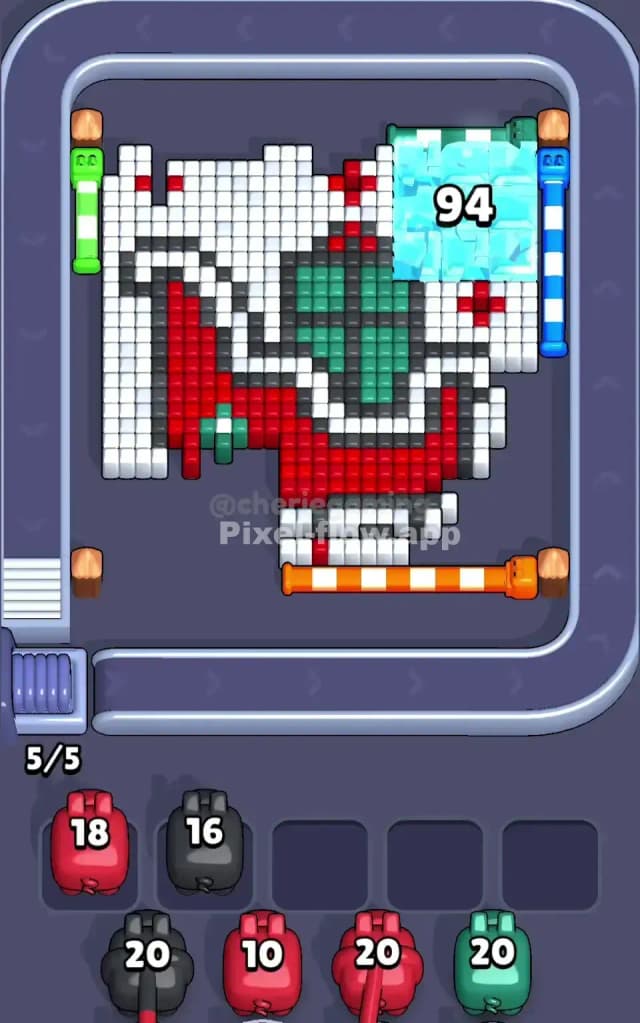
Once the White "snow" is largely gone, the level enters its dangerous middle phase. The sleigh will look half-destroyed. You’ll see the Red body clearly, and the Black outline will be jagged and exposed.
Here is the critical strategy for the mid-game: Do not obsess over the Sleigh. The Red and Black pixels are easy. They are wide targets. You can hit them almost by accident. The danger is the top-right corner where the "250" block used to be.
In Image 2 (internal reference), you can see what happens when the surface breaks: that corner reveals a nasty stack of multicolored voxels. You will see bands of Yellow, Red, Green, and Blue all crammed into one small square.
To survive without power-ups:
- Prioritize the Corner: Whenever a pig color matches the top exposed layer of that rainbow corner, send it immediately. That stack is deeper than the rest of the board. If you leave it for last, you will run out of pigs.
- Use the Red Sleigh as a Dump: When you have Red pigs but the corner doesn't need Red, dump them on the main sleigh body. It’s a huge target that safely absorbs ammo, keeping your waiting slots empty.
- Watch the Black Runners: The Black outline at the bottom is tricky. It's thin. Sometimes a Black pig will only hit 2 or 3 pixels and still have 17 ammo left. Ensure you have a clear line of sight to the vertical back of the sleigh before sending a Black pig, or it will clog your slot.
Last Details You Clean Up in Pixel Flow Level 339
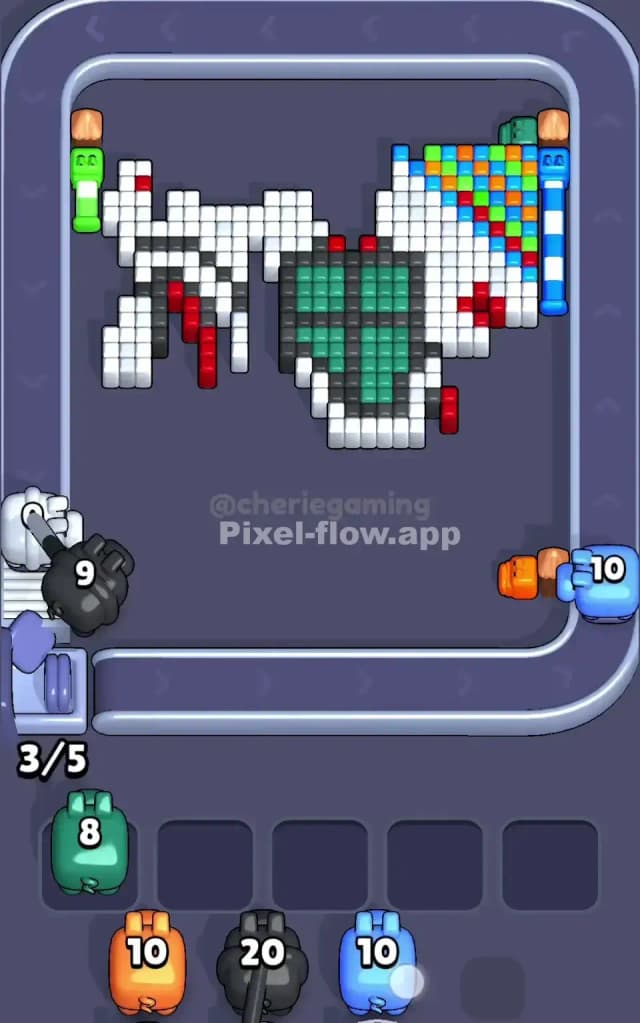
As you enter the endgame, the Red sleigh should be gone. The White background is ancient history. You are likely staring at two things: the core of the Green sack and the stubborn remnants of that top-right corner.
The Green sack is deceptive. It has a "cross" pattern of darker pixels inside it. Make sure you don't confuse the bright green for the dark green, or your pigs will stop firing.
The final moves usually involve cleaning up the "Rainbow Trap" in the corner. You might find a single column of pixels that goes: Blue -> Yellow -> Red -> Blue. This is annoying because you need three different pigs just to clear one tiny dot. Be patient. If your slots fill up with colors you don't need yet, look closely at the Black runners at the bottom—often there is a single black pixel hiding near the pipe entrance that you missed. Clearing that might free up a slot and save the run.