Pixel Flow Level 356 Solution | Pixel Flow 356 Walkthrough
How to beat Pixel Flow Level 356: Video solution & walkthrough. The fastest way to pass Pixel Flow 356.
Is this the wrong level layout?🤔
Pixel Flow randomizes levels for different players. Don't worry, just upload a screenshot of your board, and our AI will find the correct video instantly.
Pixel Flow Level 356 Walkthrough
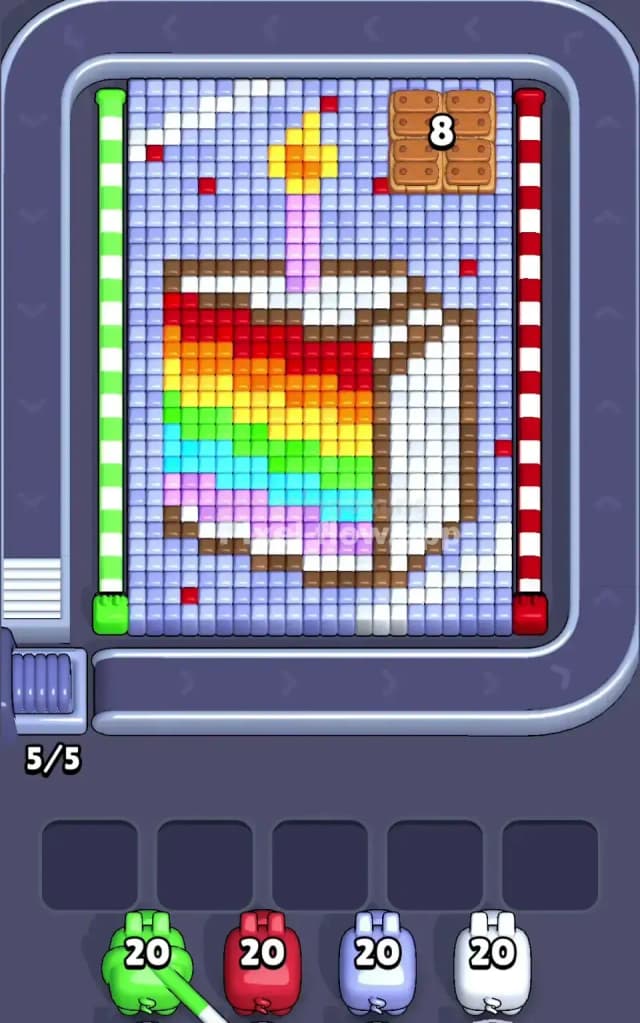
Pixel Flow Level 356 features a tall, festive voxel art piece depicting a slice of rainbow layer cake. The main colors are divided into the cake’s horizontal stripes (red, orange, yellow, green, blue, purple), a thick vertical slab of white frosting, and a light periwinkle background that encases the whole scene.
To beat this level, you need to peel away the massive background layer first to expose the cake slice, then dismantle the cake layer by layer. The main challenge here is the wooden crate obstruction in the top right corner labeled with an "8". This block prevents you from hitting pixels behind it until you deal with it or work around it. Because of the clear layering and distinct color blocks, it is not a very hard level, but it does require you to be careful with your aim near the wooden crates.
Pixel Flow Level 356 Overview
This level gives off a birthday party vibe. The central subject is a perfectly cut slice of rainbow cake. The left face of the slice shows off the colorful spectrum of layers—red at the top, fading down to purple at the bottom. The right face of the slice is covered in thick, white frosting with a dark brown outline. Sitting proudly on top is a pink candle with a yellow flame.
The background is a soft, light lavender-blue field scattered with red and white confetti pixels. The board is mostly symmetrical in terms of the art, but the gameplay is heavily weighted by the obstacle in the top right. A cluster of wooden crates sits there, blocking a chunk of the background. This asymmetry means the left side of the board is safe and open, while the top right corner is a "dead zone" until you clear that obstruction.
Step by step solution walkthrough for Pixel Flow Level 356
First Color Zone to Erase in Pixel Flow Level 356
I recommend you start immediately with the Light Lavender/Blue pigs. This color makes up the entire background and surrounds the cake.
Logically, this is the safest play because the background is the outermost layer. By clearing the lavender voxels, you isolate the cake slice and the floating confetti. More importantly, clearing the background gives you a better angle on the wooden crate in the top right. The crate often sits on top of background pixels. Firing lavender shots near the crate will help clear the voxels supporting it or hidden behind it, depending on the specific physics of this update. Narratively, you are "unwrapping" the cake so you can eat it.
How to pass Pixel Flow Level 356 without power ups or boosters
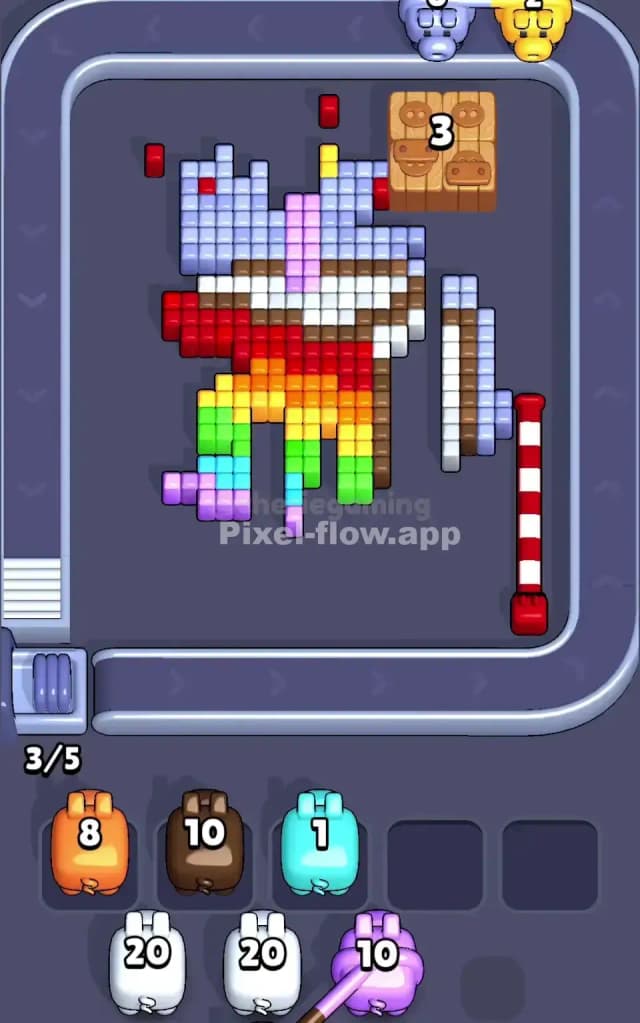
Once the blue background is gone, the board looks like a floating cake slice. At this mid-stage, you will see the crate obstacle (the brown box with the "8") might still be lingering if you haven't hit it enough times or cleared the pixels it was guarding.
Here is how you handle the cake without boosters:
- Prioritize the White Frosting: The right side of the cake is a giant vertical wall of white. Use your White pigs here. Since the frosting is a single continuous block, it is very hard to miss. Clearing this significantly reduces the visual noise.
- Strip the Rainbow: You will likely get Red and Green pigs in your queue (as seen in the hud). Use the Red pigs to take out the top layer of the cake and the stray red confetti pixels floating in the air. Be precise here—the red stripe is thin. Wait for the pig to align perfectly with that specific horizontal row before releasing.
- The Crate Problem: If the wooden crate is still there, do not waste ammo shooting blindly at it unless you have no other targets. Focus on clearing the pixels around it. Often, clearing the white frosting or the background pixels touching the crate will cause it to destabilize or open up the shot for the pixels hiding underneath.
Last Details You Clean Up in Pixel Flow Level 356
As you approach the end of Pixel Flow Level 356, you will be left with the smaller, more annoying details.
- The Candle: The candle has a pink body and a yellow flame. These are tiny targets, usually 2-3 voxels wide. Save your ammo and wait for the conveyor belt to bring the pig to the top center of the U-bend. Shooting from the sides might miss; shooting from the top down is usually safer for the candle.
- Brown Outlines: The dark brown outline of the cake is often the last thing to go. It’s thin and frames the whole slice.
- Hidden Confetti: Double-check the area where the wooden crate used to be. There is often a single red or white confetti pixel hiding exactly where that box was sitting. If you can't find the last target, fire a test shot into that top right corner.