Pixel Flow Level 520 Solution | Pixel Flow 520 Walkthrough
How to beat Pixel Flow Level 520: Video solution & walkthrough. The fastest way to pass Pixel Flow 520.
Is this the wrong level layout?🤔
Pixel Flow randomizes levels for different players. Don't worry, just upload a screenshot of your board, and our AI will find the correct video instantly.
Pixel Flow Level 520 Walkthrough
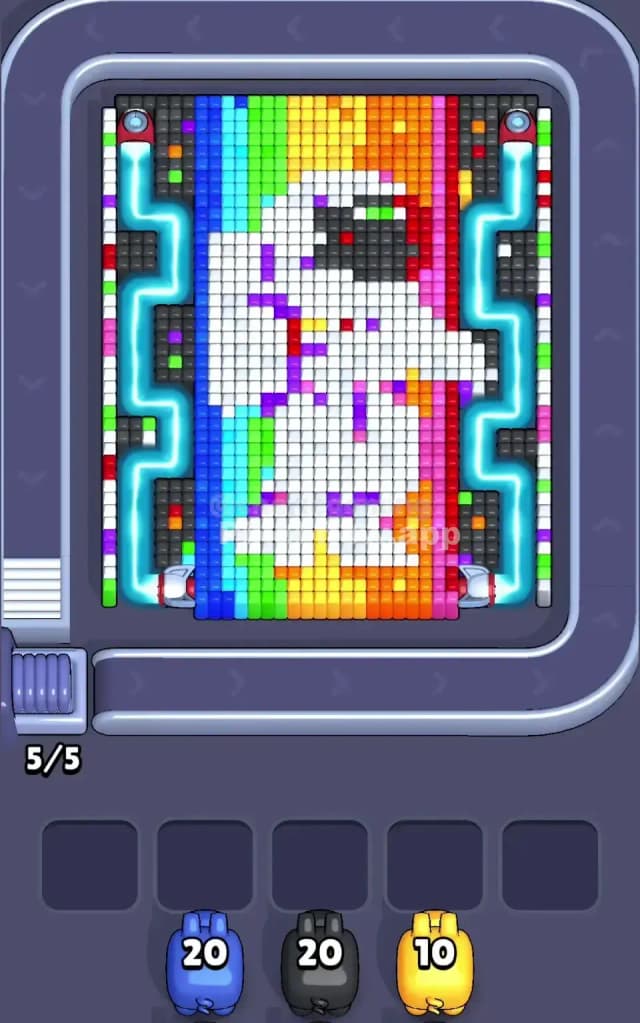
This level features a stark white astronaut floating in the center of a vertical rainbow spectrum. The background is divided into neat vertical stripes: dark blue on the far left, transitioning through cyan, green, yellow, orange, and ending in red/pink on the far right. The rules are standard but tight: you must clear the outer colors to reach the white astronaut core. The vertical striping makes this tricky because a single color (like blue) only exists on one specific side of the board. If you grab a blue pig when the blue stripe is blocked by another layer, you will clog your slots instantly. Is this a difficult stage? Yes. Pixel Flow Level 520 is a very hard level because the vertical separation of colors forces you to be extremely precise with your pig selection order.
Pixel Flow Level 520 Overview
The artwork depicts a lonely spaceman drifting through a prism of light. It feels retro and clean. The astronaut is almost entirely white, with a few grey details for the visor and shading, plus tiny specks of color (confetti?) on the suit.
Crucially, the "rainbow" background isn't random. It is strictly organized in vertical columns.
- Left Side: Dark Blue and Cyan columns.
- Center: Green and Yellow columns (mostly behind the astronaut).
- Right Side: Orange, Red, and Pink/Magenta columns.
This asymmetry is the main hazard. Most levels scatter colors around so any pig can find a target somewhere. Not here. A Blue pig is useless on the right side. A Red pig is useless on the left. You must look at exactly which vertical slice is exposed before tapping the conveyor belt.
Step by step solution walkthrough for Pixel Flow Level 520
First Color Zone to Erase in Pixel Flow Level 520
Focus on the Blue/Cyan stripe on the far left or the Pink/Red stripe on the far right immediately. Do not try to attack the middle (Green/Yellow) yet.
Here is why: The astronaut figure covers the center of the board heavily. The Green and Yellow stripes are mostly hidden behind the white suit. However, the Dark Blue strip on the far left edge and the Pink strip on the far right edge are completely exposed from top to bottom.
I usually start with the Dark Blue. It’s a long, uninterrupted vertical line. Grabbing a blue pig first guarantees it will empty its entire ammo clip without stopping, clearing a massive chunk of the left flank. Once that blue column is gone, the Cyan layer underneath or next to it becomes vulnerable.
How to pass Pixel Flow Level 520 without power ups or boosters
The mid-game of Pixel Flow Level 520 is dangerous. You will have cleared the outer edges (Blue/Pink), leaving the central astronaut floating in a sea of half-eaten rainbow stripes.
At this point, you will see a lot of White cubes. Do not obsess over the White pigs yet.
The logic trap here is the "confetti" or colored specks on the astronaut's suit. There are stray purple, red, and green pixels sitting on top of the white layer. If you grab a White pig, it might get stuck because a single purple pixel is blocking a whole row of white.
Follow this priority list for the mid-game:
- Clear the "Confetti": If you see a lone Purple or Green pixel on top of the white suit, clear it first. These are tiny blockers that cause huge jams.
- Shave the Sides Inward: After Blue is gone, target Cyan. After Pink is gone, target Red/Orange. Work from the outside edges toward the astronaut.
- Grey Visor: The astronaut's helmet has a large block of Grey/Black. This is often a separate layer from the white suit. Clear the Grey pixels to expose the white blocks underneath the head.
If your waiting slots are getting full, look for the Yellow stripe at the bottom feet of the astronaut. This area is usually exposed early and is a safe "dumping ground" for yellow ammo if you need to free up a slot.
Last Details You Clean Up in Pixel Flow Level 520
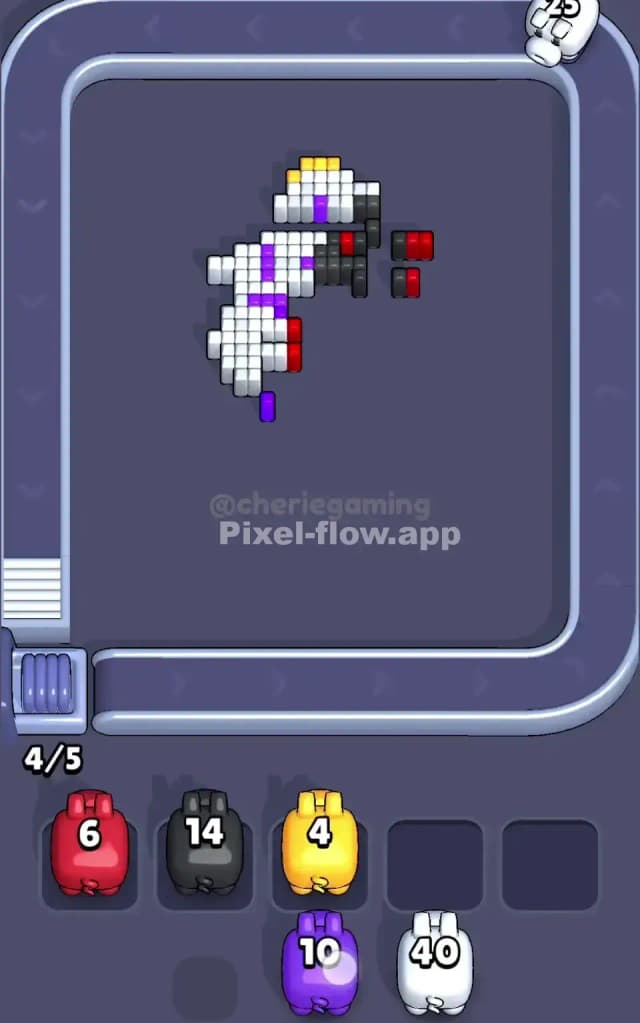
In the final moments, the rainbow background will be gone, leaving just the tattered remains of the astronaut. The last cubes to hide are almost always White or Cyan internal blocks.
Specifically, check the "armpit" areas of the astronaut or the space between the legs. These nooks often hide single voxels of shadow colors (like grey or dark blue) that are easy to miss against the dark background. You might think you just need one more White pig to finish, but actually, a tiny grey block is shielding the final white layer. Verify the deep layers before you commit your last pig. If you grab a high-ammo White pig for 2 cubes, you will clog a slot and potentially lose right at the finish line.