Pixel Flow Level 546 Solution | Pixel Flow 546 Walkthrough
How to beat Pixel Flow Level 546: Video solution & walkthrough. The fastest way to pass Pixel Flow 546.
Is this the wrong level layout?🤔
Pixel Flow randomizes levels for different players. Don't worry, just upload a screenshot of your board, and our AI will find the correct video instantly.

Pixel Flow Level 546 Walkthrough
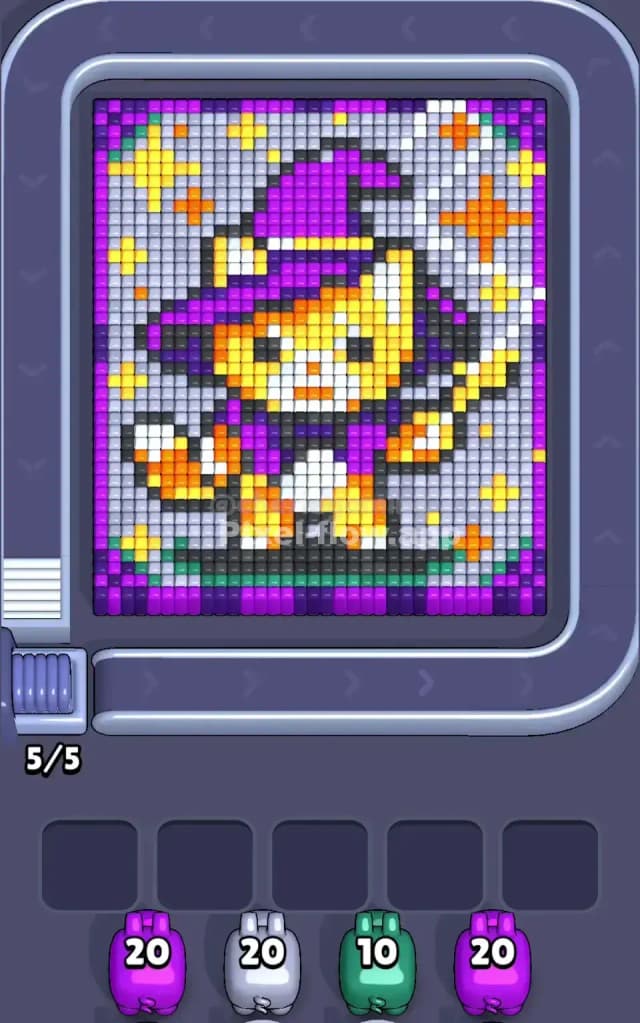
This puzzle gives us a "Witch Cat" ready for Halloween. The artwork features a cute orange and yellow cat wearing a giant purple wizard’s hat and a matching purple cape. The cat is holding a magic wand, and the background is a mix of white and grey tiles speckled with yellow and orange stars.
The main colors are Purple (hat, cape, borders), Orange/Yellow (cat fur, stars), White/Grey (background, cat’s chest), and a strip of Green at the very bottom.
Is this a difficult stage? Yes. I would judge this as a very hard level. The background "stars" are scattered single pixels, which is a nightmare for ammo conservation. If you aren't careful, you will clog your slots with pigs that only have one or two targets available.
Pixel Flow Level 546 Overview
Imagine a little RPG character portrait. You have a magical cat standing on a green grassy platform. The character is centered, but the hat is tall, reaching almost to the top border. The most striking visual feature—and your biggest headache—is the background. It isn't a solid block of color. It is a "sparkle effect" made of white and grey blocks, peppered with single blocks of yellow and orange.
The board is framed by a Purple strip at the top and bottom. The left side of the background feels heavier with white blocks than the right side. The cat’s tail curls up on the left, orange with a white tip. The center of the board is dense; the cat's face and hat are thick, multi-layered structures that will require a lot of ammo to chew through.
Step by step solution walkthrough for Pixel Flow Level 546
First Color Zone to Erase in Pixel Flow Level 546
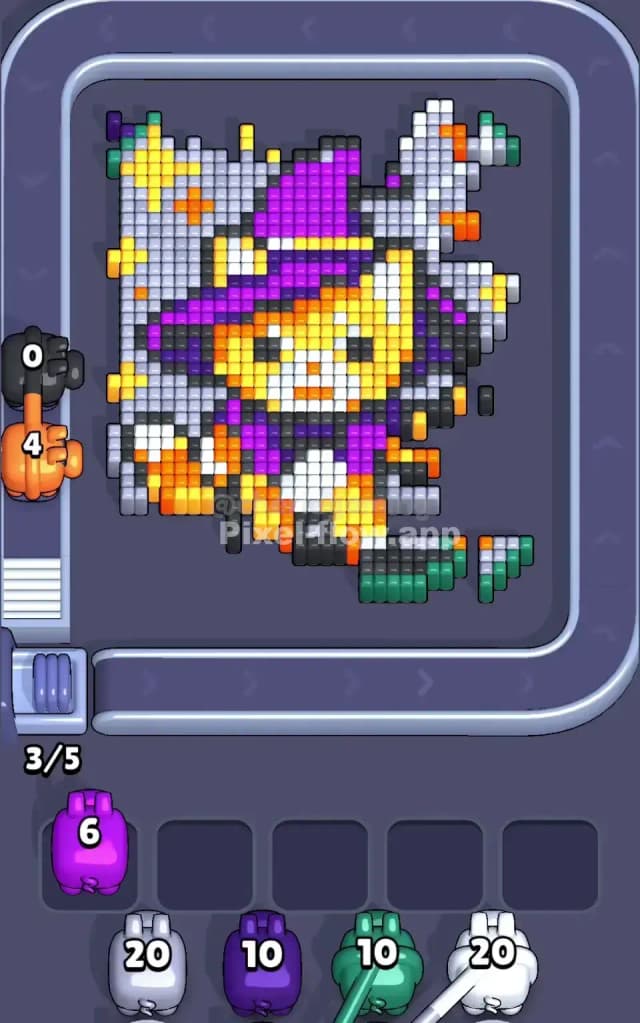
I start by shaving off the Green strip at the very bottom and the Purple borders.
Here is the logic: The Green platform is a solid, continuous line. It is the safest play on the board. When you see a Green pig, you know exactly where those shots are going, and you will likely drain the pig's ammo instantly without wasting a waiting slot. The Purple borders at the top and bottom act the same way. They are outer layers that don't require you to drill deep.
By clearing the Green bottom and Purple edges first, you clearly define the "play area." You stop worrying about the edges and can focus entirely on the chaotic mix of stars and cat in the center.
How to pass Pixel Flow Level 546 without power ups or boosters
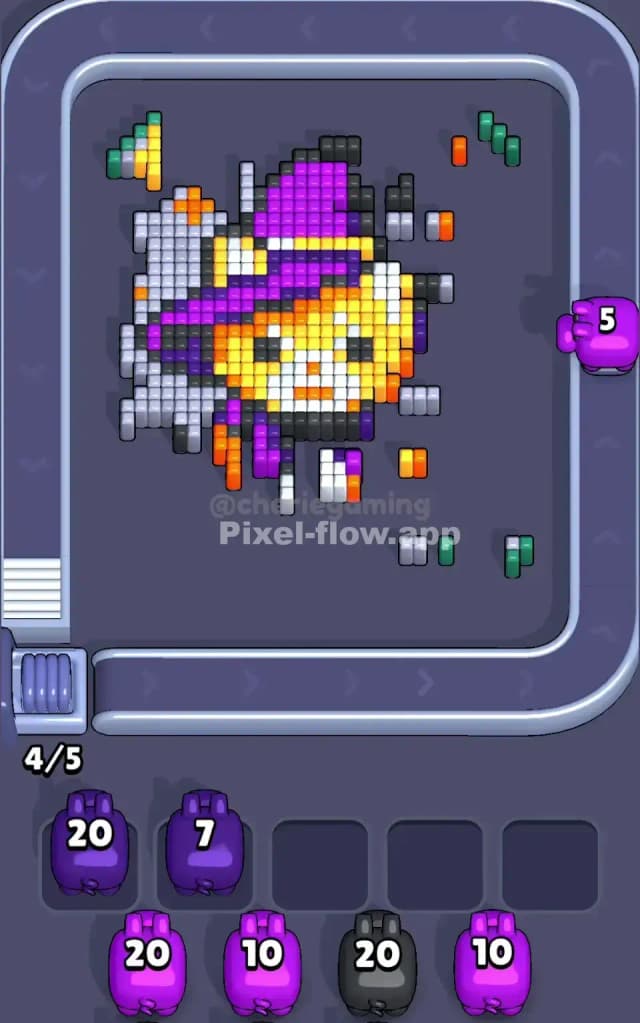
The mid-game of Pixel Flow Level 546 is dangerous. Once the borders are gone, you are left with the "Witch Cat" surrounded by the sparkling background. The danger here is the Orange and Yellow pigs.
You will see Orange stars in the background. Do not grab an Orange pig just to clear three or four isolated star pixels. That pig will sit in your slot with 15 ammo left, blocking you from making other moves.
Instead, prioritize the White and Grey pigs. These colors make up the bulk of the background "fog." You must aggressively clear the White/Grey blocks to expose the cat's orange fur.
Only grab an Orange or Yellow pig when you can see a clear path to the cat's face or body. You want your Orange pig to shoot the background stars and then immediately start hitting the cat's head. If you can't connect the background stars to the main body, let those colored pigs cycle past. Patience is the only way to survive the "messy middle" of this level without boosters.
Last Details You Clean Up in Pixel Flow Level 546
Toward the end, you will be left with the "skeleton" of the artwork. This usually consists of the Black outline pixels that define the cat’s eyes, whiskers, and the shape of the hat.
You might also find some stubborn Purple blocks deep inside the hat's structure, or the White tip of the tail that was hidden behind a foreground layer. At this stage, the danger is low. The board is open. Your slots are likely free. You can grab the specific pigs needed to snipe these final voxels. Just ensure you don't ignore the Black pigs earlier if they appear; the outlines are often buried deep, but sometimes a random ear tip or whisker is exposed early. Clear them when you see them.