Pixel Flow Level 568 Solution | Pixel Flow 568 Walkthrough
How to beat Pixel Flow Level 568: Video solution & walkthrough. The fastest way to pass Pixel Flow 568.
Is this the wrong level layout?🤔
Pixel Flow randomizes levels for different players. Don't worry, just upload a screenshot of your board, and our AI will find the correct video instantly.
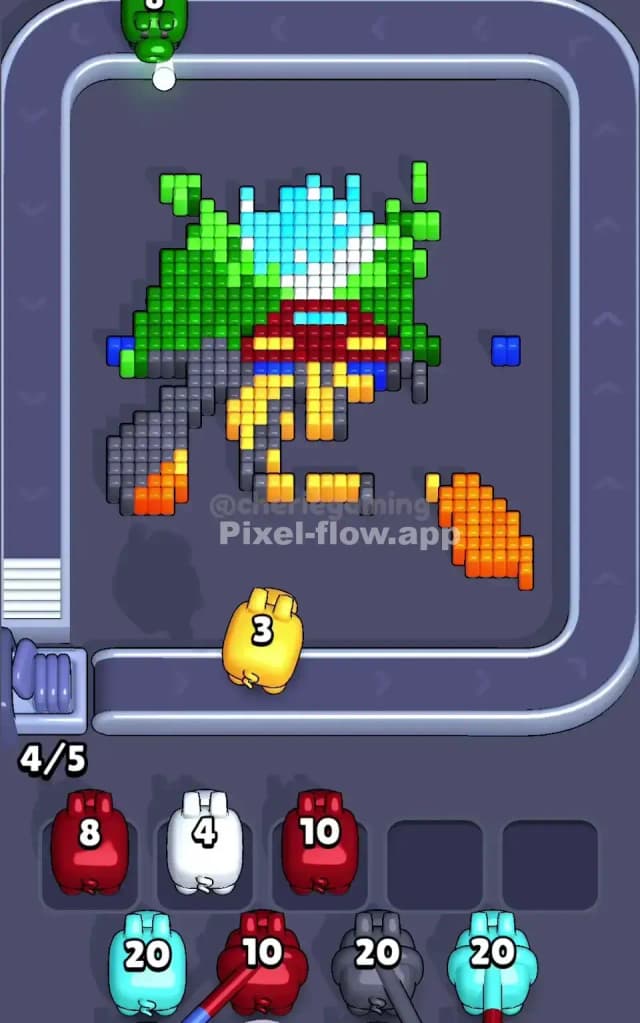

Pixel Flow Level 568 Walkthrough
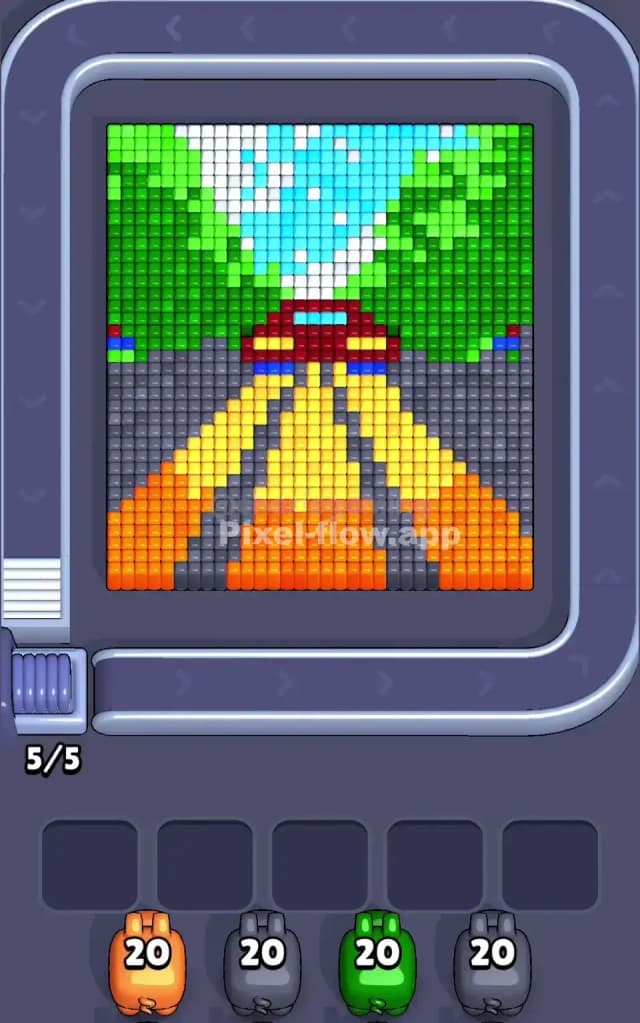
You are looking at a classic road trip scene: a red car driving down a highway with yellow lane markers, heading toward green hills and a snowy mountain (or waterfall) in the distance. The rules here are strict: you must peel back the layers from the bottom-front (the road) to the top-back (the mountain).
The primary challenge in Pixel Flow Level 568 is the vertical layering of the road. The yellow lines, orange side barriers, and grey asphalt are tightly packed. If you misjudge which color is "on top," your pigs will drop into the waiting slots and clog your board instantly. Because of the density of the road section, I classify this as a very hard level.
Pixel Flow Level 568 Overview
This picture uses a strong perspective effect. The bottom half is dominated by the road, which forms a triangle pointing toward the center. You have thick patches of Grey (asphalt) flanking a central wedge of Yellow lines. On the far outer edges of the road, there are blocks of Orange that look like dirt shoulders or construction barriers.
The center features a Red car with distinct Blue taillights or bumpers. Above the car, the scene opens up into a V-shape of Green foliage, framing a Cyan and White center that looks like a distant peak or waterfall.
The board is functionally symmetrical, but the ammo distribution isn't. You will get heavy 20-ammo pigs for the large road sections (Grey/Orange), but you need to be careful with the smaller detail colors like White, Blue, and Red. Those are the colors that will kill your run if you pull them out before their blocks are fully exposed.
Step by step solution walkthrough for Pixel Flow Level 568
First Color Zone to Erase in Pixel Flow Level 568
Focus immediately on the Orange and Grey zones at the bottom.
I start by clearing the Orange blocks on the bottom left and right corners. Why? Because they sit on the outer edge of the "road layer" and are easy targets. Once the Orange is gone, the Grey asphalt becomes the biggest target on the board.
You likely have a Grey pig with 20 ammo in your starting lineup. Do not hesitate to use it. The grey area is massive, covering almost 40% of the lower board. Clearing the grey asphalt early is crucial because it isolates the Yellow perspective lines and exposes the bottom of the Red car. If you try to snipe the Green trees or the car first, you’ll likely run out of valid targets and clog a slot. Clear the road debris first.
How to pass Pixel Flow Level 568 without power ups or boosters
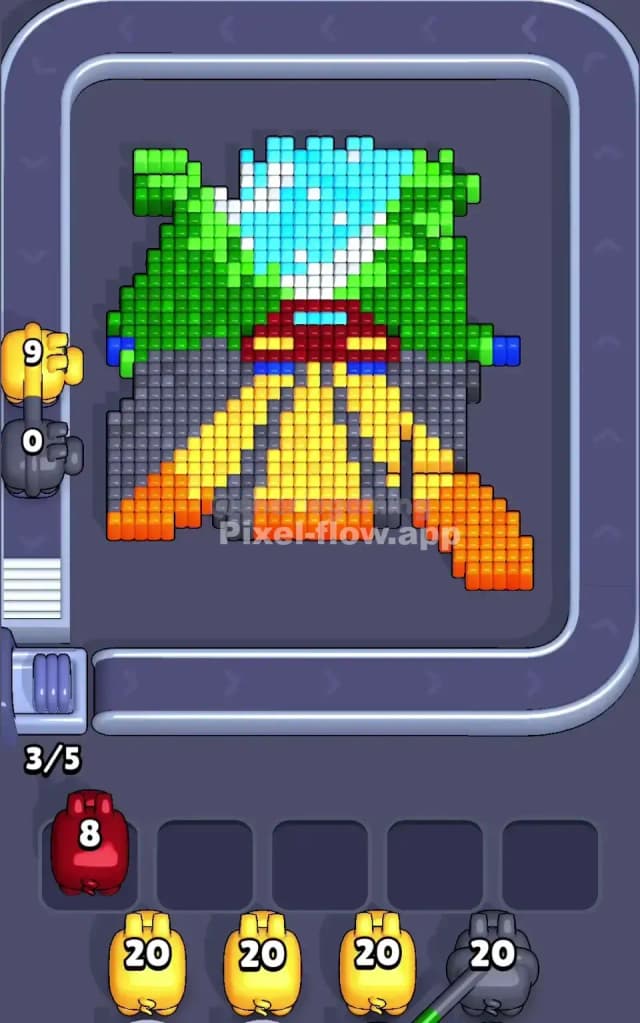
Around the mid-point, the road will be mostly gone, leaving a floating Red car and the Yellow stripes hanging in the air. This is the danger zone.
You will see pigs for the Red car and the Green trees coming down the belt.
- Prioritize the Green: The green trees on the top left and right are huge, solid blocks. They don't overlap much with the delicate center. If you have a Green pig, send it out to clear the top flanks. This is "safe ammo."
- Delay the Red Pig: The Red car looks tempting, but its base is often tangled with the Blue bumpers and the top of the Yellow lines. If you deploy a Red pig too early, it might shoot 5 blocks and then sit in a waiting slot because the rest of the red is blocked by a single Blue pixel.
- Watch the White/Cyan: Do not touch the center top (the waterfall/mountain) yet. Those layers are behind the car.
If your slots start filling up (like in the mid-game reference where Red and White pigs are stuck), stop pulling from the belt. Look for the specific color obstructing them. Usually, it's a stray Yellow block from the road lines preventing the car from being fully cleared.
Last Details You Clean Up in Pixel Flow Level 568
Once the car and road are gone, the picture simplifies significantly. You are left with the background layer: the Green hills and the Cyan/White center.
The Cyan (light blue) blocks usually sit in front of the White. You need to strip the blue "water" away to expose the white peaks behind it. The final moves are almost always cleaning up that white patch in the dead center of the top row. Be careful with your last Grey pig—sometimes tiny grey shadows remain under the green trees that are easy to miss until the very end.