Pixel Flow Level 600 Solution | Pixel Flow 600 Walkthrough
How to beat Pixel Flow Level 600: Video solution & walkthrough. The fastest way to pass Pixel Flow 600.
Is this the wrong level layout?🤔
Pixel Flow randomizes levels for different players. Don't worry, just upload a screenshot of your board, and our AI will find the correct video instantly.
Pixel Flow Level 600 Walkthrough
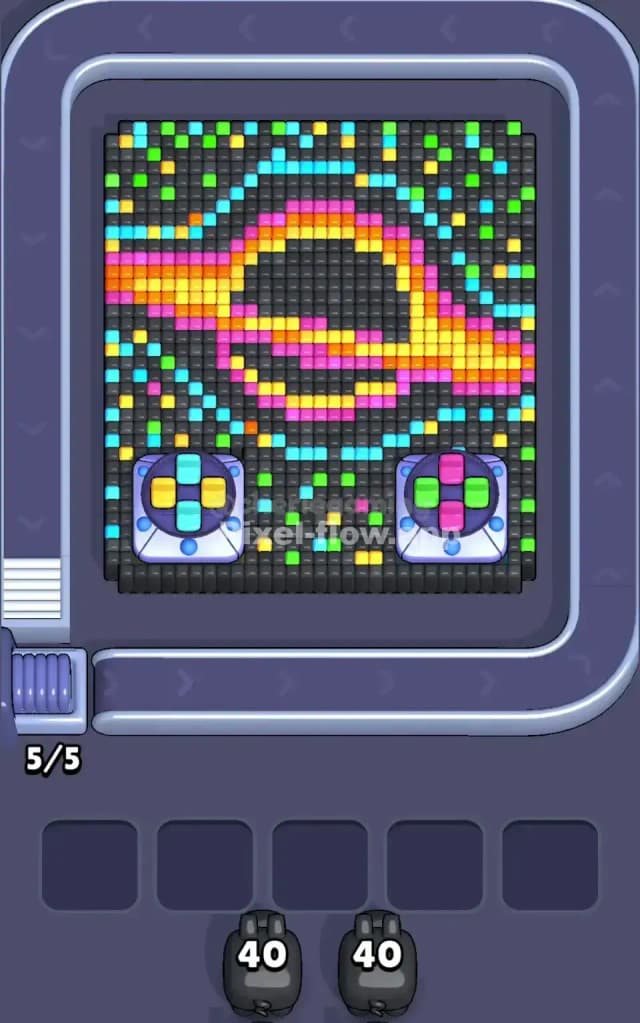
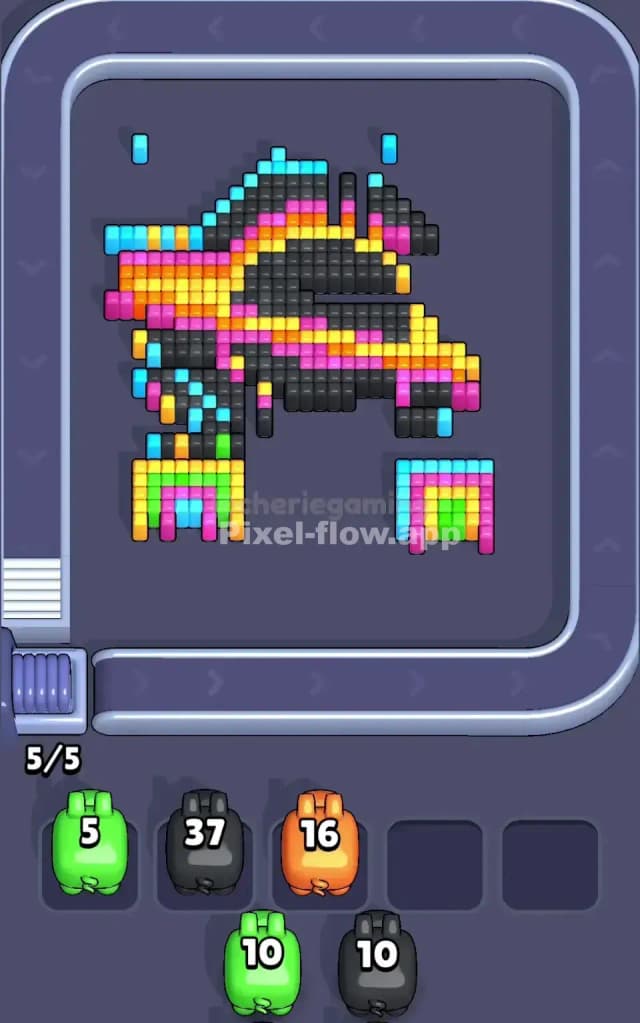
This level is a chaotic, cosmic mess. You are looking at a stylized black hole or a galactic swirl, surrounded by a field of digital "noise." The central image is a distorted ring made of hot colors—Solar Orange, Neon Pink, and bright Yellow—set against a dark background. However, the background isn't solid; it is speckled with single, isolated pixels of Green, Cyan, and Yellow. At the very bottom, two large, grey technical pads cover up the corners.
The rules are punishing here. You must clear the "static" (the scattered background pixels) without clogging your waiting slots. Because of the high amount of single-pixel targets, this is a very hard level. One mistake in priority will leave you with five pigs full of ammo and nowhere to go.
Pixel Flow Level 600 Overview
Imagine a retro sci-fi display that’s glitching out. That is the vibe of Pixel Flow Level 600. The dominant feature is a diagonal accretion disk—a swirling band of energy cutting across the screen from left to right. It pulses with thick stripes of Magenta and Orange.
The background is the real enemy here. It isn't a clean void. It is a "starfield" of single blocks. A lonely Green block here, a stray Cyan block there. These are embedded in a massive wall of dark grey/black cubes.
The bottom of the board is distinct. Two large, square "sensor pads" sit in the bottom left and right corners. They look indestructible, but they are just the top layer. Underneath this messy top layer lies a cleaner, more solid structure you can't see yet. The asymmetry comes from the swirl itself; it tilts heavily, meaning the top left corner is mostly background noise, while the center is dense with color.
Step by step solution walkthrough for Pixel Flow Level 600
First Color Zone to Erase in Pixel Flow Level 600
Ignore the big colorful swirl for a second. You must attack the isolated "star" pixels (the scattered Green, Yellow, and Cyan dots) in the background immediately.
Here is the logic: These single blocks are death traps. If a Green pig comes out with 30 ammo, and there is only 1 Green block on the board, that pig will shoot once and then sit in your waiting slot holding 29 ammo. It will block that slot forever until more Green appears. You cannot afford that.
Scan the conveyor belt. If you see a pig color that matches these scattered, isolated dots, play it only if you can clear a significant amount of them or if you have a clear plan to use the rest of that pig's ammo on the main swirl. If the belt offers a Black pig, take it. The black background is the "glue" holding these scattered dots. Clearing the black void exposes the colored dots and often reveals they are connected to deeper layers, making them safer to target.
How to pass Pixel Flow Level 600 without power ups or boosters
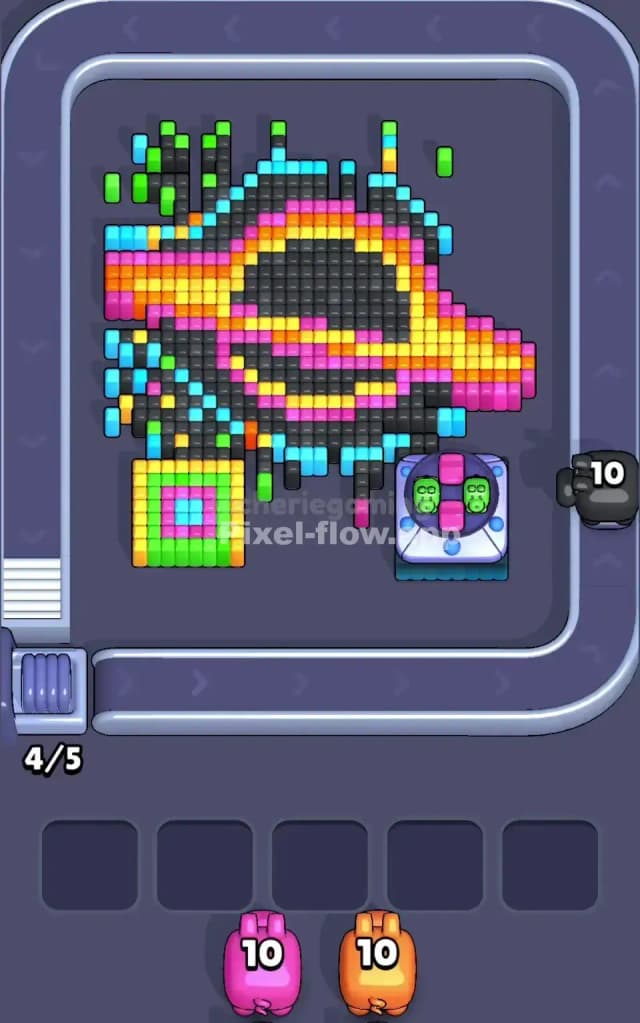
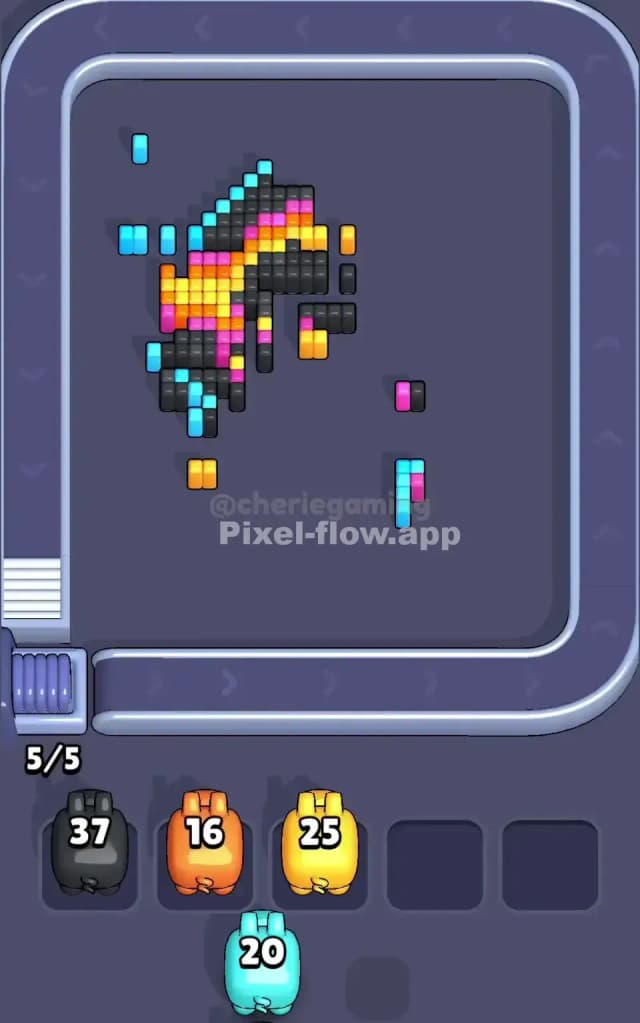
Midway through the level, the board looks radically different. You have stripped away the "glitchy" top layer. The grey sensor pads at the bottom have shattered, revealing two small, dense rainbow arches (stripes of Green, Yellow, Pink, Blue) hiding underneath.
At this stage, the dangerous single pixels should be gone. You are left with large, chunky sections of the main swirl. This is where you switch strategies. Stop playing cautiously. Look for the massive bands of Orange and Magenta. These are your "ammo dumps."
If you have a pig with high ammo, drop it on these thick stripes. The goal now is to clear space physically to reach the deep center of the black hole. Do not get distracted by the small rainbow arches at the bottom yet; they are dense and easy to clear later. Focus on the upper central mass. You need to hollow out the middle so the game starts spawning the final colors needed for the bottom corners.
Last Details You Clean Up in Pixel Flow Level 600
The end game is usually the Deep Black center of the hole and the Rainbow Arches at the bottom.
Once the orange and pink swirls are gone, you will see a solid block of black pixels right in the center of the screen. This is the "event horizon." It’s a safe, easy target. Save your Black pigs for this specific moment if possible.
Finally, you clean up the bottom corners. Those rainbow arches revealed under the pads are stacked neatly. You will likely need one pig of each color (Green, Yellow, Pink, Blue) to finish them off. Since they are grouped tightly, you won't have the "stray pixel" risk you had at the start. Just keep your slots open enough to cycle through to the specific color you need for that last blue stripe.