Pixel Flow Level 604 Solution | Pixel Flow 604 Walkthrough
How to beat Pixel Flow Level 604: Video solution & walkthrough. The fastest way to pass Pixel Flow 604.
Is this the wrong level layout?🤔
Pixel Flow randomizes levels for different players. Don't worry, just upload a screenshot of your board, and our AI will find the correct video instantly.
Pixel Flow Level 604 Walkthrough
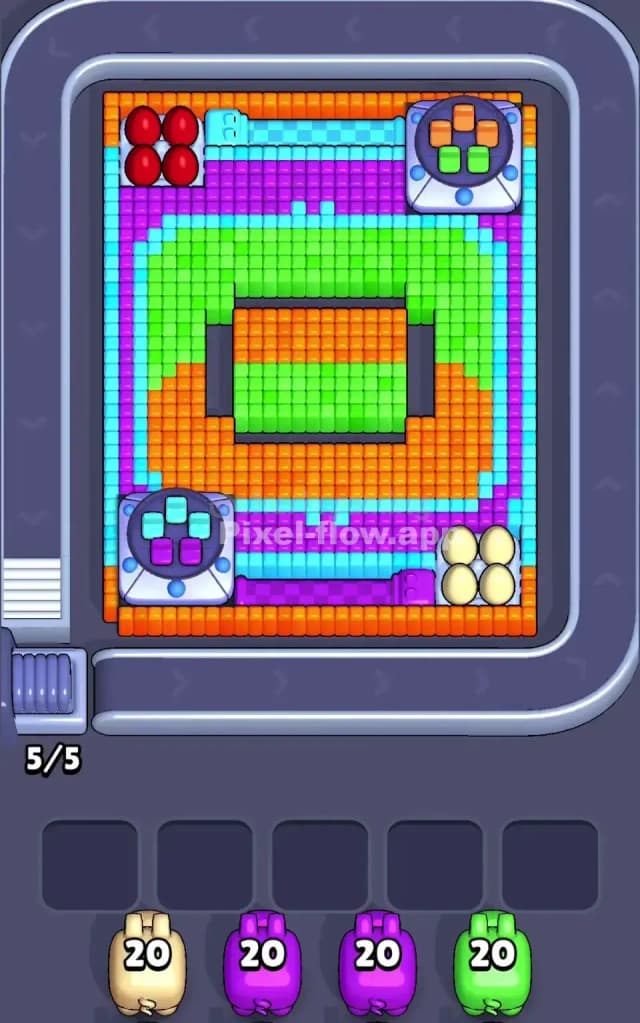
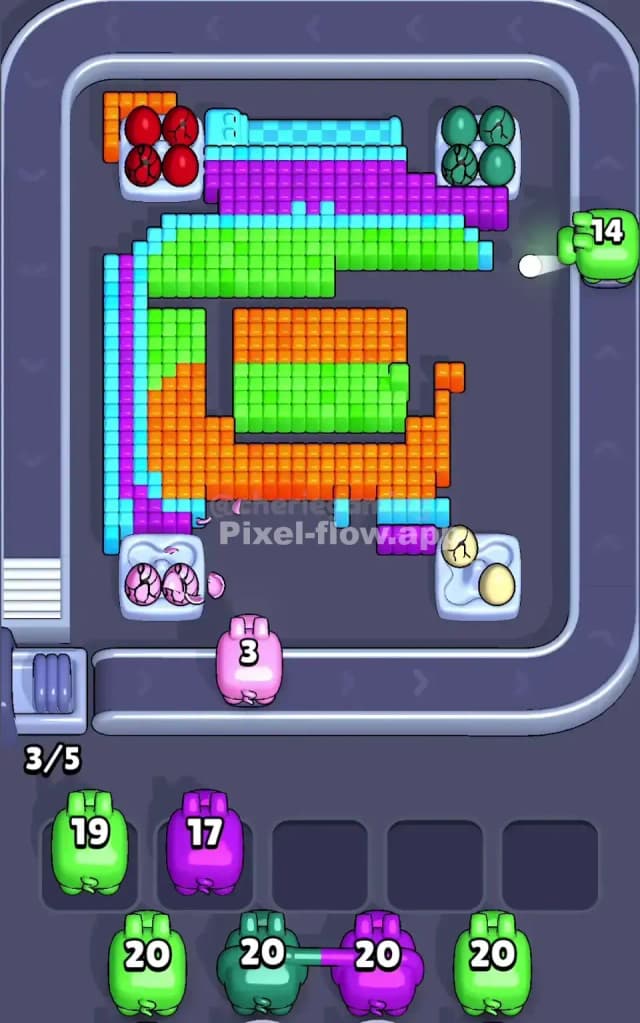
This stage looks like a retro handheld gaming console or perhaps a bizarre circuit board designed by a mad scientist. The board is defined by a thick, multi-layered frame surrounding a central screen. You have distinct "control nodes" in the corners: Red spheres in the top left, Yellow eggs in the bottom right, and grey control pads with colored buttons in the other two corners.
The rules to beat Pixel Flow Level 604 remain standard, but the geometry is hostile. You must strip away the outer layers (Cyan and Purple) to access the "screen" in the center. If you try to punch a hole straight through to the middle, you will fail. Your pigs will run out of targets and clog your five slots. Is this a very hard level? Absolutely. The layers are dense, and the corner objects create awkward obstructions that block shots intended for the background.
Pixel Flow Level 604 Overview
Imagine looking down at an old-school Game Boy that has been exploded into voxels. That is the vibe of Pixel Flow Level 604. The "screen" is the dead center: a rectangle split horizontally between Orange (top half) and Green (bottom half). This central screen is recessed, protected by thick walls of color.
The surrounding frame is where the real trouble lies. It is not a solid block. It’s a striped pattern. The outermost band is Cyan. Inside that is a thick band of Purple. Inside that is a band of Green. And finally, an Orange band touching the central screen.
The corners break this pattern entirely. They act as anchor points:
- Top Left: Four bright Red spheres sitting on a white pedestal.
- Bottom Right: Four pale Yellow eggs on a similar pedestal.
- Top Right: A grey mechanical pad featuring Orange and Green buttons.
- Bottom Left: A matching grey pad featuring Cyan and Purple buttons.
This diagonal symmetry is deceptive. The grey pads are bulky. They stick out. If you shoot a pig from the wrong angle, these pads will intercept the shot, wasting ammo that was meant for a layer behind them. You have to treat the corners as hazards, not just targets.
Step by step solution walkthrough for Pixel Flow Level 604
First Color Zone to Erase in Pixel Flow Level 604
Your priority must be the Cyan or Purple outer bands. Do not get distracted by the bright Red or Yellow objects in the corners yet.
I recommend starting with Cyan. Look at the board edges. The Cyan strip runs vertically down the far left and far right, and horizontally across the top and bottom. It is the "wrapper" for the whole package. By clearing Cyan first, you expose the Purple layer underneath. This is a narrative choice as much as a logical one: you are unwrapping the present.
If you don't have a Cyan pig, Purple is the next best opener. The Purple band sits directly inside the Cyan one. Clearing either of these colors opens up "shooting lanes." Once the outer frame is gone, your pigs can shoot diagonally across the board without hitting a stray pixel on the edge. If you start by trying to snipe the Red spheres or the central Orange block, you will likely leave 1 or 2 ammo on a pig, forcing it into your waiting slots. You cannot afford that clutter early on.
How to pass Pixel Flow Level 604 without power ups or boosters
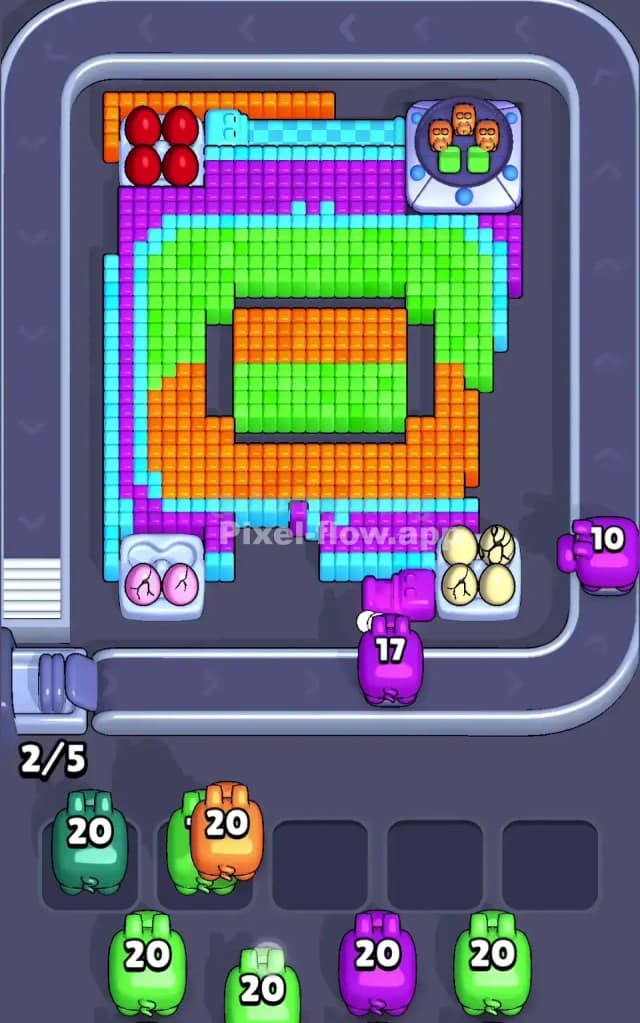
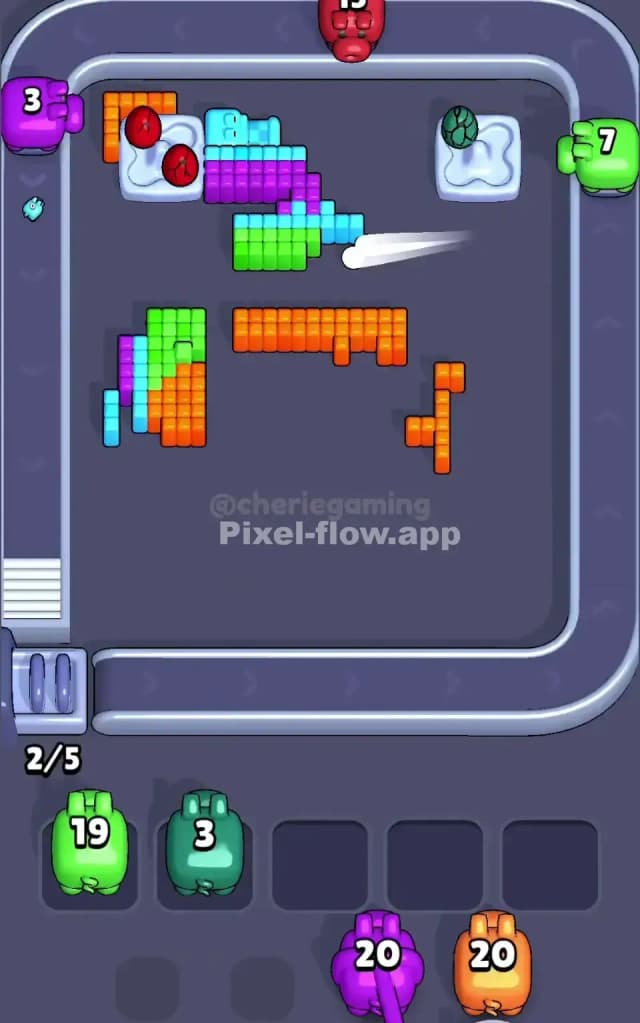
At the mid-stage point, Pixel Flow 604 usually looks like a mess. You have likely cleared the Cyan wrapper and chunks of the Purple band. Now you are left with the "hard" structures: the Green/Orange bands and the corner objects.
This is the danger zone. You will see a lot of "partial" targets. For example, you might see the Green band exposed on the top, but blocked by the grey pad on the right.
Stick to this priority to survive without boosters:
- Clear the Corners: If you get a Red or Yellow pig, use them immediately. The Red spheres (top left) and Yellow eggs (bottom right) are isolated clusters. They don't touch anything else of the same color. Getting rid of them removes physical obstacles that block shots to the main board.
- The Grey Pads: The Top Right and Bottom Left corners contain small clusters of buttons. These are tricky. The Top Right has Green/Orange buttons. The Bottom Left has Cyan/Purple. Note that these colors match the main bands. Sometimes, shooting the main Green band will also clear the Green buttons on the pad. Use this to your advantage. Aim your Green pigs so they sweep the main band and clip the corner pad in one go.
- Ignore the Center: The rectangular screen in the middle (Orange top, Green bottom) is bait. It looks huge and easy to hit. It isn't. It is protected by the inner Orange/Green rings. If you shoot at the center before clearing the rings, your pig will hit the ring, break 5 blocks, and die with 15 ammo left. Only target the center when the path is totally clear.
Last Details You Clean Up in Pixel Flow Level 604
The end game of Pixel Flow Level 604 is usually a battle against the "Inner Rings." You have stripped the Cyan, the Purple, and the corner junk. All that remains is the central rectangle and the Orange/Green bands surrounding it.
Watch out for "hanging pixels." Because the corner pads (the grey things) jut out, they often shield a single pixel of the inner rings. You might think you cleared the whole Orange band, but there is one Orange cube hiding behind the Bottom Left pad.
Scan the board corners constantly. Rotate your view if possible or just look closely at the shadows. The final moves should be broad sweeps clearing the massive block of Green and Orange in the dead center. If you played correctly, this center block is a reward: a massive, easy target that lets you dump full pigs quickly to finish the level.