Pixel Flow Level 666 Solution | Pixel Flow 666 Walkthrough
How to beat Pixel Flow Level 666: Video solution & walkthrough. The fastest way to pass Pixel Flow 666.
Is this the wrong level layout?🤔
Pixel Flow randomizes levels for different players. Don't worry, just upload a screenshot of your board, and our AI will find the correct video instantly.
Pixel Flow Level 666 Walkthrough
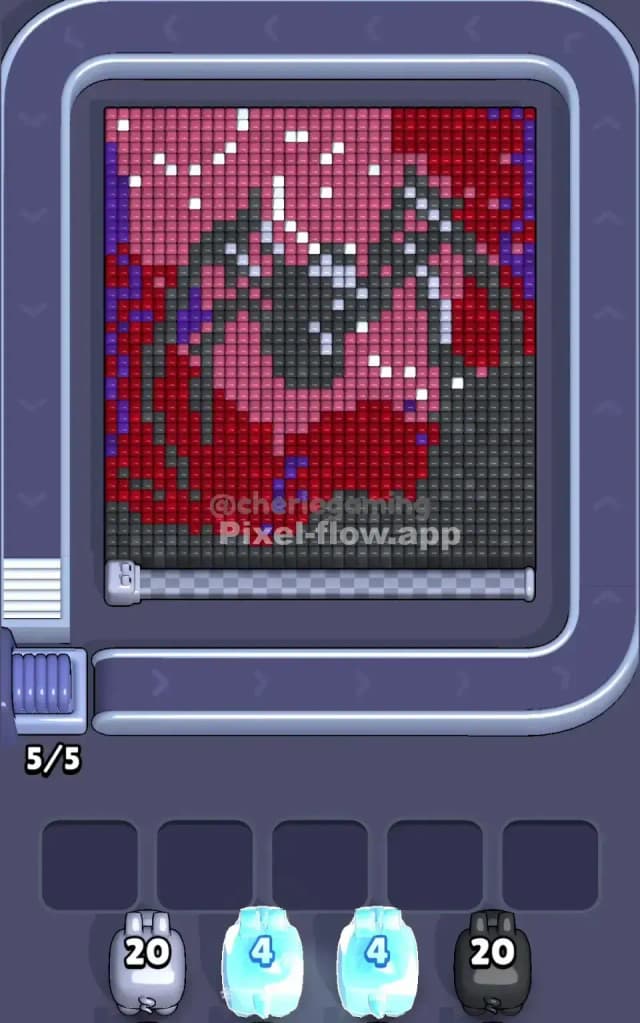
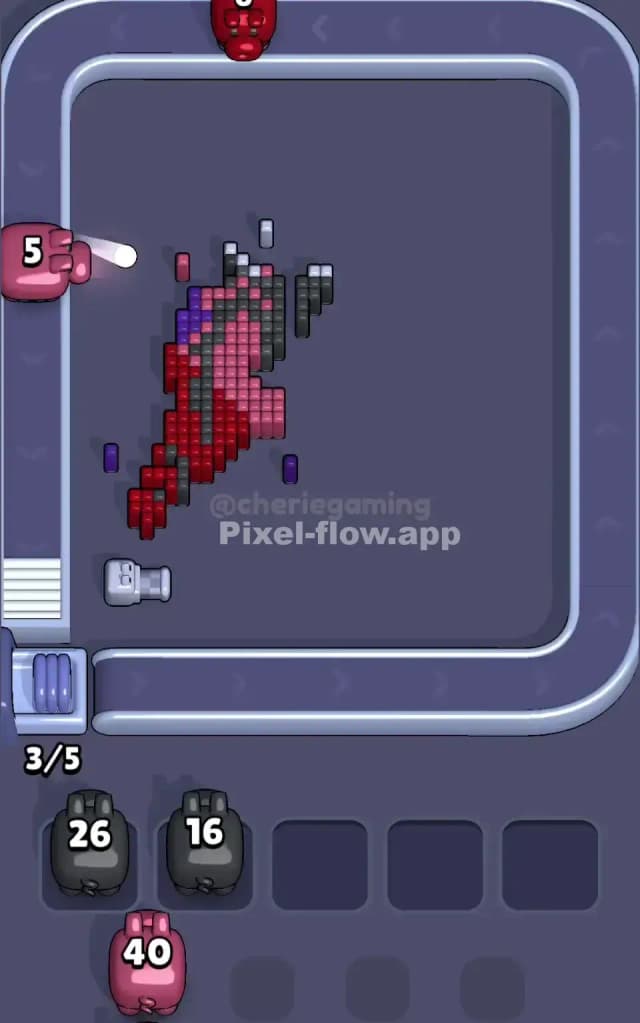
This level feels appropriate for the number attached to it. The artwork reveals a menacing, hooded figure—likely a reaper or a skull—shrouded in dark tones and blood-red highlights. The board is dense. Unlike earlier levels where the background is open space, Pixel Flow Level 666 starts as a nearly solid block of voxels. You have to chisel the figure out of a dark stone slab.
The primary colors here are Dark Grey (the background slab), Deep Red (the hood), Pink (the face area), and accents of Purple and White. The difficulty spikes because the "background" color (Dark Grey) is mixed heavily with the figure's outline. You will frequently mistake a shadow for a background block. Is it a very hard level? Yes. The density of the layers and the confusing separation between the dark background and the dark figure make it very hard.
Pixel Flow Level 666 Overview
The scene depicts a sinister portrait. Think of it as a gothic pixel art sticker that hasn't been peeled yet. The main subject is a hooded entity leaning slightly to the left. The hood is a vibrant, multi-layered Red, shading into Pink towards the center where a face should be. Instead of a face, you see a void of Black and scattered White pixels that look like gleaming teeth or glowing eyes.
The board is heavily asymmetric. The entire right side and bottom-right corner are dominated by a massive triangle of Dark Grey blocks. This isn't part of the character; it's the stone you need to carve away. The left side is different. The Red hood touches the very edge of the frame, bordered by a thin, jagged vertical line of Purple. This creates a split focus: the right side is a demolition job on a single color, while the left side is a careful surgery to separate Purple, Red, and Pink.
Step by step solution walkthrough for Pixel Flow Level 666
First Color Zone to Erase in Pixel Flow Level 666
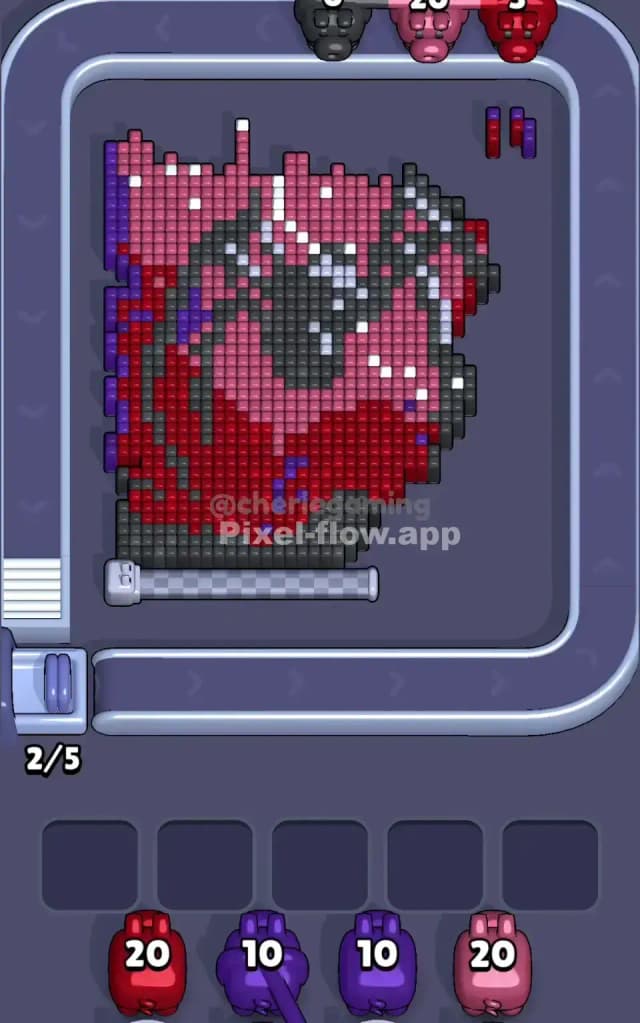
Attack the Dark Grey blocks on the right side immediately.
This choice is practically forced on you, but you need to be aggressive about it. Look at the bottom right quadrant. It is a solid wall of Dark Grey. Until this wall is gone, any pig carrying Red, Pink, or White ammo is useless on that side of the board. If you let Dark Grey pigs sit in your waiting slots while you fiddle with the Red hood on the left, you will choke your board.
Send every available Grey/Black pig to the right column. Clear that "stone slab" away. This exposes the right flank of the Red hood and, more importantly, reveals the underlying structure of the figure. Do not touch the left side (the Purple/Red mix) until the right side's grey wall is significantly reduced. You need that space open to handle the ammo overflow later.
How to pass Pixel Flow Level 666 without power ups or boosters
Once the outer Grey shell is cracked, the level enters a dangerous middle phase. You are left with the "Red Hood" and the "Pink Face." The danger here is the Purple trim.
You will notice a strip of Purple pixels running down the far left edge and a small patch on the top right. These Purple blocks act as gatekeepers for the massive amount of Red behind them. If you get a Purple pig, do not discard it or try to save it for later. Prioritize clearing that left-hand vertical strip.
Why? Because the Red block is huge. It requires a lot of ammo to clear. If the Purple strip remains, it blocks your Red pigs from hitting the left side of the hood. You will end up with Red pigs clogging your slots, unable to shoot because a single column of Purple is in the way.
The Priority Order for Mid-Game:
- Purple: Clear the edges to open up firing lines for Red.
- Red: Erode the main body of the hood.
- Pink: Only target the pink center once the surrounding Red is thinned out.
Do not use a bomb just because the Red layer looks thick. Patience works. Let the conveyor belt bring you the specific color you need to peel the edges.
Last Details You Clean Up in Pixel Flow Level 666
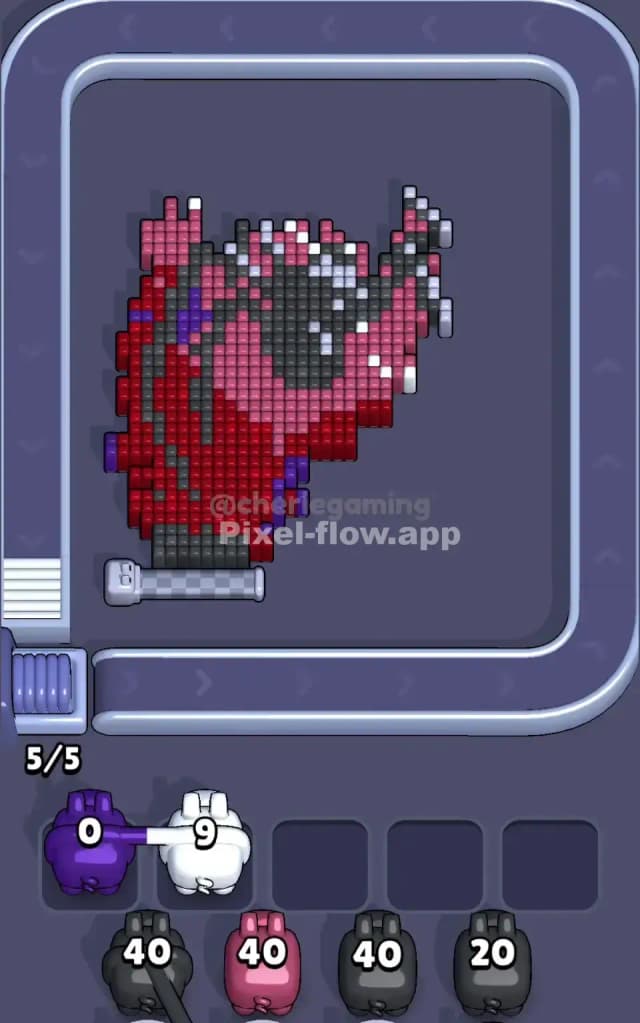
The final struggle in Pixel Flow Level 666 happens in the center of the "face." You have cleared the Grey slab and the Red hood. Now you are staring at a mix of Pink, Black, and White voxels.
This area is tricky because the White pixels are scattered. They represent highlights—teeth or reflections—and they don't form solid blocks. You might get a White pig with 9 ammo, but only see 2 White targets exposed.
Do not panic. Look at the Black pixels forming the eyes and mouth inside the Pink face. These are often the key. Clearing the Black "shadows" usually exposes the final hidden White pixels. If you have a White pig with nowhere to shoot, check if a Black pig can clear a path for it first. The level ends when you scrub the last few white speckles off the sinister grin.