Pixel Flow Level 707 Solution | Pixel Flow 707 Walkthrough
How to beat Pixel Flow Level 707: Video solution & walkthrough. The fastest way to pass Pixel Flow 707.
Is this the wrong level layout?🤔
Pixel Flow randomizes levels for different players. Don't worry, just upload a screenshot of your board, and our AI will find the correct video instantly.
Pixel Flow Level 707 Walkthrough
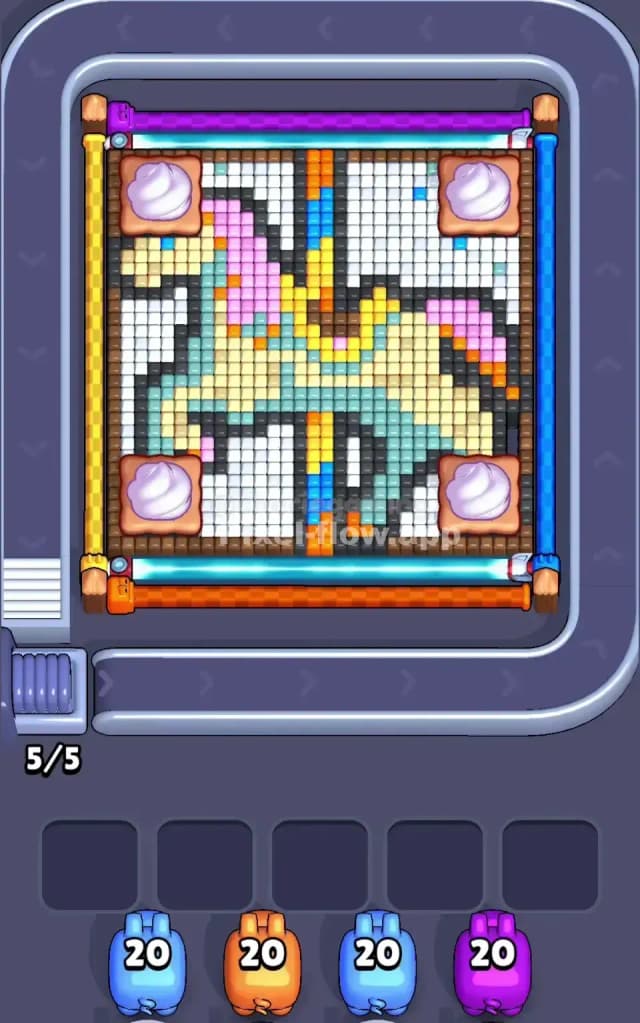
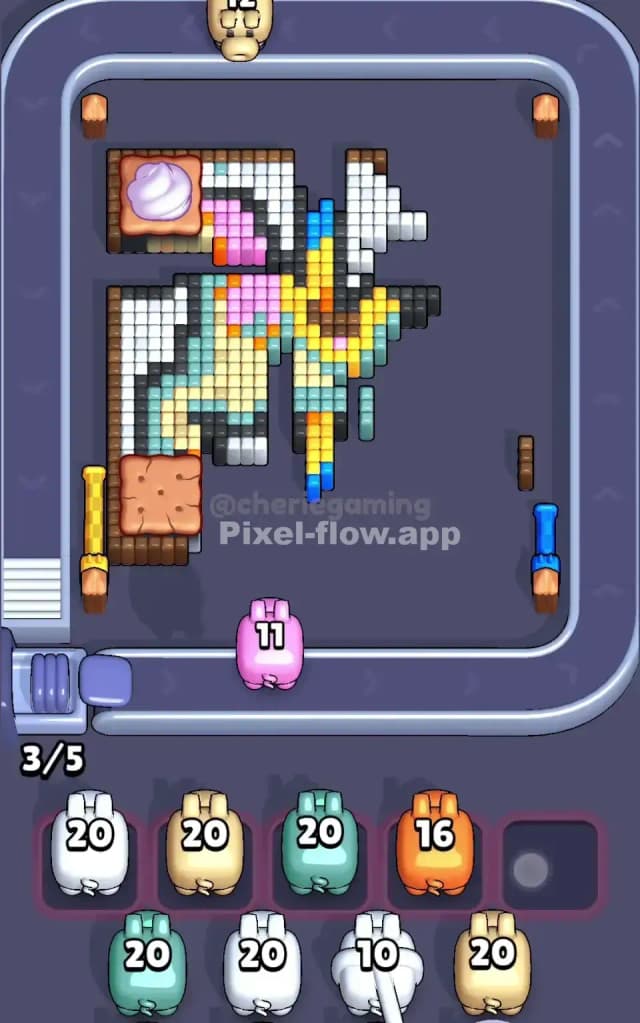
Pixel Flow 707 features a large, pastel-colored carousel unicorn. The central figure is mostly cream and teal, with a pink mane and a striped blue-and-yellow pole running vertically through the center. The background is a dense field of white tiles. The trickiest part of this board isn't the unicorn itself, but the four large "biscuit" blockers sitting in the corners. These large, square obstacles block line-of-sight to the pixels behind them, forcing you to clear around them carefully. While the shapes are simple, the layering makes this a very hard level if you don't manage your slots correctly.
Pixel Flow Level 707 Overview
The artwork depicts a classic carousel ride. You have a stylized horse (or unicorn) frozen in mid-gallop. It feels whimsical, using soft pastels like cream, light pink, and minty teal. The vertical pole piercing the horse is segmented in bright blue and yellow, anchoring the image.
The board is symmetrical in shape but not in color distribution. The heavy white background fills almost every gap around the horse. The four corners are occupied by what look like cookies with a dollop of cream on top. These aren't just decoration; they are physical blockers. Until you clear the pixels directly adjacent to or underneath them, they limit what your pigs can target. The left side of the horse has more white background exposed early on, while the right side feels a bit more cluttered with the mane colors.
Step by step solution walkthrough for Pixel Flow Level 707
First Color Zone to Erase in Pixel Flow Level 707
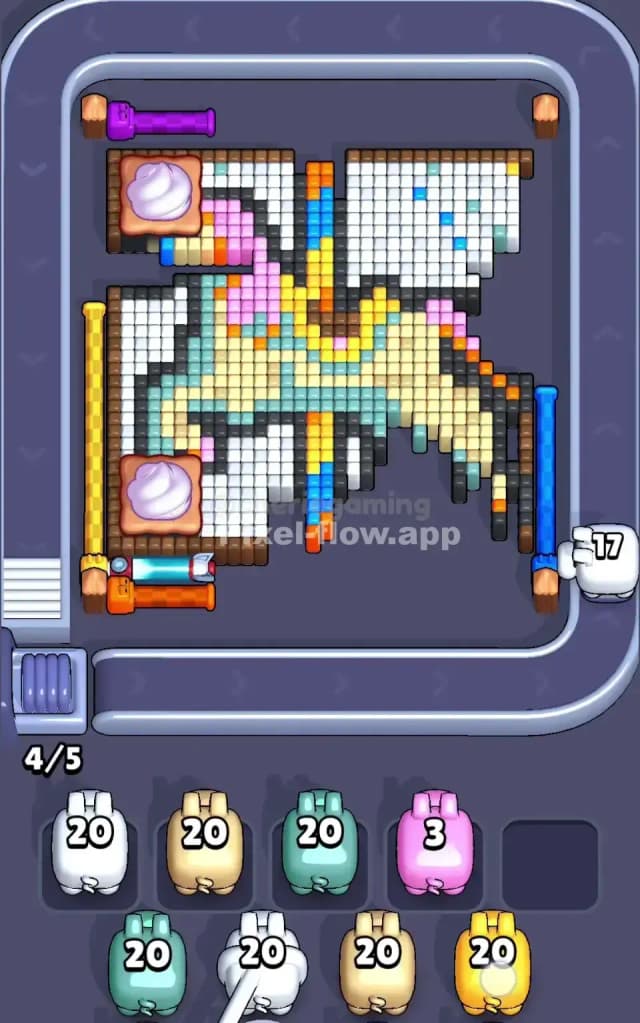
I start by targeting the White background tiles, specifically the large chunks on the left and right sides.
Here is the logic:
- Volume: White is the most abundant color on the top layer. Clearing it opens up the board significantly.
- Access: The white tiles surround the central figure and, crucially, butt up against those corner biscuit blockers. By stripping away the white, you expose the edges of the horse and, more importantly, you might clear enough space to get better angles on the underlying layers.
- Ammo Efficiency: Your white pigs usually come with full ammo (20). Dumping a white pig early guarantees it will empty its clip completely without clogging a slot. If you try to snipe the pink mane or blue pole first, you risk leaving a pig with 5 ammo stranded in your waiting area because it ran out of targets.
How to pass Pixel Flow Level 707 without power ups or boosters
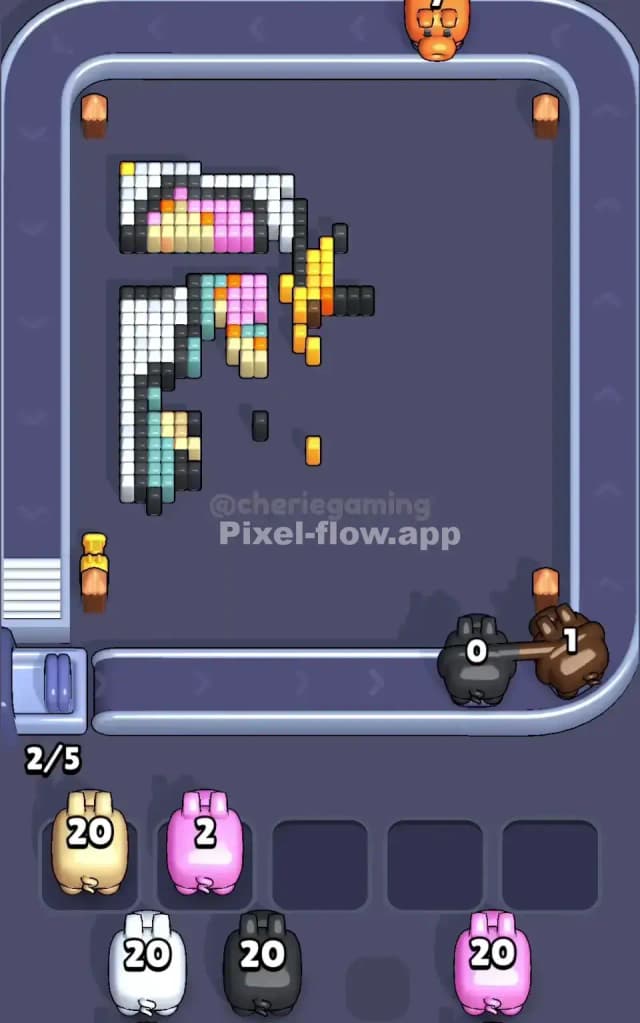
Once the white layer is peeled back, the board usually looks messy. You'll have the biscuit obstacles floating in the corners and the pastel horse partially exposed. At this mid-point, Pixel Flow 707 becomes a game of "Color Isolation."
Refuse the urge to pick random colors. Look at the Cream/Yellow body of the horse. It is the next largest solid block.
- Prioritize Cream: The body of the horse connects the head to the tail. Clearing the cream color usually breaks the image into smaller, manageable islands (the legs, the pole, the mane).
- Watch the Pole: The vertical pole is blue and yellow. Don't touch the blue yet. It's thin and vertical. Pigs miss vertical lines easily if the rotation isn't perfect. Wait until the bulkier colors (cream and pink) are gone so the blue pigs have a clear shot at the entire pole without obstruction.
- Slot Management: If you see a pig with a color that only has 3 or 4 visible pixels (like the dark grey outline), do not pick it up unless you have an empty slot you can afford to waste for a while. Always prioritize colors that have enough pixels to kill the pig's ammo counter to zero immediately.
Last Details You Clean Up in Pixel Flow Level 707
In the final phase, you are likely left with the "bones" of the level:
- The dark grey/black outline pixels that define the horse's shape.
- The deep blue segments of the vertical pole.
- Hidden pixels that were trapped under the corner biscuits.
The biscuits often hide one or two rogue pixels underneath them. As the biscuits vanish (usually when their supporting layer is gone), keep a sharp eye on the corners. The game loves to hide a single grey pixel behind a biscuit where you can't see it until the very end. Save your generic or low-count pigs for these final clean-up shots. If you saved the blue pole for last, it’s an easy straight shot for a blue pig to wipe vertically, ending the level cleanly.