Pixel Flow Level 785 Solution | Pixel Flow 785 Walkthrough
How to beat Pixel Flow Level 785: Video solution & walkthrough. The fastest way to pass Pixel Flow 785.
Is this the wrong level layout?🤔
Pixel Flow randomizes levels for different players. Don't worry, just upload a screenshot of your board, and our AI will find the correct video instantly.
Pixel Flow Level 785 Walkthrough
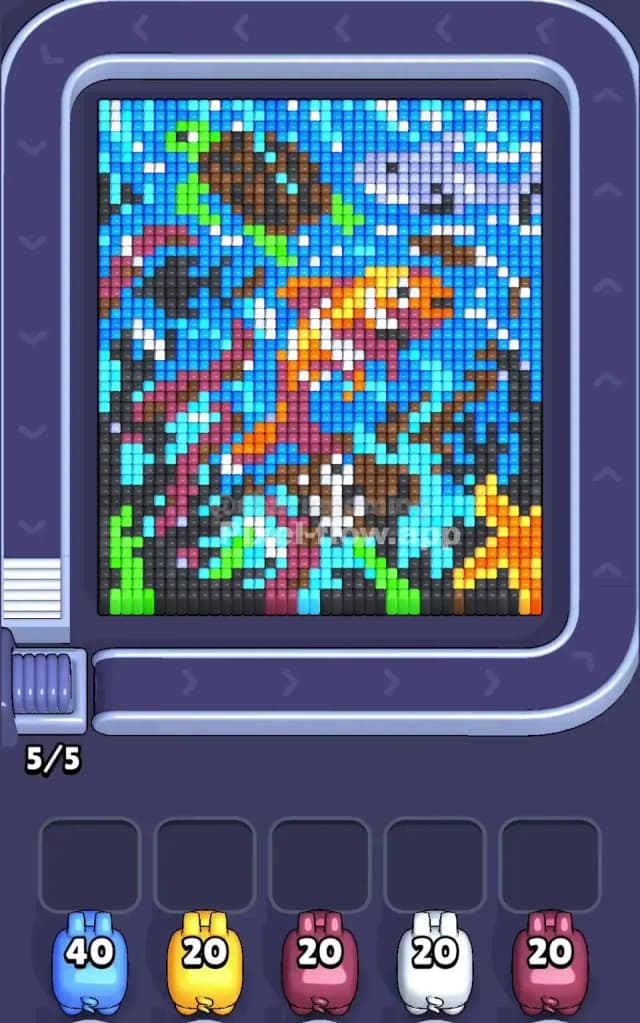
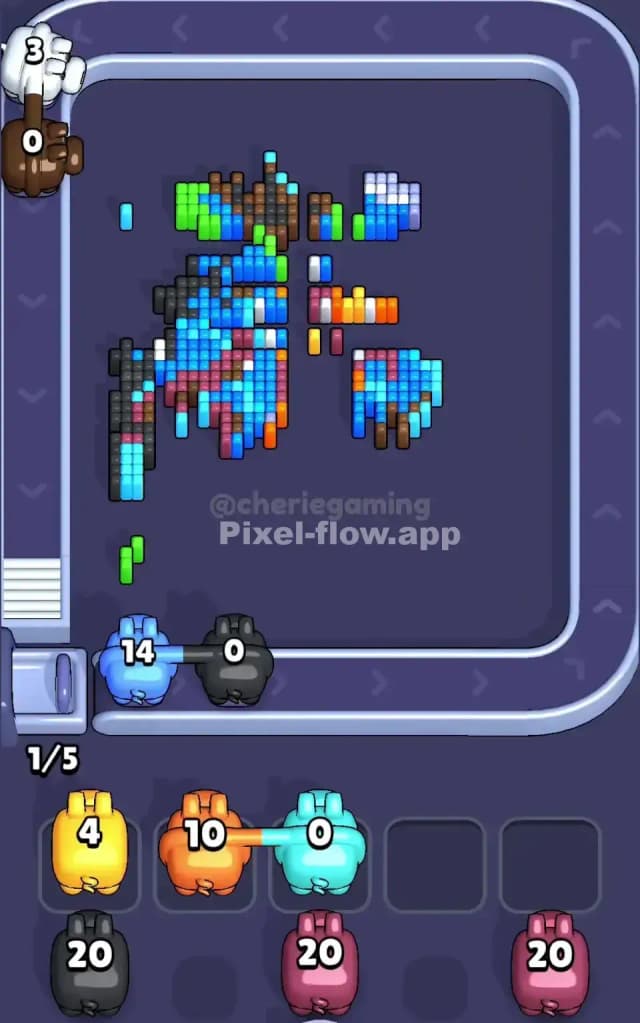
This stage drops you into a dense, chaotic underwater scene. The board is packed tight with voxels representing a coral reef environment. You have a large Koi fish dominating the center diagonally, a sea turtle floating in the top left, a shark or large fish patrolling the top right, and a bright starfish anchoring the bottom right corner. The background is a suffocating mix of light and dark blues representing water and bubbles.
The rules are standard but punishing here. You must peel back the layers of water to reach the animals. Because the blue "water" voxels are scattered everywhere—between seaweed strands, around the fish scales, and behind the bubbles—mistakes are costly. If you pick a color that only has three visible blocks but your pig has 20 ammo, that pig will sit in your waiting slot, uselessly clogging your flow.
Is this level difficult? Yes. I would classify Pixel Flow Level 785 as very hard. The sheer noise of the blue pixels makes it incredibly easy to misjudge depth.
Pixel Flow Level 785 Overview
Imagine looking into a crowded aquarium where every inch of space is filled. The primary subject is the orange and white Koi fish swimming from the bottom center towards the top right. It creates a diagonal slash of warm colors across the board. To its left, distinct vertical columns of green and purple seaweed rise up from the floor, acting as "walls" that hide the layers behind them.
The board is heavily asymmetric. The bottom half is grounded by dark grey rocks and that yellow/orange starfish, which creates a solid, heavy base. The top half is lighter, dominated by the water and the pale underbellies of the swimming creatures.
The real danger in Pixel Flow Level 785 is the "Bubble Noise." Notice the scattered white and light blue pixels all over the map? They aren't just decoration. They serve as a fragmented top layer. They prevent you from easily clearing the large blocks of color underneath. You can't just clear the big fish in one go; you have to pick off the confetti floating in front of it first.
Step by step solution walkthrough for Pixel Flow Level 785
First Color Zone to Erase in Pixel Flow Level 785
Your priority target must be the Light Blue Water.
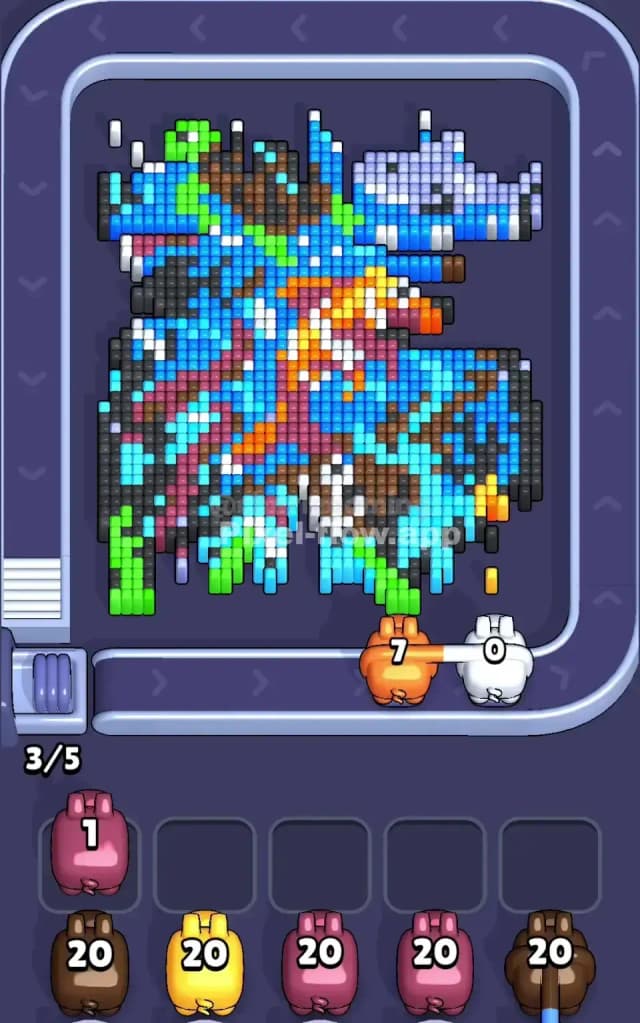
Look at your ammo counts. You likely have a Blue pig loaded with a massive 40 ammo count (or high capacity). This is your battering ram. The light blue pixels are the "glue" holding this entire scene together. They surround the turtle, fill the gaps in the seaweed, and frame the central Koi.
Why start here? Narratively, you are draining the tank. Logically, the light blue layer is the most porous. It touches almost every other object. By clearing the light blue first, you separate the objects. The turtle becomes an island. The starfish becomes an island. The seaweed stands alone. Once the water is gone, you stop accidentally hitting "background" blocks when you are trying to aim for the main animals. Do not try to snipe the small white bubbles yet; you will waste ammo. Clear the ocean first.
How to pass Pixel Flow Level 785 without power ups or boosters
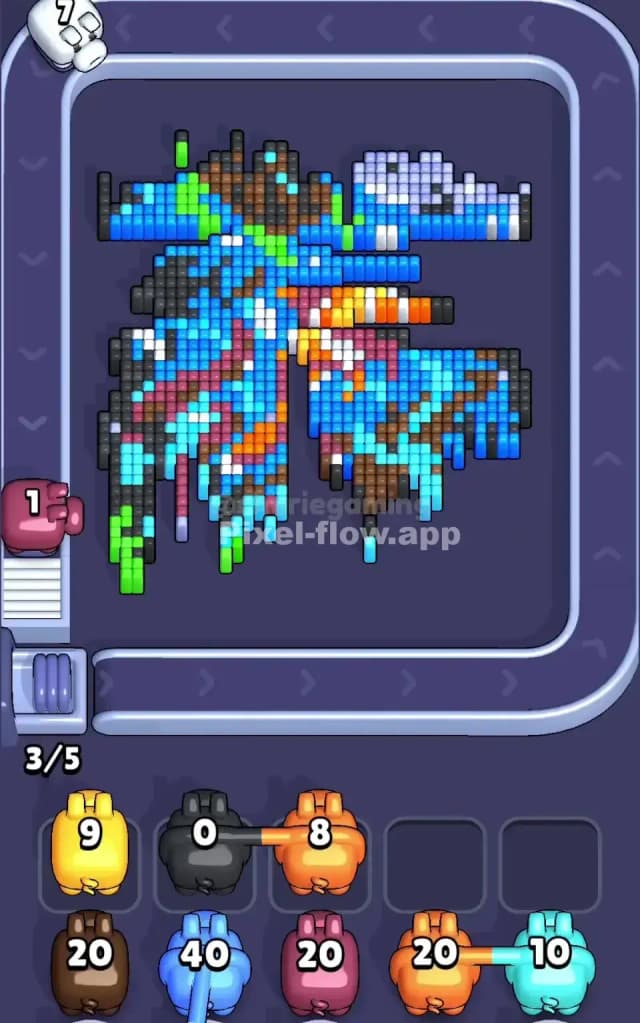
Once the primary layer of light blue water is gone, the board usually looks like a wrecked skeletal structure. This is the danger zone. You will see disjointed parts of the Koi fish and floating bits of the shark.
At this midpoint, strictly avoid the "One-Shot" colors. You might see a tiny patch of bright pink on the seaweed or a single black pixel on the turtle's eye. Ignore them. If you grab a pig for those tiny details now, it will clog your slots.
Instead, pivot to the Dark Grey/Brown tones at the bottom and the Green vertical columns on the left.
The Green seaweed is a "blocker" structure. It stands tall and vertical. If you leave it, it obscures the view of the rocks behind it. Grab a Green pig. Mow down the seaweed on the bottom left. This usually reveals the dark substrate layer.
Next, attack the Dark Grey/Black pixels that form the rocks at the bottom and the shadows on the shark. These are often the "support pillars" of the voxel art. Removing the dark rocks at the bottom often causes the pixels resting on top of them (like the starfish or bottom fins) to become accessible or drop down, giving you a clearer shot. Keep your waiting slots empty. If you have a pig with 5 ammo left and no targets, that slot is dead space. Prioritize clearing big chunks (Green, Dark Grey) to ensure your pigs die (leave the board) quickly.
Last Details You Clean Up in Pixel Flow Level 785
The end game of Pixel Flow Level 785 is almost always the White and Orange pixels.
You saved the fun parts for last. By now, the water is drained, the rocks are crushed, and the seaweed is mulched. All that remains are the suspended bodies of the animals. The central Koi fish is a dense cluster of orange and white.
Be careful with the White pig. In this level, white is used for two things: the fish body and the bubbles. You might think you cleared all the white pixels on the fish, but there is often a stray "bubble" voxel hiding in the top right corner near the shark. Scan the corners. Ensure you have a line of sight on all white pixels before committing that pig.
Finally, the Orange of the starfish and the Koi. This is usually the deepest layer. It’s the meat of the level. Once the white scales are stripped away, the orange blocks are solid and grouped together, making them an easy, satisfying finish to clear the board.