
Pixel Flow Watermelon Level Solution | Pixel Flow Watermelon Walkthrough
How to beat Pixel Flow Watermelon Level: Video solution & walkthrough. The fastest way to pass Pixel Flow Watermelon .
Is this the wrong level layout?🤔
Pixel Flow randomizes levels for different players. Don't worry, just upload a screenshot of your board, and our AI will find the correct video instantly.
Pixel Flow Watermelon Level Walkthrough
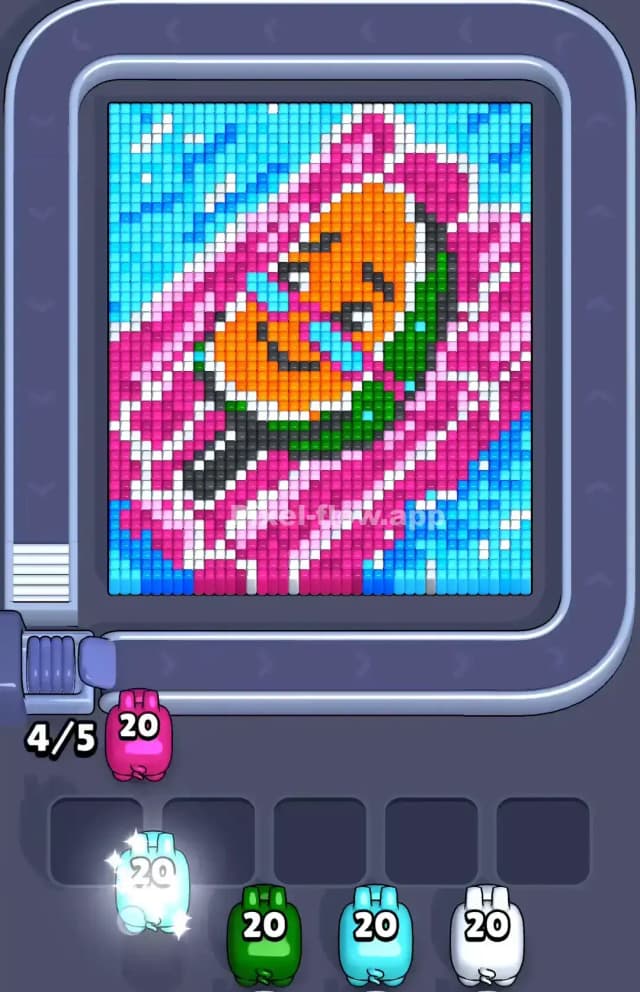
Pixel Flow Watermelon Level features a colorful summer scene: a relaxed orange character floating in a pool on a massive pink inflatable. The board is dense. The colors are tightly packed, especially in the center.
To beat this, you follow the standard logic: pigs on the conveyor belt match the color of the voxels on the screen. If a pig has a clear line of sight to a matching color, it shoots. If it hits a block of a different color, it stops. If a pig can't shoot anything, it drops into your holding slots. You lose if your five holding slots fill up with pigs that have ammo but no targets.
Is this a very hard level? No. It is not a very hard level, provided you respect the layering of the water versus the floatie. If you get impatient and try to drill the orange guy too soon, you will fail.
Pixel Flow Watermelon Level Overview
The artwork in Pixel Flow Watermelon Level depicts a vacation vibe. You’re looking top-down at a pool. The background is bright cyan water, rippled with white glimmers. Floating diagonally across the water is a giant pink raft with white stripes.
Lying on that raft is an orange character—maybe a sausage or a bean-shaped mascot—wearing some sort of green strap or swimsuit. He has a satisfied look on his face, eyes closed.
The asymmetry here is crucial. The water isn't just a border; it occupies huge chunks of the top-left and bottom-right corners. The raft cuts through the middle. This means your "edge" colors (Cyan and Pink) are actually fighting for dominance on the outer layer. The center is extremely heavy. The orange character is thick, requiring pigs with high ammo counts (like the 40-ammo orange pig seen in later waves) to fully clear him out.
Step by step solution walkthrough for Pixel Flow Watermelon Level
First Color Zone to Erase in Pixel Flow Watermelon Level
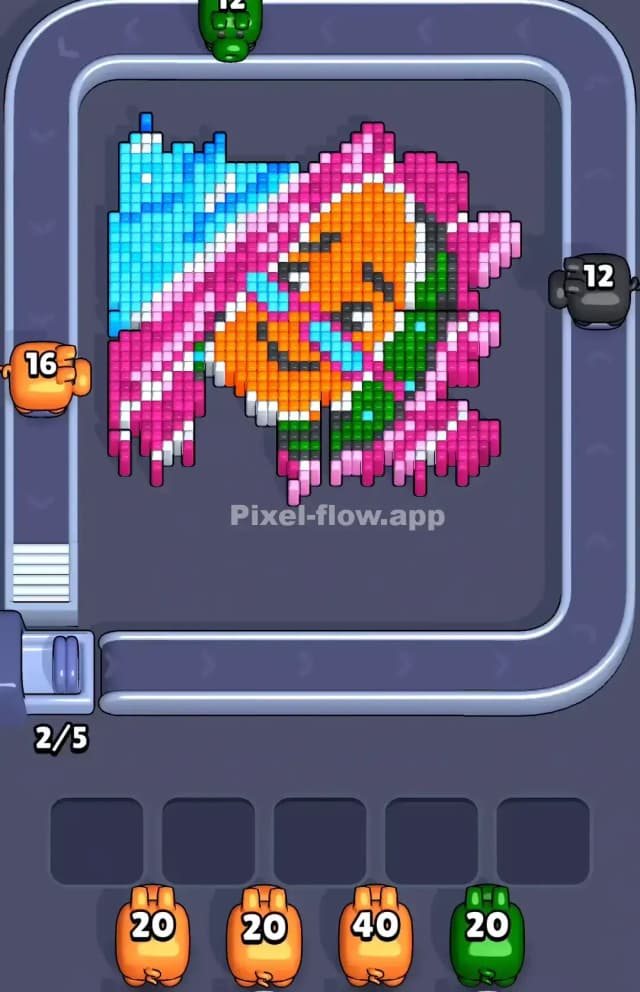
Focus entirely on the Cyan water first.
Narratively, you want to drain the pool so you can deal with the raft. Logically, the Cyan blocks are the "highest" layer in the corners. They are scattered with white sparkles, but the Cyan acts as the frame. If you ignore the blue pigs and let them clog your slots while trying to shoot the pink raft, you’ll get stuck. The pink raft is physically surrounded by blue water pixels.
Clear the top-left corner and the bottom-right corner of all blue. Once the blue is gone, the pink raft stands isolated. This prevents "line of sight" errors where a pink pig tries to shoot the raft but gets blocked by a single floating blue pixel you forgot to clear.
How to pass Pixel Flow Watermelon Level without power ups or boosters
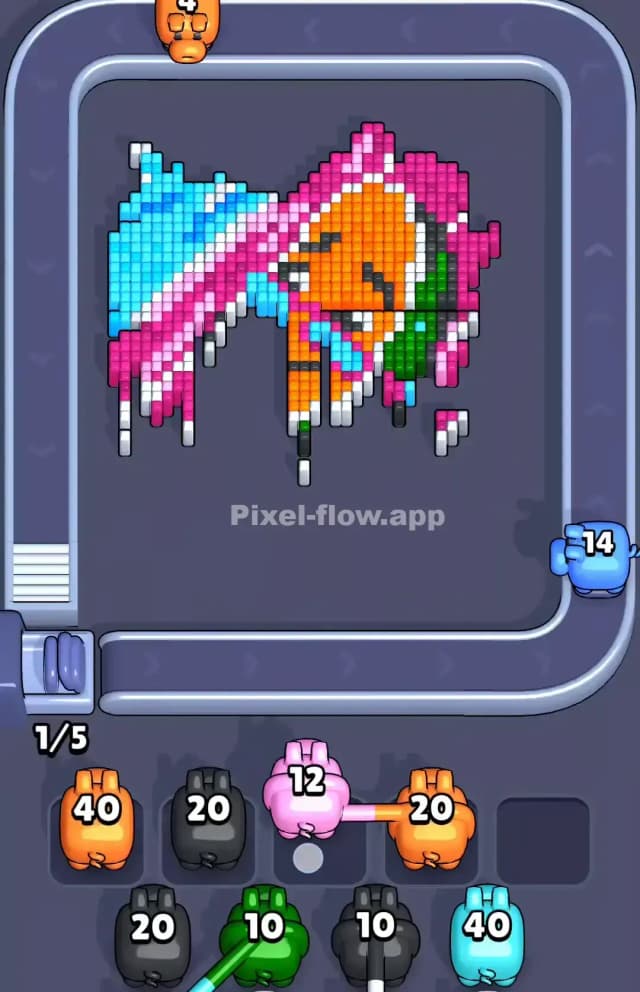
The mid-game of Pixel Flow Watermelon Level is dangerous. At this point, you have stripped away the Cyan water. You are left with the massive Pink and White raft.
The raft has a striped pattern. This is a trap. You will see layers where Pink and White alternate. If you use a White pig to clear a stripe, make sure you aren't leaving a "floating" Pink block that blocks the Orange layer beneath it.
Prioritize Pink over White here. The Pink sections of the raft are larger and connect the whole image. By erasing the Pink bulk, you expose the Green straps and the Orange body.
You will eventually hit a point where the raft is half-destroyed. The Orange character is exposed, but he is still framed by the white stripes of the raft. Do not switch to Orange pigs yet. Even if you see an Orange pig, slot it. You must finish cleaning the White remnants of the raft first. The Orange layer is deep and dense; if you start chipping at it while White blocks remain, you create a jagged surface that blocks your shots. Clear the frame (White/Pink) completely before attacking the portrait (Orange).
Last Details You Clean Up in Pixel Flow Watermelon Level
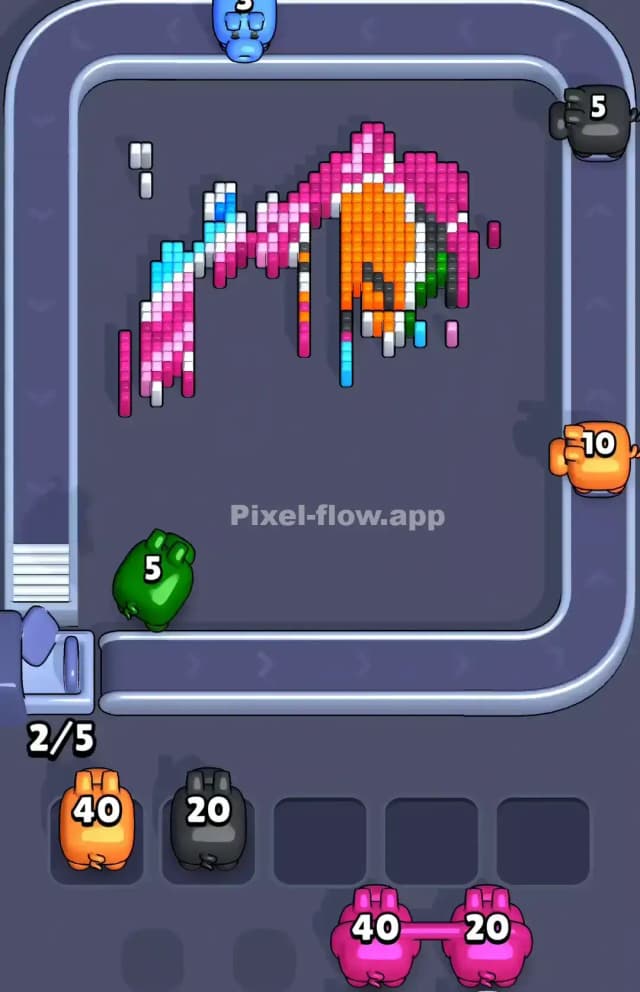
The final phase of Pixel Flow Watermelon Level is all about the character's face and accessories. Once the raft is gone, you are left with a dense block of Orange, a few Green accents (the strap/suit), and Black details (eyes, mouth, and the handle of the floatie at the bottom).
The Black pixels are the trickiest here. There is a black "handle" or stick at the bottom left of the character. It is often buried under the last layer of the pink raft. Watch out for Black pigs appearing late in the queue. You will likely need to clear the Green strap across the character's waist to expose the final Black pixels of the handle.
Your very last moves will likely be unloading a massive 40-ammo Orange pig into the center of the character's face, wiping out the last voxel layer to clear the stage.