Pixel Flow Level 109 Solution Walkthrough | Pixel Flow 109

How to solve Pixel Flow level 109? Get instant solution for Pixel Flow 109 with our step by step solution & video walkthrough.

Share Pixel Flow Level 109 Guide:
Pixel Flow Level 109 Gameplay
Pixel Flow Level 109 Solution 1
Pixel Flow Level 109 Solution 2
Pixel Flow Level 109 Solution 3

Pixel Flow Level 109 Overview

The Board and Its Pixel Art Challenge

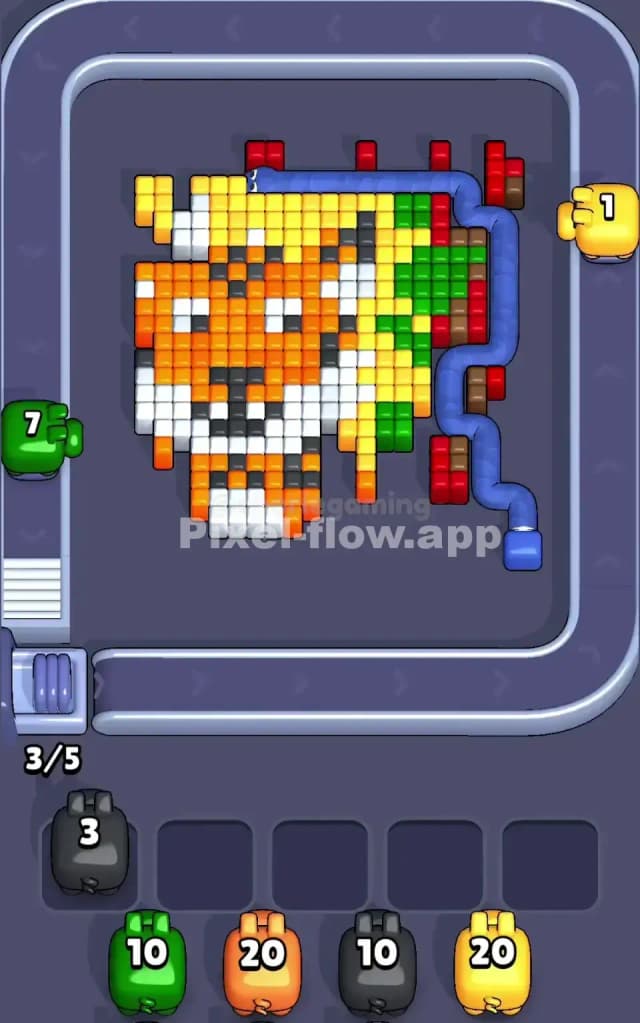
Pixel Flow Level 109 presents you with a detailed fox face rendered in a multi-layered voxel grid, and it's one of the most visually intricate puzzles you'll encounter in the game. The fox's features—its distinctive ears, snout, and facial markings—are built from yellow, orange, white, and black cubes that form the foreground, while deeper layers contain brown, red, and green cubes hidden beneath. The board feels crowded from the start because there's no wasted space; nearly every voxel position holds a cube, which means you'll need surgical precision to expose inner colors without accidentally filling your waiting slots with stranded pigs.

The dominant colors are yellow (which covers vast stretches of the fox's face and body), orange (the detailed features and shading), white (highlights and negative space), and black (sharp contrast lines). Brown, red, and green cubes lurk in the background layers, waiting to be revealed. This layered structure is both beautiful and deceptive—it looks manageable at first glance, but the tight color distribution will test your planning skills hard.

The Win Condition and Deterministic Nature

To clear Pixel Flow Level 109, you must destroy every single voxel cube on the board by matching them with incoming pigs. Each pig automatically shoots voxels of its own color for as long as it has ammo remaining. The good news is that the pig queue and their ammo counts never change—you'll see four pigs in the waiting slots (gray with 20 ammo, red with 10 ammo, orange with 20 ammo, and brown with 10 ammo), and a fifth pig queued behind them. Because the game is fully deterministic, success comes down to sequencing: you control when each pig gets a turn, and that timing determines whether their ammo lands on valid targets or gets wasted on air. Master the order, and Pixel Flow Level 109 becomes solvable; mess it up, and you'll watch helplessly as a pig with leftover ammo gets trapped in a waiting slot with no cubes to shoot.


Why Pixel Flow Level 109 Feels So Tricky

The Ammo Mismatch Bottleneck

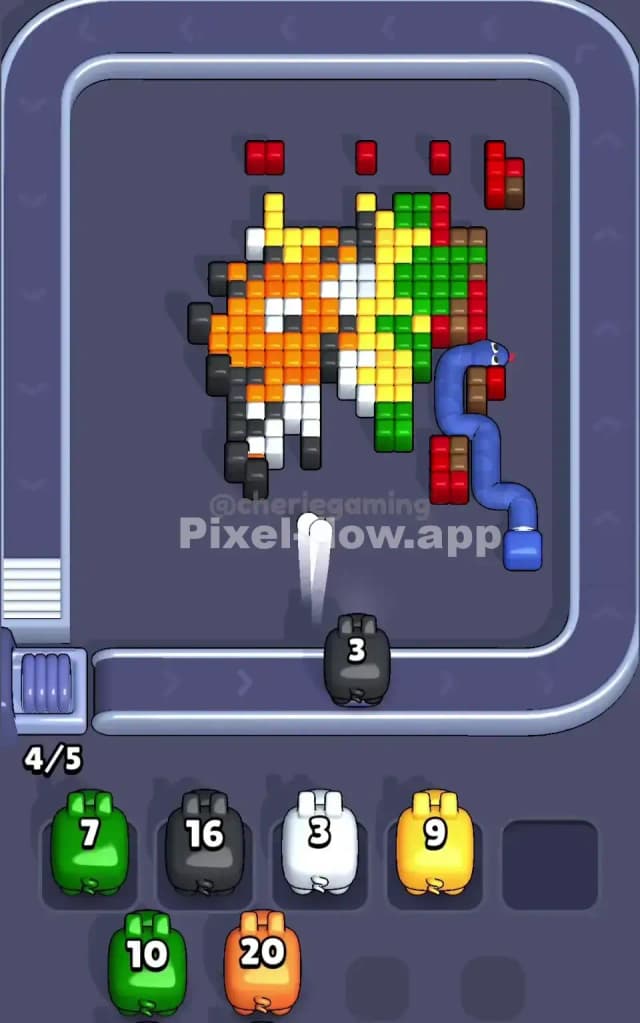
The biggest threat in Pixel Flow Level 109 is the gray pig's 20 ammo. Gray cubes don't exist on the board, so when the gray pig arrives and fires, every single shot is wasted. All 20 ammo disappear into the void, and the pig drops into a waiting slot with nothing to show for it. If you're not careful and you've already filled three or four slots with other pigs, that gray pig becomes an anchor—a dead weight that drains your flexibility and makes it nearly impossible to recover. You absolutely must manage the waiting slots ruthlessly before gray takes its turn, or you'll find yourself one or two moves away from a catastrophic jam.

The Orange and Yellow Overlap Problem

Here's where Pixel Flow Level 109 gets genuinely tricky: orange and yellow are abundant, but they're mixed throughout the foreground and mid-layers in an interlocking pattern. You can't simply shoot all the yellow cubes and then move on to orange, because orange pigs won't have clear targets until you've removed some yellow, and vice versa. This creates a dependency loop where you have to carefully alternate between colors, making sure each pig spends its ammo efficiently before the next one arrives. If you shoot orange first and expose a cluster of yellow that requires more yellow ammo than the next pig has, you'll leave orphaned cubes stranded deep in the board.

The White and Black Contrast Traps

White and black cubes form the fine details—eyes, nose, mouth outline—scattered across the face's middle section. These aren't abundant, and they're often isolated or tucked behind other colors. If a white or black pig arrives and most of its targets are buried under yellow or orange, you're forced to let that pig waste ammo or leave it in a waiting slot where it won't spend its remaining shots. I found this part especially frustrating my first few attempts because I'd be so focused on clearing the big color blocks that I'd forget these small accent colors existed, and suddenly I'd hit a brick wall with a pig holding 5 or 6 ammo and no valid targets.

When the Level Finally Clicked

Honestly, Pixel Flow Level 109 stumped me for several sessions before I realized the importance of planning backward from the gray pig's inevitable arrival. Once I started mapping out which layers needed to be exposed and in what order, the fog lifted. The moment I understood that the gray pig's wasted ammo was a given, not a failure, and that I should use all my other pigs to clear enough space so the gray pig could safely drop without jamming the buffer, everything fell into place. That's the mindset shift that transforms Pixel Flow Level 109 from frustrating to manageable.


Step-by-Step Strategy to Clear Pixel Flow Level 109

Opening: Establish a Safe Foundation

Start by letting the gray pig drop without shooting—it has no valid targets anyway, so send it to a waiting slot immediately. This sounds counterintuitive, but it's essential for Pixel Flow Level 109. Next, summon the red pig (10 ammo) and target the small red cubes visible on the right side of the board and scattered in the middle layers. Red isn't abundant, so you should be able to spend all 10 ammo cleanly, eliminating red entirely and exposing more yellow underneath. By the time red finishes, you'll have two waiting slots filled (gray and red) and three open—plenty of breathing room.

Now bring out the first orange pig (20 ammo). Focus on the orange cubes forming the fox's facial features and shading details. Orange appears frequently enough that 20 ammo should almost match the visible orange cubes, but be deliberate: count your shots and make sure you're hitting real targets, not wasting ammo. As you clear orange, you'll expose white and black cubes beneath, and more yellow will become visible in deeper layers. By the end of this phase, you should have consumed most or all of the orange ammo and created clear sightlines for the next pigs.

Mid-Game: Layer Peeling and Pig Parking

Once the initial three pigs have taken their turns, it's time to shift into tactical layer exposure. Bring in the brown pig (10 ammo). Brown cubes are primarily in the background layers, especially on the right edge and beneath the yellow blocks. Your goal here isn't to eliminate all brown immediately—that's unrealistic—but rather to spend enough ammo to create gaps that expose green underneath and allow future pigs to work efficiently. Spend about 8 of the 10 ammo here and park the brown pig in a waiting slot with 2 ammo left over. This is intentional; that remaining ammo will become useful later when you've cleared enough yellow to expose brown's remaining targets.

Next, you'll see the second pig in the queue arrive—this is typically yellow or orange again, depending on your queue. Use this pig to aggressively clear the yellow cubes from the main facial area. Yellow has the largest ammo pool relative to its cube count, so you have room for precision here. Target the largest contiguous yellow blocks first, working from the foreground inward. This exposes the white and black accent details and opens pathways to the green and brown underneath. Don't worry about clearing yellow entirely; instead, focus on creating a board state where the remaining colors have clear visibility.

End-Game: The Final Stretch and Buffer Clearing

By the time you're approaching the last few pigs, your waiting slots should be strategically occupied with pigs holding low ammo counts—ideally 0, 1, or 2 shots remaining. Bring in your final pigs one at a time, targeting the remaining isolated clusters of color. White, black, green, and brown should be nearly spent by now; use your final pigs to polish off these colors methodically. Watch your waiting slots constantly; if you ever fill all five slots, you've failed. Keep at least one slot empty at all times, and if a pig arrives with no valid targets, send it to a waiting slot rather than wasting ammo on air.

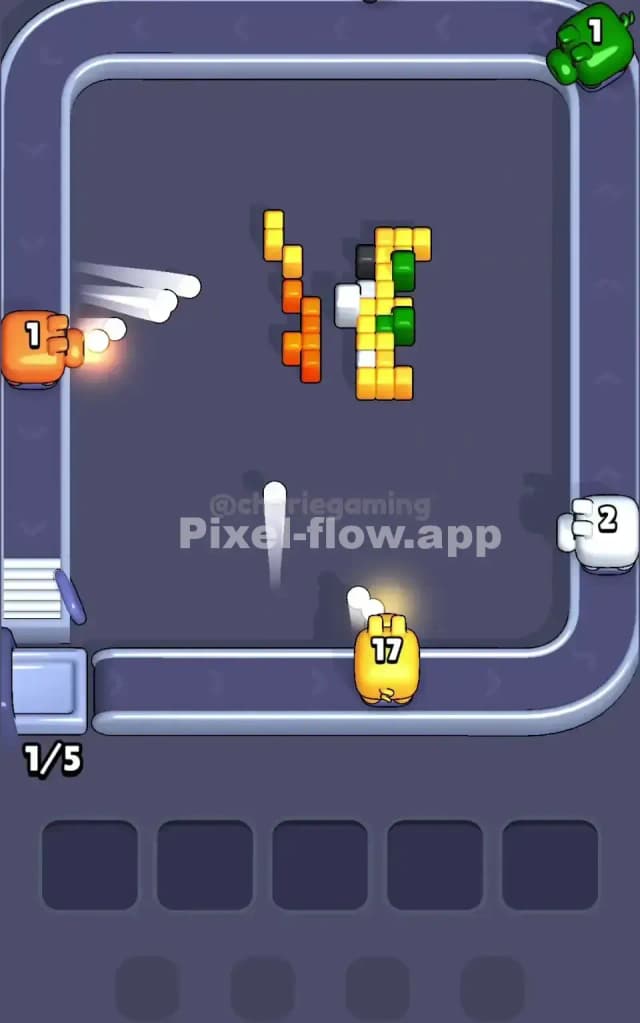
The very last move should clear the final voxel with zero ammo wasted. If you've planned correctly, you'll finish Pixel Flow Level 109 with your final pig shooting its last ammo at the last cube simultaneously. This is the satisfying endgame rhythm that rewards careful planning and restraint throughout the earlier phases.


The Logic Behind This Pixel Flow Level 109 Plan

Exploiting Pig Order and Ammo Determinism

The strategy above works because it respects the fundamental truth of Pixel Flow Level 109: you can't change the pig order or ammo counts, but you can control when each pig gets a turn. By sending the gray pig to a waiting slot first, you neutralize the game's cruelest mechanic—the wasted ammo pig—early and move on. By then sequencing red, orange, and brown to expose layer after layer, you're essentially sculpting the board proactively rather than reactively. Each pig's ammo is calibrated to match a specific cluster of colors, but you have to expose those colors in the right order first. This plan does exactly that: it reveals each color cluster just in time for its pig to arrive and spend ammo efficiently.

Staying Calm and Thinking Ahead

The mental trick to conquering Pixel Flow Level 109 is to think two or three pigs ahead instead of just the current one. When the orange pig is taking its turn, you should already know which colors the next pig will target and whether those colors are visible or buried. Count ammo carefully—literally keep a mental tally of how many shots each pig has left and how many cubes of that color remain visible. Watching the queue is crucial; glance at the waiting slots frequently to see how many pigs are parked and how much ammo they're holding. If you see that four slots are full and your next pig has a risky ammo count, you'll know to be more conservative with the current pig's shots, parking it with ammo left over rather than force-spending it all.

The pressure in Pixel Flow Level 109 comes from the five-slot limit, but that limit is actually your structure. Use it as a countdown timer: every time a pig gets trapped in a waiting slot, you've got one fewer buffer before a failed run. By managing this psychologically—by seeing each waiting slot as a precious resource rather than a failure—you'll make smarter choices and keep cool when the board gets messy. Pixel Flow Level 109 is about restraint, planning, and respecting the game's rules. Master those, and you'll add another completed level to your collection.