Pixel Flow Level 125 Solution | Pixel Flow 125 Walkthrough
How to beat Pixel Flow Level 125: Video solution & walkthrough. The fastest way to pass Pixel Flow 125.
Is this the wrong level layout?🤔
Pixel Flow randomizes levels for different players. Don't worry, just upload a screenshot of your board, and our AI will find the correct video instantly.
Pixel Flow Level 125 Walkthrough
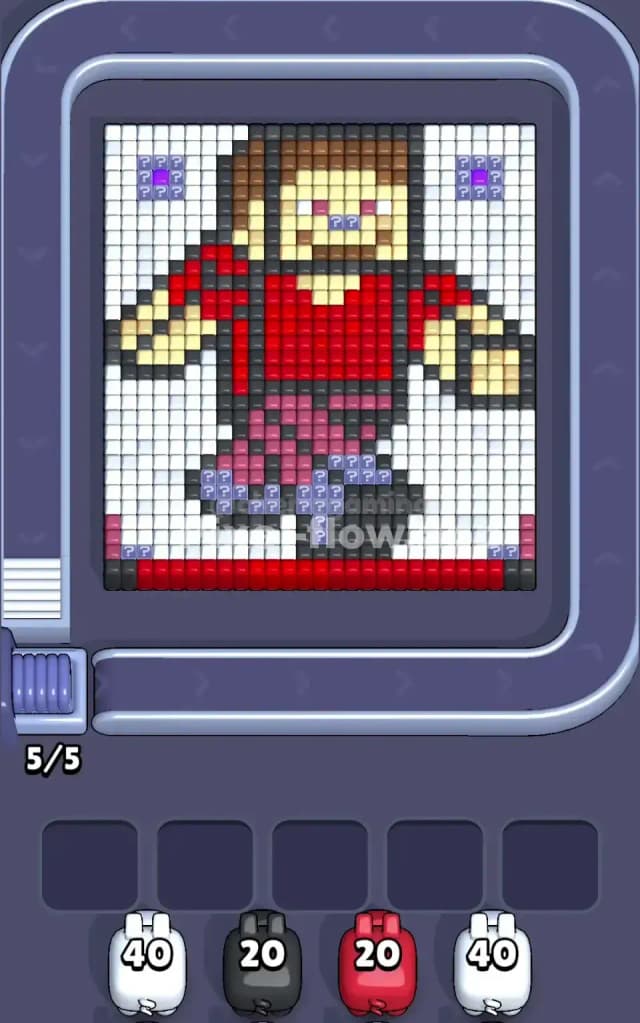
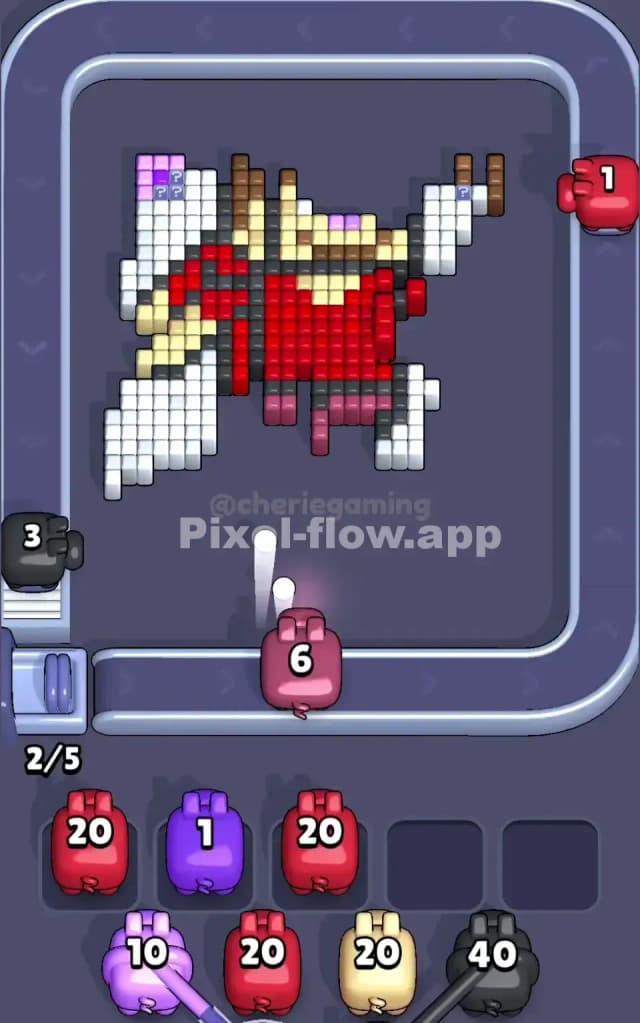
This level features a blocky, voxel-style adventurer character that looks awfully familiar to anyone who has punched a tree in a survival game. He stands center stage, wearing a red shirt and purple-ish pants, framed by a massive border of white background blocks.
The rule to beat Pixel Flow Level 125 is standard but strict: you must peel away the outer layers (mostly white and black outlines) to reach the colorful core. The real danger here is the ammo distribution. You have very high-ammo White pigs (40 ammo!) that need huge open spaces to be useful. If you deploy them too early on small white patches, they will clog your slots and kill your run.
Is this level hard? It is a very hard level simply because of the "mystery block" traps and the massive ammo counts on the white pigs.
Pixel Flow Level 125 Overview
The artwork depicts a voxel hero mid-stride. He has a brown haircut, a bright red t-shirt, and purple pants. His skin is a peach/tan tone.
What makes this board tricky isn't just the character, but the "noise" around him:
- The White Background: It's not just a border. It fills the entire negative space around the hero's arms and legs.
- The Black Outline: A thin line of black voxels traces the entire character, separating him from the white background.
- Mystery Zones: Notice the patches of purple/blue ? blocks in the top left, top right, and bottom center. These are dangerous. You don't know what color lies beneath them until you clear the layer above. Often, they hide colors you aren't ready for, forcing you to waste a pig slot.
The symmetry is deceptive. While the character looks centered, the mystery blocks are scattered unevenly. The bottom "feet" area is particularly dense with varied colors (black shoes, purple pants, white background), making it a choke point for your aim.
Step by step solution walkthrough for Pixel Flow Level 125
First Color Zone to Erase in Pixel Flow Level 125
Ignore the red shirt. Ignore the hero's face. Start with the White Pigs.
Why? Look at your pig queue. You likely have White pigs with massive ammo counts (often 30 or 40). You also have a giant white background that is fully exposed right now. Narratively, you are "erasing the canvas" to focus on the painting. Logically, this is the only way to dump that massive ammo load safely.
- Wait for the conveyor belt to bring a high-ammo White Pig.
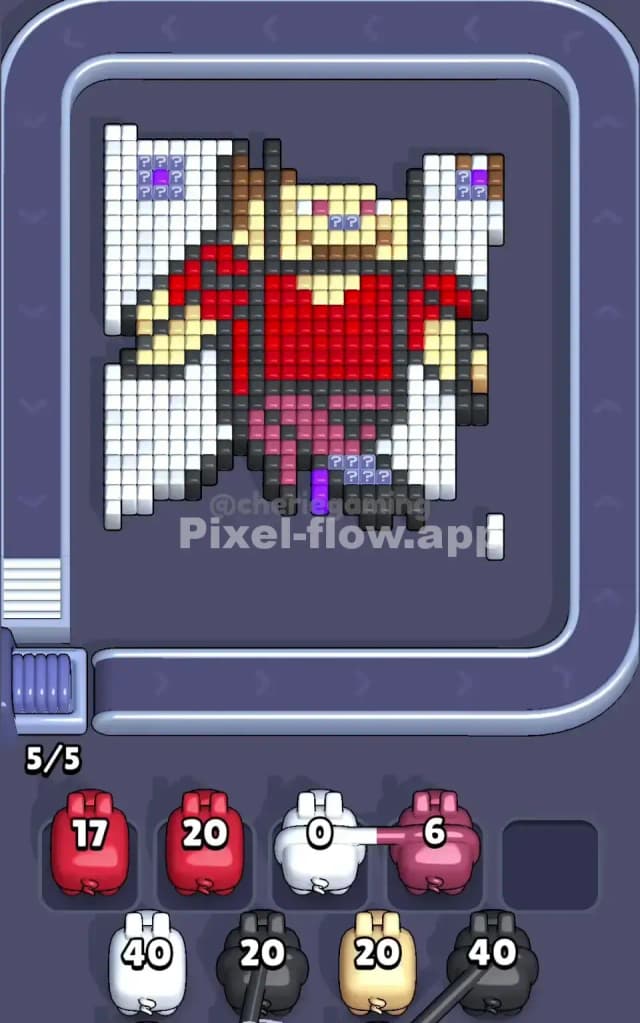
- Tap it immediately. It will shred through the left and right background columns.
- Do not deploy a Red or Tan pig yet. They will hit a few blocks and then get stuck in your waiting slots because the inner layers of the shirt and face are still blocked by the black outline.
If you don't clear the white first, those 40-ammo pigs will sit in your waiting slots forever, blocking you from using the colors you actually need later.
How to pass Pixel Flow Level 125 without power ups or boosters
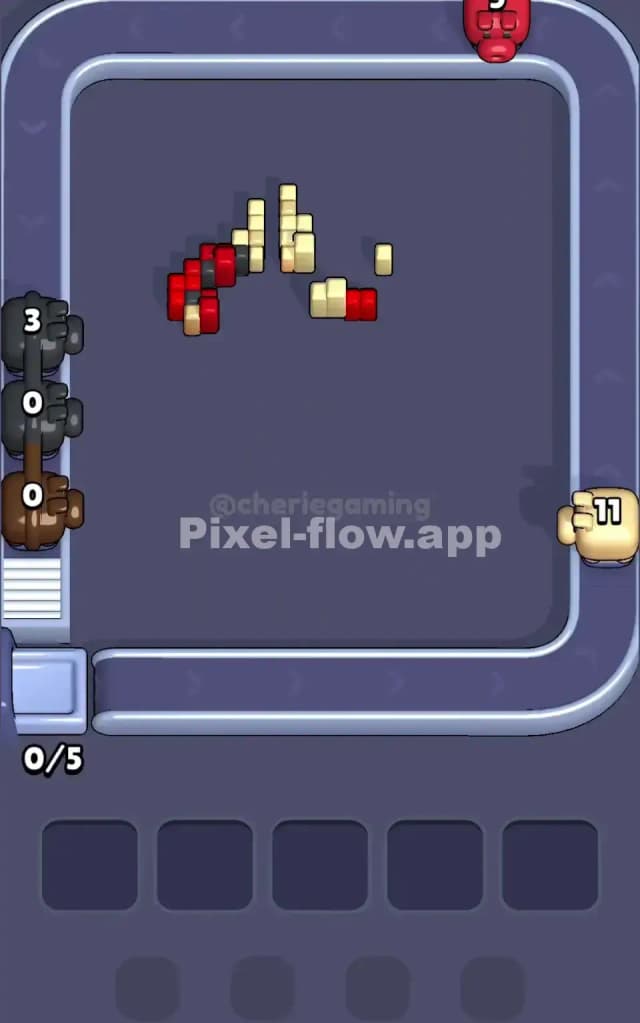
Once the white background is thinned out, the picture looks "naked"—just the character floating with a black outline. This is the mid-level danger zone.
- The Black Outline Trap: You will see a lot of Black pigs. The outline is thin (1 block deep in many places). If you send a 20-ammo Black pig to hit a 5-block outline, it will have 15 ammo left and nowhere to go. It drops into a slot.
- The Strategy: Only deploy a Black pig if you see a significant chunk of black exposed (usually the shoes or the hair). If the black is just a thin line, try to clear adjacent colors first to expose more black surface area, or accept that one slot will be clogged by a Black pig for a while.
Priority Shift: After the White is mostly gone, switch focus to Red (Shirt) and Purple/Blue (Pants). These are large, solid distinct blocks.
- The Red shirt is a huge target. A Red pig will almost always empty its ammo here.
- Use the Red and Purple pigs to "drill" into the center of the character.
- As you core out the center, you expose the backside of the black outline blocks, giving your stuck Black pigs valid targets to finish their ammo and leave the board.
Last Details You Clean Up in Pixel Flow Level 125
The end of Pixel Flow Level 125 is usually messy. You will likely be left with:
- Stray Mystery Blocks: Those ? blocks near the head or feet finally reveal themselves. They are often random colors like Peach (skin) or Brown (hair).
- The "Hairline": The brown hair blocks at the very top of the head are often the last to go because they are protected by white and black layers that take a while to clear.
- The Shoes: The bottom black row (the floor/shoes) often has a few stubborn pixels left.
Save your small-ammo pigs (1-5 ammo) for this phase. Do not waste a fresh 20-ammo pig on a single remaining pixel unless you have absolutely no choice. Watch the belt for the specific color needed to snipe that last brown pixel on the hero's head.