Pixel Flow Level 147 Solution | Pixel Flow 147 Walkthrough
How to beat Pixel Flow Level 147: Video solution & walkthrough. The fastest way to pass Pixel Flow 147.
Is this the wrong level layout?🤔
Pixel Flow randomizes levels for different players. Don't worry, just upload a screenshot of your board, and our AI will find the correct video instantly.
Pixel Flow Level 147 Walkthrough
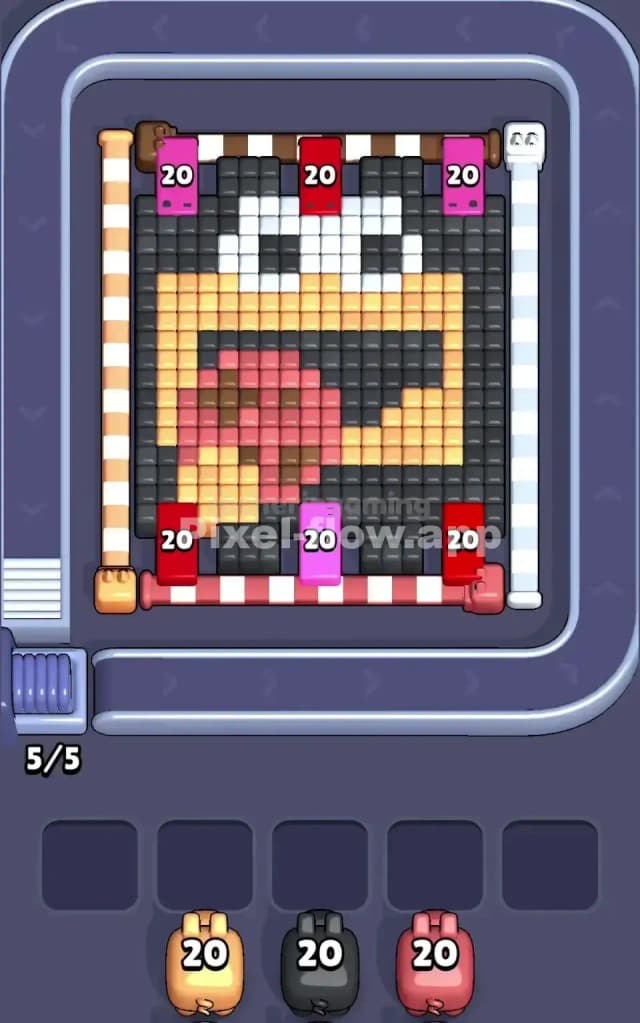
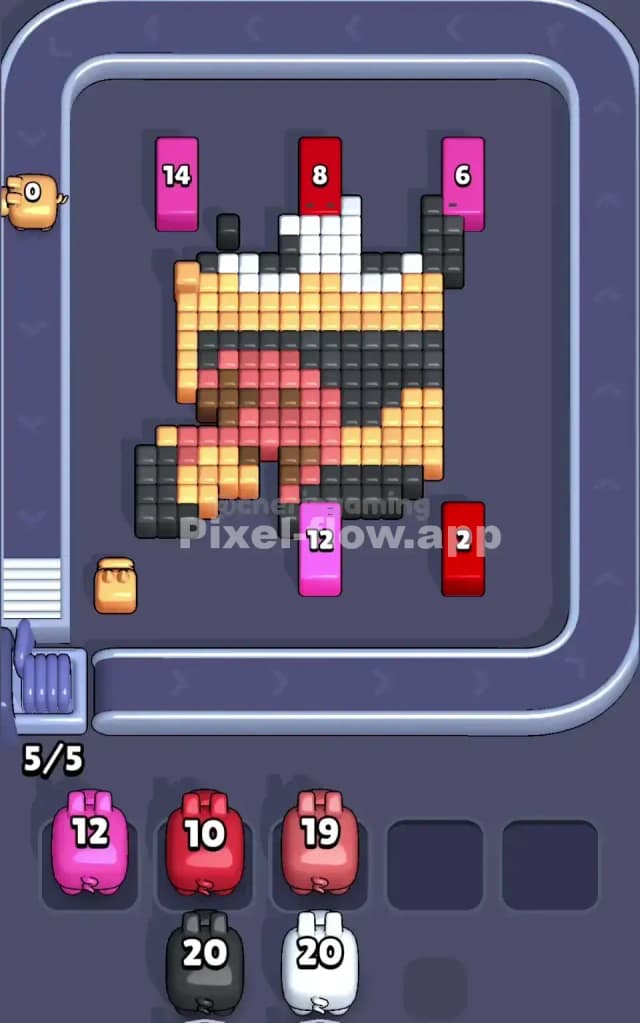
This level features a cartoonish character face, dominated by large blocks of black, yellow, and red. The pixel art depicts a creature with big white eyes, a wide-open black mouth, and a large red tongue lolling out. The background isn't complex, but the foreground—specifically that tongue—is thick.
The main challenge in Pixel Flow 147 is managing the overlap. The red tongue sits directly on top of the black mouth and yellow chin. You cannot clear the underlying structures until that red mass is thinned out. To beat this level, you need to be aggressive with red pigs early on while carefully slotting in black and yellow pigs to clear the periphery. Because of the density of the central colors and the way they block each other, this is a very hard level.
Pixel Flow Level 147 Overview
Imagine a goofy monster making a face at you. That’s this board. It’s a tight portrait. The top third is mostly the character's forehead (black) and eyes (white). The middle is the yellow face and the black void of the mouth. The bottom is dominated by that big red tongue hanging out over a yellow chin.
Crucially, the colors are segmented:
- The Perimeter: A thick frame of dark grey/black blocks surrounds the entire face. This is your "trash" layer. It’s useful for dumping black pigs when the center is blocked.
- The Center Obstacle: The red tongue is the highest layer in the bottom half. It physically blocks access to the yellow chin and parts of the black mouth.
- The Top Layer: The white eyes are distinct and separated. They don't block much, but they are surrounded by black.
The asymmetry here is vertical. The top is easy to access. The bottom is layered like a cake: Red on top of Yellow on top of Black. If you don't peel the red layer off fast enough, your waiting slots will fill up with useless yellow and black pigs that have no targets.
Step by step solution walkthrough for Pixel Flow Level 147
First Color Zone to Erase in Pixel Flow Level 147
I strongly recommend prioritizing the Red Tongue immediately. Here is the logic.
Visually, that red blob is the "stopper." It sits right in the middle of the bottom lanes. If a yellow pig comes down the conveyor belt, it might be able to hit the sides of the face, but it cannot hit the chin because the red tongue is in the way. If a black pig comes down, it can hit the border, but it can't hit the center of the mouth.
By focusing on Red first, you essentially "open the gate."
- Look for Red pigs on the belt.
- Drop them in the center lanes (columns 2, 3, or 4).
- Let them shred the tongue.
While you hunt for red pigs, you will inevitably get other colors. Don't panic. Use the outer edges. If you get a Black Pig, drop it on the far left or far right. The border is made of black blocks. This is a safe way to burn their ammo without clogging your board. If you get a Pink/Magenta Pig (often used for the tongue highlights or corners), clear those specific small clusters quickly so they don't sit in your tray.
How to pass Pixel Flow Level 147 without power ups or boosters
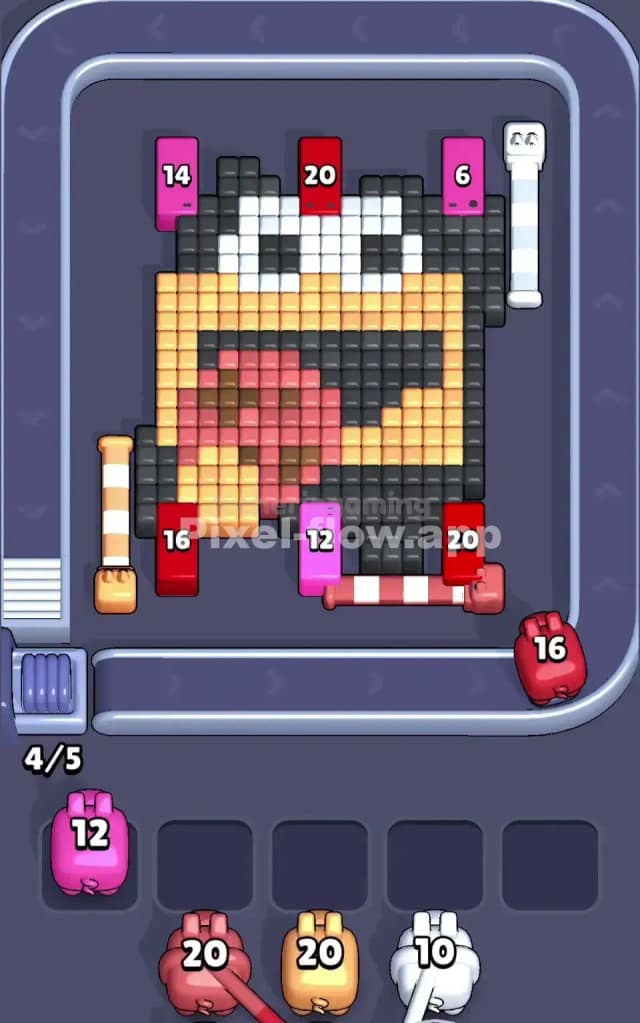
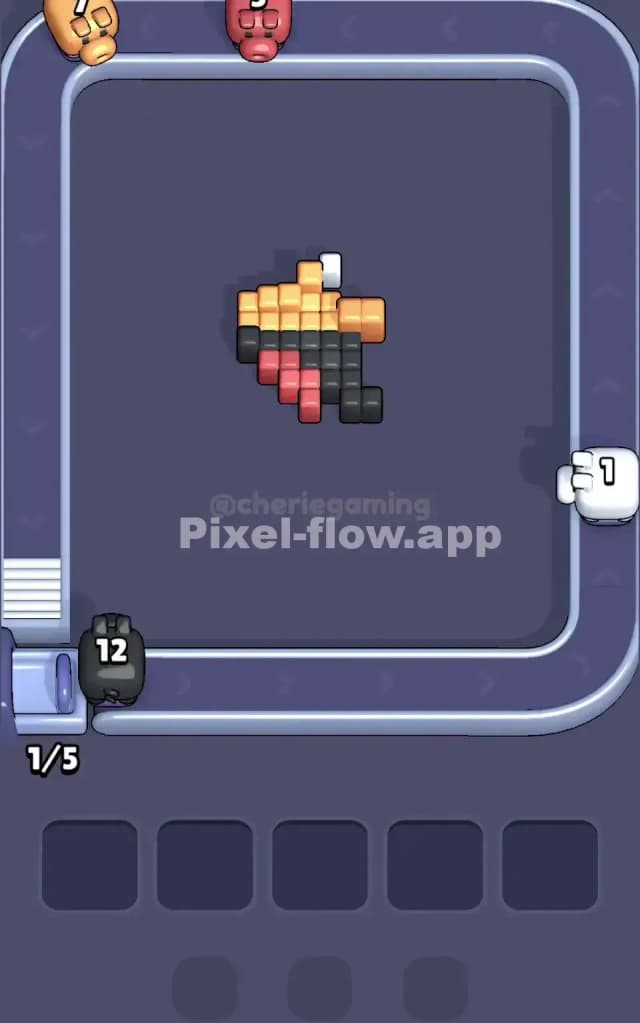
At the mid-point of the game, the face looks weird. The red tongue should be mostly gone, leaving a gap where the mouth is. The black border is likely thinned out. Now you run into the "Ammo Trap."
This is where most players fail Level 147. You will see a lot of White Pigs and Yellow Pigs.
- The White Problem: The eyes are small. A fully loaded White Pig (20 ammo) might only have 10 blocks to shoot. If you drop it too early, it destroys the eyes and then sits there, clogging a lane with 10 ammo left. Wait to drop white pigs until you can see a clear line of sight to both eyes or deep white layers behind them.
- The Yellow Shift: Once the red is gone, the yellow "skin" of the character is exposed. Now you must switch priority to Yellow. Place yellow pigs centrally. They need to eat through the chin and the cheeks.
If your tray is filling up: Look at the dark grey/black background layer. Often, players ignore the dark blocks behind the main image. If you have a black pig clogging your hand, drop it! Even if it only hits 5 blocks, clearing that space is worth more than saving the pig. You need flow. Stagnation kills you here.
Do not use a bomb just because the eyes are tricky. Save the bomb for a situation where you have 5 pigs in your waiting slots and none of them match the front-most blocks. That shouldn't happen if you stick to the "Red -> Yellow -> Black Border" priority.
Last Details You Clean Up in Pixel Flow Level 147
The end game is usually messy. You will likely be left with stray Black blocks that were hiding behind the yellow cheeks, and the final remnants of the White eyes.
Watch out for the "Corners." In Pixel Flow 147, the very bottom-left and bottom-right corners often hide a single stack of blocks that are hard to hit if you only play in the center lanes.
Make sure your last few pigs are placed in columns 1 and 5 (the far edges) to catch these stragglers. If you put your final black pig in the center lane, it might miss the edges entirely, leaving you with 1 block remaining and zero slots. Be precise. Aim for the edges to finish the portrait.