Pixel Flow Level 146 Solution | Pixel Flow 146 Walkthrough
How to beat Pixel Flow Level 146: Video solution & walkthrough. The fastest way to pass Pixel Flow 146.
Is this the wrong level layout?🤔
Pixel Flow randomizes levels for different players. Don't worry, just upload a screenshot of your board, and our AI will find the correct video instantly.


Pixel Flow Level 146 Overview
The Board Layout and Subject Matter
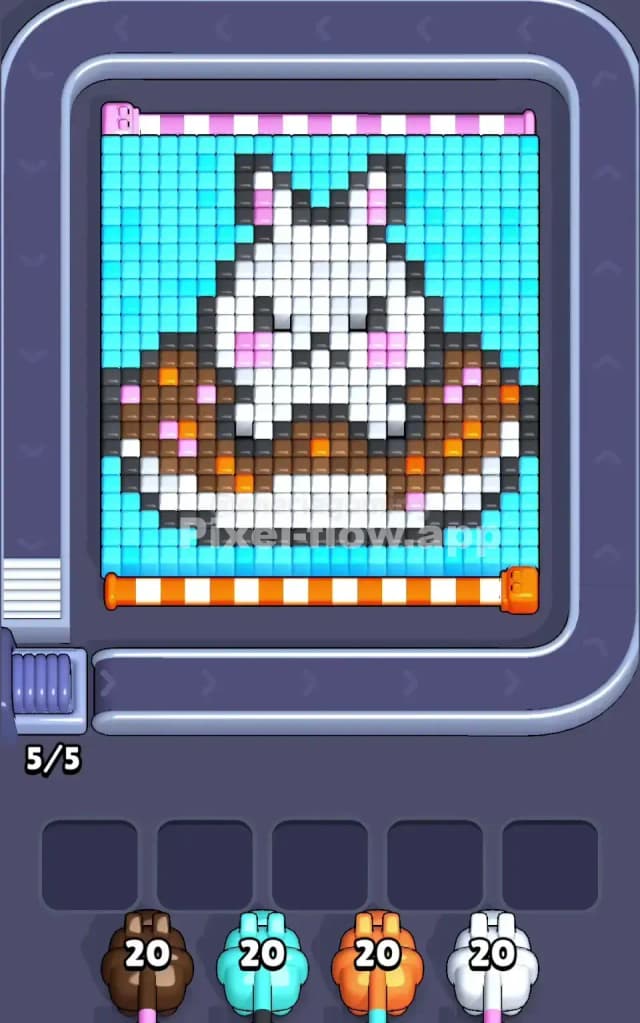
Pixel Flow Level 146 features a charming pixel art cat's face as its central subject, rendered in a layered voxel structure that'll keep you thinking about color strategy for every single move. The board is dominated by cyan (light blue) cubes that form the background and outer frame, with a dense interior made up of white, black, brown, orange, pink, and gray voxels that together create the cat's distinctive facial features—eyes, nose, mouth, and whiskers. You'll notice the top edge is lined with pink cubes in a neat little row, which serves as both a visual anchor and an early target. The waiting slots at the bottom show you'll be working with four pigs: brown (20 ammo), cyan (20 ammo), orange (20 ammo), and white (20 ammo). Each pig is perfectly balanced with the same ammo count, which might make you think the level is fair—but don't be fooled, because those equal ammo pools create their own complexity.
Win Condition and Deterministic Nature
To beat Pixel Flow Level 146, you must clear every single voxel cube from the board, leaving nothing but empty space. Your pigs will arrive in a fixed order and fire automatically at matching-colored targets, so there's no randomness here—only strategy and foresight. Each pig will spend exactly 1 ammo per matching cube destroyed, meaning your brown pig's 20 ammo targets 20 brown cubes, your cyan pig targets 20 cyan cubes, and so on. The real puzzle is figuring out the optimal sequence so that no pig runs out of ammo before all its targets are exposed, and so that you never jam all five waiting slots with stuck pigs who can't spend their remaining ammunition.
Why Pixel Flow Level 146 Feels So Tricky
The Cyan Bottleneck
Here's where Pixel Flow Level 146 becomes genuinely challenging: cyan is everywhere, and it's buried everywhere. The background layer is almost entirely cyan, which means your cyan pig won't fire until you've cleared away the outer voxels that mask the inner colors. But if you launch cyan too early, you'll sit there watching it fail to find targets while it wastes your buffer space—and that's a recipe for a waiting-slot jam. The cyan pig has 20 ammo, and every single one of those shots needs to land, so you absolutely cannot afford to strand it in the buffer with unspent ammunition. This creates a catch-22: you need to clear outer layers to expose inner colors, but the pig that clears those outer layers arrives on a schedule you can't change.
Awkward Color Clustering
Pixel Flow Level 146 also throws a wrench into your planning by scattering pink and orange cubes throughout the cat's features in unexpected clusters. The pink patches appear in the cat's eyes and scattered across the face in a way that doesn't form one neat target zone—instead, they're mixed in with white, black, and brown voxels, which means your pink pig (if you had one directly assigned) would fire in bursts of one or two cubes at a time, creating gaps in the waiting slots. What's more, the orange cubes form the mouth area and appear sporadically throughout the lower face, so you can't simply target "the mouth" with your orange pig; you'll need to expose multiple regions first.
The White and Black Interior Trap
The white and black voxels form the cat's eyes and mouth outline, creating a dense interior core that determines how quickly you can crack open the puzzle. Black is particularly tricky because it's purely decorative—it doesn't map to any pig you control—which means those black cubes will persist no matter what you do. They're basically permanent obstacles that you'll need to work around, revealing hidden colors as you clear surrounding voxels. I'll admit that when I first tackled Pixel Flow Level 146, I spent three failed attempts trying to find a non-existent black pig, only to realize that black cubes simply don't count toward the win condition. That "aha!" moment hit me hard, and it completely reframed how I approached the level.
Step-by-Step Strategy to Clear Pixel Flow Level 146
Opening: Start with Brown and Target the Foundation
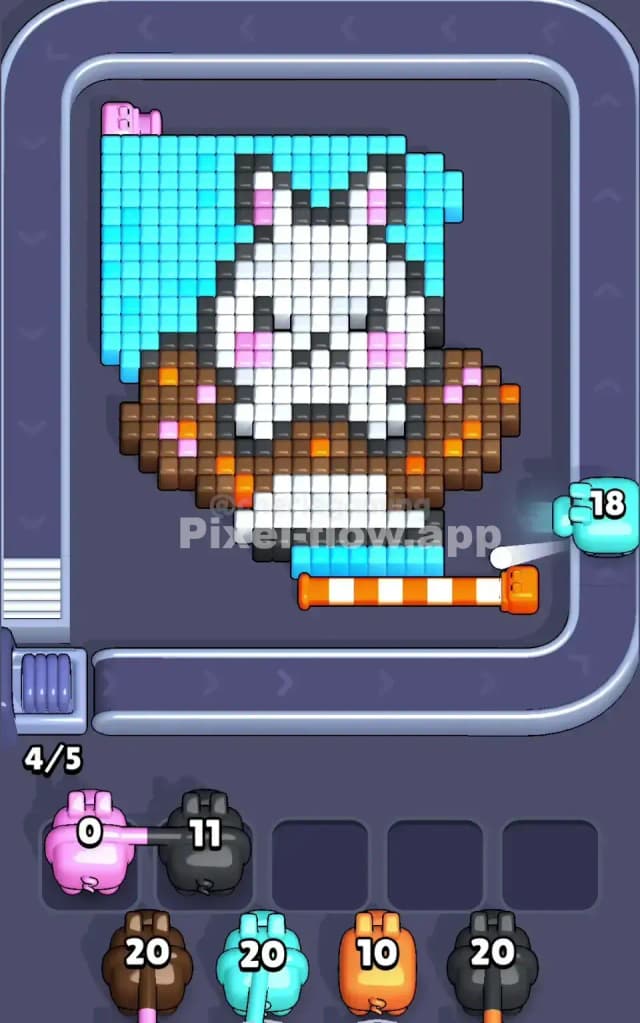
Your first move should be to launch your brown pig and clear the brown voxels that form the cat's ears and lower face. Brown cubes are relatively exposed on the outer edges, and clearing them will open up sightlines to the orange and white voxels underneath. Don't rush to clear all the cyan background in the first few moves—instead, focus on creating "windows" that'll let subsequent pigs see their targets. Your brown pig has 20 ammo, and you should expect to use most or all of it in the opening phase. Watch the queue carefully: if your brown pig has only a few shots remaining after this opening sequence, you're on the right track. Keep at least three waiting slots free at this point, because you'll want breathing room before your cyan pig arrives and potentially stalls.
Mid-Game: Expose Layers and Sequence Strategically
Once brown has done its work, send in your cyan pig to mop up the outer background. Cyan will fire at the exposed cyan voxels from the outer ring and edges—you'll see it methodically clearing the perimeter. The key here is to watch your ammo counter and predict when cyan will run dry. As cyan works, the inner cat face becomes clearer, and you'll start seeing pink, orange, and white targets emerge. Now here's the critical part: don't fire white immediately, even if white cubes are visible. Instead, sequence your orange pig to clear the mouth and facial accent cubes. Orange tends to finish relatively quickly because there are fewer orange voxels than the foundational colors. Once orange is nearly spent, launch white to clean up the cat's eyes, white nose patches, and interior fill. This staggered approach ensures that no pig runs out of targets mid-fire, which would leave it stranded and useless in the waiting slots.
End-Game: Empty the Buffer and Avoid the Final Jam
As you approach the end of Pixel Flow Level 146, you'll have one or two pigs left with a small handful of ammo each. At this point, your job is surgical precision: make absolutely certain that each remaining pig can see all its remaining targets before you fire it. Count the visible cubes of each color carefully—if your cyan pig has 3 ammo left and you can see exactly 3 cyan cubes on screen, you're golden. If you can only see 2, hold back and clear other colors first to expose that third target. The moment you launch a pig and it can't find a target, it drops into a waiting slot and becomes dead weight. In the final moves, you should clear almost in lockstep: one pig's last ammo spent, then the next pig ready to fire with full visibility of its targets. The final voxel should shatter with exactly one ammo remaining across all your pigs—any less and you didn't fully clear the board, any more and you've made a critical sequencing mistake.
The Logic Behind This Pixel Flow Level 146 Plan
Why This Approach Exploits the Game's Mechanics
Pixel Flow Level 146 rewards players who think in layers rather than colors. By prioritizing brown, then cyan, then orange, then white, you're literally peeling back the voxel structure from outside to inside. This order ensures that each subsequent pig has more targets visible than the previous one—reducing the risk of a pig running dry and jamming your slots. The deterministic ammo system means you can calculate exactly how many cubes each pig will destroy, so you're not gambling; you're executing a plan. The waiting slots are your buffer, and by keeping at least two free until the mid-game, you give yourself room to park a half-spent pig if unexpected blocking occurs, then continue with the next pig in the queue.
Stay Calm and Count Ahead
The real secret to conquering Pixel Flow Level 146 isn't reflexes or luck—it's patience and mental accounting. Before you fire each pig, spend a few seconds scanning the board and counting how many matching-colored voxels you can see. Compare that count to the pig's remaining ammo. If the numbers don't align, pause and figure out which other colors you need to clear first to expose hidden targets. This kind of forward-thinking planning is what separates a smooth run through Pixel Flow Level 146 from a frustrating spiral of stuck pigs and failure screens. You've got this—trust the system, count your voxels, and let each pig fire when its targets are ready.