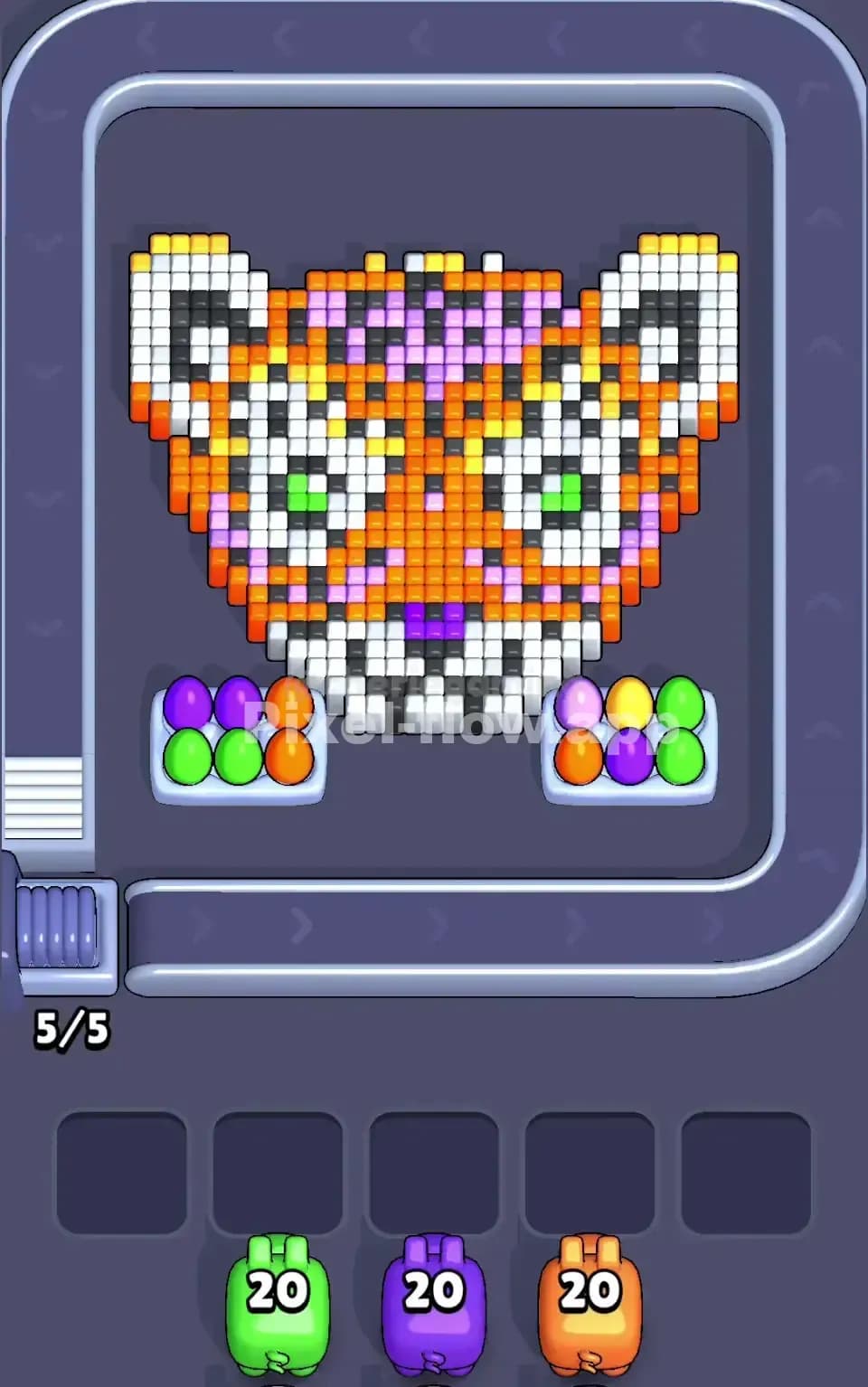
Pixel Flow Level 149 Solution Walkthrough | Pixel Flow 149

How to solve Pixel Flow level 149? Get instant solution for Pixel Flow 149 with our step by step solution & video walkthrough.

Share Pixel Flow Level 149 Guide:
Pixel Flow Level 149 Gameplay
Pixel Flow Level 149 Solution 1
Pixel Flow Level 149 Solution 2
Pixel Flow Level 149 Solution 3

Pixel Flow Level 149 Overview

The Board Layout and Visual Design

Pixel Flow Level 149 presents you with an adorable pixel-art owl face as your primary subject—complete with expressive eyes, a charming beak, and intricate feather details layered in white, black, magenta, yellow, cyan, brown, and cream tones. The owl's face dominates the upper two-thirds of the board, while the lower section features colorful accent blocks and a decorative frame. What makes Pixel Flow 149 especially interesting is how these colors aren't just scattered randomly; they're organized into distinct regions that correspond to specific pigs waiting in your queue. The white cubes form the bulk of the owl's face outline and eyes, black creates depth and shadows, magenta and yellow add personality to smaller decorative patches, and cyan and brown fill out the lower portions and accents. Understanding this spatial organization is crucial because it directly influences which pig you should deploy first and how to manage your limited ammo efficiently.

Win Condition and Deterministic Gameplay

To beat Pixel Flow Level 149, you must clear every single voxel cube from the board—no exceptions, no shortcuts. You've got five pigs in your queue, each with a fixed ammo count: white (20), black (40), cream (20), magenta (20), and cyan (20). That's 140 total shots available, which means the puzzle is deterministically solvable if you sequence your pigs correctly. The game doesn't reward guessing or random tapping; every move matters because each pig fires automatically at matching-colored cubes until it either runs out of ammo or has no valid targets left. Once a pig exhausts its ammo or gets stuck, it drops into one of five waiting slots at the bottom. If you fill all five slots with pigs that still have ammo remaining but no cubes to shoot, you've locked yourself into failure. This is why Pixel Flow Level 149 demands careful planning and a deep understanding of which colors to expose and when.


Why Pixel Flow Level 149 Feels So Tricky

The Critical White Bottleneck

Here's the elephant in the room: white dominates the board visually, and the white pig only carries 20 ammo. Looking at Pixel Flow Level 149, white cubes are scattered throughout—they form the owl's eye rings, parts of the face outline, and fill large regions. Yet 20 ammo sounds dangerously low for such a prominent color. The real trap isn't that you can't hit white cubes; it's that white cubes are layered beneath black, magenta, and other colors. If you fire white too early, before exposing all the white underneath the surface layers, you'll waste ammo on visible white while leaving white cubes locked away. Conversely, if you wait too long to deploy the white pig, you might jam your waiting slots before you get the chance to fire it properly. This tension between "act now" and "wait for the right moment" is what makes Pixel Flow Level 149 so psychologically demanding. I found myself second-guessing every white shot during my first few attempts, which is exactly the kind of mental friction that catches players off guard.

Awkward Color Pockets and Ammo Mismatches

Beyond white, Pixel Flow Level 149 hides several nasty surprises in its color distribution. Magenta appears in concentrated patches—both in the owl's face as small accents and in the lower decorative frame—but these pockets are separated by other colors, meaning the magenta pig might only have access to part of its 20 ammo until you've cleared intervening layers. Similarly, black has massive presence in the shadows and depth regions, but 40 ammo feels abundant until you realize how many black cubes are stacked vertically and hidden behind the foreground. The cream color is perhaps the trickiest offender in Pixel Flow Level 149; it appears in subtle tan tones throughout the beak, lower face, and accent areas, but it's easy to miss or forget about these cubes entirely because they blend visually with the board's darker background. Players often deploy other pigs first, find themselves with cream cubes still visible but no way to access them because the waiting slots are full, and then panic.

When the Level Clicked for Me

I'll be honest: my first five attempts at Pixel Flow Level 149 felt chaotic. I was reacting to whatever color seemed most prominent, which meant I'd fire white early, jam the slots with black partway through, and suddenly realize I'd boxed myself into an impossible state. The breakthrough came when I stopped thinking about "colors on the board" and started thinking about "colors in layers and order." Once I mapped out mentally which colors were foreground, midground, and background, everything shifted. Pixel Flow Level 149 went from feeling like a guessing game to feeling like a puzzle with a clear solution—and that's when I nailed it.


Step-by-Step Strategy to Clear Pixel Flow Level 149

Opening: Start with Black to Expose Layers

Your first move in Pixel Flow Level 149 should be to deploy the black pig, even though it comes second in your queue. I know that feels counterintuitive, but trust me: black acts as a "veil" throughout the level. It fills shadow regions, depth cues, and covers many of the colored cubes beneath. By firing black early (and you'll want to let it exhaust or nearly exhaust its 40 ammo), you accomplish two critical things. First, you expose the magenta, white, and cream cubes that were hidden under black layers. Second, you keep your waiting slots relatively free because the black pig will fire automatically until it hits its ammo limit or jams. After the black pig drops into a waiting slot, you'll have a much clearer picture of what's underneath—think of it like removing a veil from Pixel Flow Level 149's true complexity. Make sure you've got at least three empty waiting slots before you call in your second pig, just to give yourself breathing room.

Mid-Game: Sequence White, Magenta, and Cream Strategically

Once black has done its job, deploy the white pig next. Now that black is out of the way, you'll have abundant white targets across the owl's face—eyes, outline, cheeks, all of it. The white pig will tear through these cubes with its 20 ammo, and importantly, you'll be exposing cyan and cream tones beneath. Let white fire until it jams, then it slides into a waiting slot. Now comes the delicate part: magenta and cream appear in interleaved regions, so you can't simply fire both in sequence without thought. Instead, deploy the magenta pig next and watch carefully. Magenta will hit the visible magenta patches in the owl's face and the lower decorative frame. It'll burn through maybe 12–16 ammo before it either runs out of valid targets or exhausts its ammunition. The key insight for Pixel Flow Level 149 at this stage is that magenta and cream are spatially close, so firing one exposes the other. After magenta parks in a waiting slot, the cream pig should have plenty of targets—the tan-colored beak, face details, and lower sections will light up. Cream should also fire confidently through its 20 ammo.

End-Game: Finish Cyan and Avoid the Slot Trap

Your final pig is cyan, and by this point in Pixel Flow Level 149, the board should be mostly clear except for cyan cubes and maybe a few stragglers of other colors. Cyan will fire through its 20 ammo and eliminate the remaining blue sections of the owl's lower body and decorative accents. Here's the critical part: as cyan fires, monitor your waiting slots obsessively. If cyan still has ammo left after hitting all visible cyan cubes, it'll drop into a waiting slot—and that's fine, as long as you've already cleared every other color. The danger zone is if you find yourself with cyan ammo remaining, cyan in a waiting slot, and one or two other pigs also stuck with unspent ammo. That's a jam state in Pixel Flow Level 149, and it means you sequenced wrong. To avoid this, count the cyan cubes visible before you fire cyan, compare that to its 20-ammo capacity, and mentally verify that you won't have any leftover ammo that can't find targets. If the math doesn't line up, pause and reconsider whether you missed clearing a color entirely in an earlier phase.


The Logic Behind This Pixel Flow Level 149 Plan

Exploit Order, Ammo, and Physics Instead of Luck

The strategy I've outlined for Pixel Flow Level 149 isn't luck-based; it's physics-based. Every pig has a fixed ammo count and a predetermined position in your queue (though you choose the order they fire). By recognizing that black is a "veil color" that blocks access to deeper layers, you're using the game's own logic against it. You're not hoping black has enough ammo; you're acknowledging that black's 40 ammo is overkill for just surface black cubes, which means the game intends for you to fire black early and use those remaining shots to expose deeper content. Similarly, the fact that Pixel Flow Level 149 gives white only 20 ammo despite white being visually dominant tells you that white's role is surgical, not wholesale—it's meant to carve away specific regions after layers have been removed. This isn't accident; it's design. By aligning your strategy with the game's intended ammo distribution, you transform Pixel Flow Level 149 from a puzzle where luck decides your fate into one where knowledge and pattern recognition do.

Stay Calm, Count Ammo, and Plan Two Pigs Ahead

The emotional challenge of Pixel Flow Level 149 is staying composed when the board looks chaotic. You'll deploy a pig, watch it fire in a cascade, and feel momentary panic if its ammo counter drops faster than you expected. That's normal—but don't let it drive your next decision. Instead, develop a habit of counting: before you tap the next pig, glance at the remaining visible cubes of each color still in your queue, estimate whether their ammo will be sufficient, and mentally walk through the next two pigs. Are you about to fire magenta next, and if so, will that expose enough cream to give the cream pig a full volley? If cream can't find targets after magenta, will you be forced into a waiting slot with unspent ammo? These questions sound tedious, but they're the difference between clearing Pixel Flow Level 149 confidently and rage-quitting at 95% completion. I've learned to take a half-second after each pig jam to just breathe and verify the next steps. That pause transforms panic into strategy, and strategy transforms Pixel Flow Level 149 into a winnable, enjoyable puzzle instead of an exercise in frustration. You've got this—trust the plan, trust the ammo counts, and watch Pixel Flow Level 149 unfold like the beautiful pixel-art owl it is.