Pixel Flow Level 150 Solution | Pixel Flow 150 Walkthrough
How to beat Pixel Flow Level 150: Video solution & walkthrough. The fastest way to pass Pixel Flow 150.
Is this the wrong level layout?🤔
Pixel Flow randomizes levels for different players. Don't worry, just upload a screenshot of your board, and our AI will find the correct video instantly.


Pixel Flow Level 150 Walkthrough
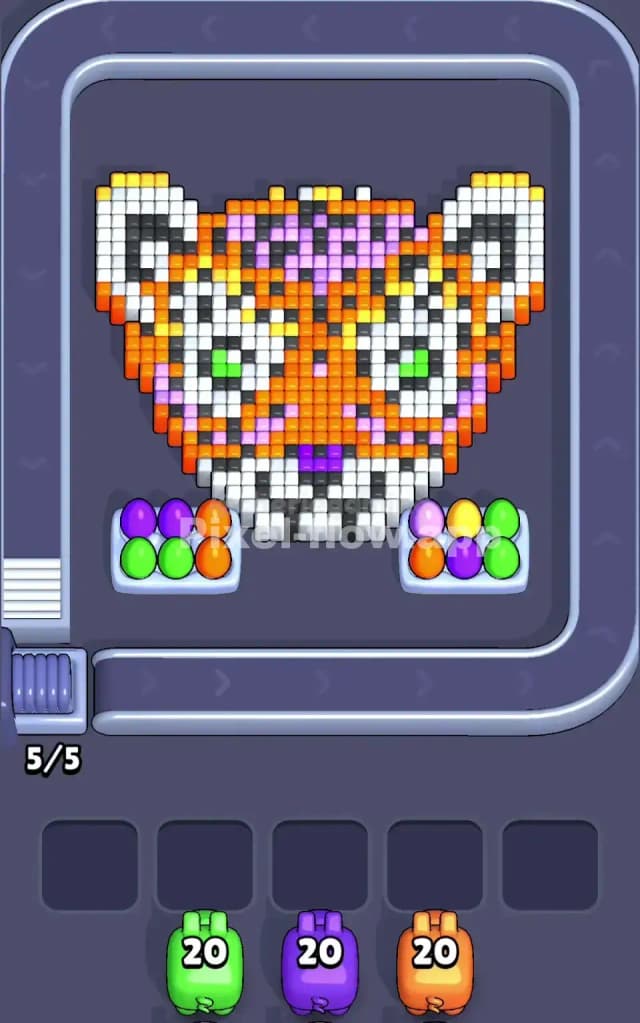
This level features a massive, detailed voxel Tiger face. It’s colorful, symmetrical, and deceptively deep. The main bulk of the image is bright orange, with significant chunks of white for the muzzle and ears. You also have to contend with black stripes, pink/purple forehead markings, and piercing green eyes.
The real gimmick here, however, is the bottom row. Sitting right in front of the tiger’s chin are two trays holding colored "eggs" (purple, green, orange). These aren't just decoration; they are the front-most layer of voxels you must clear. Because of the complex layering and the high number of colors (7+), the risk of clogging your slots is extreme. This is definitely a very hard level.
Pixel Flow Level 150 Overview
Imagine a close-up portrait of a tiger staring you down. The art style is dense. The orange fur isn't just a flat sheet; it covers the cheeks and forehead, hiding the black stripes underneath. The white muzzle protrudes slightly, and those purple markings on the forehead act as a distinct separate layer.
The visual trap in Pixel Flow Level 150 is the ammo distribution versus visibility. You will see pigs coming down the belt with massive ammo counts (like 20), but the visible matching pixels on the board might only be 5 or 6.
For example, look at the Green. You have the green eyes and a couple of green eggs in the bottom trays. That’s maybe 10 pixels total visible at the start. If a Green pig with 20 ammo drops, it will shoot the eggs, shoot the eyes, and then sit in your slot with 10 ammo left, doing absolutely nothing until you uncover hidden green voxels deep in the background. The board is heavy on the left and right cheeks, meaning you have to chip away at the sides to reach the center.
Step by step solution walkthrough for Pixel Flow Level 150
First Color Zone to Erase in Pixel Flow Level 150
Your priority target is the Orange Fur on the cheeks and face.
While the bottom trays have Green and Purple eggs that look tempting to pop first, the Orange layer is the only one substantial enough to drain a pig’s ammo quickly. The Orange covers the majority of the surface area. By focusing on Orange, you do two things:
- Prevent Slot Clogging: An Orange pig will almost always have a target. It won't sit in your waiting slots taking up space.
- Reveal the Stripes: The Black stripes are embedded inside and behind the Orange. You cannot get your Black pigs to fire effectively until you shave off that thick layer of Orange fur.
If a Green or Purple pig drops first (which often happens here), accept that it will clear the bottom "eggs" and then get stuck in a slot. Do not panic. Just ensure your next moves aggressively target the Orange to open up the board.
How to pass Pixel Flow Level 150 without power ups or boosters
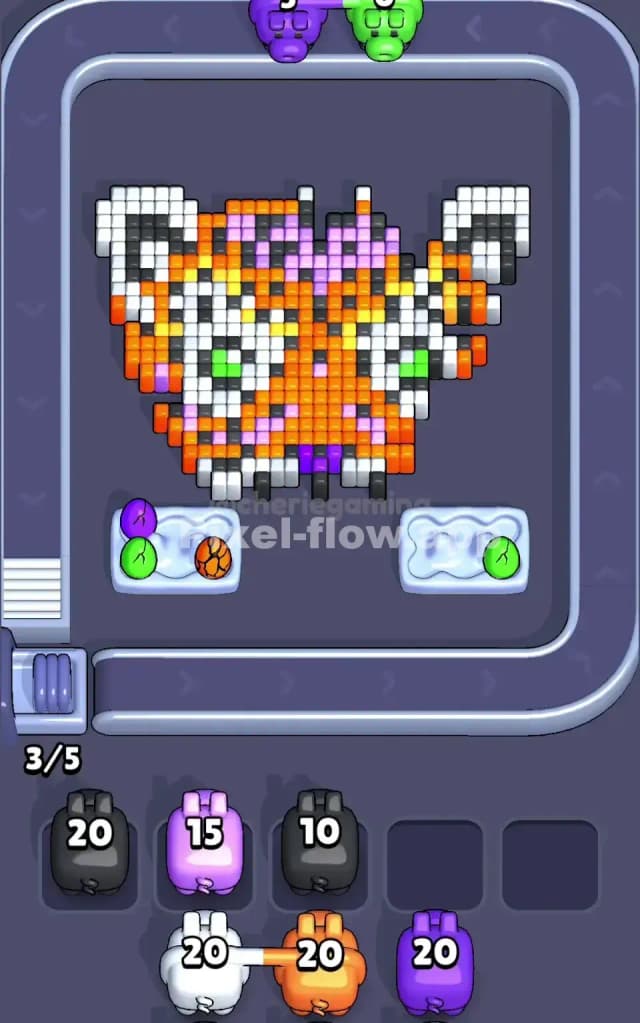
The mid-game of Pixel Flow Level 150 is where most runs die. Usually, you will end up with a board that looks half-eaten—maybe the right cheek is gone, but the left is still intact.
At this stage, you likely have 2 or 3 slots permanently clogged with Black or Yellow pigs. These pigs have high ammo but their targets (the stripes and highlights) are still partially buried under White or Pink layers.
To survive without power ups:
- Ignore the Eyes: Don't try to force the Green pigs to finish. The green pixels are too sparse. Let that pig sit.
- Hunt the White Edges: The ears and the muzzle are made of White blocks. These are often the "keys" to unlocking the rest of the black stripes. If you have a White pig, prioritize it over everything else. Clearing the white ears often exposes the top-layer black pixels that your stuck Black pigs are waiting for.
- Watch the Chin: The area around the mouth (White and Purple) often hides the last few pixels of the bottom layer. If you ignore the chin, you'll be left with a single column of blocks that no pig can reach.
Last Details You Clean Up in Pixel Flow Level 150
As you reach the end, the tiger will look less like a majestic beast and more like a floating collection of random spots. The final cubes to hide are almost always:
- The Black Stripe roots: Deep in the background layer behind where the cheeks used to be.
- The Purple Forehead markings: These often have a single pixel hiding behind the white of the ears.
Your final move usually involves a Black pig that has been sitting in your slot since the start of the game, finally unloading its last 3 shots into the deepest layer of the background. Keep your slots open for that final cleanup; if you clog all 5 slots before the ears are fully gone, you lose.