Pixel Flow Level 255 Solution | Pixel Flow 255 Walkthrough
How to beat Pixel Flow Level 255: Video solution & walkthrough. The fastest way to pass Pixel Flow 255.
Is this the wrong level layout?🤔
Pixel Flow randomizes levels for different players. Don't worry, just upload a screenshot of your board, and our AI will find the correct video instantly.


Pixel Flow Level 255 Walkthrough
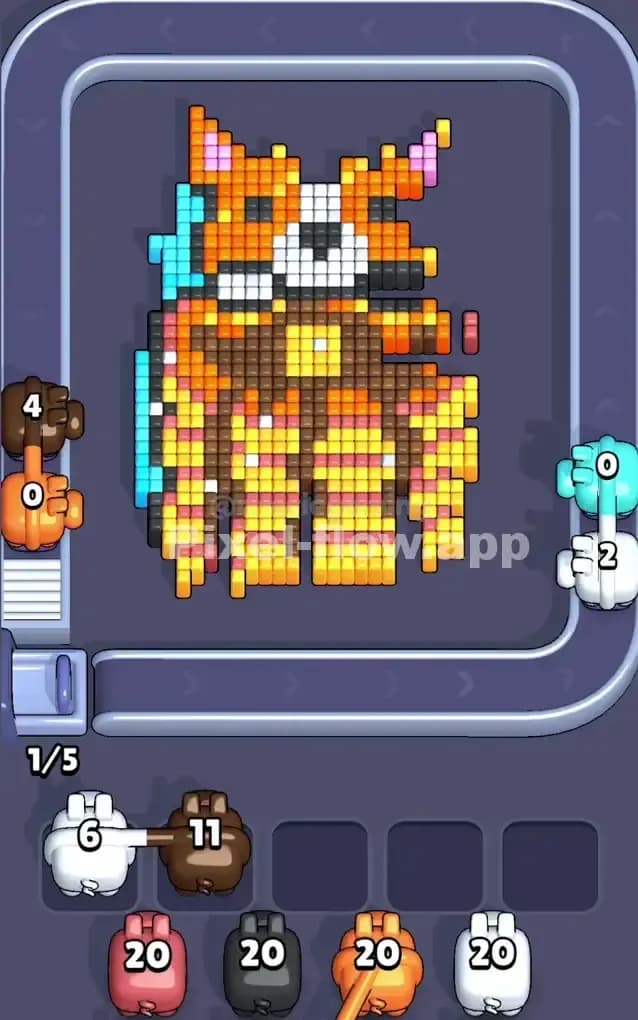
This level features a charming pixel art portrait of a Corgi dog, recognizable by its large ears and orange-and-white coloring. The dog sits dead center, wrapped in a massive, solid field of cyan blue. The main colors you will juggle are the Cyan (background), Orange (fur), White (face markings), Pink (inner ears), and a mix of Yellow and Brown for the patterned outfit or chest fur.
The rules to beat Pixel Flow Level 255 remain standard but strict. You must match the colored pigs on the belt to the exposed voxels of the image. The board is 3D; you cannot shoot a pixel that is buried behind another color. You have five waiting slots at the bottom. If you pull a pig that cannot fire all its ammo immediately, it sits in a slot. If all five slots fill up with pigs holding unspent ammo, you fail.
Is this a difficult stage? Fortunately, it is not a very hard level. The color separation is clean, and the layers are logical. The background does not mix with the subject, which prevents a lot of common mistakes found in messier levels.
Pixel Flow Level 255 Overview
The artwork depicts a Corgi staring straight ahead. It has that classic "loaf" shape Corgis are famous for. The top half is the head: bright orange fur, a distinct white stripe running down the nose, and two perky ears with pink centers. The eyes and nose are simple black dots.
The bottom half—the body—is more complex. The dog seems to be wearing a yellow and brown patterned garment, or perhaps the pixel artist used these colors to shade the chest fur heavily. This area has a checkerboard feel, alternating between yellow highlights and darker brown shadows. There is a distinct yellow square right in the center of the chest, resembling a collar tag or a bell.
The most critical visual element for your strategy is the Cyan background. It isn't just a border; it is a thick, monolithic slab that encases the entire dog. The dog is essentially trapped inside a block of blue ice. Until you deal with this outer shell, the actual subject of the picture is untouchable. There is zero asymmetry here; the layout is perfectly balanced, meaning your attack plan will be the same for the left and right sides.
Step by step solution walkthrough for Pixel Flow Level 255
First Color Zone to Erase in Pixel Flow Level 255
You must attack the Cyan background first. This is non-negotiable.
Visually, the blue pixels form the topmost layer of the entire board. Even if you see a Brown or Orange pig on the belt that you really want to use, ignore it. Look at the screenshot—the Cyan pigs come loaded with 20 ammo. This is exactly enough to clear large swathes of the background.
If you skip a Cyan pig to grab an Orange one, that Orange pig will likely have zero valid targets because the blue wall is physically blocking the orange fur. The Orange pig will drop into your waiting slot and sit there, useless. Do this five times, and the game ends.
Prioritize every single Cyan pig that appears on the belt. Let them strip away the blue frame completely. Once the blue is gone, the edges of the Corgi—specifically the Black outline and the outer Orange fur—will finally become valid targets.
How to pass Pixel Flow Level 255 without power ups or boosters
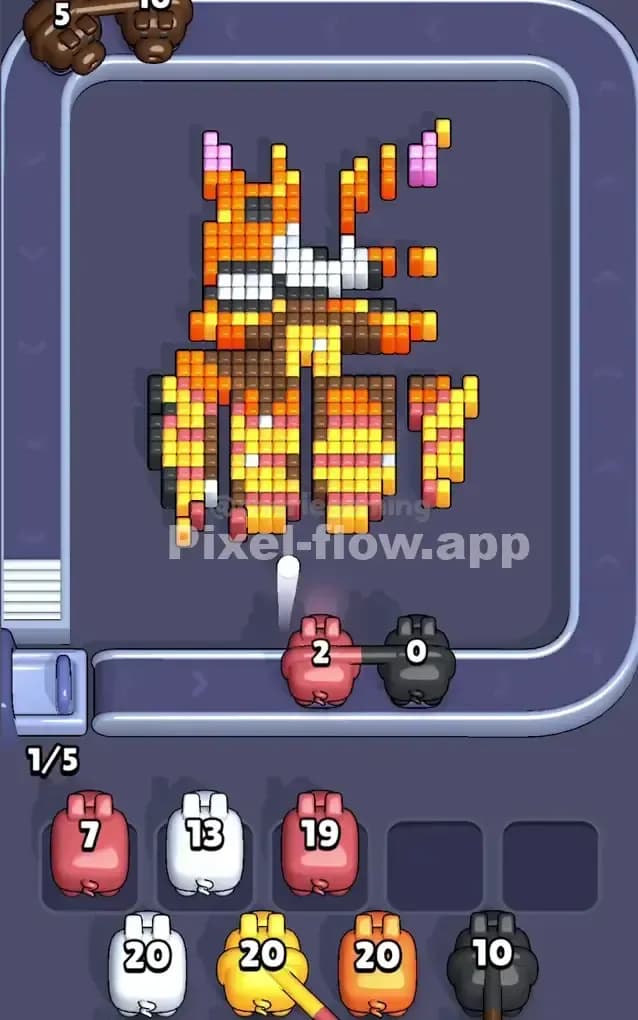
Once the blue background is destroyed, the picture usually looks like a floating Corgi with ragged edges. This is the danger zone for clogging your slots.
Your main obstacle now is the Black outline. In Pixel Flow Level 255, the black pixels act as a "cage" for the inner colors. You will see many Orange and Yellow pigs on the conveyor belt. Be careful. Before you grab a Yellow pig intended for the chest, check if the Black pixels on the side of the body are still there. If the Black outline is protruding more than the yellow chest, the Yellow pig won't shoot.
Focus on the Black and Orange pigs next. The Orange fur on the head is usually quite high-up (close to the camera layer-wise). Clearing the Orange exposes the White stripe on the face and the Pink ears.
The trickiest part without boosters is the chest area. It alternates Yellow and Brown. If you grab a high-ammo Yellow pig, make sure you have exposed enough yellow voxels to use up that ammo. If the brown pixels are slightly taller than the yellow ones, the yellow pig will get stuck with leftover shots.
A good rule of thumb here: Watch the belt. If a pig appears for a color that looks "deep" inside the picture (like the White of the nose or the Yellow of the chest), let it pass unless you are 100% sure the covering layers are gone. It is better to wait for the belt to cycle back than to clog a slot with a pig that can’t fire.
Last Details You Clean Up in Pixel Flow Level 255
As you near the end of Pixel Flow Level 255, you will likely be left with the "deepest" details.
Usually, the last things to go are the specific facial features and the center of the chest. The White stripe on the snout is often buried under the surrounding Orange fur, so you'll finish the face late.
The absolute final shots often land on that yellow square "tag" in the middle of the chest or the black pixels of the eyes/nose. These are single-voxel columns that go all the way to the back of the 3D grid.
Don't panic if you see the belt fill up with White or Yellow pigs while you are still clearing the outer Brown. Just let them loop around. Your patience pays off when you finally expose those last few columns and can clear the board in one satisfying rapid-fire sequence.