Pixel Flow Level 256 Solution | Pixel Flow 256 Walkthrough
How to beat Pixel Flow Level 256: Video solution & walkthrough. The fastest way to pass Pixel Flow 256.
Is this the wrong level layout?🤔
Pixel Flow randomizes levels for different players. Don't worry, just upload a screenshot of your board, and our AI will find the correct video instantly.


Pixel Flow Level 256 Walkthrough
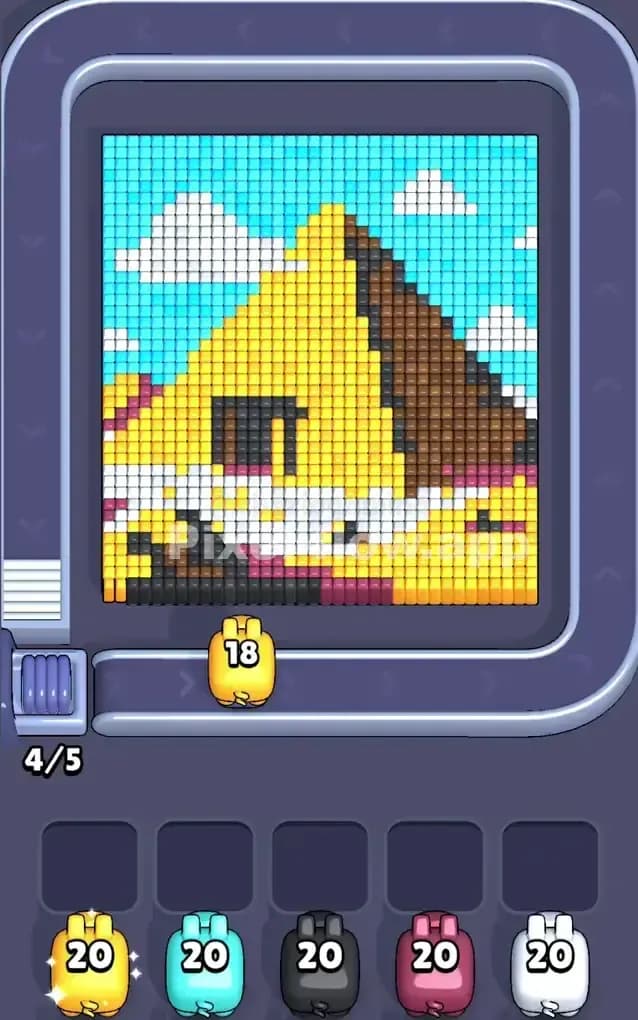
You are staring at a massive, triangular block that looks remarkably like a slice of Swiss cheese or perhaps a slice of yellow cake sitting in a park. This level is deceptive. It looks bright and cheerful with its cyan sky and puffy clouds, but the density of the central yellow block makes it a gridlock nightmare waiting to happen.
The rules remain standard: color-coded pigs roll out on the conveyor belt, and you tap to shoot pixels of the matching color. If a pig has no targets, it jams up one of your five waiting slots. Fill all five slots with useless pigs, and it's game over.
Is it hard? Yes. The color mixing here is subtle, and the hidden layers behind the main yellow face can trap you. I would classify this as a very hard level purely because of how easily the waiting slots get clogged by the minor colors (Pink and Black) before you are ready for them.
Pixel Flow Level 256 Overview
Picture a giant wedge of cheese sitting on a picnic blanket. That’s essentially the vibe of Pixel Flow 256. The centerpiece is a large, yellow triangle. It dominates the screen, leaning slightly backward against a bright Cyan sky.
The visual texture is important here. The yellow isn't solid; it has dark spots that look like holes, and there is a thick, jagged White stripe running horizontally across the lower third of the wedge. This stripe is a headache. It acts as a shield, often blocking your shots from hitting the colors tucked directly behind or below it.
On the right side of the triangle, you have a dark Brown edge—think of it like the crust of the bread or the rind of the cheese. This creates an asymmetric challenge. The left side is open and yellow, while the right side is a hard vertical wall of brown. Finally, the base of the structure is a messy mix of Black and Pink, likely representing the shadow or the surface the object rests on. These bottom colors are the most dangerous because they are small, scattered, and often obscured by the larger yellow blocks above them.
Step by step solution walkthrough for Pixel Flow Level 256
First Color Zone to Erase in Pixel Flow Level 256
You need to create space immediately. I always start by aggressively targeting the Yellow zones.
Here is why: The Yellow pixels make up the vast majority of the "face" of this object. In the early game, your conveyor belt is going to spit out a lot of Yellow pigs because the game logic knows that color is most abundant. If you hesitate or try to get cute by clearing the sky first, you risk letting those Yellow pigs pile up in your waiting slots.
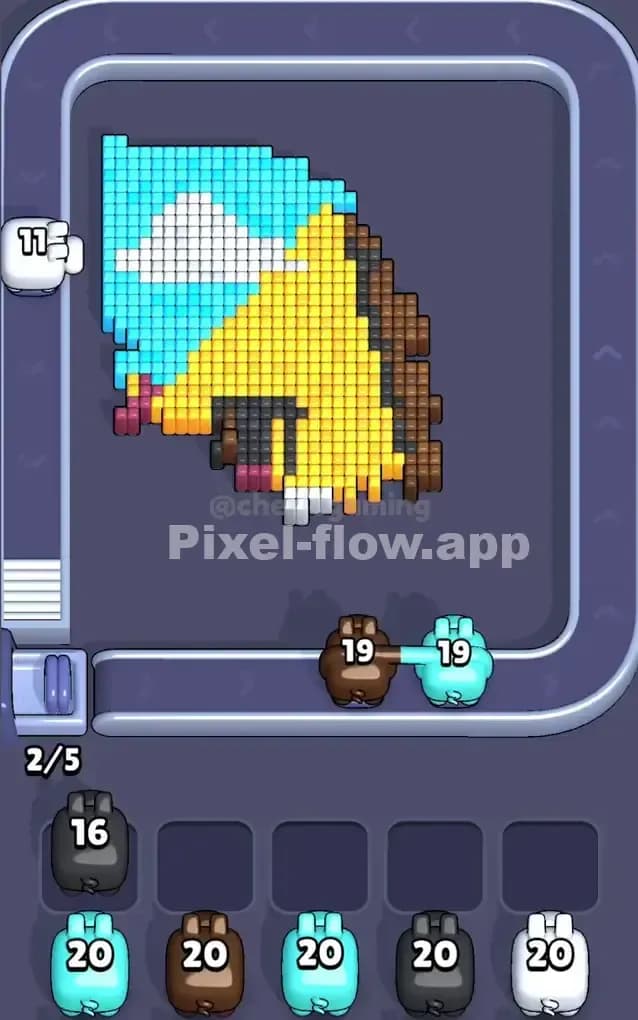
Focus your fire on the upper section of the yellow triangle first. By shaving off the top of the wedge, you naturally reveal the Cyan background behind it. This is a safe play. It ensures that when a Cyan pig inevitably rolls out, it has valid targets immediately available in the background. If you leave the yellow wall standing, your Cyan pigs are useless, and your slots die.
How to pass Pixel Flow Level 256 without power ups or boosters
The mid-game of Pixel Flow Level 256 is where runs usually die. At this point, you have likely chewed a hole through the center of the yellow cheese, but the White stripe and the Brown crust remain. The board looks like a hollowed-out shell.
This is the moment you must switch your priority to the White pixels.
The horizontal white stripe is a structural problem. It cuts the level in half. As long as it remains, it complicates your shots on the lower layers. When a White pig appears, do not waste it on the clouds in the sky. Use it to destroy that horizontal bar across the cheese. Breaking this bar connects the top and bottom halves of the puzzle, giving you better firing angles for the remaining debris.
You also need to be extremely disciplined with the Pink and Black pigs. These colors only exist at the very bottom of the screen. In the mid-game, you might get a Black pig while the bottom row is still covered by yellow or white blocks. Do not click it. Let it pass if you can, or if it lands in a slot, leave it there and focus entirely on clearing the blocks above the black zone. The biggest mistake players make on this level is trying to force the bottom row too early. You can't scrub the floor until you move the furniture.
Last Details You Clean Up in Pixel Flow Level 256
You are in the final stretch. The yellow wedge is gone. The white stripe is history. What is left?
Usually, you will be staring at two specific annoyances:
- The Brown Crust: The vertical column of brown on the right side often survives until the end because it's narrow. You might have one or two Brown pigs sitting in your slots. Now is the time to empty them.
- Sky Scraps: You will likely find random floating islands of Cyan or White (clouds) that were hiding behind the main triangle.
The absolute last thing you will clear is likely the Black and Pink foundation. Once the heavy yellow blocks are out of the way, these bottom rows are fully exposed. You can finally unload those pigs that have been clogging your slots for the last two minutes. It feels satisfying. Just keep your eyes on the corners; sometimes a single pixel of Cyan likes to hide in the top-right corner, blending in with the UI borders. Don't let it surprise you.