Pixel Flow Level 260 Solution | Pixel Flow 260 Walkthrough
How to beat Pixel Flow Level 260: Video solution & walkthrough. The fastest way to pass Pixel Flow 260.
Is this the wrong level layout?🤔
Pixel Flow randomizes levels for different players. Don't worry, just upload a screenshot of your board, and our AI will find the correct video instantly.

Pixel Flow Level 260 Walkthrough
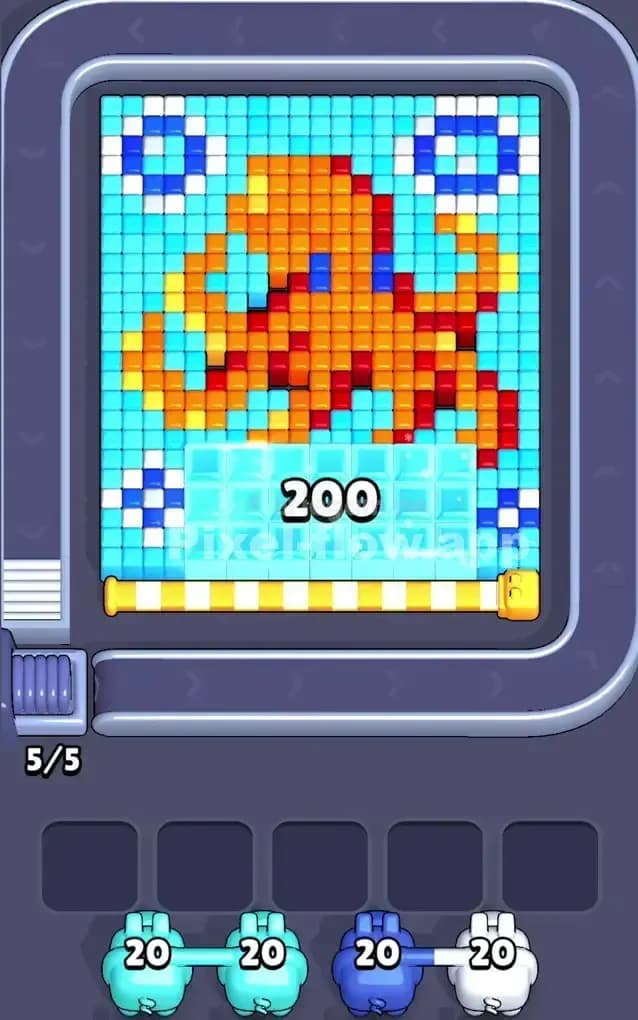
This level puts you face-to-face with a giant orange octopus resting on an ice shelf. It is a dense, multi-layered puzzle that forces you to manage your pig slots aggressively because the colors are tightly interlocked. You have a massive Cyan background, distinct corner obstacles, and a central figure composed of three mixed warm tones (Orange, Red, Yellow).
To beat Pixel Flow Level 260, you must strip away the vast blue water first to isolate the main target, then carefully dissect the octopus layer by layer without clogging your waiting slots with unusable colors.
Is this level hard? Yes, it is very hard. The sheer number of voxels in the center figure means one wrong pig choice can lock your board instantly.
Pixel Flow Level 260 Overview
The scene is an underwater snapshot. A large, blocky octopus sits squarely in the center. It isn't just a flat shape; it has depth. The body is primarily Orange, but it is heavily shaded with Red stripes and highlighted with Yellow spots. This mixture is dangerous. If you pick a Red pig too early, it will have nothing to shoot because the Red voxels are buried under the Orange ones.
Surrounding the octopus is a massive field of Cyan (Light Blue) water. This is your biggest zone. In the four corners—top-left, top-right, bottom-left, and bottom-right—you see bubbles. These aren't just single blocks; they are rings of White and Dark Blue.
The most critical feature is at the bottom. The octopus is sitting on a thick shelf of what looks like Ice or glass blocks. These are transparent light blue blocks that act as a barrier for the bottom rows. You cannot reach the bottom tentacles or the hidden items underneath until you smash through this ice shelf.
The board is mostly symmetric, but the octopus’s tentacles curl unevenly. The right side has a tentacle reaching higher up than the left. This means the right side of the board has more "active" warm colors near the surface than the left side, which is heavier on the Cyan background.
Step by step solution walkthrough for Pixel Flow Level 260
First Color Zone to Erase in Pixel Flow Level 260
I always attack the Cyan (Light Blue) background first. Narrative-wise, you are draining the water to expose the sea creature. Logically, this is the only move that makes sense. The Cyan blocks wrap around the entire octopus and fill the gaps between the tentacles.
If you look at the board, the Cyan is the "outermost" layer for about 50% of the screen. By grabbing Cyan pigs immediately, you clear huge swathes of the board without risk. A Cyan pig will almost never get stuck in a slot here because there are hundreds of valid targets.
Removing the Cyan water does two things:
- It isolates the "Bubbles" in the corners, making them distinct islands that are easier to count.
- It exposes the edges of the Orange tentacles. You can't effectively clear the octopus body until the water around it is gone, giving your pigs better angles to shoot the side voxels.
How to pass Pixel Flow Level 260 without power ups or boosters
Once the water is drained, the board looks messy. You have floating bubble islands in the corners and a solid, angry octopus in the middle. This is the danger zone. You will likely see Orange, Red, and Yellow pigs coming down the conveyor belt.
Do not grab the Red or Yellow pigs yet.
Focus entirely on the Orange pigs. The octopus is covered in an Orange "skin." The Red and Yellow blocks act as shading inside or behind the Orange blocks. If you put a Red pig in your slot now, it might shoot 3 blocks and then sit there with 17 ammo remaining, blocking a slot permanently. You effectively lose a life.
Prioritize White and Dark Blue pigs as secondary targets to clear the corner bubbles. These are safe bets. The bubbles are high up and exposed. Clearing the corners reduces visual clutter and prevents you from making mistakes later.
If the conveyor belt forces you to take a color you don't want, try to take Yellow over Red. The Yellow highlights on the tentacles are often on the "top" layer, whereas the Red shadows are usually buried deeper.
You will eventually hit the "Ice Shelf" at the bottom. These blocks usually behave like Cyan or White blocks. Watch the color of the pigs carefully. If a Cyan pig destroys the ice, prioritize that pig again once the main water is gone. You need that bottom barrier gone to access the lower tentacles.
Last Details You Clean Up in Pixel Flow Level 260
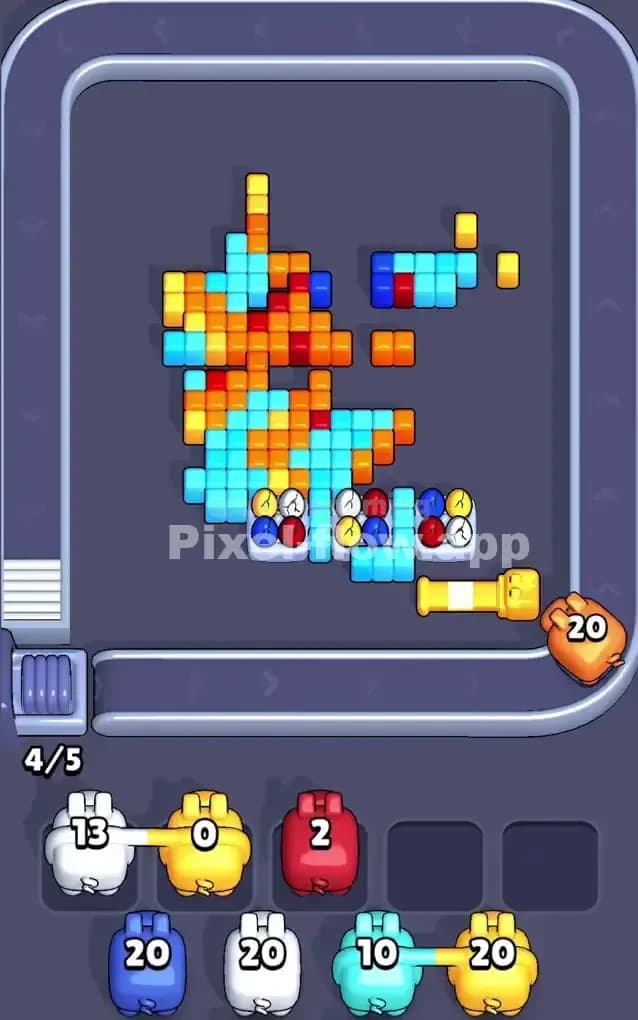
As you enter the final phase, the octopus will look like a skeleton. Most of the Orange is gone, revealing the Red core and the eggs hidden at the bottom.
At this stage, Pixel Flow Level 260 often reveals a hidden layer of "eggs" or round objects near the bottom center, right where the ice used to be. These are often multi-colored (Red, Blue, White).
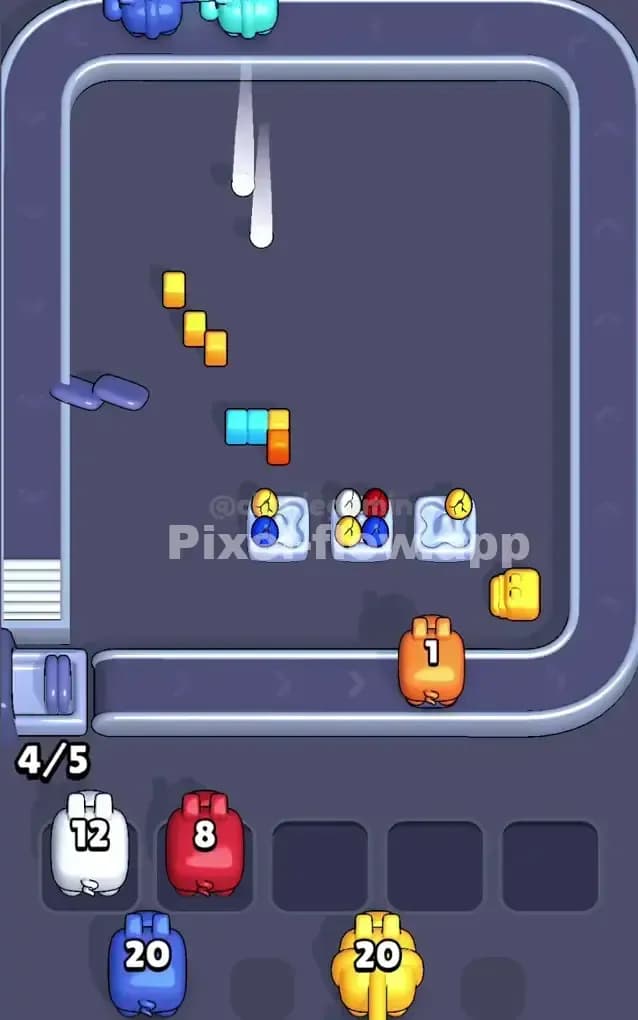
Your strategy shifts here. You are no longer clearing big zones. You are "sniping." Look at the specific color of the egg shells. If you see a cracked Blue egg, grab a Blue pig. If you see Red, grab Red.
The last few moves are usually cleaning up the Red shadows that were hiding under the octopus's head and the final Dark Blue remnants of the bubbles or eyes. The board is open now, so your shots will land, but your pig slots are likely full of partially used pigs. Use the "trash" button if you absolutely have to, but if you peeled the Orange layer correctly before grabbing the Red pigs, you should slide through to the win.