Pixel Flow Level 285 Solution Walkthrough | Pixel Flow 285
How to solve Pixel Flow level 285? Get instant solution for Pixel Flow 285 with our step by step solution & video walkthrough.


Pixel Flow Level 285 Overview
The Board Layout and Dominant Colors
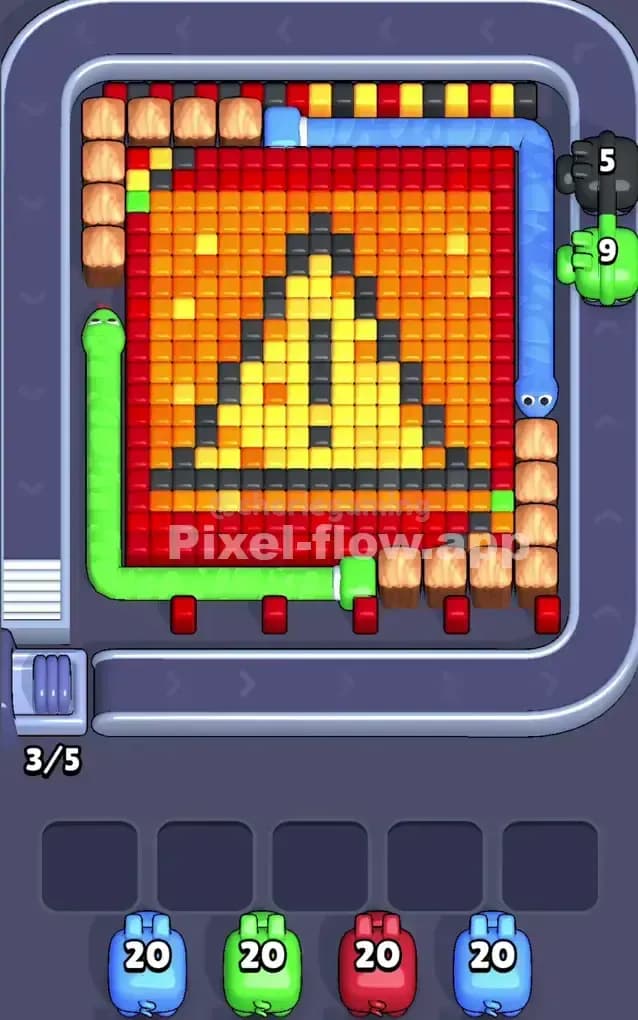
Pixel Flow Level 285 presents a vibrant pixel art scene dominated by warm colors—reds, oranges, and yellows form the bulk of the visible board, with strategic patches of cooler tones (blues and greens) layered throughout. The main subject appears to be a stylized face or character rendered in the classic blocky voxel style, with darker gray and black pixels forming facial features in the center. You'll notice that the board has clear vertical and horizontal stratification: the top rows contain a mix of red, yellow, and black cubes in a checkerboard-like pattern, while the middle and lower sections are heavily dominated by red and orange. The left edge features a prominent green border element, and the right side has a blue vertical strip that acts as a natural boundary. This multi-layered composition means you're not just clearing surface colors—you'll need to work methodically through distinct depth layers to reveal and access the cubes underneath.
Win Condition and Deterministic Mechanics
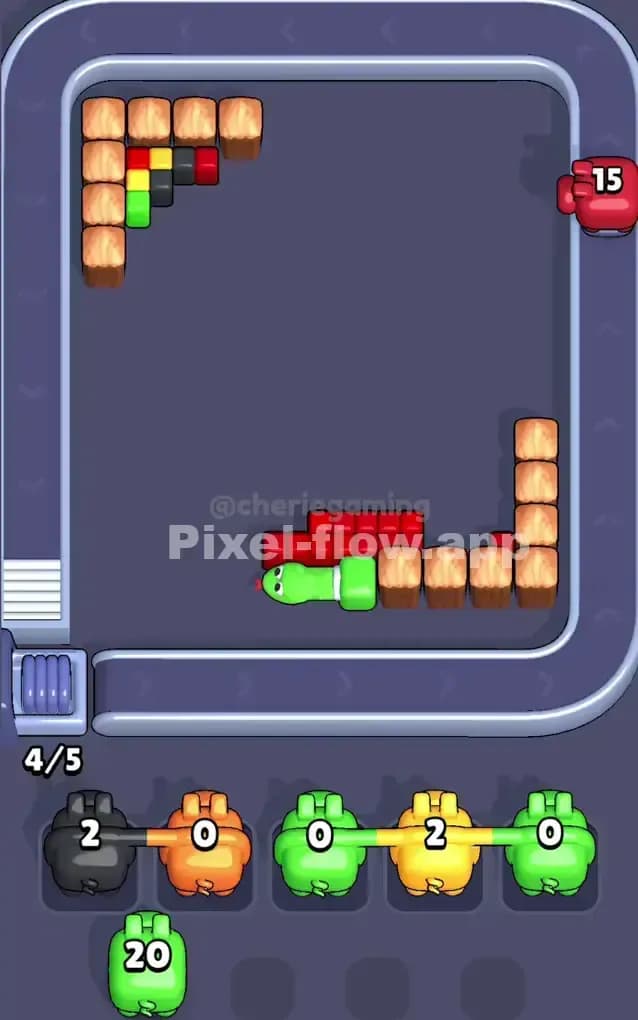
Your goal in Pixel Flow Level 285 is straightforward: eliminate every single cube on the board by using your four pigs (each with 20 ammo) to shoot matching-color voxels. Because pig order and ammo counts are completely deterministic, you're not gambling or hoping for luck—you're solving a puzzle where every pig's behavior is predictable. Each time a pig shoots and destroys a cube of its color, it consumes one ammo. If a pig runs out of ammo or has no valid targets remaining, it automatically drops into one of the five waiting slots at the bottom of the screen. The critical constraint is that filling all five waiting slots with stuck pigs (pigs that can't shoot anything) while those pigs still have unused ammo leads to an instant loss. So your real challenge isn't just clearing colors—it's orchestrating the sequence so that every pig's ammo gets spent before the buffer overflows.
Why Pixel Flow Level 285 Feels So Tricky
The Red Cube Bottleneck
The biggest threat in Pixel Flow Level 285 is the sheer volume of red cubes dominating the board. Your red pig comes with 20 ammo, and you can see dozens and dozens of red voxels stacked across multiple layers. Here's the trap: if you fire the red pig too early and it clears a big swath of reds, you might expose a yellow or orange pocket that has no pig ammo left to handle it, or worse, you might leave scattered red cubes in unreachable corners. The red pig needs to be used surgically, not frantically. I found myself wanting to blast reds immediately, only to realize that doing so would jam up the waiting slots with a green or blue pig that had nothing left to shoot. The real trick is recognizing that red isn't actually your first target—it's your cleanup tool, to be wielded strategically in the mid-to-late game.
Awkward Color Pockets and Ammo Mismatches
Pixel Flow Level 285 hides several nasty surprises in its color distribution. The gray and black cubes in the center aren't shootable by any pig on your roster, so you need to rely on clearing surrounding colors to expose and eventually remove them through layer mechanics. Additionally, there's a yellow concentration in the upper-center area that's partially obscured by the gray feature, making it hard to count your exact yellow targets. Since your yellow pig also arrives with 20 ammo, misjudging how many yellows remain visible versus hidden is a classic way to strand your yellow pig with leftover ammo. The orange cubes, while plentiful, are scattered across the board in a way that makes them easy to miss when planning your sequence. I've watched players clear most reds and yellows, only to discover three or four orange cubes still lurking and no orange pig ammo left—a heartbreaking stall.
The Frustration Moment and When It Clicks
I'll be honest: my first dozen attempts at Pixel Flow Level 285 felt chaotic. I'd fire pigs almost randomly, watching the waiting slots fill up and my heart sink as a third or fourth pig dropped into the buffer with ammo still left in the chamber. The breakthrough came when I stopped thinking of it as "clear colors as fast as possible" and started thinking of it as "plan the exact sequence three pigs ahead." Once I grabbed a pen and sketched out which pig should go when, the level stopped feeling unfair and started feeling elegant. There's a satisfying "aha" moment in Pixel Flow Level 285 when you realize the puzzle has a clean solution—you just have to find it instead of brute-forcing it.
Step-by-Step Strategy to Clear Pixel Flow Level 285
Opening: Target the Yellow Concentration First
Your opening move in Pixel Flow Level 285 should be to fire your blue pig first. This might sound counterintuitive—why blue, when red and yellow dominate?—but here's the logic: your blue pig has exactly 20 ammo, and there are roughly 20 visible blue cubes on the board (the vertical strip on the right and a few scattered pieces). By using blue early, you clear a natural boundary and open up sightlines to interior cubes without risking a waiting-slot overflow. Your blue pig will spend all 20 ammo and drop into slot one, fully exhausted and no longer a threat.
Next, send your yellow pig. Yellow cubes are concentrated in the upper-center area and scattered through the middle layers. You've got 20 ammo for roughly 20–22 visible yellow targets, so you're walking a tightrope here. Fire methodically, starting with the most exposed yellows in the upper rows and working downward. Don't try to hit every yellow in one shot—let the pig work at its own pace, and watch the waiting slots carefully. Your goal is to land yellow in slot two while it still has 1–3 ammo remaining, signaling that you've found most (but maybe not all) yellows. This restraint is crucial for Pixel Flow Level 285 because it gives you flexibility if an orange cube turns out to be orange rather than red.
Keep at least two waiting slots free after these first two pigs. This buffer is your safety net against a jam.
Mid-Game: Sequencing and Layer Exposure
With blue and yellow partially spent, fire your green pig. The green cubes form a decorative border on the left and a few interior patches. Your green pig should blow through those 20 cubes relatively cleanly—greens are well-defined and don't hide. This pig will drop into slot three, fully exhausted. Now you're three-quarters of the way through your queue, and you've cleared the non-red, non-orange perimeter.
At this point in Pixel Flow Level 285, take a breath and assess the board. The red and orange cubes now comprise most of what's left, and they're densely packed. Fire your red pig next, but do so with a plan: target the loose reds first, the ones that sit isolated or on top of other colors. Let the explosions cascade and unbury interior reds. You should see your ammo count drop steadily, and new colors (likely orange) should peek through. Spend approximately 12–15 ammo on red in this phase, leaving 5–8 in reserve. Then park the red pig in slot four.
End-Game: The Orange Cleanup and Avoiding a Last-Second Jam
Now here's where Pixel Flow Level 285 becomes a puzzle of precision. You have one pig left in the queue—call it your second blue pig if your roster has duplicates, or your final spare. You also have 5–8 ammo left on the red pig (now stuck in slot four) and one open waiting slot. Your visible cubes are mostly orange, with a few scattered reds and possibly a forgotten yellow or two.
Launch your final pig. If it's a blue pig and you see blue cubes, great—burn through them quickly. If it's a red pig (if you have a second red on your roster), finish the remaining reds with surgical strikes. Watch the counter: you want this pig to hit zero ammo just as the board clears. If you see orange and your final pig isn't orange, you're in danger. This is why the mid-game strategy is so important—you need to have burned enough reds by then that the orange count is manageable.
If a few orange cubes remain and no orange pig is left, don't panic. Often, clearing the reds and other colors will cause structural shifts that topple or expose oranges in a way that lets them get eliminated as collateral. If that doesn't happen and you're stuck, you've learned where to adjust next time—typically by being more aggressive with one color and more conservative with another in the mid-game phase.
The Logic Behind This Pixel Flow Level 285 Plan
Exploiting Pig Order and Ammo Efficiency
Pixel Flow Level 285 doesn't reward speed; it rewards foresight. By sending blue and yellow early, you remove two complete color families from the equation and fill two waiting slots with "solved" pigs that can't cause a jam. You're sacrificing some freedom in exchange for certainty. The mid-game green-and-red sequence chips away at the dominant warm colors in a controlled manner, and the final pig is your cleanup artist. This structure works because each pig's ammo count is deterministic—you're not hoping the red pig magically has enough ammo, you're relying on the math you did beforehand.
The waiting slots are your real resource in Pixel Flow Level 285. Don't view them as a punishment system; view them as a staging area where you park known-good pigs and manage flow. By deliberately leaving the first pig exhausted in slot one, you're making a micro-commitment that frees up your mental bandwidth to focus on the harder choices later.
Staying Calm and Counting Ahead
The emotional challenge of Pixel Flow Level 285 is resisting the urge to react. When you see dozens of reds, you want to fire the red pig immediately. When a waiting slot fills, you want to panic and fire something, anything, to make room. Instead, count. Before you fire each pig, count the visible cubes of that color and the ammo remaining. Ask yourself: if I fire this pig now, will it have ammo left over? If yes, where will it go, and will that create a bottleneck? By planning two or three pigs ahead—which sounds slow but actually speeds up your overall time—you avoid catastrophic jams and dead-end states.
Pixel Flow Level 285 is a game where patience and arithmetic beat reflexes every time. Trust the plan, watch the numbers, and enjoy the satisfaction of a clean board with no pigs left stranded.