Pixel Flow Level 296 Solution | Pixel Flow 296 Walkthrough
How to beat Pixel Flow Level 296: Video solution & walkthrough. The fastest way to pass Pixel Flow 296.
Is this the wrong level layout?🤔
Pixel Flow randomizes levels for different players. Don't worry, just upload a screenshot of your board, and our AI will find the correct video instantly.

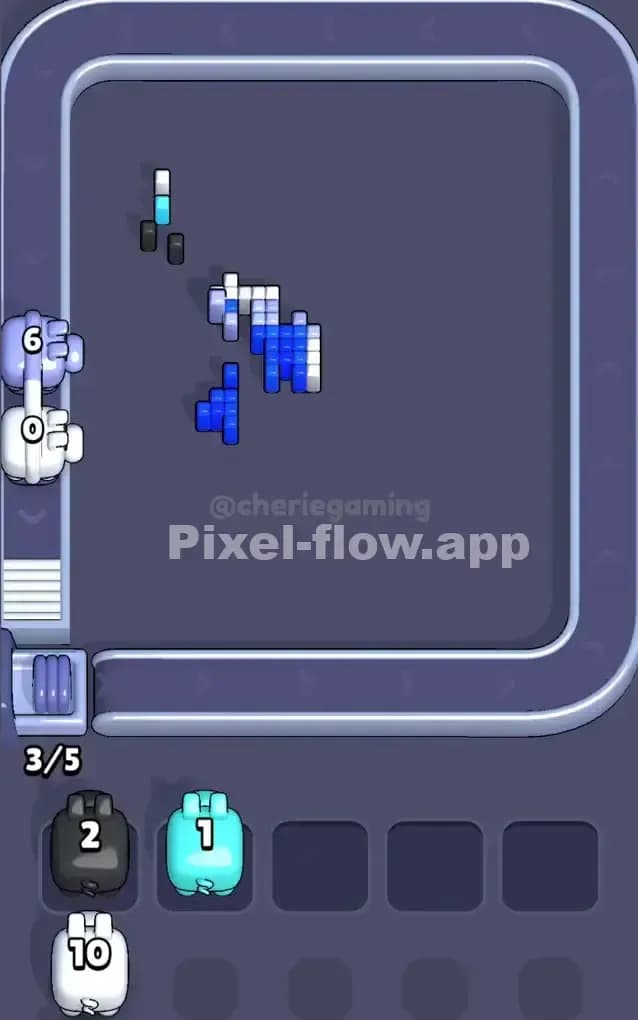
Pixel Flow Level 296 Walkthrough
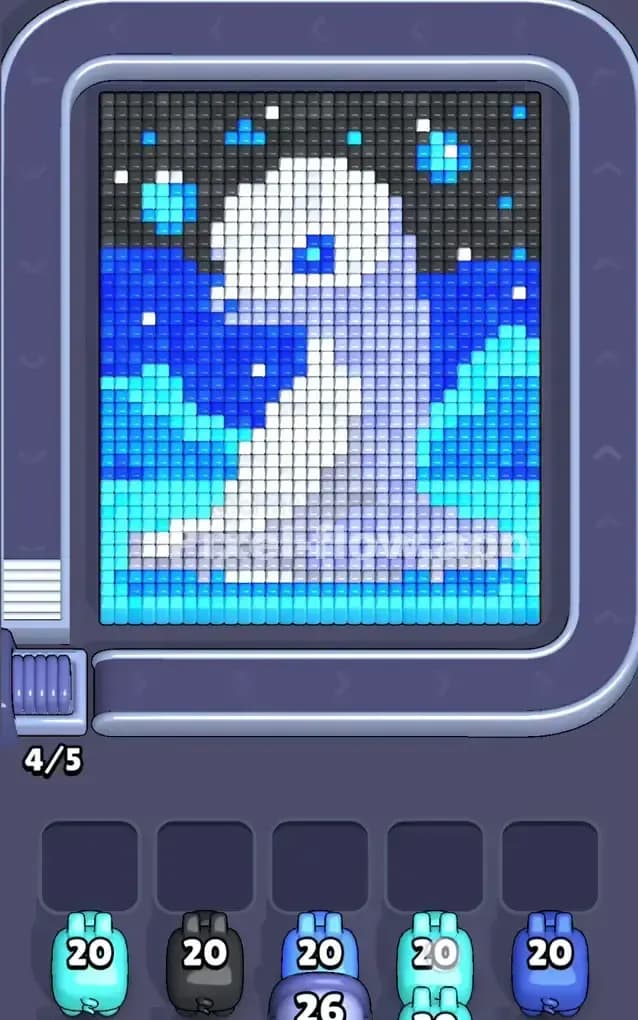
You are looking at a pixel art portrait of a white seal (or maybe a sea lion) sitting tall on a block of ice. The background is split into three distinct horizontal layers: a black night sky at the top, a deep blue ocean in the middle, and cyan ice at the bottom.
To beat Pixel Flow Level 296, you need to strip away these background layers to isolate the seal in the center. The main threat here is color saturation. You have six active colors—Black, Dark Blue, Cyan, White, Grey, and bright Blue—but only five waiting slots. If you let the board get too messy, you will clog your slots and fail. Despite the color count, the clear separation of zones means this is not a very hard level if you stay disciplined.
Pixel Flow Level 296 Overview
This level is a classic foreground-background puzzle. The subject is a white and grey seal facing left. It’s cute, but it’s an obstacle. The seal acts as a shield, blocking the background layers behind it.
The scene is heavily stratified:
- The Bottom: A solid wall of Cyan (light blue) representing the ice floe. This is your foundation.
- The Middle: A band of Dark Blue representing the water.
- The Top: A massive chunk of Black pixels for the night sky, speckled with a few bright Blue and White "stars."
The asymmetry here is vertical. The bottom is heavy and solid, while the top is speckled and detailed. Your pigs will naturally want to clear the bottom first because those targets are the first things they see on the conveyor belt.
Step by step solution walkthrough for Pixel Flow Level 296
First Color Zone to Erase in Pixel Flow Level 296
Attack the Cyan Ice at the very bottom first.
Narratively, you are breaking the ground beneath the seal. Logically, this is the safest move because the Cyan blocks form a massive, uninterrupted rectangle at the bottom of the grid. Unlike the sky, which has stars interrupting the black blocks, the ice is pure color.
By focusing on Cyan pigs immediately, you can likely eliminate that color entirely from the board within the first minute. This is critical. Removing one color completely reduces the active color count from six to five, meaning it becomes mathematically impossible to permanently clog your five waiting slots (unless you play terribly). Dump the Cyan. Clear the floor.
How to pass Pixel Flow Level 296 without power ups or boosters
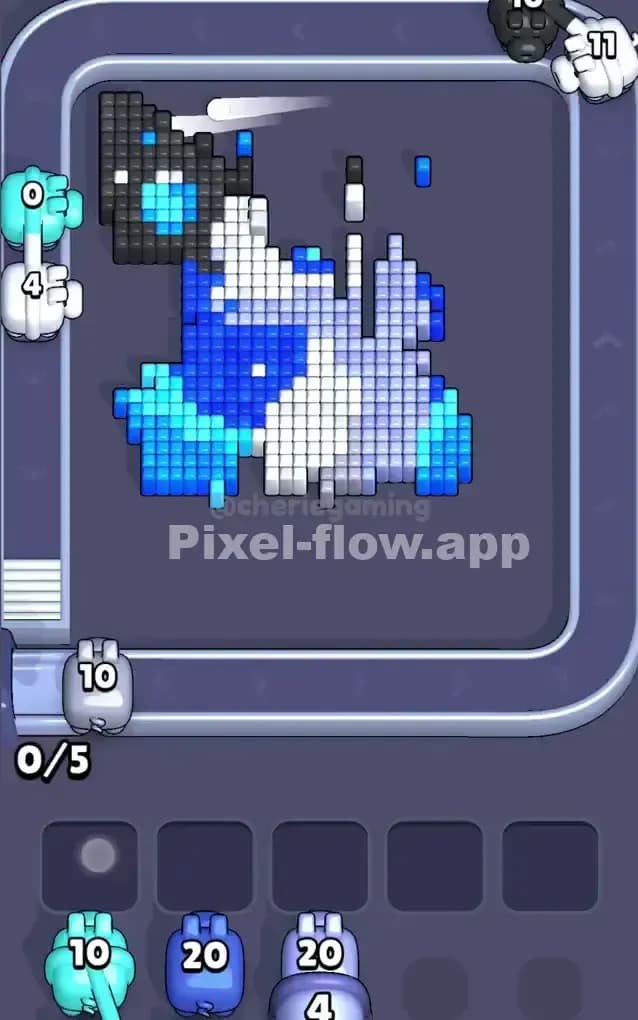
Once the ice is gone, the picture looks strange—a floating seal sandwiched between ocean and space. This is the danger zone. The conveyor belt will start feeding you a nasty mix of White, Grey, Black, and two shades of Blue.
Here is your survival plan without boosters:
- Ignore the Seal: Do not prioritize White or Grey pigs yet. The seal is vertical and narrow; it’s hard to hit efficiently.
- Target the Sky (Black): The Black zone at the top is the next biggest target. It’s huge. However, watch out for the "stars." These are single pixels of White or Blue embedded in the Black. If a Black pig shoots a block next to a star, the star remains.
- Manage the Blues: You have Dark Blue (ocean) and Bright Blue (eyes/stars). Do not confuse them. The Dark Blue forms horizontal bands on the left and right of the seal. Clear these bands to expose the inner layers.
If your slots start filling up with White or Grey pigs that have no good targets, don't panic. Just let them sit there. Focus entirely on clearing the Black and Dark Blue background. Once the background is gone, the seal is exposed, and you can finally unload those White/Grey pigs.
Last Details You Clean Up in Pixel Flow Level 296
At the end, you should be left with just the seal. It creates a striped pattern of White (the lit side) and Grey/Lavender (the shadowed side).
The final moves usually involve the Bright Blue pixels. There are only a few of them: the seal’s eye and the scattered stars in the sky. These are easy to miss. Often, a single Bright Blue star will be hiding behind a Black block in the top corner. Keep one Bright Blue pig in reserve so you don't have to cycle through a whole queue just to snipe that last pixel. Once the eye is placed, the level is done.