Pixel Flow Level 344 Solution | Pixel Flow 344 Walkthrough
How to beat Pixel Flow Level 344: Video solution & walkthrough. The fastest way to pass Pixel Flow 344.
Is this the wrong level layout?🤔
Pixel Flow randomizes levels for different players. Don't worry, just upload a screenshot of your board, and our AI will find the correct video instantly.
Pixel Flow Level 344 Walkthrough
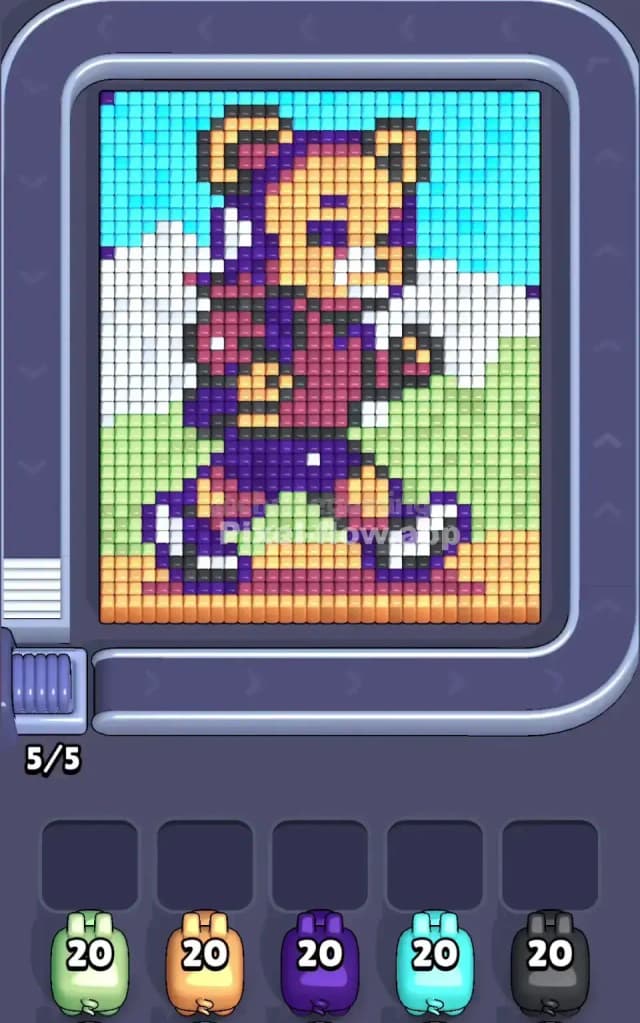
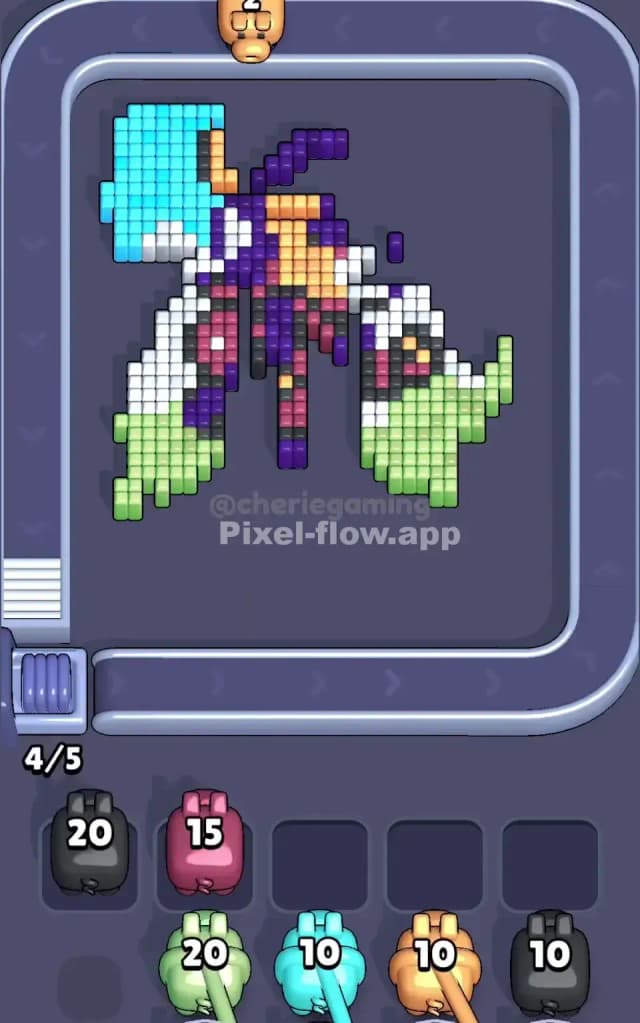
This level features a cartoon bear character striding forward, set against a simple outdoor backdrop. The scene is split distinctly: the top uses Cyan for the sky, the middle uses White for clouds, the bottom uses Green for grass, and the very bottom row is a strip of Orange/Peach ground. The bear itself is a mix of Peach fur, Purple/Indigo clothing, and bold Black outlines.
The rule for beating Pixel Flow Level 344 is managing the heavy background layers first. You have large, uninterrupted blocks of single colors (sky, grass, ground) that act as shields for the more complex character pixels underneath. If you ignore the large blocks and try to snipe the character details too early, your waiting slots will clog with useless colors.
Is it hard? No. It is not a very hard level. It is actually quite forgiving because the color zones are so distinct and separated.
Pixel Flow Level 344 Overview
The artwork depicts a confident bear walking to the right. It feels like a sunny day scene. The bear has a backpack, suggesting a hike or a journey. The background is classic platformer style: distinct horizontal bands of color.
- Top Zone: A massive block of Cyan sky. It’s huge and covers almost the entire top third.
- Middle Zone: Fluffy White clouds behind the bear’s head and torso.
- Bottom Zone: A thick band of Green grass, sitting on top of a single, solid Orange/Peach floor layer.
- The Character: The bear is the asymmetric element. He leans forward. His purple backpack and shorts are darker and denser than the background.
The key asymmetry here is the vertical layering. The background colors (Cyan, Green, Orange) are large rectangles. The character colors (Purple, Black, Peach) are scattered and thin. You must strip the rectangles to reach the scattered bits.
Step by step solution walkthrough for Pixel Flow Level 344
First Color Zone to Erase in Pixel Flow Level 344
Start with the Cyan (Sky) or Green (Grass).
Narratively, you are clearing the weather to see the bear. Logically, these are the safest bets because they are exposed on the surface layer and have high pixel counts.
- Look for Cyan Pigs: The sky takes up the top corners and the top edge. A single Cyan pig can unload massive amounts of ammo here without getting stuck. It clears the top "lid" of the puzzle.
- Look for Green Pigs: Similarly, the Green grass on the left and right flanks is very accessible. Use Green pigs early to clear the bottom sides.
- Avoid Purple/Black early: These colors define the bear's internal details (backpack, eyes, outlines). They are often buried under the white clouds or cyan sky. If you pick a Purple pig first, it will likely hit 2-3 blocks and then sit in your waiting slot, clogging your board.
How to pass Pixel Flow Level 344 without power ups or boosters
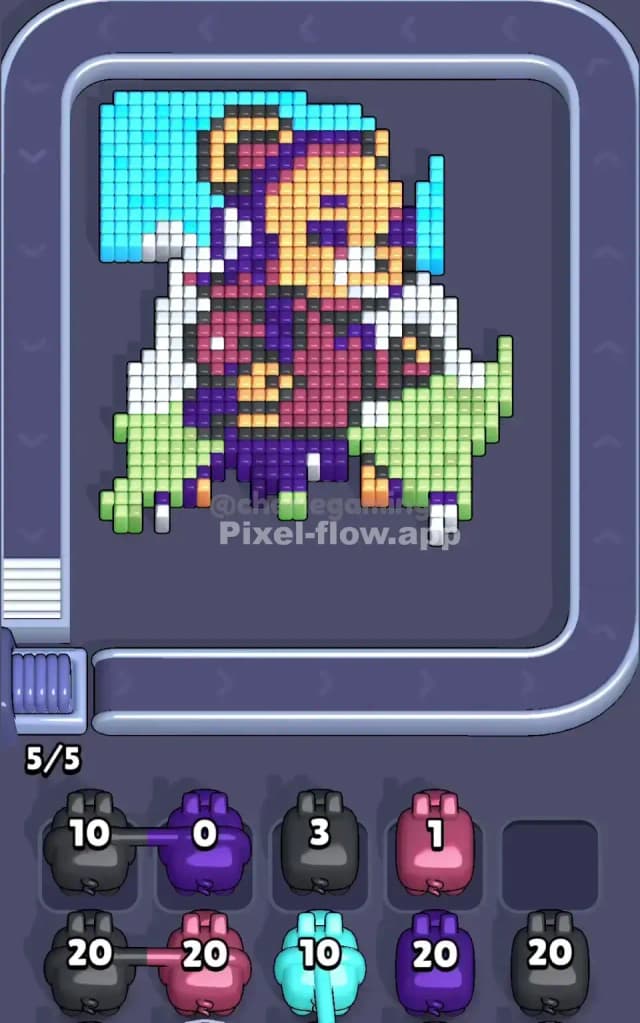
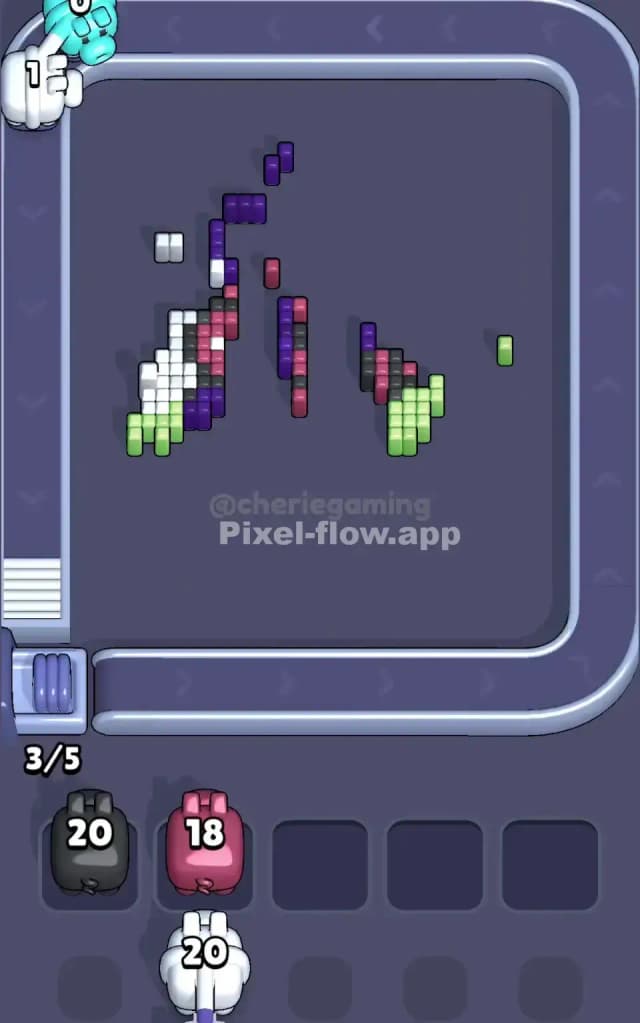
Once you peel off the Sky and Grass, the picture looks strange. You’ll have a floating bear torso and some white cloud chunks remaining.
-
The Mid-Game Shift: After the Cyan and Green are mostly gone, focus on the White and Orange/Peach.
- The White pixels form the clouds. They are likely obstructing the bear's ears and the back of his pack. Clearing White exposes the deep layer of the character.
- The Orange/Peach is tricky. It is used for two things: the ground at the very bottom AND the bear's skin/fur. Be careful. If you grab an Orange pig, make sure the ground layer is actually accessible. Sometimes the Green grass blocks the ground. Clear Green first, then Orange.
-
Handling the Clutter: You will eventually need to tackle the messy center—the bear. This is where you swap between Purple (clothes) and Black (outlines).
- Watch the waiting slots. If you have 3 slots filled with partially used pigs, STOP. Find the color that matches one of those stuck pigs to free up a slot. Do not bring in a fresh color (like Dark Red) until you have cleared a slot.
Last Details You Clean Up in Pixel Flow Level 344
As you near the end, the board usually leaves you with the "skeleton" of the image.
- The Dark Red/Maroon: These pixels are often used for shading on the bear's shirt or backpack. They are deep inside the voxel stack. You usually can't even see them until the White clouds and Purple outer gear are gone. Save Red pigs for the very end.
- The Feet: The bear’s shoes are Black and White. Often, a single Black pixel on the shoe tip is the last thing hiding behind a piece of foreground grass.
- Cleanup: You will likely end with a few stray Purple blocks from the backpack straps or the shorts. Ensure you don't waste a full ammo pig on just 1-2 remaining blocks unless you have open slots to spare.