Pixel Flow Level 359 Solution | Pixel Flow 359 Walkthrough
How to beat Pixel Flow Level 359: Video solution & walkthrough. The fastest way to pass Pixel Flow 359.
Is this the wrong level layout?🤔
Pixel Flow randomizes levels for different players. Don't worry, just upload a screenshot of your board, and our AI will find the correct video instantly.
Pixel Flow Level 359 Walkthrough
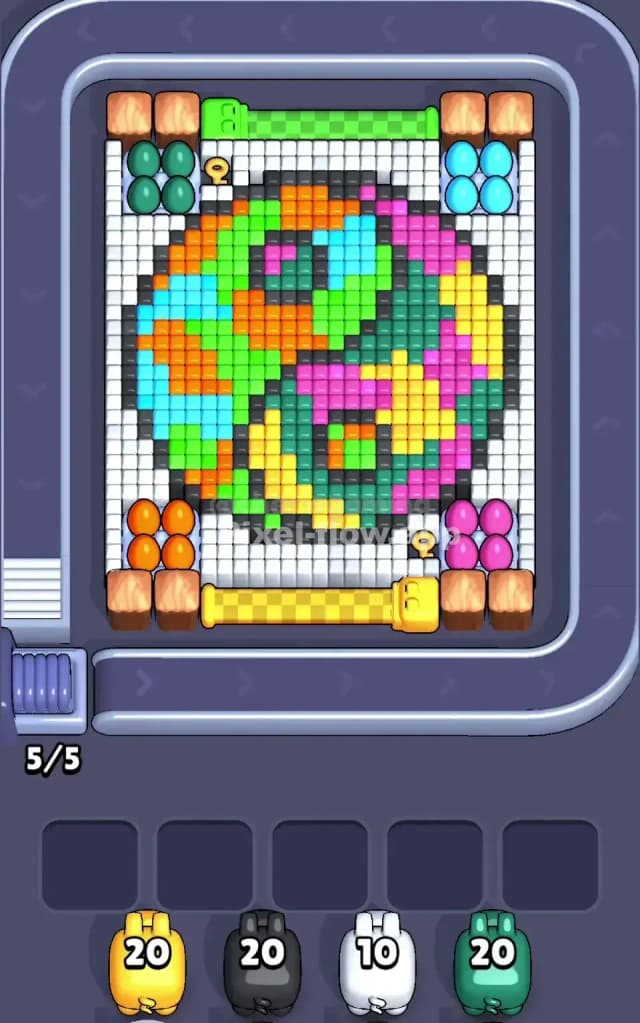
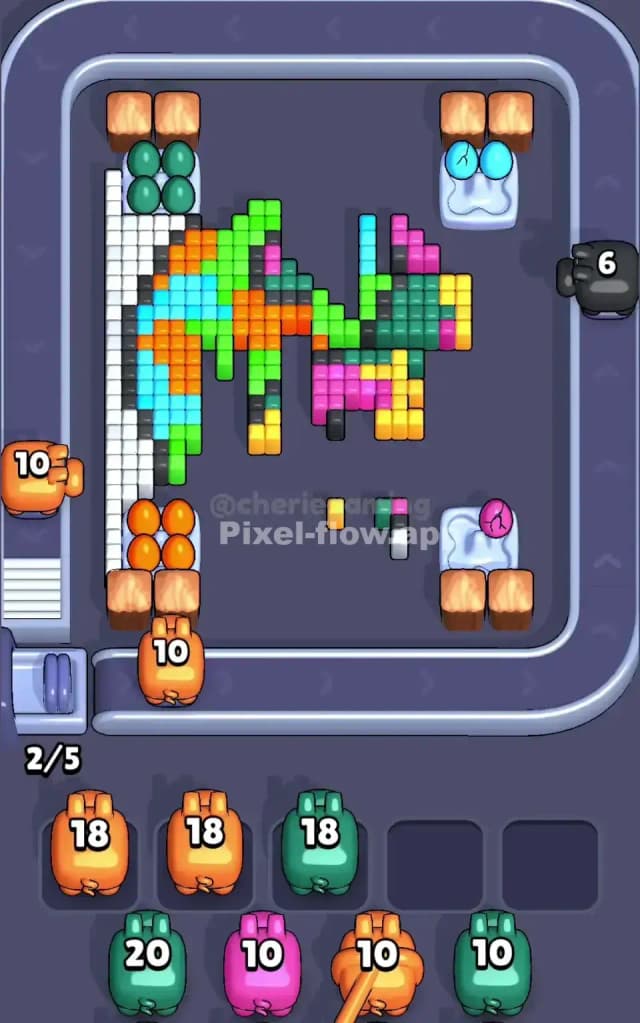
This level is a chaotic mix of colors, but the structure is simpler than it looks. You are dealing with a Yin-Yang symbol, but instead of simple black and white, it’s a swirling mess of neon pixels. The main colors are split: the left swirl is mostly cool tones (green, cyan) with orange accents, and the right swirl is warm tones (pink, yellow) with green accents. The entire thing is bordered by a white frame.
To beat Pixel Flow Level 359, you need to peel it like an onion, starting from the outside white border and working inward. The challenge is that the colors inside are mixed heavily. You cannot just spam one color; you have to alternate. Is it hard? No. It looks intimidating, but it is not very hard. It's just tedious.
Pixel Flow Level 359 Overview
The board features a giant, pixelated Yin-Yang symbol. It feels almost psychedelic. The left side "tear drop" is dominated by bright green and cyan, interrupted by splotches of orange. The right side "tear drop" is a clash of hot pink and yellow, speckled with dark green.
The most important part of this artwork isn't the swirls, though. It's the corners. Look at the four corners of the central image. Each is blocked by Eggs sitting on ice or nests.
- Top Left: Four dark green eggs.
- Top Right: Four cyan eggs.
- Bottom Left: Four orange eggs.
- Bottom Right: Four pink eggs.
These eggs are physically blocking the pigs from hitting the main white border effectively in the early game. The level is symmetrical in shape but asymmetrical in color distribution. You have heavy White exposure on the left and right flanks, but the top and bottom are guarded by those annoying horizontal bars (green and yellow) and the eggs.
Step by step solution walkthrough for Pixel Flow Level 359
First Color Zone to Erase in Pixel Flow Level 359
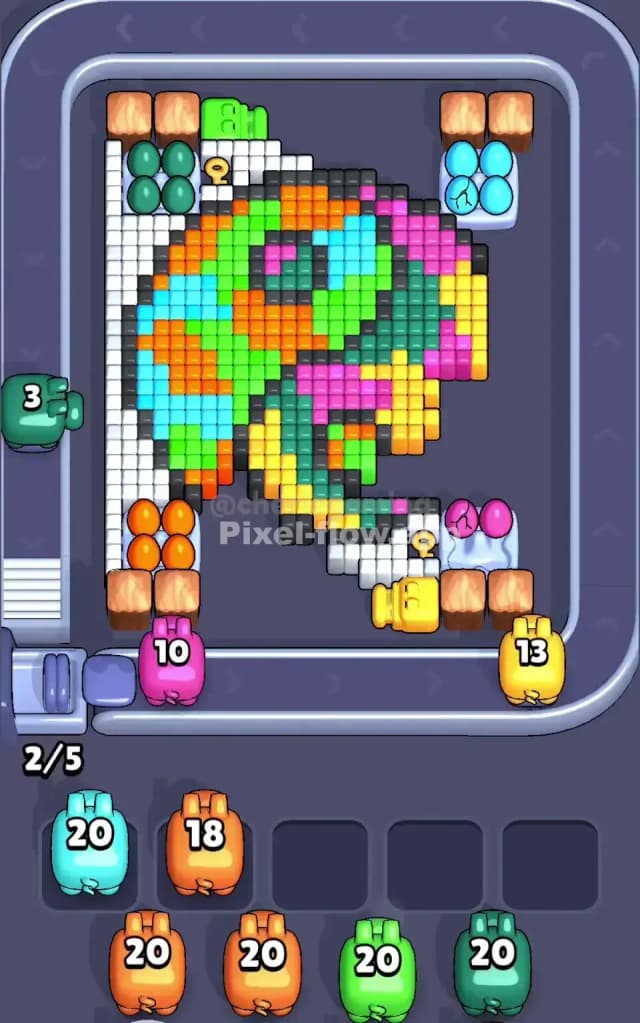
You must target the White pixels first, specifically on the vertical sides.
Here is the logic: The white border is the "crust" of this level. It surrounds everything. However, looking at the conveyor belt, your pigs will struggle to hit the top and bottom white rows immediately because of the Horizontal Barriers (the green bar at the top, the yellow bar at the bottom) and the egg nests.
But the sides? The left and right columns of white pixels are completely exposed.
- Prioritize White Pigs immediately.
- Let them strip the left and right edges.
- Once those side walls are gone, the inner colors (Cyan on the left, Pink on the right) become targetable.
- Do not waste ammo trying to clear the top/bottom white rows yet; the angles are bad until the corners are cleared.
How to pass Pixel Flow Level 359 without power ups or boosters
Once the white side-walls are down, the picture looks messy. You have a core of mixed colors and four corner "bunkers" of eggs. Here is where people get stuck: they ignore the eggs.
If you don't clear the eggs, your pigs will keep hitting them and wasting shots (or worse, not having a clear line of sight to the pixels behind them).
- Mid-Game Priority: Look at your queue. If you see a Cyan pig, send it to the top right immediately to break those eggs. If you see an Orange pig, send it to the bottom left.
- The Trap: The center of the Yin-Yang is a mix of single-pixel checkers. You might see a Green pixel next to a Pink one. Do not drop a Pink pig if it can only hit 2 blocks and then sit in your waiting slot.
- The Solution: Wait for the conveyor belt to bring the pig to a "flush" shot. A flush shot is when a pig can clear a line of 5+ blocks. For example, the left side of the Yin-Yang has massive vertical stripes of Cyan and Orange. Wait until the pig is parallel to those vertical lines before dropping it. Don't drop it at the top or bottom of the board where it only hits the curved edge.
Clear the Horizontal Bars (Green top, Yellow bottom) as soon as possible. They are huge ammo sinks. A single Green pig can wipe that top bar out, opening up the entire upper section for business.
Last Details You Clean Up in Pixel Flow Level 359
In the final phase, you are likely left with the "eyes" of the Yin-Yang swirls. These are usually the deepest layer.
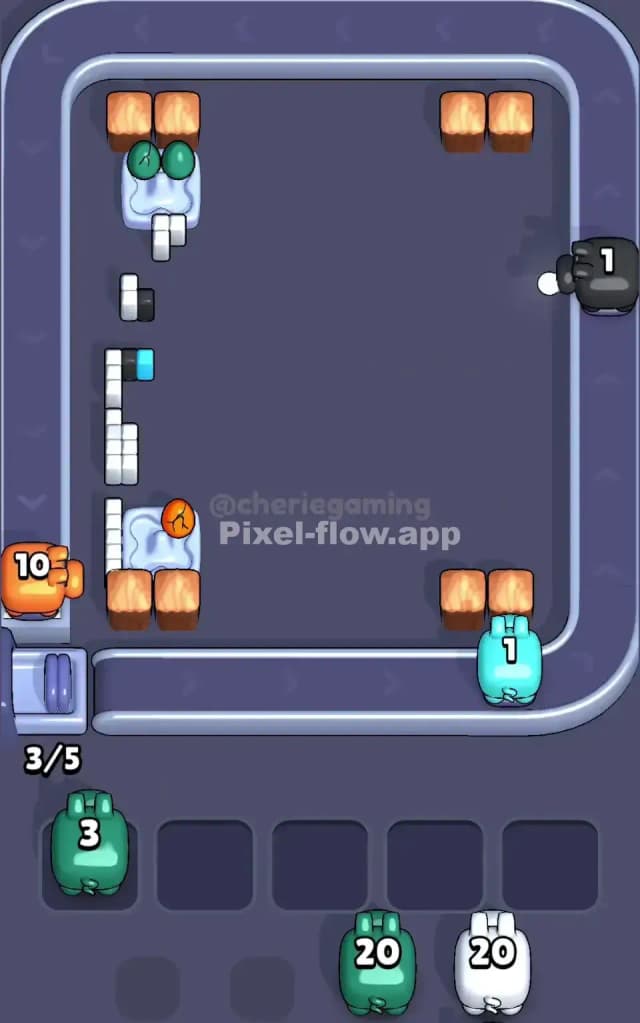
On this board, the nasty leftovers are usually Black pixels. They are used as outlines and small details inside the swirls. Because black is scattered thinly throughout the image, Black pigs often get stuck in your inventory slots with 80% of their ammo left.
Save your empty slots for Black pigs. Do not clog your waiting area with Orange or Cyan pigs at the end. Keep at least two slots open specifically to rotate Black pigs in and out, or you will choke right before the finish line. The very last block is often a random single pixel tucked near the center key locks, so keep your eyes on the middle, not the edges.