Pixel Flow Level 469 Solution | Pixel Flow 469 Walkthrough
How to beat Pixel Flow Level 469: Video solution & walkthrough. The fastest way to pass Pixel Flow 469.
Is this the wrong level layout?🤔
Pixel Flow randomizes levels for different players. Don't worry, just upload a screenshot of your board, and our AI will find the correct video instantly.
Pixel Flow Level 469 Walkthrough
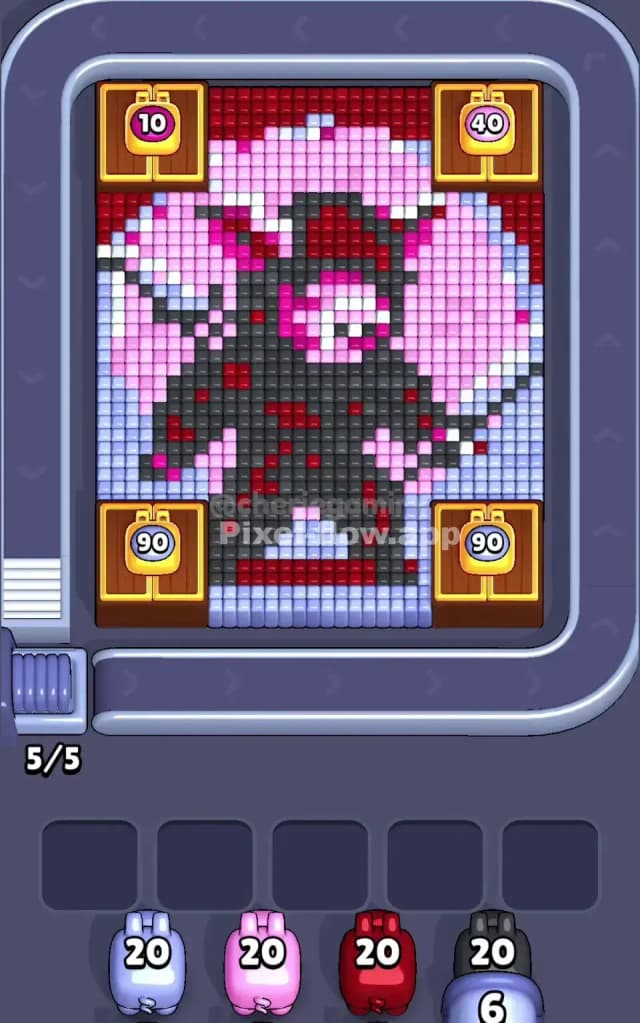
This level features a menacing, dark-armored character—possibly a void knight or a shadow demon—standing amidst pink smoke and an icy blue floor. The board layout is nasty. You start with four massive wooden crates blocking the corners, restricting your shooting angles to a "+" shape in the middle. The top crates have 10 and 40 health, while the bottom ones are tanky with 90 health each.
The rule to beat Pixel Flow Level 469 is patience with your high-ammo pigs. The central figure is dense with Black and Red voxels, but they are buried deep under lighter colors. You cannot just spam Black pigs early; they will have no valid targets and will clog your waiting slots. You must peel the visible "surface" layers (Light Blue and Pink) to expose the dark core and unlock those corner crates. Because of the restricted view and high block density, this is a very hard level.
Pixel Flow Level 469 Overview
Imagine a pixelated boss fight. The central subject is a jagged, asymmetric figure primarily made of Dark Grey/Black pixels with blood-Red accents. It feels aggressive. This figure is surrounded by a soft, contrasting background of Pink and Light Blue.
The board geometry is the real enemy here. The four wooden crates in the corners create a "tunnel vision" effect.
- The Bottom: A solid strip of Light Blue pixels runs across the bottom of the exposed area. This is your floor.
- The Middle: The bulk of the figure is here. It’s a mess of Pink clouds overlapping the Black armor.
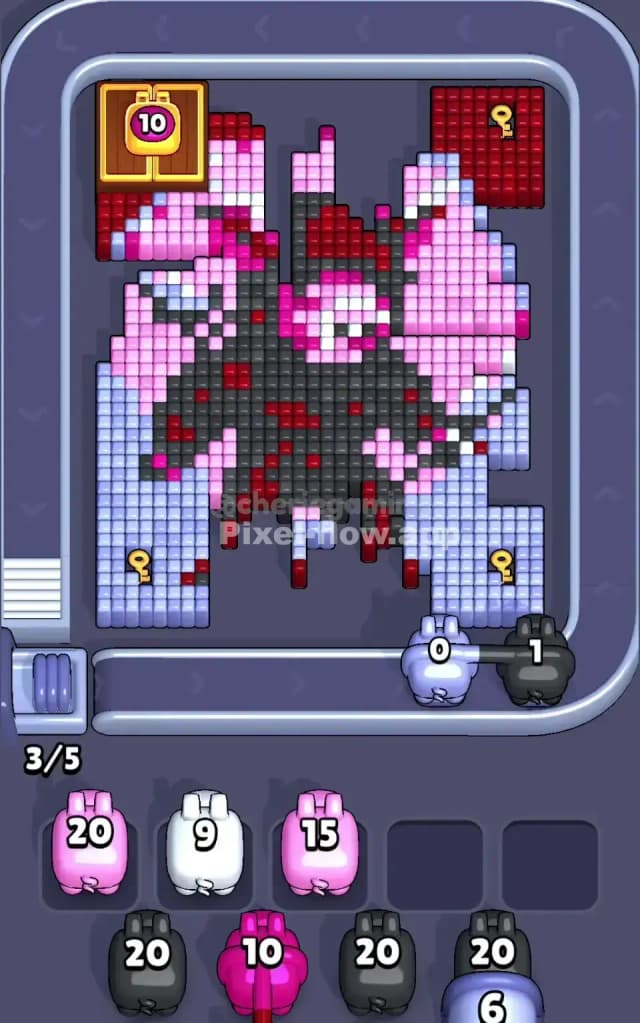
- The Top Left: This is the most critical sector. Once you eventually break past the top-left crate (the one with "10" on it), you will find a dense patch of Red blocks hiding a Gold Key.
The asymmetry is vital. The top-left corner holds the Key, meaning your Red pigs are infinitely more valuable on the left side of the board than the right. The right side is mostly filler Pink and background noise.
Step by step solution walkthrough for Pixel Flow Level 469
First Color Zone to Erase in Pixel Flow Level 469
Your priority is the Light Blue strip at the very bottom.
This choice is purely logical. Because the wooden crates block the corners, your firing lines are extremely limited. The bottom row of the exposed "cross" shape is a solid, unbroken line of Light Blue. This is the safest place to dump ammo. If you grab a Blue pig, you can almost certainly empty it completely right here.
Clearing this bottom blue floor does two things. First, it prevents Blue pigs from clogging your inventory slots later. Second, it lowers the entire voxel stack, potentially bringing the Pink layers into better firing positions. Do not touch the Black pigs yet. The Black pixels are the "bones" of the character, buried deep inside. If you take a Black pig now, it will shoot three blocks and then sit in your slot, useless, blocking you from grabbing the colors you actually need.
How to pass Pixel Flow Level 469 without power ups or boosters
The mid-game of Pixel Flow Level 469 is where most players lose. At this point, you have likely cleared the initial Light Blue and some of the outer Pink. The wooden crates might be starting to break or the play area is widening.
Here is the danger: The Red Trap. You will see Red pixels scattered on the central figure's chest. You will be tempted to grab Red pigs to clear them. Don't. Save your Red pigs for the top-left corner.
Once the top-left crate (health 10) vanishes, a massive block of Red is revealed. Buried inside that Red block is the Gold Key. If you wasted your Red ammo on the stray pixels in the center, you will be stuck waiting for a Red pig while your slots fill up with useless colors.
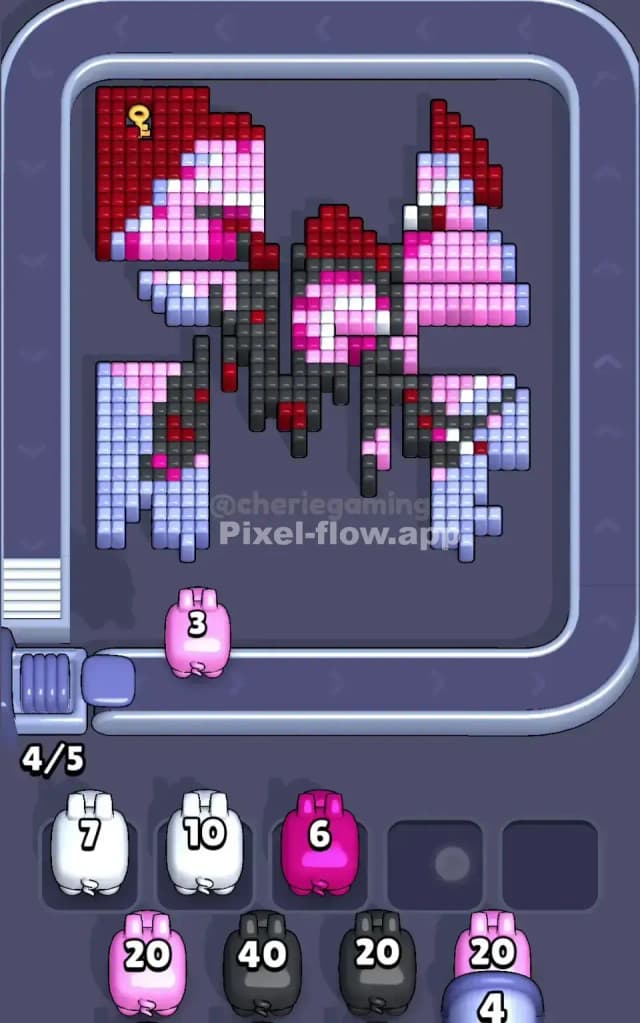
Focus on stripping away the Pink layers next. The Pink pixels form the "smoke" around the figure. They are usually the layer right above the Black armor. By aggressively clearing Pink, you expose the Black blocks. This is the moment—and only this moment—where you should start accepting Black pigs. If the figure looks half-destroyed and you see large patches of Dark Grey exposed, you are safe to start unloading Black ammo.
If your slots are getting full, look at the vertical columns. Are there any single columns of mixed colors? Avoid those. Look for "flat" surfaces of a single color (like the Pink wings or the Black chest) to maximize ammo efficiency.
Last Details You Clean Up in Pixel Flow Level 469
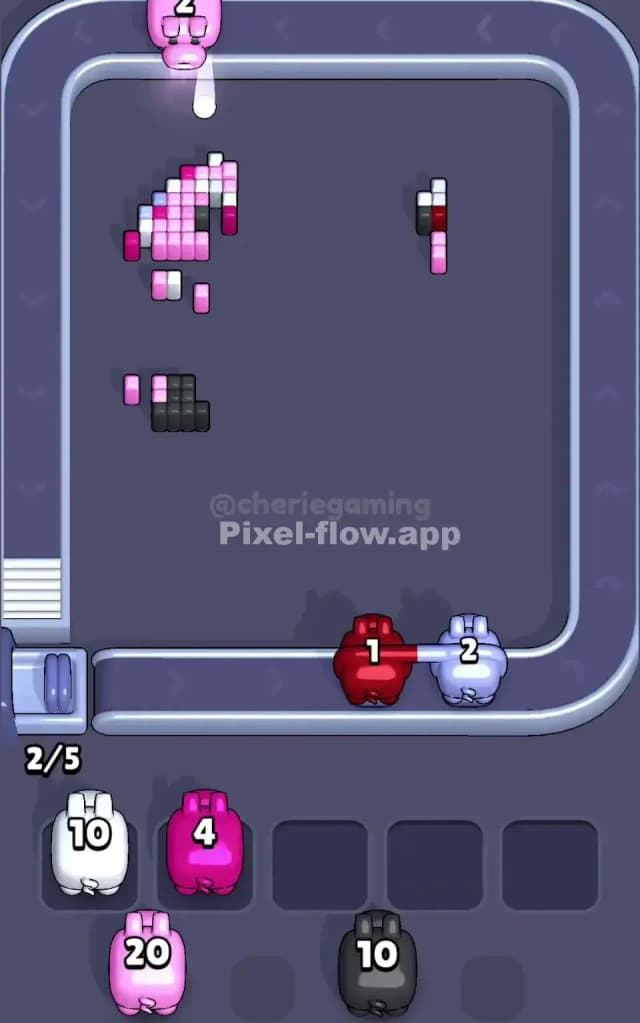
The end of the level is a cleanup operation on the central figure. By now, the background Blue and Pink should be gone. The crates are history.
You are likely left with the "skeleton" of the figure: jagged lines of Black and Red.
- The Chest: This area often has a checkerboard pattern of Red and Black. It can be annoying because you can't sweep it clean with one pig. You have to alternate. Be patient.
- The Key: If you haven't grabbed the key in the top-left yet, do it now. It is likely the only thing preventing the level from ending.
- Hidden Voxels: Watch out for single pixels hiding behind the main figure's torso. Sometimes a random Pink pixel is stuck behind the Black armor. Rotating the camera slightly (if the game allows a peek, though usually fixed perspective) or just watching where the pigs aim can help.
The final move is usually dumping a high-ammo Black pig into the center mass to disintegrate the last of the armor. Once the dark grey vanishes, the level is yours.