Pixel Flow Level 471 Solution | Pixel Flow 471 Walkthrough
How to beat Pixel Flow Level 471: Video solution & walkthrough. The fastest way to pass Pixel Flow 471.
Is this the wrong level layout?🤔
Pixel Flow randomizes levels for different players. Don't worry, just upload a screenshot of your board, and our AI will find the correct video instantly.
Pixel Flow Level 471 Walkthrough
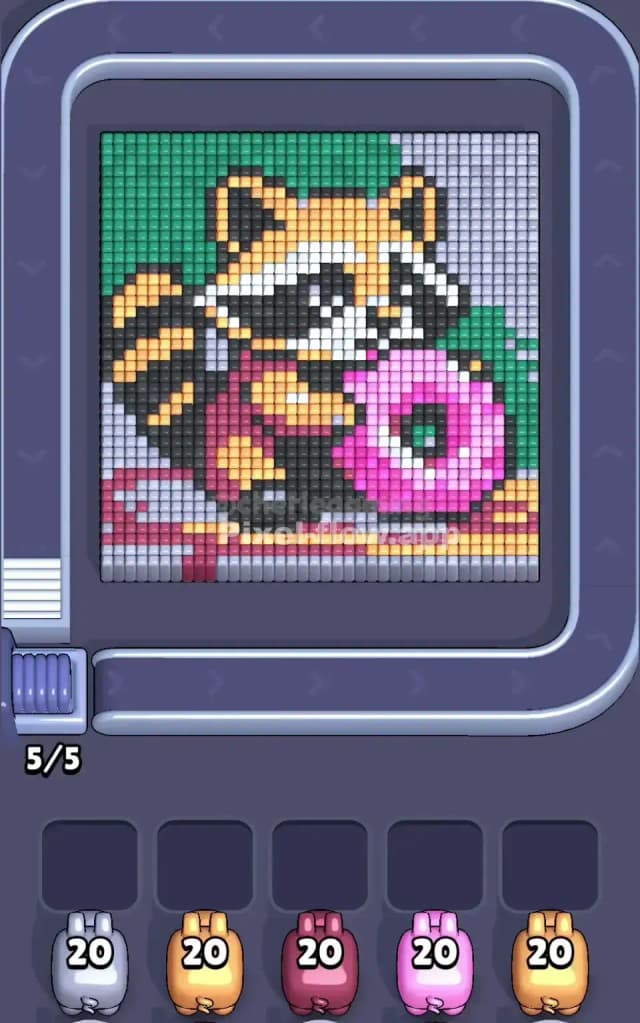
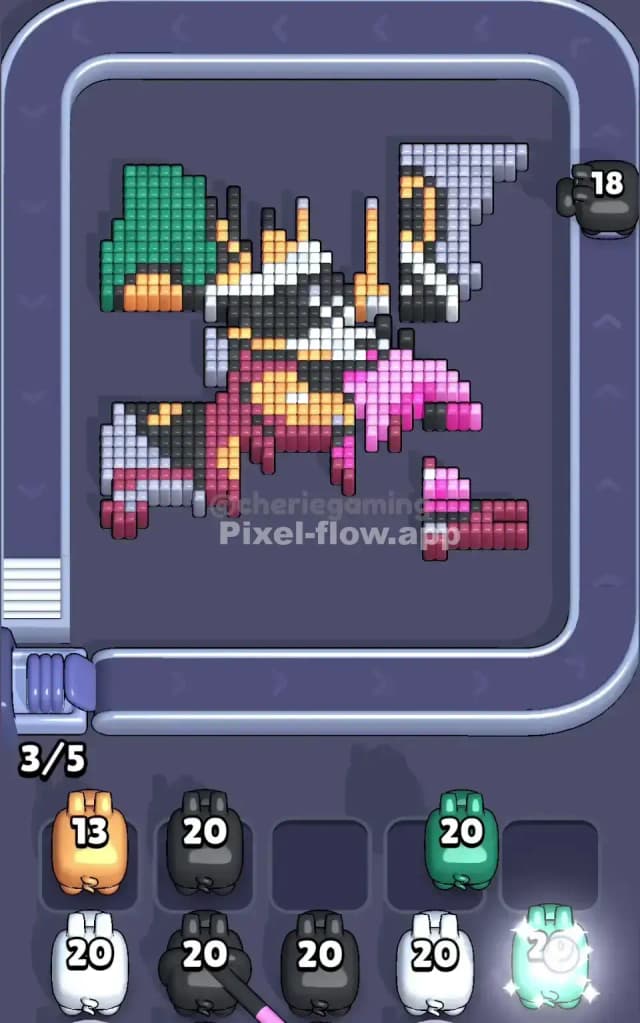
This level features a detailed pixel art scene of a raccoon holding a large pink glazed donut. The colors are tightly packed, with distinct background zones that separate the board into quadrants. Your primary obstacle here isn't the shape itself, but the sheer number of active colors: Green, Light Grey, Black, White, Orange, Pink, and Maroon. With only five waiting slots, managing seven active colors is a recipe for disaster if you aren't careful.
Is Pixel Flow Level 471 a very hard level? Not exactly. It is visually busy, but the layers are distinct. If you peel them back in the correct order—background first, then foreground objects—it plays smoothly. If you grab random colors, you will lose instantly.
Pixel Flow Level 471 Overview
The scene depicts a raccoon sitting down, clutching a massive pink donut with sprinkles. It looks like he’s caught in the act of snacking. The background is split asymmetrically: the top-left corner is a solid block of Green (perhaps a bush or wall), while the entire right side and the bottom-left corner are filled with Light Grey tiles.
This asymmetry is important. The Green section is heavy and concentrated in one spot. The Light Grey section wraps around the character like a frame. Inside this frame, the raccoon is a complex mix of Orange, Black, and White stripes, wearing a Maroon shirt. The Pink donut sits right in the center-front, acting as a shield for the pixels behind it.
Step by step solution walkthrough for Pixel Flow Level 471
First Color Zone to Erase in Pixel Flow Level 471
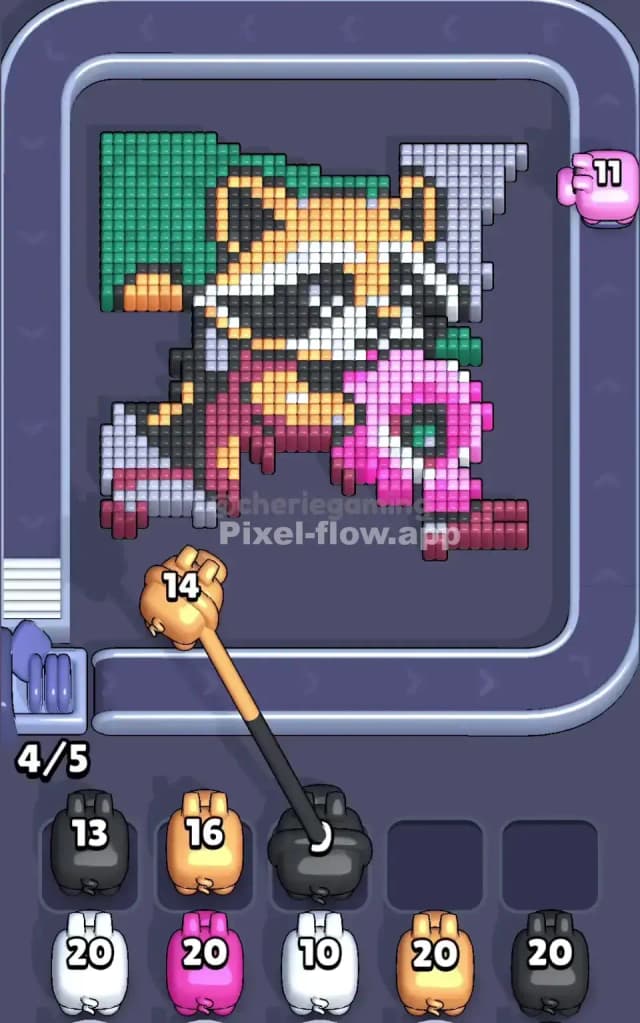
Your first target should be the Light Grey background tiles.
Here is the logic: The Light Grey blocks occupy the entire right column and the bottom-left corner. These are "outer" pixels. They aren't blocking anything vital, but they take up a huge amount of surface area. By clearing the Light Grey first, you remove the visual noise from the right side of the board and define the edges of the raccoon.
If you don't see a Light Grey pig immediately, take the Green pig. The Green block in the top-left is massive and sits on the surface layer. Clearing that big green square early is essentially free board space. It removes one of the seven colors from the equation entirely, reducing the risk of clogging your slots later.
How to pass Pixel Flow Level 471 without power ups or boosters
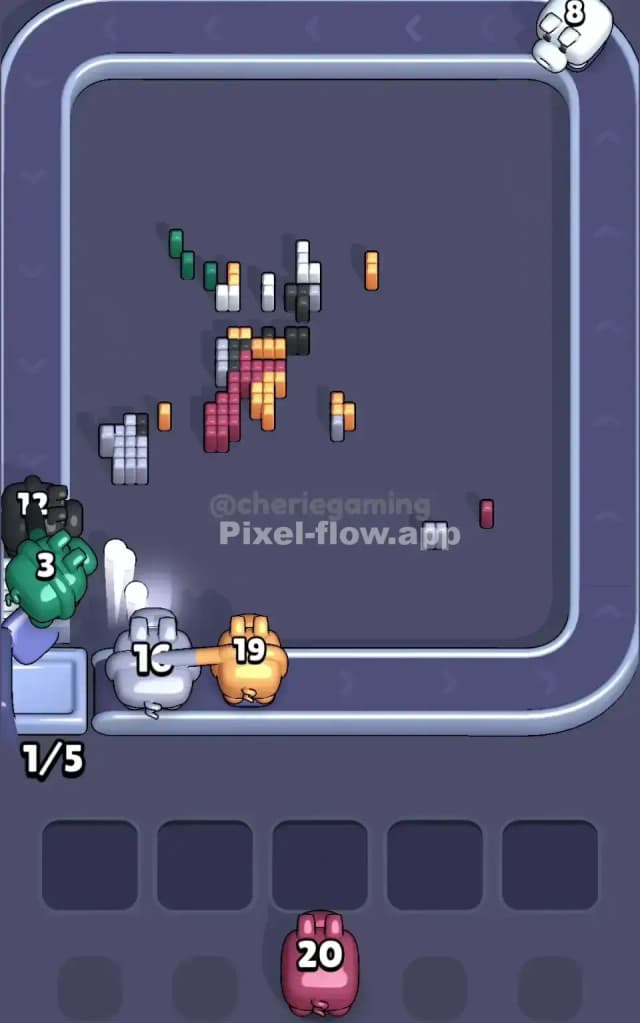
Once the backgrounds (Green and Grey) are gone, the board looks messy. You have a floating raccoon and a giant donut. This is the danger zone.
You must prioritize the Pink donut next. The donut is a "foreground" object. It physically sits on top of the raccoon’s belly and hands. If you try to shoot at the raccoon’s Black or Maroon pixels while the Pink donut is still there, your shots might get blocked, or you'll waste ammo trying to snipe pixels that are half-buried.
Grab every Pink pig you see. Clearing the donut exposes the center of the character. Once the Pink is gone, you are left with the raccoon's body. Be extremely careful with the Black and Orange pigs here. The raccoon’s tail and face are made of alternating stripes. It is easy to misjudge the depth. Only pick a Black or Orange pig if you see a large, connected cluster of that color. If you only see one or two pixels of Orange, leave that pig on the belt.
Last Details You Clean Up in Pixel Flow Level 471
In the final phase, you will likely be staring at the raccoon's striped tail and face mask. The colors remaining will be Black, White, and Orange.
These pixels are often interwoven. The tail, for example, is layers of Black and Orange stacked on top of each other. You usually have to clear one stripe to reveal the next. Look closely at the voxel height. Clear the "highest" stripe first. Often, the White pixels on the face are the deepest layer, so save your White pigs for the very end. Don't panic if the board looks scrambled; just match the color that has the most visible, exposed blocks.